Subcategories

  • Large screen adventure watch for outdoor expeditions and training V2

    165 Topics
    2k Posts
    L
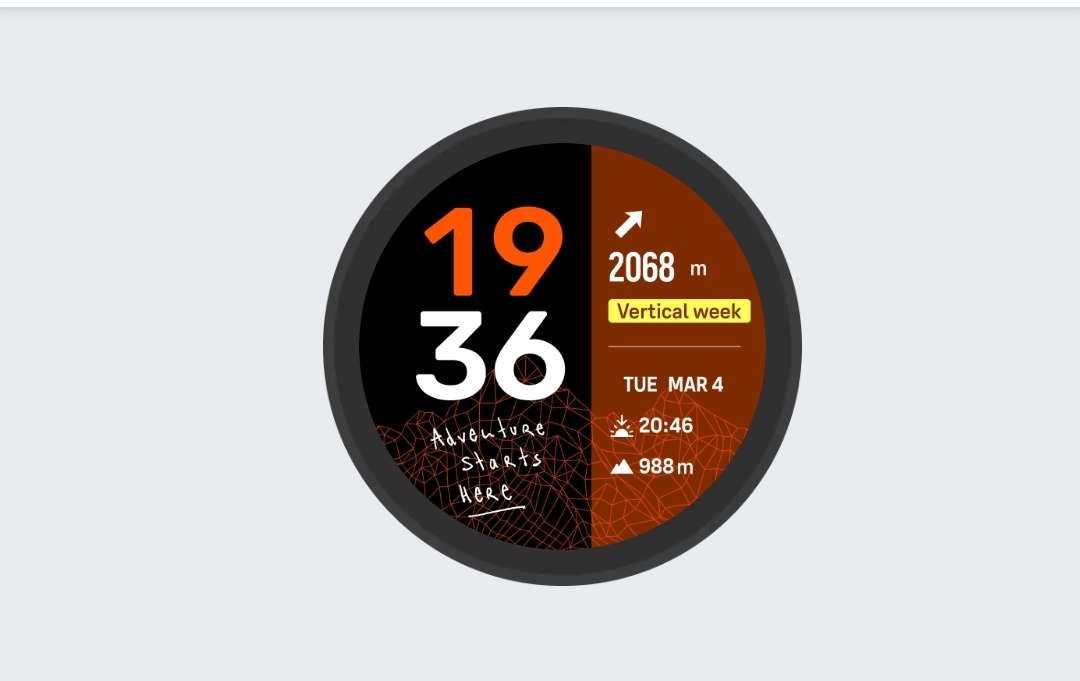
    There are several minimalist watchfaces and a few of them you can modify the complications. I like the K-14. [image: 1776647069428-a3708e93-699c-4c78-803a-9622bbf4ce37-image.png]
  • Ultimate performance watch for racing and training V2

    201 Topics
    2k Posts
    F
    @2b2bff I wrote about this before, but from my n=1 sample size, the Race 2 measures short, and is further from true distances than other watches from Suunto, COROS, and Garmin. I’ve measured it against a measuring wheel. Also, recent race performances by elites wearing the Race 2 in certified road races also have it measuring a bit shorter than race distances.
  • Large screen adventure watch for outdoor expeditions and training.

    1k Topics
    15k Posts
    MiniForkliftM
    @nseslija Same for me, by far the best sports/GPS watch I’ve ever owned - and I’ve owned plenty! Sure there’s been a few glitches and bugs but overall it’s one hell of a tool. It’s kept me on pace during my ultra’s and kept me safe and on track during many adventures in unknown territory I’ll have had it for 3 years next month, and the fact that over those 3 years it’s continually being worked on and improved is not lost on me. I’ve been part of this forum for years and this is just another nice extra… good job Suunto
  • Ultimate performance watch for racing and training.

    823 Topics
    8k Posts
    Jan KrejčíJ
    @Olaf-Gottschalk As I wrote in your original post from 4 months ago, there’s a workaround without stopping the activity. After disconnect, switch to Tour battery performance in activity menu (long press bottom button), then switch it back to Performance. This disables and reenables watch’s Bluetooth and power meter reconnects to watch.
  • Light and compact but ultimate performance watch for racing and training.

    449 Topics
    4k Posts
    gone troppoG
    My suunto vertical also experiences this extreme drain. You won’t get much out of this forum other than people posting to say how great their watch is. This is a an issue suunto no doubt know about but are in denial about or don’t know how to fix.
  • Suunto 9 Peak Pro

    433 Topics
    6k Posts
    D
    @Greennorth This is not the reason for the phantom vibrations, at least not in my experience. I’ve received phantom vibrations when I’m nowhere near my phone, as in I’ve left my phone at home and still get them. My current guess is that it may have something to do with the compass auto-calibration. The bug showed up at about the same time this feature was implemented. Just a guess, though.
  • Lightweight sports watch designed for runners

    159 Topics
    1k Posts
    P
    The offline music player is a great feature of the Run, but getting tracks to play in a specific order is currently awkward. The library view shows tracks in an arbitrary order: not by filename, tag, or folder. Two albums dropped into the music folder come out interleaved and scrambled: [image: 1776441556477-screenshot_20260417-170607.jpg] None of the three playback modes (single repeat, playlist repeat, shuffle) resolves this. To listen to an album in its intended order, the only option is to rebuild it as a playlist in the Suunto app, track by track. Three possible additions come to mind - any one would solve it: Respect folder structure. Let the watch browse folders and play them as a queue. Read .m3u / .m3u8 files from the music folder. Playlists built in a desktop tool could just be dropped onto the watch. Sort the flat library deterministically. By filename, or by Track Number / Album tags. Adding sorted playback wouldn’t take anything away: shuffle mode already exists for anyone who wants to listen in a random order.
  • Suunto 9 Peak

    449 Topics
    6k Posts
    I
    Is there a way to set up intervals on the main display of a sport mode? I don’t want to swipe down during exercises. I want to just see ‘3/10 RUN’ or something similar on the watch face. Thx
  • Suunto 9

    1k Topics
    15k Posts
    C
    I have the same problem for 7 days. It is not possibile doing neither soft nor hard reset. No answer from Suunto Help Desk. Really disappointed. The only thing i can do is buying a new Watch
  • Suunto’s first smart-with WearOS

    677 Topics
    10k Posts
    ?
    Finally, almost in my case, this problem is corrected in the last beta version.
  • Suunto 5 Peak

    63 Topics
    718 Posts
    A
    I know that HR measurement at the wrist can be difficult and it is better to use a chest strap. However, even for normal walking (not even Nordic walking) I get horribly wrong measurements, e.g. yesterday the watch showed a maximum of 139 bpm in the afternoon, but an 24h-ECG (which should be 100% accurate) shows a maximum of 106 bpm in the morning (it is hard to search for the same time span). Anyhow, the difference is not acceptable! Yes the watch has correct settings (left arm) and is correctly attached to the wrist. What can I do? I need to track my pulse.
  • All Suunto Spartan Series

    328 Topics
    3k Posts
    S
    Good day, I have a Suunto Spartan Ultra and have had it for 8 years. From my last Samsung UI update my watch has not synced my daily steps with the Suunto app. I have tried the following but not success: Restart phone and watch. Reinstall Suunto App Force stop Suunto App Unpair watch from phones Bluetooth and reconnect. Gave all items on Suunto App permission. Made sure Suunto APP and phone is not on energy saving mode. If anyone has a solution please assist. Kind regards
  • Ambit 1,2,3 Series

    284 Topics
    3k Posts
    T
    I thought the Wahoo cycling cadence sensor would connect to the Suunto app easily being Bluetooth. Should it? It’s also not connecting to the Ambit3 watch.
  • Suunto 5

    215 Topics
    2k Posts
    A
    I haven’t used my D5 since January; I got it out of the cupboard today to charge it as it’s dead, but I can’t remember how to attach the charger. I’ve searched the manual but it just says ‘attach’, it doesn’t explain how. There’s a red thing on the end of the cable which I seem to recall ‘snaps’ onto the watch, but right now it’s not snapping onto anything - it doesn’t stick to the back of the watch like I seem to remember. Have I got this totally wrong? Please can someone explain in simple terms how to attach the charger?! Thanks
  • Suunto 3 and Suunto 3 Fitness

    56 Topics
    551 Posts
    P
    Hei Expert Users, I am using SUUNTO AMBIT3 PEAK device, do we have options to set the training plan in the device?
  • Traverse Series

    75 Topics
    447 Posts
    No new posts.
  • Orthostatic Test

    Moved
    4
    4 Votes
    4 Posts
    681 Views
    C
    Orthostatic test would be great. I’ve bought the polar only for that test and for me it is the best tool for analyzing potential overtraining so far
  • 1 Votes
    4 Posts
    589 Views
    F
    @fritzbt2013 I can confirm that it is the least used custom activity that gets deleted. I recently got back to using my Vertical and had 4 custom activities (only). I noted which one was at the top on the watch (the least used). I then performed the update, and it was gone, and I was down to 3 activities. I’ll continue to keep track of this, but it’s pretty easy to reproduce the problem and I would think Suunto could solved this fairly easily (if there is a good way to submit the issue where it might get some traction). For now, I’ve added ‘Stretching’ to both my watches and will (easily) make sure it will be the least used activity as a workaround to the problem.
  • Invertval exercise vibration

    Moved
    1
    3 Votes
    1 Posts
    183 Views
    No one has replied
  • Reference (minimal) battery consumption for Race and Race S.

    3
    6 Votes
    3 Posts
    538 Views
    Stefano M64S
    @far-blue the watches need to be awake in order to connect, being still while in the drawer they should be idle, as in airplane mode.
  • Alert your phone when watch is fully charged

    featured request charging
    1
    11 Votes
    1 Posts
    339 Views
    No one has replied
  • Watch face

    Moved
    18
    1
    1 Votes
    18 Posts
    3k Views
    Dominik GryniukD
    @Prenj That seems about right, you can’t set up both the compass and the daylight on the face.
  • SW update 2.37.34 Q3

    Locked
    304
    31 Votes
    304 Posts
    85k Views
    F
    @JanJ1968 not sure it can help, but… uninstall some sport apps. As for me, I had to sync my watch (race) for like 4 or 5 times, before I got the result
  • Experimenting with a Track Running solution using "Snap to Route"

    9
    7
    8 Votes
    9 Posts
    1k Views
    Ze StuartZ
    @Jonathan-C really interesting seeing how you’re teaching the software about the world. Looking forward to part 2, where I’m curious to find out if you have to pre-plan the number of laps and incorporate that into your route. Spoilers!
  • 0 Votes
    11 Posts
    2k Views
    Agustin Gonzalez Perez CorralA
    @JVMT74 Kudos. That is an impressive finish time for TDS (assuming you are an amateur).
  • Displaying total calories on the home screen

    1
    2
    0 Votes
    1 Posts
    168 Views
    No one has replied
  • This topic is deleted!

    2
    0 Votes
    2 Posts
    89 Views
  • Feature request: ZoneSense "odometer" on the main workout screen

    Moved
    1
    2 Votes
    1 Posts
    215 Views
    No one has replied
  • How does FusedPace react to there being a foot pod

    4
    3 Votes
    4 Posts
    614 Views
    F
    Ok, I’ve been experimenting and this is what I’ve found so far. Firstly, it seems clear to me that the behaviour of the watch’s presentation of pace changes when a stryd pod is used so I’m pretty sure the pace data is used and is used in preference to in-watch fusedspeed data. When I use the stryd pod, pace appears to be updated pretty consistently every 2 seconds or so. I actually think Suunto could do some work to tune this to improve it because my iPhone app (iSmoothRun) can update every second but that’s an aside. When the stryd is paired, no level of mucking about with gps or holding my arm to see the watch for extended periods makes any difference so I’m going to say when a stryd is paired fusedspeed isn’t used and pace comes from the stryd, not gps. When not using the stryd pod I can def. create scenarios where I can tell the difference. With a recently sync’d watch, over 20% battery, performance level gps and a solid gps signal I actually think the watch updates pace faster than when using the stryd. However, not sync’ing before a run, having less than 20% battery and running deliberately where I know the GPS signal is weaker (under trees, along canals etc) the pace update rate drops significantly. Here it seems to update every 5 or so seconds and is also more likely to react to a slowing of pace than an acceleration. I’m guessing this is the frusedspeed stuff kicking in. If I go further to ‘break’ the fusedspeed capability by holding my wrist up to view my watch continuously (therefore preventing the accelerometer from doing it’s job) then in a poor signal area the pace can easily freeze for 20 seconds or more until GPS catches up. So my conclusion is that the watch adopts behaviour 1 from my original post. As a result I’m not going to be retiring my Stryd any time soon And as a PS maybe Suunto could improve the refresh rate for pace and power from the stryd to every second I’d be interested to hear if other people have different experiences
  • Proposal for a single huge information in sport mode screen

    Moved
    2
    5
    4 Votes
    2 Posts
    373 Views
    Mister PYCM
    In next upgrade I dream to have this …
  • 3 Votes
    1 Posts
    270 Views
    No one has replied
  • 7-day HRV average on "Recovery HRV" widget

    hrv widget uistyle
    5
    0 Votes
    5 Posts
    926 Views
    GiPFELKiNDG
    @timecode said in 7-day HRV average on "Recovery HRV" widget: I don’t want to open a new topic, but not sure if it’s related to the latest update, or I am just remembering that the HRV used to be displayed differently. My last nights HRV was 38, but instead of showing 38 on the graph, it shows the 7 day average - 44. Was this always like this? Or I am just not remembering it right? I remember it showing my last nights value on the graph - not the 7 d.avg. Can someone advise on this? Thanks! [image: 1726728623271-3d7f334c-8709-43d3-948d-f67f11c23cc7-img_4386.jpeg] /var/folders/xf/hmh7xdpj67lfspqw0mwl_00c0000gn/T/com.apple.useractivityd/shared-pasteboard/items/181A9DC0-8CE2-4999-9BA0-9C3BC17BCB49/IMG_4386.jpeg The 7day avg HRV is shown in the Graph. The last Night is written under the Graph.
  • Sport -> Options -> Target (save last choosen option)

    1
    1 Votes
    1 Posts
    170 Views
    No one has replied
  • Add Strava Segments Guide

    12
    0 Votes
    12 Posts
    2k Views
    sky-runnerS
    @deserthike20 In my experience Strava does sync negative (downhill) running segments but perhaps not negative cycling segments.
  • Suunto Core All Black - Altimeter

    altimeter core all black
    1
    0 Votes
    1 Posts
    152 Views
    No one has replied
  • Left-hand wearer option

    Moved
    8
    2 Votes
    8 Posts
    1k Views
    Matthieu FouM
    Hi all, @zadow said in Left-hand wearer option: I am curious what is the experience of lefthanded people with SR and the rotating crown…? left-handed owner of Suunto Race here, wearing it on the right arm. I’ve only had this watch for a couple months (summertime only, no long sleeves) hence had no issue (yet ?) with clothes. So far, the only issue with the rotating crown is with my arm hair that gets into the crown, especially while exercising when I’m sweaty. I guess this is not specific to left-handed people, but since you were asking

Suunto Terms | Privacy Policy