Suunto app Forum Suunto Community Forum
    • Recent
    • Tags
    • Popular
    • Users
    • Groups
    • Register
    • Login
    1. Home
    2. Popular
    Log in to post
    • All Time
    • Day
    • Week
    • Month
    • All Topics
    • New Topics
    • Watched Topics
    • Unreplied Topics

    • All categories
    • L

      Accensione Luce Rossa stroboscopica al tramonto è disattivazione all alba

      Watching Ignoring Scheduled Pinned Locked Moved Suunto Vertical 2
      1
      0 Votes
      1 Posts
      59 Views
      No one has replied
    • N

      Jump, Pressure => Deep Diving!

      Watching Ignoring Scheduled Pinned Locked Moved Nautic
      1
      0 Votes
      1 Posts
      77 Views
      No one has replied
    • gonzosurferG

      Vertical Solar turned off and does not reboot

      Watching Ignoring Scheduled Pinned Locked Moved Suunto Vertical
      4
      0 Votes
      4 Posts
      383 Views
      G
      @gonzosurfer what happened finally??? Did you fix it?
    • herlasH

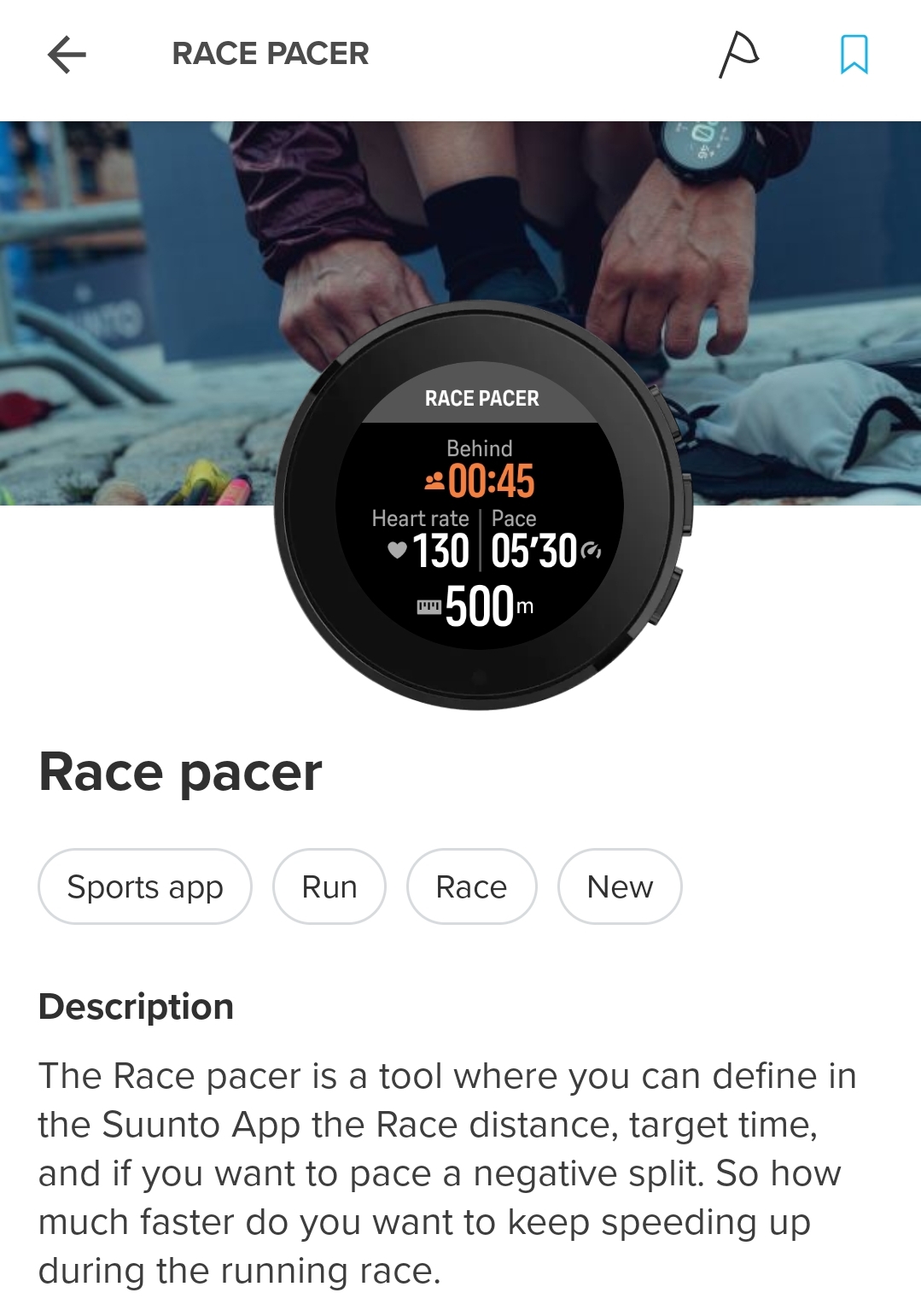
      S+ Race pacer

      Watching Ignoring Scheduled Pinned Locked Moved SuuntoPlus™ Sports Apps
      60
      1
      6 Votes
      60 Posts
      17k Views
      Steven HambletonS
      @MiniForklift And there’s SunMaxxi Pacer - what does everyone use these days?
    • S

      [Question] No stupid questions - ask anything here

      Watching Ignoring Scheduled Pinned Locked Moved Suunto Plus Development
      155
      4 Votes
      155 Posts
      24k Views
      J
      @SuuntoPartnerTeam I had my app parat io released beginning of august 26. But since 16.8.2026, v1.3 no updates I ship are not published to the store. The Last deployed App version is v1.8 - but the App which is shipped by Suuntos App Store is still v1.3 The App Deskription will update but the app itself wont. Now I am stuck with an app I cant update anymore. Is there anything I can do, or any service i could contact? Why this matters beyond my one app: Critical bugfixes can’t be shipped in time - if a community app has a real bug, there’s currently no way to get the fix to users. Bad experience for Suunto customers - people are installing and rating outdated builds while the store listing looks fully up to date. Intransparent process for devs - no status, no version info, no feedback anywhere in Apizone about what’s actually being served or whether an update is pending, processed, or rejected. That’s tough after spending hours to elevate the Suunto eco system. p.s. the app ID is zzpara01
    • UjcoCZU

      👍👍👍

      Watching Ignoring Scheduled Pinned Locked Moved Watches
      1
      -2 Votes
      1 Posts
      182 Views
      No one has replied
    • G

      Asking Suunto vertical for parts

      Watching Ignoring Scheduled Pinned Locked Moved Suunto Vertical
      1
      0 Votes
      1 Posts
      109 Views
      No one has replied
    • J

      Ending/stopping the dive manualy

      Watching Ignoring Scheduled Pinned Locked Moved Nautic
      1
      2 Votes
      1 Posts
      53 Views
      No one has replied
    • H

      Kailash

      Watching Ignoring Scheduled Pinned Locked Moved Watches
      10
      0 Votes
      10 Posts
      2k Views
      André FariaA
      For those that are still rocking a Kailash but fetched Android support, or even desktop support, you can check my app. Feedback accepted. Being happy owner of two of these beauties, it was tested on real hardware.
    • Keith_MichaelK

      Adding Weight Widget

      Watching Ignoring Scheduled Pinned Locked Moved Suunto app and other software services
      4
      13 Votes
      4 Posts
      843 Views
      A
      and please synch with Withings the weight, muscle etc
    • omunozO

      Climbing App UI Redesign for Suunto – Indoor & Outdoor Split (Feedback Wanted)

      Watching Ignoring Scheduled Pinned Locked Moved Suunto Plus Development
      7
      6 Votes
      7 Posts
      787 Views
      S
      The new indoor climbing app looks awesome!
    • I

      Engo Eyewear- Is it worth a buy?

      Watching Ignoring Scheduled Pinned Locked Moved Suunto Vertical
      11
      0 Votes
      11 Posts
      3k Views
      F
      @Iggge Yes it works with Vertical. I just started to use Engo 2 photocromatic. Easy to check compatibility. In case you can install ActiveLook sport app to your watch in MySuuntoPlus Engo 2 will connect. [image: 1787986017789-b0377319-4a2e-4c04-a3c3-76bf8d397101-image.jpeg]
    • J

      Feature Request: Full Sun & Moon Information — Twilight, Moonrise & Moonset

      Watching Ignoring Scheduled Pinned Locked Moved Suunto Vertical 2
      2
      8 Votes
      2 Posts
      211 Views
      R
      @joey-kimton Hi - I guess you are talking about the Sun & Moon widget, which does have limited information. However, there are two Sports Apps (called Sun & Moon…) which give a lot more information such as dusk/dawn time, moon rise/set. Obviously you can only use these during an activity but it may help you out.
    • ?

      Backlight - raise-to-wake brightness resets to High after entering and exiting the sport mode list

      Watching Ignoring Scheduled Pinned Locked Moved Suunto Vertical
      1
      0 Votes
      1 Posts
      96 Views
      No one has replied
    • E

      My Vertical 2 Wishlist for Next Update in 2026

      Watching Ignoring Scheduled Pinned Locked Moved Suunto Vertical 2 vertical2 wishlist vertical
      93
      9 Votes
      93 Posts
      16k Views
      S
      @Brad_Olwin The new map colours are a clear step backwards in terms of readability. Trails, terrain and contour lines now use very similar shades, making them difficult to distinguish at a glance. This is not an aesthetic issue — it directly affects navigation, especially when using the map quickly while running or hiking. The previous colour scheme had much better contrast and was significantly easier to read. Please consider reverting to the previous colours or, at the very least, adding a high-contrast map style as an option. Good-looking maps are useless if you cannot clearly see the trails and terrain.
    • Elad SolomonE

      Workout Heart rate discrepancies

      Watching Ignoring Scheduled Pinned Locked Moved Suunto Race 2
      1
      0 Votes
      1 Posts
      105 Views
      No one has replied
    • A

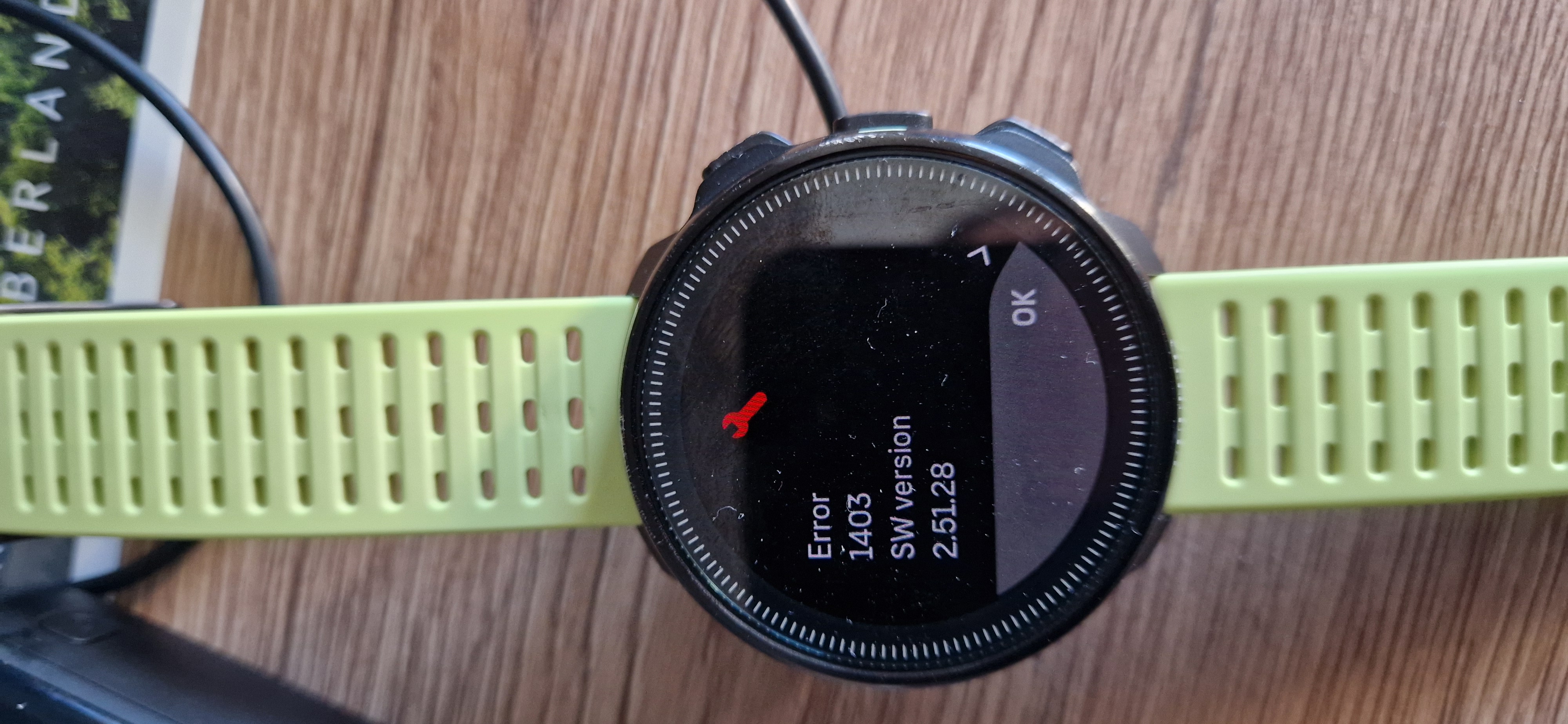
      Anybody knows this error while charging?

      Watching Ignoring Scheduled Pinned Locked Moved Suunto Ocean
      2
      4
      0 Votes
      2 Posts
      377 Views
      T
      yes, I got this too. Claude research on this: This is a long-standing, recurring issue with Suunto devices, not exclusive to the Ocean. The typical pattern involves a green progress screen repeating multiple times, followed by “Error 1403” (sometimes 1405 or 1301) and the message “the device recovered from an error,” after which the cycle repeats. Charging is a known trigger—there is an entire forum thread dedicated to resets occurring during charging, showing this exact behavior. Error 1403 is interpreted as a memory or flash error; some units recover, while others require service. The consensus on the forum is that 1403 is a memory error—possibly a bad flash sector. Recovery doesn’t mean the problem is solved: there are reports of watches returning to normal operation for a while, only to crash during the first workout with the same 1403 error. The culprit appears to be Wi-Fi, not the charging process itself. The watch doesn’t remain idle while charging; once plugged in, it activates its wireless connection for background tasks. Firmware version 2.51.28 introduced automatic nightly GNSS optimization via wireless networks, in addition to map downloads. In a forum thread discussing this exact scenario—crashing during charging, a “restored to a safe state” message, and Error 1403—a Suunto engineer analyzed the logs. Unable to pinpoint the exact cause, they asked users to do two things: disable Wi-Fi on the watch (via Settings → Connectivity) and send the logs immediately if the issue recurs. One specific case supports this hypothesis: the crash occurred in an office where no Wi-Fi network had even been configured on the watch, suggesting a bug triggered by the attempt to connect when the charger was plugged in. What to do: Turn off the watch’s Wi-Fi (Settings → Connectivity). You will lose Wi-Fi map downloads, but Bluetooth syncing will continue to work normally. Send the logs now, while the event is still recent. In the app, the option is located at the bottom of the Settings menu or within the watch menu, depending on the version. Suunto Community Switch to charging during the day. There are two reasons for this: you can monitor whether the issue recurs, and a night spent charging doesn’t mean a lost night in your sleep tracking streak. Decision criteria If it freezes again with Wi-Fi turned off, the software hypothesis is ruled out, leaving hardware as the likely culprit—in which case, it’s a matter for technical support rather than a settings adjustment. In this scenario, the records you’ve already gathered (photo, date, “only while charging”) are what support your support ticket.
    • F

      Triggering voice assistants - Spark

      Watching Ignoring Scheduled Pinned Locked Moved Headphones
      1
      0 Votes
      1 Posts
      100 Views
      No one has replied
    • Reino von WiellighR

      Pool/Openwater Swimming Suggestions

      Watching Ignoring Scheduled Pinned Locked Moved Suunto Ocean
      5
      2 Votes
      5 Posts
      662 Views
      Reino von WiellighR
      Hi All Does anyone know when Suunto Ocean will get the drill function? Kind Regards Reino
    • murphyp228M

      Stryd + Vertical Pairing

      Watching Ignoring Scheduled Pinned Locked Moved Suunto Vertical
      20
      0 Votes
      20 Posts
      4k Views
      V
      I may have found a related issue with my Suunto Vertical + Stryd setup. My setup: Suunto Vertical, firmware 2.50.28 Stryd paired as Foot POD GPS OFF Foot POD auto-calibration OFF I performed a controlled test on the same measured section of approximately 208–210 m. At easy pace, Suunto recorded: 206 m 211 m At faster pace, on exactly the same section: 348 m 289 m 281 m 290 m Stryd was also recording independently in its internal memory. The Stryd Offline Sync data looks normal and does not show the same distance inflation. I sent both the Stryd Offline FIT and the Suunto FIT to Stryd Support. After reviewing the activity, Stryd Support told me that Suunto was receiving Stryd data such as power/cadence, but was not using Stryd as the source for pace/distance. Since GPS was disabled, Stryd Support said that wrist movement was the source of pace/distance in the Suunto activity. I have already tried a soft reset and re-pairing Stryd, with no change. Suunto Support also has the logs, both FIT files and screenshots and is investigating the issue. This seems quite similar to the pairing/data-source behaviour discussed earlier in this thread. Has anyone with a Vertical + Stryd setup tested whether pace/distance really comes from Stryd when GPS is OFF? I would be very interested to know whether this is reproducible on other Vertical watches or specific to my setup.