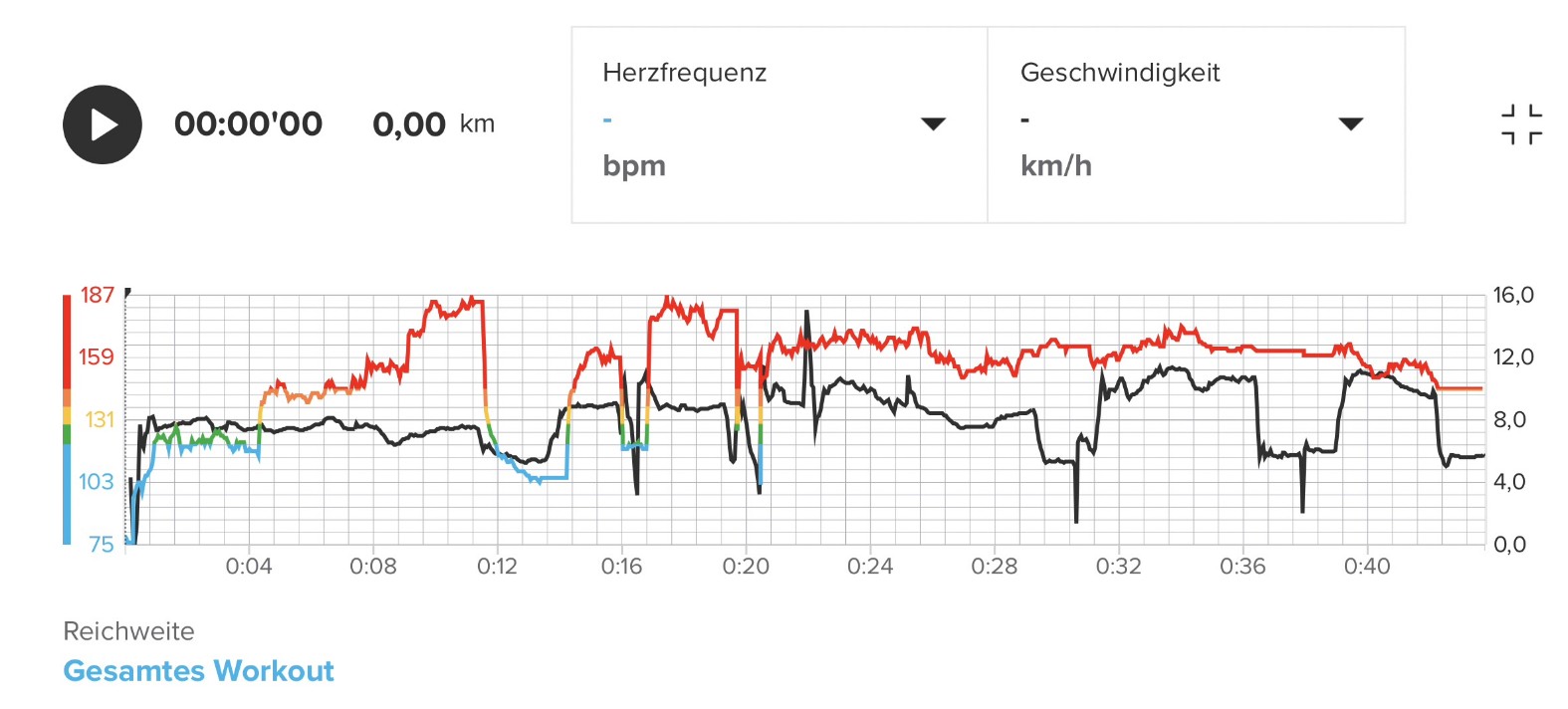
@Mikenizm I was comparing some of the four Mandatory Gas Time Alarms from my dives and found a dive where indeed things are a bit more complex and result in strange readings like the dive below. This dive intreged me as I was actually reading TANK PRESSURE: - - (0) during this dive at 33 meters. I can share the json if needed.
[image: 1785558073201-screenshot_20260731_150907_suunto.jpg]
Claude: There are two gaps in collecting data of this dive. The alarm fired 10 minutes in the dive at 33.27m. something structurally different then the other ones which were more in the 1 to 2 minutes alarm range at shallower depths.
Dive context: deeper dive (max 34.36 m), and this time the first alarm hits at 9:30 into the dive. No elevated consumption beforehand — this wasn’t a noisy-estimate problem like the other files.
Time
Depth
Ventilation
GasTime
400–470s
21.6→28 m
steady 0.0003–0.0004
steady 1280–1630s
Then a real, extended data gap:
Time
Depth
Pressure
Ventilation
GasTime
480.62–490.62s
28.7→29.6 m
None
0
0
500.62–560.62s
30.6→33.0 m
present, declining normally
None
None
570.13s
33.27 m
present
None
None
← Alarm fires here
570.62–590.62s
33.3→33.9 m
None
0
0
594.13s
34.1 m
present
0.000188
37s ← alarm clears
600.62s
34.1 m
present
0.000186
1729s
What this shows:
There were actually two separate dropouts stitched together: a short one at 480–490s, then a long ~70-second stretch (500–570s) where the pressure signal was fine but the computer simply wasn’t producing a ventilation/gas-time estimate at all (None, not 0) — then another ~20-second full pressure dropout right as the alarm was active.
The alarm fired at the very moment the ventilation calculation had been dark for over a minute — likely the computer’s watchdog flagging “I can’t tell you your gas time” rather than a genuine low-air event.
When data finally resumed at 594.13s, it briefly computed a startling 37 seconds of gas time — before jumping to a much healthier 1729s just 6 seconds later.
That 37s figure is a transient artifact of restarting the estimate on stale/limited data, the same pattern as the first file’s dip, just far more dramatic because the gap was longer and happened at depth…