• Stryd Air Power

    Locked
    8
    0 Votes
    8 Posts
    963 Views
    ?
    @herlas said in Stryd Air Power: Stryd account connected to Suunto account. Suunto connected to TrainingPeaks. Stryd account connected to Suunto account; same Suunto connected to TrainingPeaks; same I also have Stryd connected to TrainingPeaks, without that my planned/executed TrainingPeaks workouts don’t show in Stryd. I’m not using the Suunto Stry app. Stryd have removed all duplicates for me. I’ve ordered a Coros Pace Pro.
  • crash diagnostics

    3
    0 Votes
    3 Posts
    497 Views
    F
    @isazi sounds fair
  • TrainingPeaks

    17
    1
    0 Votes
    17 Posts
    2k Views
    ?
    @Brad_Olwin yes but I’m unsure currently how to get it right. I have another issue in that I can’t record Stryd Air Power unless I use the Suunto Stryd app but I don’t seem to be able to use that app to execute planned workouts from TrainingPeaks. It’s all quote fussy in comparison to what I’m used to.
  • Heart Rate stops suddenly in Yoga/Pilates and Stretching

    16
    2
    2 Votes
    16 Posts
    2k Views
    GiPFELKiNDG
    @Dimitrios-Kanellopoulos cause we did it at the beach and i can See some places in the Maps in the App ️
  • Race S OHR sensor stops working randomly (since 2.39.20)

    Locked
    4
    3 Votes
    4 Posts
    839 Views
    sartoricS
    You’ve already found the ongoing discussions locking to avoid duplicates
  • Race S - no North Up facility

    4
    1 Votes
    4 Posts
    671 Views
    ?
    @Eric-Rütschlin Another lack I took for granted. I guess I have to wait a little longer with Suunto…
  • Suunto Race S loses connection to iPhone

    1
    0 Votes
    1 Posts
    329 Views
    No one has replied
  • Calorie consumption Race S

    4
    0 Votes
    4 Posts
    518 Views
    Mff73M
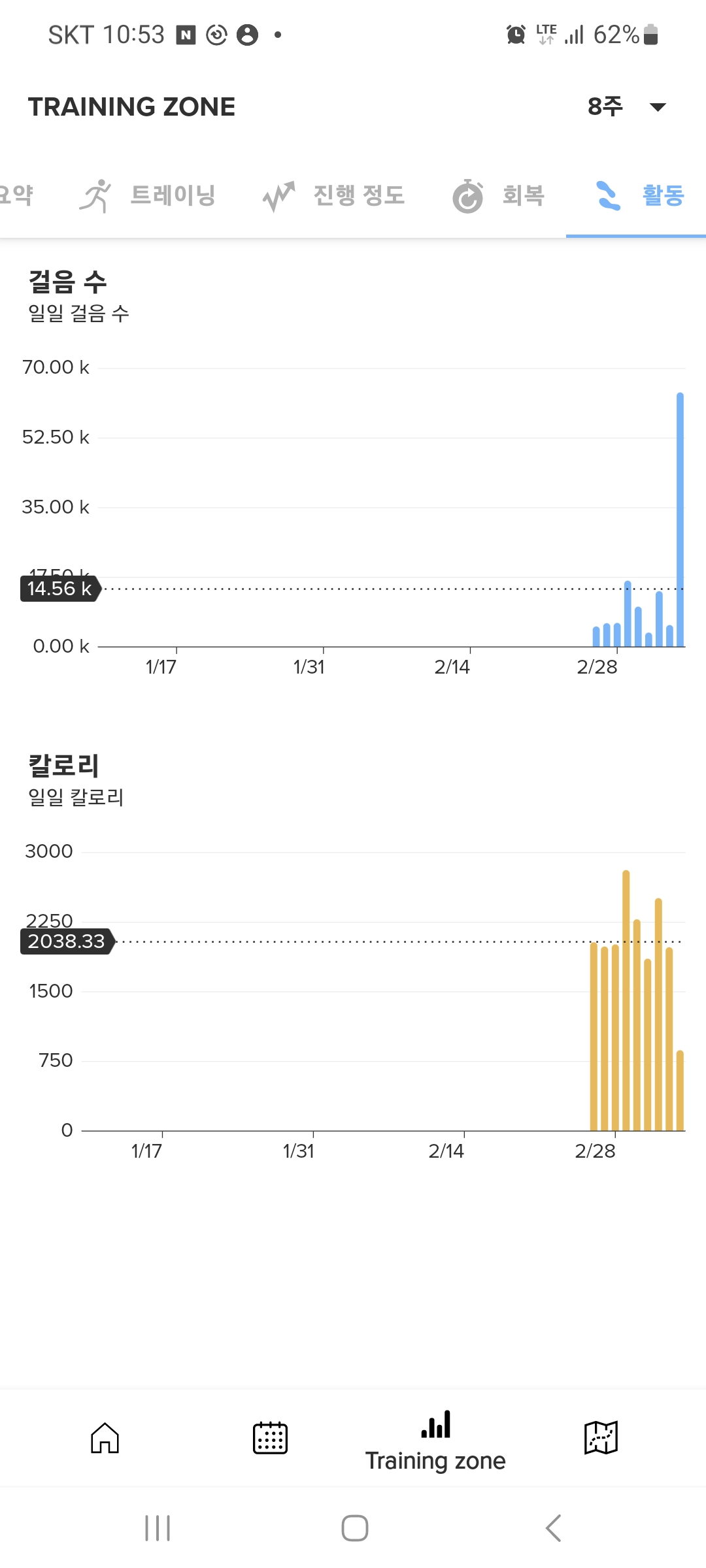
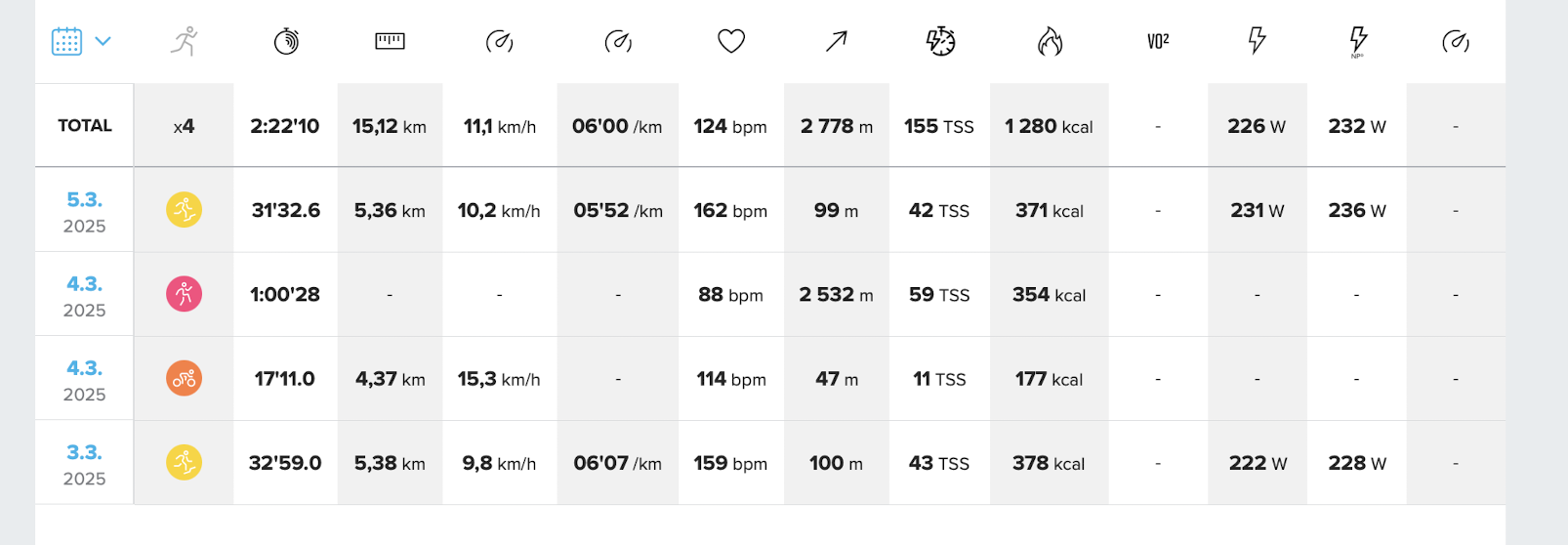
    @Simon-0 Suuntoapp is registering activities without knowing your HR zones (it is using default ones). Maybe an hint to explain metrics differences like calories?
  • Trouble with Suunto Race S and Lenovo K14 Plus Smartphone

    1
    0 Votes
    1 Posts
    162 Views
    No one has replied
  • Sleep quality score

    8
    1 Votes
    8 Posts
    2k Views
    ChrisAC
    @gerstlauer I agree that - long time - insights, like resources or sleep time (e.g. seeing that going to bed earlier or sleeping regularly results in long time higher HRV or lower resting HR) can be helpful, but I dislike short term scores like Garmin gives you for everything. They are way too much. Give me the data I choose and let me interpret it myself.
  • Race S vs Peak 9 Pro

    13
    0 Votes
    13 Posts
    10k Views
    Ecki D.E
    @Oscar-Lundberg The Race S has a better HR Sensor than the Race and 9PP. They doubled the number of LEDs and so it is more durable to wrist movement, low temperature and loose wear. For running and cycling I use the heart rate belt cause especially at cycling wrist hr is not very accurate at all. When running, the sensor can be almost as good as Applewatch. https://www.dcrainmaker.com/2024/06/suunto-race-s-in-depth-review-smaller-cheaper.html?utm_source=chatgpt.com#accuracy GPS is better too, at least compared to the 9PP. But I am quite confident with the 9PP for my main activies like hiking, mtb-ride, (xc)-sking, running. Openwater Swimming was a complete failure for me when wearing on the wrist even when raising it out of the water every now and then but seems to work with the Race S. https://www.dcrainmaker.com/2024/06/suunto-race-s-in-depth-review-smaller-cheaper.html?utm_source=chatgpt.com#mapping-navigation
  • Max HR on lap table only shown for current lap

    1
    1
    0 Votes
    1 Posts
    166 Views
    No one has replied
  • Gorilla Glass vs. Sapphire.

    13
    0 Votes
    13 Posts
    4k Views
    sartoricS
    @Bastienhere On premium version (130 dollA) not the standard one, and maybe it’s coated
  • Heart Rate OHR Measurement stopped AGAIN

    1
    0 Votes
    1 Posts
    197 Views
    No one has replied
  • Fluke crash of the watch

    2
    2 Votes
    2 Posts
    352 Views
    ChrisAC
    @far-blue something similar happened to me when starting a workout a few days ago. Started the watch, then it soft reset by itself, then showed 4 messages incoming, which I confirmed and then it soft resets itself another time. Ended with device reseting itself to safe state. https://forum.suunto.com/post/159812 Had no problems ever since though.
  • Suunto Race S GPS not working after update 2.39.20

    12
    0 Votes
    12 Posts
    2k Views
    Brad_OlwinB
    @Bernard-P I thought it might be hardware! Sorry.
  • How to activate the Turn By Turn function when hiking or running?

    3
    0 Votes
    3 Posts
    573 Views
    AudaxjoeA
    @Fred-Eric I don’t know the answer to your question but turn by turn directions also work with routes created in Kamoot.
  • Suunto Race S bug collection

    9
    1
    1 Votes
    9 Posts
    2k Views
    sky-runnerS
    The bug with the HR graph is still present in the latest firmware. Interestingly enough, the first first time when I used the watch after the update, it worked correctly, but then the bug resumed. Furthermore, there is another bug that I’ve noticed. When a next turn notification pops up when I am right at the previous turn, if I dismiss that notification manually, it pops up again right away. Yesterday, I ended up dismissing the same turn notification 4 times in a row until I moved enough for it to stop popping up. That is a minor issue, but an issue nevertheless. Furthermore, there is one more annoying issue: [image: 1735508518288-pxl_20241228_232518248.jpg] If go on the same path more then once, then the light blue direction arrows end up being rendered behind the red breadcrumbs track, which makes it very difficult to see. In this particular case the path that I needed to take was obvious, but I experienced other cases when I come from one path on the way out and need to take another path on the way back. In the latter case it becomes difficult to distinguish between the dark blue route and the light blue direction array when they both are rendered behind the red breadcrumbs track. It would be better to change the Z-order so that the light blue arrows are always on top of everything. In other words the order should be the following: the dark blue route on the back, the red track is above the route, and the the light blue arrows are on top of everything. Finally there is one more issue, that is perhaps not a bug, but something that I initially thought was a bug. I was wearing a long sleeve jacket that covered the watch. On 3 different occasions when I looked at the map, it appeared off-center and not oriented correctly, which made me wonder what was going on. Finally I realized that perhaps the wet sleeve was touching the watch and made it pan the map. What would be the best way to avoid it. Should I change the touch mode so that it only wakes up the display and not the watch? In that case, how can I pan the map? Should I press some button first?
  • Date Complication with Orange Segments

    3
    0 Votes
    3 Posts
    448 Views
    AudaxjoeA
    @whiplash you can customise the fields on the watch face. After watch face it’s active go into control panel - customise then complications. You can also swap watch faces from the same menu.
  • Battery drain after FW Update Yesterday

    9
    0 Votes
    9 Posts
    2k Views
    Tami999T
    My Vertical was 3,5-4% a day, after this “famous uptate” around 5%. Now after last update seems back to 3,5-4%.

Suunto Terms | Privacy Policy