• High HR indoor cycling

    4
    0 Votes
    4 Posts
    366 Views
    N
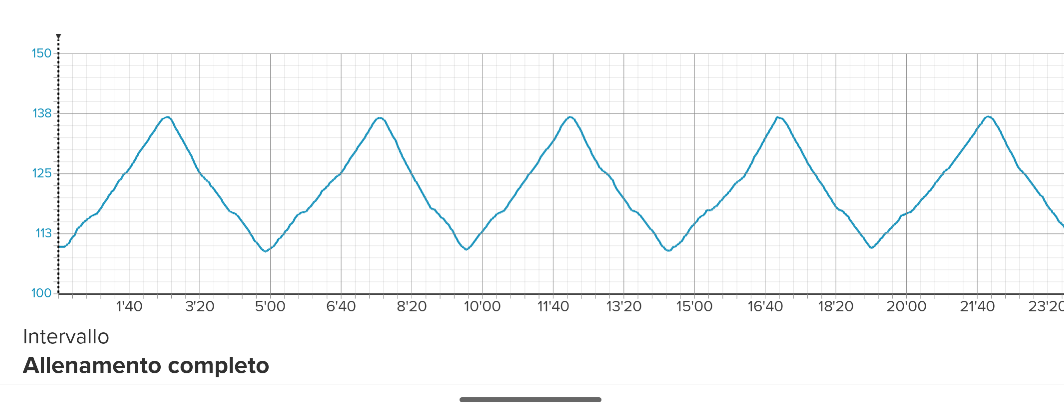
    Closing the loop here. The last firmware update fixed this issue.
  • Whatsapp notifications missing

    11
    0 Votes
    11 Posts
    979 Views
    S
    Update: we solved it! In Whatsapp notifications setting > lock screen appearance, the “show preview” should NOT be set to “never”. This fixes the issue! (We thought to have tried also this initially, but we were wrong)
  • Suunto Smart Heart Rate Belt keeps losing connection to the watch

    6
    0 Votes
    6 Posts
    574 Views
    althaea35A
    @salusi I have the same issue, my current solution is to use an old Polar H10 I have lying around. There are other threads where people seem to have the same issue.
  • Using timer at the same time as an activity

    8
    1 Votes
    8 Posts
    489 Views
    Anders BornstedtA
    @The_77 said in Using timer at the same time as an activity: @Anders-Bornstedt you can use the gym timer Suunto plus app, which allows you to predefine timers before you start. I think there’s also a calisthenics app too specifically for that? The problem I realize that I have is that I cannot find apps that I have added. The only possible apps to add are the ones that was alreday installed when I gor the watch (Burner, Climb, Ghost runner, Chalistenics).
  • Feature Request: Crop Activity Before Saving

    17
    2
    24 Votes
    17 Posts
    759 Views
    Dimitar DulevD
    @cheetah694 Yep, that sounds like better UX for 90% of the activities. An “End without partner sync” button in the watch that marks the activity to not be automatically synced. A new crop screen in the app. A manual “Sync to partner services” button in these activities. This sounds like the simplest/cleanest solution technically, I’m interested what Suunto devs think. Btw I also saw that Garmin Connect’s mobile trim feature only has a time select which would be more than enough for resolving the issue. [image: 1769003810445-19d2da956cfe66703079c2b9fcbe32aea86843647c74ef5cd41b7ffec1cb610c.png]
  • Suunto Race S Offline Maps - Software Version 2.50.26

    10
    0 Votes
    10 Posts
    711 Views
    Brad_OlwinB
    @louispar Works with no issues for me as well on Race S
  • "Navigate on watch now..."

    3
    0 Votes
    3 Posts
    209 Views
    Horizontal_2H
    @OutdoorMan Thanks!
  • Sleeping accuracy and swimming reliability with update

    1
    0 Votes
    1 Posts
    141 Views
    No one has replied
  • Suunto Race S optical heart rate sensor accuracy

    29
    1 Votes
    29 Posts
    7k Views
    Lorenzo PintoreL
    Tested today for another run after the update I would say that random spikes are mostly gone, but now it’s slower then before to adapt to changes. Today I still got a random initial spike that solved by itself after the first km. In general it seems to be something like 5bpm higher that the previous one, at low intensity, but I don’t have an HR belt so I cannot say which one is more precise. I’ll say a general improvement overall, but way from perfect
  • 4 beeps during intervals created direcly on the Race s

    1
    0 Votes
    1 Posts
    89 Views
    No one has replied
  • Can AMOLED screens be polished?

    4
    0 Votes
    4 Posts
    263 Views
    EgikaE
    @enriqueescoms I would not try to polish anything from the hardened glass. If it was plastic like in older watches, this could work. On the gorilla glass this will likely cause more damage. Maybe check here for another idea if the scratch annoys you very much: https://www.reddit.com/r/GarminWatches/comments/1fimohw/how_i_removed_deep_scratches_on_epix_2_screen/
  • Tides

    8
    4 Votes
    8 Posts
    1k Views
    EgikaE
    @HGj_83 see Q8 here: https://forum.suunto.com/topic/9960/more-faq?_=1768205482254
  • The sleep widget is acting up. How do I fix it? (Edit: FIXED)

    20
    0 Votes
    20 Posts
    2k Views
    enriqueescomsE
    @prairiedog Wow! Well, I tried a million things. First, I tried downgrading, but it only put the watch in safe mode for several hours. Then I reinstalled the same firmware version. Multiple soft resets. Nothing. I did a hard reset, and it was useless. Then I went back to using my 9PP (disconnecting the Race S), on which sleep tracking worked. I went back to the Race S, still nothing. Then I adjusted the sleep time on the 9PP from 0.00 to 0.00 and went back to the Race S again. Nothing. Finally, I reinstalled the app with the Race S connected, and magically, it worked. So I don’t know if it was a combination of factors or just the app reinstallation.
  • faslche Höhenberechnung bei Wanderung

    2
    0 Votes
    2 Posts
    132 Views
    EgikaE
    @Lieschen ja, das kann mit Wind zusammenhängen. Lies Q6 hier: https://forum.suunto.com/topic/9960/more-faq?_=1767791515532 Das FW-Update von heute sollte diesen Effekt minimieren.
  • Service mode

    3
    0 Votes
    3 Posts
    260 Views
    Amelie LepreuxA
    @Tieutieu thank you very much!
  • ZoneSense hickup

    1
    2
    0 Votes
    1 Posts
    174 Views
    No one has replied
  • Race S Problem after last update 2.44.46

    12
    0 Votes
    12 Posts
    2k Views
    Brad_OlwinB
    @Valentin-Schulz You could wait for an update that should be soon but this should not be happening. I would try a hard reset but that seems to be what has happened. Try a hard reset and if still an issue it might be faulty hardware and will be replaced.
  • I almost messed things up.

    1
    2 Votes
    1 Posts
    164 Views
    No one has replied
  • Race S battery consumption

    10
    1 Votes
    10 Posts
    1k Views
    E
    @2b2bff Only have my race s for about a year, so I guess this was due
  • No Powermeter Data from IC7 Indoor Cycling Bike

    7
    2
    0 Votes
    7 Posts
    514 Views
    pilleusP
    @raven My power meter is broadcasting CSCS and CPS. In older firmwares I could choose foot pod (CSCS) or power pod (CPS). Now Suunto does the choice and connects CSCS only. No possibility to connect CPS. That is the problem.

Suunto Terms | Privacy Policy