• New TSS calculation FW 2.44

    Suunto app and other software services
    11
    0 Votes
    11 Posts
    2k Views
    J
    @Sergei-Ladeishchikov Thank you for your confirmation! I’m glad it’s not just screwing things up
  • 1 Votes
    5 Posts
    112 Views
    sky-runnerS
    @elbee said in Strap/Band color suggestion for 90th Anniversary Edition: Maybe this one: https://www.suunto.com/en-nl/Products/Straps/suunto-22mm-athletic-7-loop-textile-strap/suunto-22mm-athletic-7-loop-textile-strap-coral-orange/ That textile strap is low quality. I will not buy another one. The nylon strap that comes with the 90th Anniversary Edition Vertical 2 is much higher quality. Even a similar cheap Amazon nylon strap that I bought before for Race is a higher quality than the one from Suunto linked above. It is too flimsy for a heavier watch and stretches out quickly.
  • Is there still demand for a modern MIP endurance watch?

    Watches
    112
    7 Votes
    112 Posts
    9k Views
    sky-runnerS
    @brechtvb said in Is there still demand for a modern MIP endurance watch?: But what puzzles me for even the high end watches have low resolution and small screens. Because there are simply no MIP displays available that are high resolution or larger than 1.4". Furthermore, even if someone tried to produce a high resolution MIP display it would have a low contrast and look awful. This is a physical limitation of the technology. There has to be a tiny lens and color filter in front of every pixel, and that is difficult to scale to a higher resolution.
  • 7 Votes
    2 Posts
    191 Views
    Michele SellaM
    I’ve also added a new branch in the ESP32 repo: https://github.com/SellA/BoschEBikeESP32/tree/feature/multi-mode Besides the standard bridge mode, it now supports exposing standard BLE sensor profiles as well: Power + Cadence Speed + Cadence Power only These modes don’t provide the full Bosch telemetry, but they work without the companion SuuntoPlus app and integrate natively with Suunto’s internal metrics and training features. For example, power data is correctly used for Suunto power zones, training load calculations, and related analytics. I also updated the integrated WiFi access point UI, where all bridge settings can now be configured directly from the browser: [image: 1779313377850-241b5f60-a758-476f-9131-c1158af2009e-image.png] There is now also a simulation mode that allows testing the connection with Suunto watches and bike computers without needing to connect to the actual eBike. Useful for validating the setup or experimenting with different configurations without having the bike nearby.
  • Weather icon ☀️ should change at night

    Watches
    1
    2
    0 Votes
    1 Posts
    28 Views
    No one has replied
  • 1 Votes
    10 Posts
    357 Views
    S
    Moved from Race S to Coros Apex 2 Pro because of MIP Display
  • 0 Votes
    4 Posts
    122 Views
    D
    @Mff73 USB doesn’t work either. After connecting to the laptop it only charges the watch - no data transfer. I have followed the guide, that unfortunately does not cover much, and no troubleshooting section either.
  • Update 3.25.18

    Suunto Run
    18
    1
    0 Votes
    18 Posts
    1k Views
    ADidierA
    No news of a small update?
  • Sync Sleep and HRV data to TrainingPeaks

    Suunto Vertical
    8
    4 Votes
    8 Posts
    1k Views
    tuxbusterT
    @JSampson I have a found a Workaround for me: i am Using „Health Sync“ to Sync Sleep and HRV to Apple Health. From Apple Health i am using HealthFit to Sync this HRV and Sleep to TrainingPeaks. That works but is still a workaround. This Sync have to be a nobrainer and native integrated into the Suunto App. TrainingPeaks Integration in Suunto is still not good. (No Intervall Counter visible, Health Data Sync, Workout Preview on Watch, etc)
  • Race 2 accuracy

    Suunto Race 2
    84
    0 Votes
    84 Posts
    8k Views
    dreamer_D
    @Joaquin this is excellent news. Thank you so much!!
  • Suunto Spark

    Headphones
    41
    0 Votes
    41 Posts
    3k Views
    dreamer_D
    I mean, with the watch in Spanish (without touching anything in the phone), the issue is there. With the watch in English there’s no issue. I’m not sure about these headshets. I expected better firmware. There’s no integration either and touch is too sensitive. Physical buttons are much better while running in my opinion.
  • Tech diver issues with Nautic

    Nautic
    3
    2 Votes
    3 Posts
    156 Views
    E
    @garyt687 This post honestly deserves way more attention. If Suunto really wants to break properly into the tech diving / enthusiast market, this is exactly the kind of feedback they should listen to. What’s frustrating is that the hardware actually seems really solid. Big screen, long battery, GPS, nice design… it genuinely feels like the foundation for a top dive computer is already there. Most of the problems you mention sound software/firmware related, which means they could realistically be fixed. And the thing is, when people ask for dive computer recommendations on Reddit, Scubaboard, forums etc., it’s usually experienced rec divers and tech divers answering. Those communities massively influence what people buy. If those users don’t trust features like GF99, compass behavior, or GPS tracking, word spreads fast. The app point is also super important. A lot of divers want a proper digital logbook with deco info, profiles, gas switches, equipment tracking, dive numbering, all that stuff. Right now it sounds like the app is way too basic for the audience Suunto is targeting. But honestly, with the hardware they already have, this could become a seriously good platform if they iterate fast and actually listen to users like you. Btw regarding the entry/exit GPS points: why are they so wrong exactly? In theory those should be GPS-corrected at the surface before descent and after ascent no?
  • 3 Votes
    5 Posts
    236 Views
    sky-runnerS
    @Tieutieu said in New on Dev-side..... Race Pacer with planned segments/paces: the only “issue” you could have with your preload plan is that even if you plan your 2,45km @5:19/km segment like in your exemple, on the field there is a lot of chances that your segment will not be 2,45km Yes, as someone who uses navigation routes extensively I can tell that whatever distance was planned, it always end up being inaccurate. In my experience, when running on trails, planned distances can easily be 5% too short. For example, If the on-the-route distance to a waypoint was 20 km, it reality it can end up being 21 km.
  • Main Watch Widgets in OpenSuuntoPlus

    Suunto Plus Development
    5
    2 Votes
    5 Posts
    738 Views
    Mister PYCM
    @MirageDev Hello , what could be really interresting is at least to have the capacity to develop some widgets that we can suggest to Suunto … up to them to decide if they are valuable or not and get inspired I’m sure we have soem interresting ideas … and at least as not suunto has a “demonstrator” It could be nice that we use it, develop a widget and then “sell the idea” to them Here an example of a widget that I miss in my SUUNTO There watchface are beautiful and the last one of the Vertical 2 … Simple => I do nto want to change it all now … it really great BUT BUT BUT A sport watch is before sport … a watch … And all what concerns time is not so easily to access and will agve deserved to be concentrated in a single For example : I will have been super happy of a new widget where I can go and that concentrate all this below Current Date in big Current Time <-- just in case I choose a watch face with needle instead figure so to offer a digital view percentage of battery <-- it’s also a matter of time : how long my watch can work ? Second time what is the next alarm set and in which amount of time it will ring what are the other future alarm set … and the same when will the sun go down <-- just this so to not replace the sun widget
  • WatchFacePlease SR2&SV2

    Suunto Run
    1
    1 Votes
    1 Posts
    144 Views
    No one has replied
  • 4 Votes
    3 Posts
    243 Views
    Mister PYCM
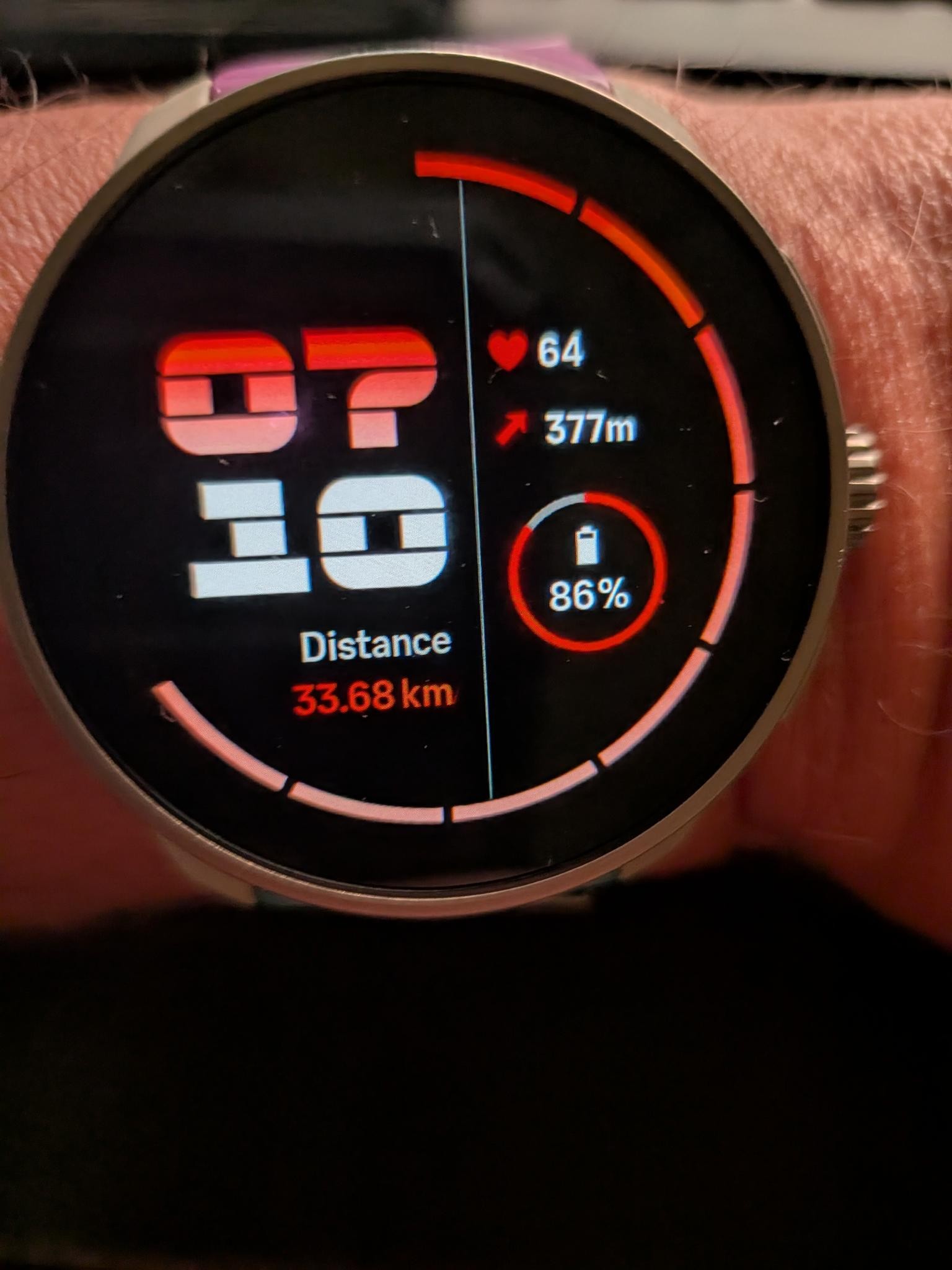
    @enriqueescoms Hello Here a new version I realized while looking to suuntoplus big number that in face I can also use the total full scren iI want, so I decided to let the original white below part because I feel it is nice, but instead to remove the clock on the top so that I can now use better the screen which allow me to show both the thousand informations as well as the unit information in a better manner here some screen shots : for the distance and compared to the sport screen with 3 fields when the swimmer swim already 450 m [image: 1779232089752-c8704d52-5b10-43f7-8d9d-e9c155ca2259-image.png] the same but now compared to the graphic and when a swimmer already swim 1 kilometer and 25 meter [image: 1779232170551-1354e6a9-4868-4165-b95c-ed8b3993d247-image.png] for the time compared to the sport screen with 4 fields when it is 1 h and 10 minutes in the morning … yes yes there are crasy swimmers … or me !!! [image: 1779232316977-7df9c74f-0222-4f82-adc4-1092920f36b1-image.png] and for the duration compared to suunto plus big number after 14 minutes and 5 seconds [image: 1779232240218-527a5090-35b3-4168-88c0-3696027d3a12-image.png] the beauty is that now if I want I can also put some unit information like km. and m. in very small font for the distance… eventually I could also complexify even more the app byt puttin around it the famouse blue, green, yellow, read circles that show in which heart area I’m currently located … I cannot put here some ZIP files so I cannot give you my proof of concept but if someone wants it I can give it for free … if this allow some more people to raise that having a bigger number app which has really giant font to SUUNTO … then I give it without any royalties
  • "Pair new device" is missing in the menu

    Nautic
    5
    0 Votes
    5 Posts
    523 Views
    D
    I’m having trouble connecting my Suunto heart rate belt to my Suunto Nautic. My software version is 2.49.32. My smartphone is connected to the Suunto Nautic. I open the Suunto MobileApp, go to Settings, and select “Heart Rate Monitor Pairing.” I can see my current BPM changing in the app, so I know the belt is working and transmitting data. Then I go to the Control Panel on the Suunto Nautic and navigate to Device Settings. However, I only find “Paired Devices” and there is no “Pair New Device” option. I would really like to get this connected. Has anyone managed to get this working?
  • 9 Votes
    20 Posts
    934 Views
    Mister PYCM
    @2b2bff well well well … if you tell to someone who is doing a diet that he lost 5000 g and to his wife that she lost 5 kg … you are right … this is not the same … the wife will be super happy but the man wearing a suunto and for who 43 and 43.0 make a difference will start to question himself about the precision of instrument … how it could have been possible that he arrives preciselly to exact 5000 Joking !!!
  • swimrun mode

    Suunto Race 2
    5
    0 Votes
    5 Posts
    154 Views
    M
    @Egika said in swimrun mode: @microniko Yes, the S+ app does (or should) detect the transitions and create laps. Just this happens all within the single sport mode (running). So you end up with a running activity that has laps for when you change in and out of swimming. It is a bit strange that you can’t use it in multisport modes… Anyway, I’ll just have to live with it. Repeat option: […] OK. I understand. Thanks!
  • Race 2 heart rate issues

    Suunto Race 2
    25
    1 Votes
    25 Posts
    3k Views
    R
    Hi @isazi, this is indeed using the OHR. In the meantime, I’ve purchased a heart rate belt which I sometimes use during peak & valley power walks. The described behavior cannot be reproduced when using the belt, which operates accurately. So, it seems to be rather a problem of the OHR