• No difference brightness levels

    5
    0 Votes
    5 Posts
    497 Views
    T
    More a judge by the eye. During the day, I could actually notice differences. Especially on the lighter maps. These are really only subtle differences, but at least there’s a difference. It would still be better if there were more than three levels of brightness.
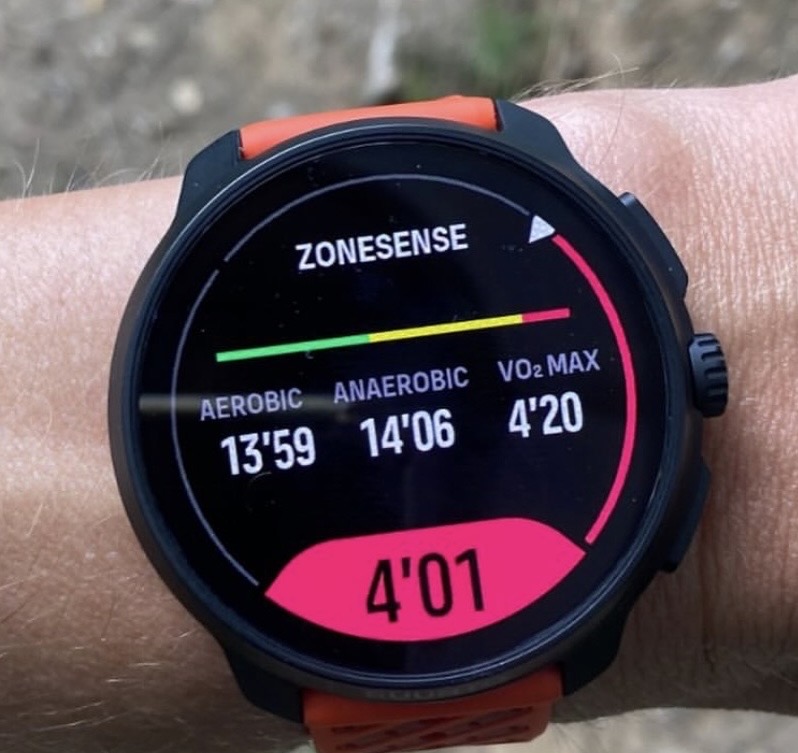
  • Bug: Time in HR zones wrongly calculated

    1
    0 Votes
    1 Posts
    164 Views
    No one has replied
  • First questions about the Race 2

    47
    0 Votes
    47 Posts
    5k Views
    wzxecrW
    Hello. I probably miss something but I set “Buttons off” under General / Tones But still when launching an activity (if GPS is not yet ready or when starting / pausing / stoping) it beeps and vibrate Is this the right way to disable any button beep (if not could you pelase tell me how to do that) ? And if so do other Race 2 users have the same issue ? Race 2 / Firmware 2.46.4 Thanks
  • [ bug ] Low brightness setting

    4
    0 Votes
    4 Posts
    600 Views
    M
    @helgonet12 Indoor, watch mode, just raising my wrist I and pressing button for full activation of the watch, I was surprise one more time by the brightness. That was not ‘low’ at all, more high than low or even medium. So I went in the general setting, set display to medium and screen came back to an effective ‘medium’ brightness. Then I set it on Low, and then brightness was lower than medium. So I guess there is a bug about that display setting
  • Track didnt record in map Screen

    1
    1
    0 Votes
    1 Posts
    140 Views
    No one has replied
  • Unresponsive Crown

    2
    0 Votes
    2 Posts
    479 Views
    martintrailM
    I would return it, it looks like a manufacturing problem.
  • Setup New Watch

    5
    0 Votes
    5 Posts
    595 Views
    Stoke80S
    @Stoke80 Ok, then I see the reason behind this setup. Thank you
  • Compilations change on default watch face?

    2
    1
    1 Votes
    2 Posts
    462 Views
    ?
    @krzyśMac Hey, at the moment Resources do not match the phone app, it’s apparently a bug. In my experience sleep tracking was a bit better with Race 1, in my case Race 2 doesn’t recognise waking times (when I go to the toiled during night i.e.), it doesn’t show. The graph you are asking about is fixed, you cannot change it at the moment. Other than that it’s a pretty good watch, just not that advanced compared to Race S/Race 1 at this time. Of course, compared to Race S the display is huge. And I think more features come in the future, but right now I wouldn’t see a reason to upgrade, other than the display.
  • returning to suunto with the Race 2, few startup question

    4
    0 Votes
    4 Posts
    726 Views
    N
    @surfboomerang Thanks for the reply. 1: is fixed with custom sports mode, perfect! 2: a little annoying that i have to turn dnd on/ off manually, but mybe it will be an option to turn notifications off during workout, in future fw. 3: not good- button lock on, sports data pages still changing with a short press of middle button. A custom sportmode, can help, just having one page, or only usefull pages, that will do fine. Even worse, a force reset was made twice during my latest workout, im not even sure which button needs to be activated to perform that hard reset, but it did, twice, during handstand and handstand walk
  • Understanding the different icons on the watch

    9
    1
    1 Votes
    9 Posts
    1k Views
    EgikaE
    the above linked picture is from here: https://www.suunto.com/Support/Product-support/suunto_spartan_ultra/suunto_spartan_ultra/getting-started/icons/
  • Suunto Race 2 Navigation Display No Touch 2.46.4

    5
    1 Votes
    5 Posts
    731 Views
    EgikaE
    @szleslie it is totally fine to report any finding here. It is not necessarily a bug and often other users know how to solve a certain situation. Of course it always makes sense to first search the forum before posting something, as it might have been discussed before. But noone will be punished if there are duplicates. I only know some bugs (mostly the ones I reported personally), so I don’t have the full picture. There is no public list of know bugs.
  • Heart Rate zones in the App?!

    2
    1
    0 Votes
    2 Posts
    545 Views
    ?
    I read it as you can change them on the watch and synchronize with the app, or?
  • Heart Rate Widget broken?

    3
    1
    0 Votes
    3 Posts
    498 Views
    GiPFELKiNDG
    @duffman19 ah good to know thank you for your answer

Suunto Terms | Privacy Policy