Subcategories

  • 150 Topics
    442 Posts
    Steven HambletonS
    This is almost unreadable for me, tiny fonts (I see a pattern here) - I hope Suunto create a dedicated app or even a web app with dark mode.
  • This is the place for creating new feature suggestions for the Suunto app or up-voting existing ones. You can also add your thoughts and comment on other user’s suggestions. Please remember to up-vote or down-vote already posted feature suggestions.

    2k Topics
    15k Posts
    No new posts.
  • Share here your issues or the bugs you have found. Please remember to search just in case your issue is already reported.

    1k Topics
    9k Posts
    No new posts.
  • Community-driven solutions and feedback for key topics

    1k Topics
    16k Posts
    No new posts.
  • Anything related to issues with Partner Sync (Strava, Training Peaks, Endomondo, Runanalyze)

    289 Topics
    3k Posts
    No new posts.
  • Need followers? Introduce your self! Share your profile here

    Pinned feedback social
    149
    6 Votes
    149 Posts
    43k Views
    MLM31M
    There aren’t many women in the room! I’m Marie-Lise, a French-speaking Canadian woman from Quebec City, almost 50 years old, trying to stay in shape and maintain a bit of performance in a busy family and professional life. I’m a multisport enthusiast: snow pentathlon, ski touring, hiking, running, cycling, etc. Username: MLM
  • New TSS calculation FW 2.44

    12
    0 Votes
    12 Posts
    2k Views
    J
    Setting default works again on iOS.
  • Import dive logs to Suunto app

    4
    1 Votes
    4 Posts
    1k Views
    G
    @janir Solved: importing old dive logs into the Suunto app (from Subsurface, divelogs.de, and other logbooks) Like many here, I had years of dives from an old Suunto HelO2 living in Subsurface/divelogs.de, and no way to get them into the Suunto app when I bought a new Suunto watch. The only door into the app is SuuntoLink’s “Import dive logs”, which only reads DM5 — and DM5 only imports SDE/SDP/SML/Suunto-XML, which nothing third-party can export. Every thread I found on this ended unsolved. So we reverse-engineered DM5’s actual SDE dialect (from real DM5 exports and its SQLite database) and wrote two small Python scripts, free and open source: https://github.com/974c426jdy-svg/Import-old-dive-logs-into-the-Suunto-app- subsurface2sde.py — converts a Subsurface logbook to an .sde that DM5 imports: full depth profiles, temps, gas mix, tank pressures, locations, buddies, notes. Since Subsurface can import from divelogs.de, MacDive, Diving Log, old SDM files and dozens of computers, that covers most logbooks. fix_pressures.py — works around a DM5 import bug where tank pressures import correctly but display as 0 (DM5 stores them in bar at dive level but its UI reads the gas-mixture table in millibar). Pipeline: Subsurface → export XML → subsurface2sde.py → DM5 File > Import → fix_pressures.py → SuuntoLink → Import dive logs → Suunto app. The README documents the gotchas (DM5’s silent duplicate-skipping, its hidden database folder, locale decimal separators) plus format notes for other tool authors. Caveats: tested on DM5 1.5.4 on macOS with a Swedish-locale system; there are flags for other date/decimal formats but I’d love confirmation from a Windows user. No dependencies, plain python3. Old dives won’t get the 3D dive view on Ocean/Nautic (that needs data recorded by the watch itself) but they count toward your history and totals. Back up before a big import — the trial-run mode exists for a reason. Hope it saves someone the week it cost me.
  • My Plan BETA, training load and recovery.

    6
    0 Votes
    6 Posts
    763 Views
    M
    I’ve posted on another thread but I’ve some doubts about the sessions planned by AI and how much they take account of past performance. My understanding was that Suunto knows this and sets the plan accordingly. This doesn’t seem to work in practice. I’m old and slow - I’m 67 and my Z2 pace is about 8m/km. In the first week of a 10 week trail plan one of the sessions prescribed was a 60 minute 10k run at an ‘easy’ pace in Z2. If the AI understood anything from my previous training it would have made more sense just to specify a 60 minute Z2 run or a 10k Z2 run. But 10k in 60 minutes in Z2 simply isn’t an option for me. Maybe it was 20 years ago. I’d also like the ability to edit sessions. At the moment as far as I can tell I can only change the scheduled day. I’d like much more freedom to edit the details of individual sessions. For example a hill repeats session may include a 10 minute warm up - but if it takes me 20 minutes to run to the hill I intend to use I don’t seem to be able to alter the guide to reflect that. So I have to start the watch some time after setting off or pause it until I reach the hill.
  • New Maps in Suunto App - Terrain and City

    6
    2
    35 Votes
    6 Posts
    793 Views
    sky-runnerS
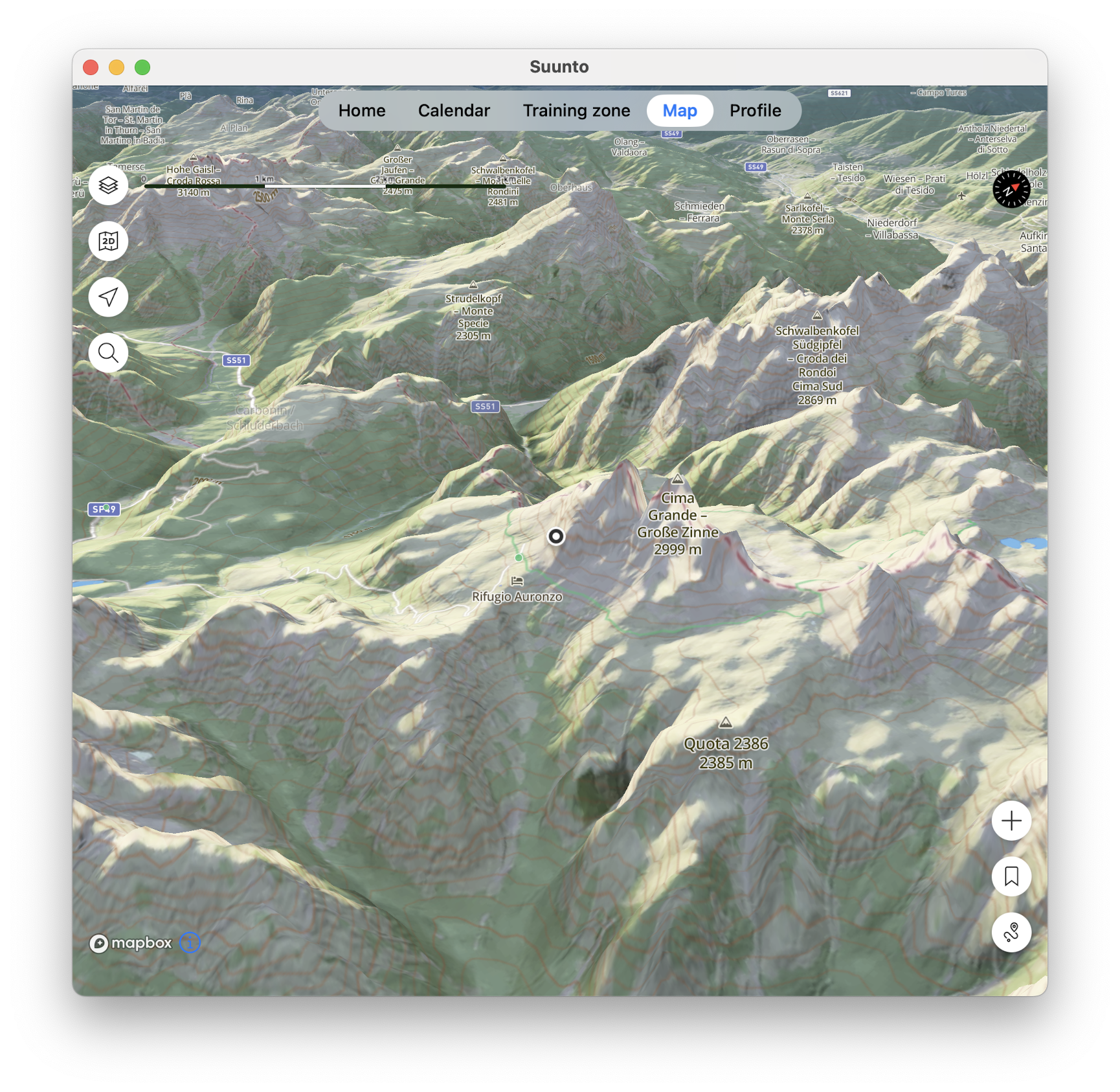
    @pavel.samokha Terrain map looks nice and could be useful, but sadly trails disappear from the map too quickly when zooming out, which makes it much less useful for routing. And even when trails are shown they they are too thin unless I zoom in a lot, at which point the terrain is much less useful because of how little map area I see.
  • MCP on the way?

    4
    7 Votes
    4 Posts
    578 Views
    E
    @enneo the Chinese suunto account (suunto.cn) are not in the same database as the rest of the world (because china impose that chinese citizen data should be stored exclusivly in China), so your auth credentials won’t work
  • My coach and I don’t seem to understand each other.

    7
    0 Votes
    7 Posts
    836 Views
    M
    @freeheeler said: @Jose-Luis-Merino-Parra it is under improvement and further development. I am giving frequent feedback and also wish we can soon benefit from it Where do you send feedback please, is there a specific thread or something in the app? Im currently trying a 10 week trail plan but the sessions don’t seem to correlate to my age and performance, which I thought the AI would take in to account setting it up based on previous training. For example my Z2 pace is about 8m/km (OK I’m old and slow but Suunto knows this) but just as an example one session this week was an easy Z2 run of 10k in 1 hour - for me that’s definitely not Z2! I realise it’s still under development but I’d like to feed that back to the right place. Also does anyone know if the plan adapts or updates itself based on performance during the sessions?
  • Watch connection error in 6.10.7

    18
    0 Votes
    18 Posts
    1k Views
    surfboomerangS
    @dimitrios-kanellopoulos it seems to affect more people. Can you tell if this is indeed a Suunto App bug?
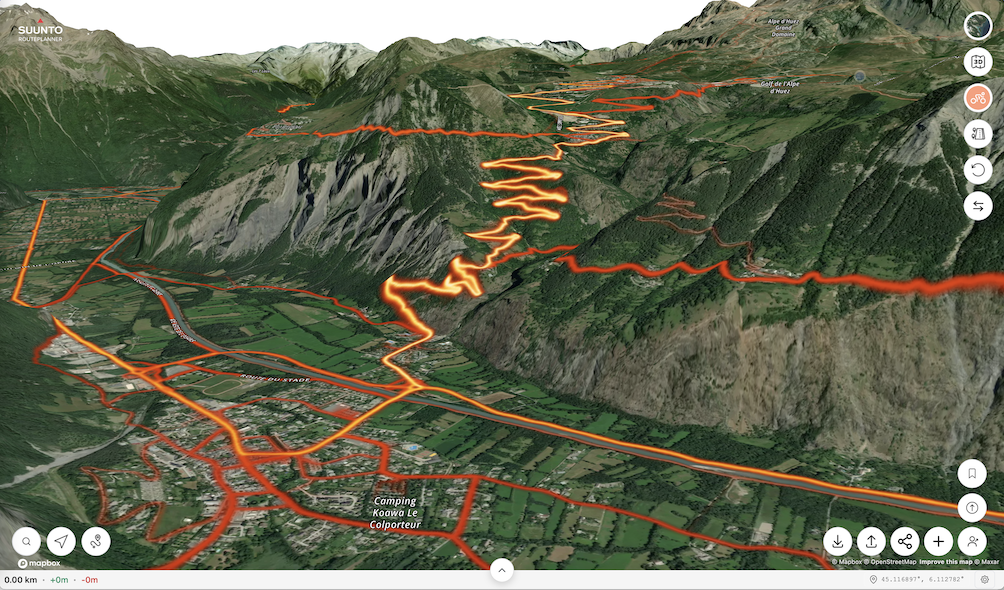
  • Suunto Routeplanner

    Moved
    61
    1
    8 Votes
    61 Posts
    11k Views
    B
    The problem with how trails and roads are displayed is simply disastrous - even in the route planner, compare the map at nearly the same scale and see how drastically it changes! https://routeplanner.suunto.com/?lat=49.851338&lng=22.607213&zoom=13.1&style=outdoo https://routeplanner.suunto.com/?lat=49.851338&lng=22.607213&zoom=12.95&style=outdoor These aren’t watches, but maps on a computer - what’s the point of hiding so many roads?[image: 1781862331393-su1.png] [image: 1781862338297-su2.png]
  • Undecided for a new bike computer

    49
    0 Votes
    49 Posts
    5k Views
    Stoke80S
    @herlas I did the update yesterday and after that an Indoor-Ride with Rouvy. Unfortunately I can’t see any “Zone-Date” in the Hammerhead-Dashboard nor in the fit-file. I did not check the data on the Karoo directly after the ride. Maybe it was showing something there.
  • Rest Heart Rate Suunto App

    4
    3
    0 Votes
    4 Posts
    424 Views
    2
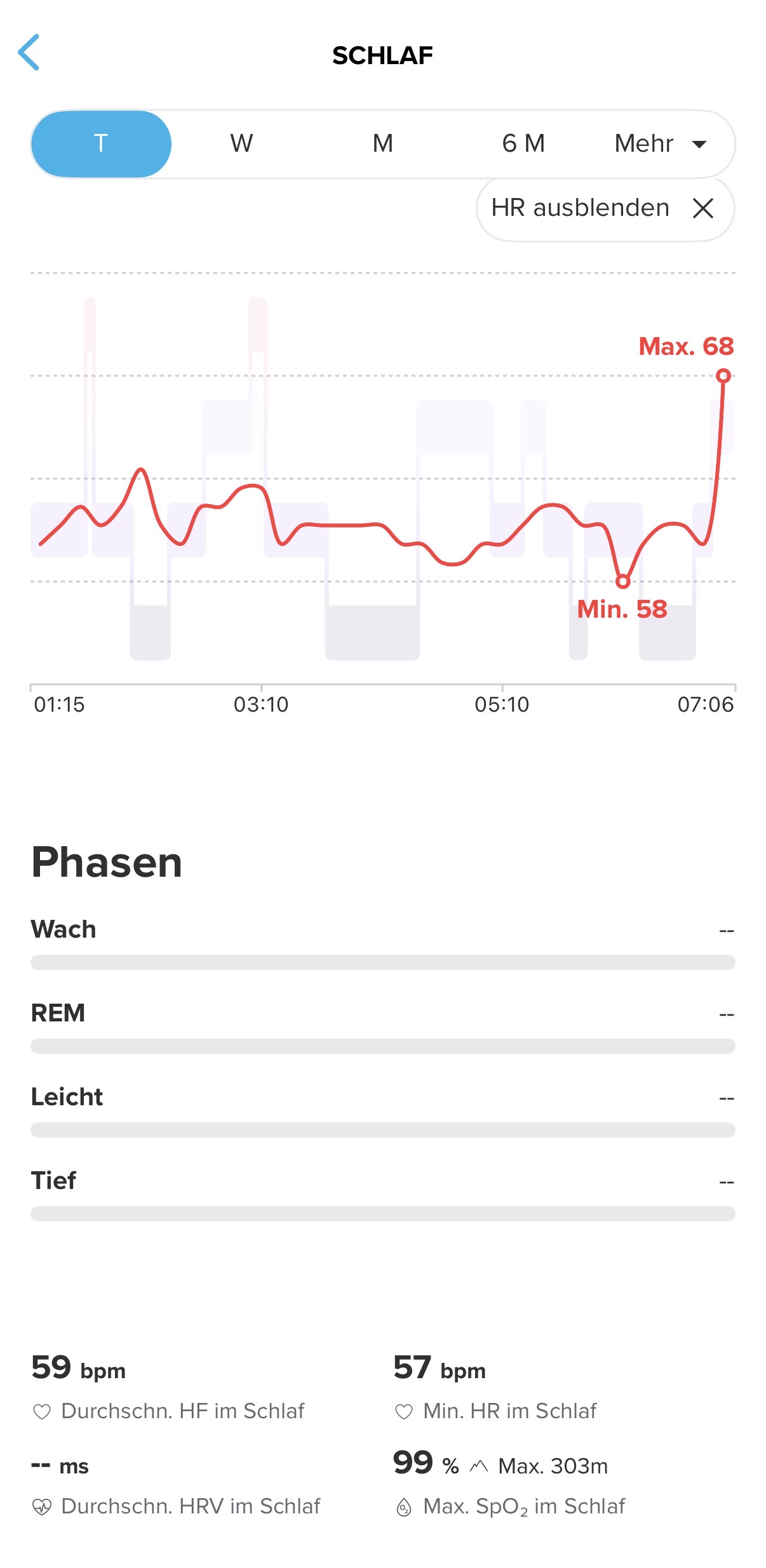
    @laufbursche7 said in Rest Heart Rate Suunto App: Sleep Heart Rate This is your average heart rate during sleep. It is typically lower than your resting heart rate because: the body is more deeply relaxed metabolism and the nervous system slow down You said it already…
  • Offline Maps and Routing in Suunto App

    140
    13 Votes
    140 Posts
    14k Views
    Henrik NilssonH
    said in Offline Maps and Routing in Suunto App: Im having problems with downloading the offline maps to the phone. It works for my watch but the with my phone Im stuck with “Waiting to download…” msg. I have cleared cache and data on app (not reinstalled as of yet) and also tried two different Wifis so far. Anyone else not being able to download the offline maps to the phone (again it works for my watch)? Thanks I have now tried to reinstall the app but also a third Wifi (hot spot this time) with no success? Its wierd that the Suunto Watch can download the maps but the Mobile phone cannot isnt? It would be nice if they were availble online so one can download them to the pc and transfer them onto the phone when problems like this occur. Just a tip!
  • Update personal record in the app

    12
    2 Votes
    12 Posts
    2k Views
    2
    @aiv4r no worries. I think the current way is not bad at all. It just need to be consistent. Having a 5km run as PB for 5k - great, Having a 10.xkm run as PB for 10k instead of the 9.95km race I did last time - accepted Having a 20.4km run as PB for the half marathon - what? And nothing I can do to decline that half marathon PB and go back to the one before… support hasn’t been that helpful with that, yet…
  • Importing a training session from Polar: heart rate zones forgotten

    3
    0 Votes
    3 Posts
    288 Views
    S
    @Mff73 Yep, thanks a bunch!
  • Data representation error on both iOS and Android

    4
    2
    0 Votes
    4 Posts
    390 Views
    Stefano M64S
    @2b2bff yes, sorry, shorter than 1 min, not 10 sec. The data field shows only hh:mm or mm:ss, do it depends on the activity duration
  • AI usage in support is getting ridiculus

    support
    1
    7 Votes
    1 Posts
    267 Views
    No one has replied
  • Elevation profile of routes created in Suunto App

    20
    2
    4 Votes
    20 Posts
    1k Views
    pavel.samokhaP
    @2b2bff elevation contour lines are just lines only to show elevation. So while it is based on the source data of the same nature it’s neither the form nor the tool for the task
  • Disabling GPS for a speciifc activity type?

    2
    0 Votes
    2 Posts
    291 Views
    EgikaE
    @ihikeslow when I select aerobics or Yoga sport mode, the GPS is switched off by default. How did you manage to get any GPS tracking with these in the first place?
  • Solved: Pairing Buttons stays grey after removing watch from app on iOS

    3
    0 Votes
    3 Posts
    397 Views
    2
    @Ecki-D. in the watch, Setiings -> Connectivity -> Cennected Devices -> MobileApp there you can disconnect the App from the watch side… no need to factory reset…
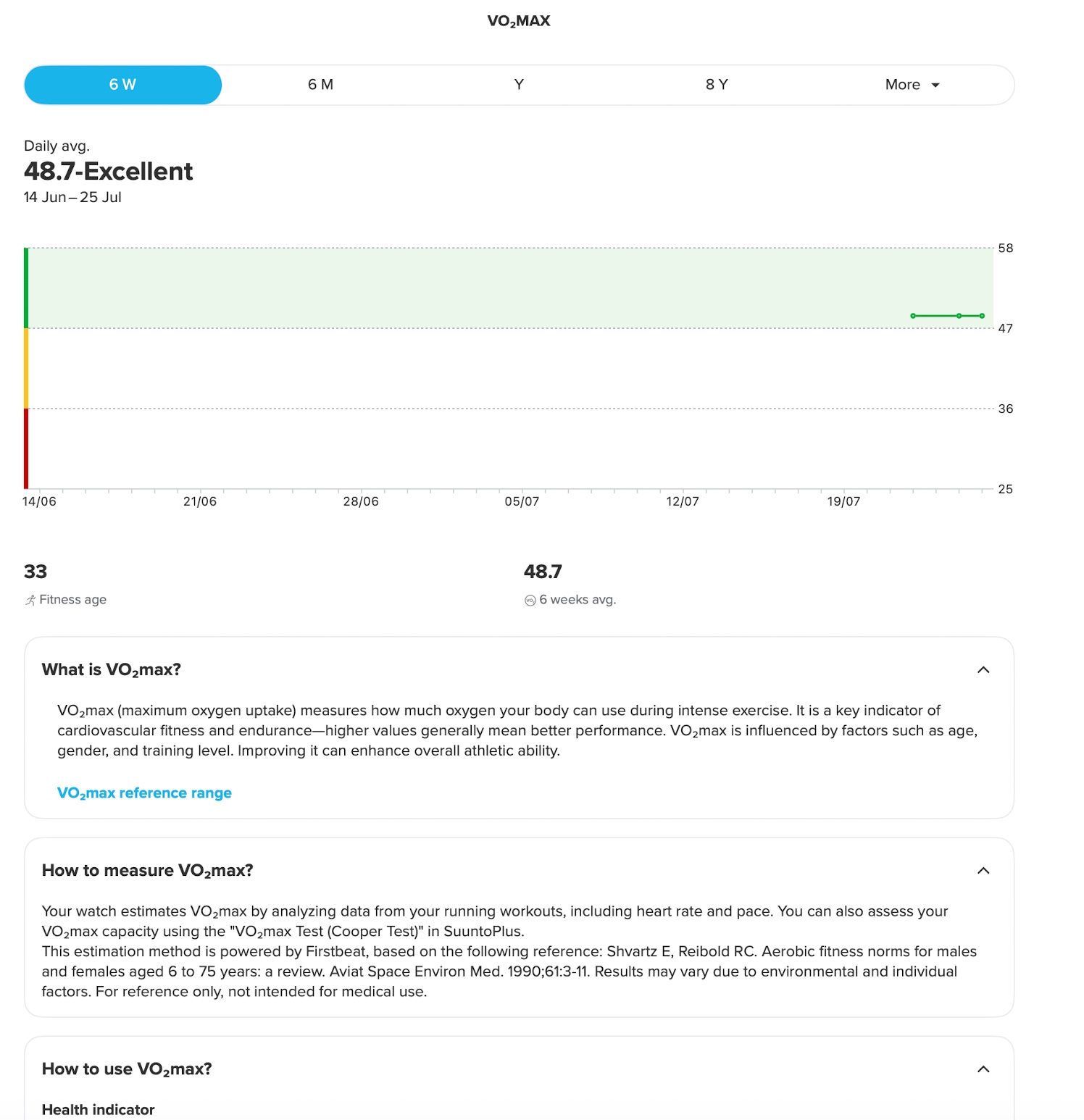
  • Vo2 max from SuuntoPlus (cooper test) not updated in Suunto App

    1
    5 Votes
    1 Posts
    323 Views
    No one has replied

Suunto Terms | Privacy Policy