• 3 Votes
    3 Posts
    312 Views
    F
    @Belli-Sher-Tri @mrkus it is a well known and reported issue of bluetooth sensors dropping connection (power-meters and HR belt monitors) to Vertical/Vertical2/Race/Race2 that Suunto unfortunately (at least officially) continues to refuse to acknowledge. If you search the forum there are multiple instances of this problem reported (and very well documented). ‍️ @brad_olwin @isazi @dimitrios-kanellopoulos @pavel.samokha
  • Import dive logs to Suunto app

    Suunto app and other software services
    4
    1 Votes
    4 Posts
    1k Views
    G
    @janir Solved: importing old dive logs into the Suunto app (from Subsurface, divelogs.de, and other logbooks) Like many here, I had years of dives from an old Suunto HelO2 living in Subsurface/divelogs.de, and no way to get them into the Suunto app when I bought a new Suunto watch. The only door into the app is SuuntoLink’s “Import dive logs”, which only reads DM5 — and DM5 only imports SDE/SDP/SML/Suunto-XML, which nothing third-party can export. Every thread I found on this ended unsolved. So we reverse-engineered DM5’s actual SDE dialect (from real DM5 exports and its SQLite database) and wrote two small Python scripts, free and open source: https://github.com/974c426jdy-svg/Import-old-dive-logs-into-the-Suunto-app- subsurface2sde.py — converts a Subsurface logbook to an .sde that DM5 imports: full depth profiles, temps, gas mix, tank pressures, locations, buddies, notes. Since Subsurface can import from divelogs.de, MacDive, Diving Log, old SDM files and dozens of computers, that covers most logbooks. fix_pressures.py — works around a DM5 import bug where tank pressures import correctly but display as 0 (DM5 stores them in bar at dive level but its UI reads the gas-mixture table in millibar). Pipeline: Subsurface → export XML → subsurface2sde.py → DM5 File > Import → fix_pressures.py → SuuntoLink → Import dive logs → Suunto app. The README documents the gotchas (DM5’s silent duplicate-skipping, its hidden database folder, locale decimal separators) plus format notes for other tool authors. Caveats: tested on DM5 1.5.4 on macOS with a Swedish-locale system; there are flags for other date/decimal formats but I’d love confirmation from a Windows user. No dependencies, plain python3. Old dives won’t get the 3D dive view on Ocean/Nautic (that needs data recorded by the watch itself) but they count toward your history and totals. Back up before a big import — the trial-run mode exists for a reason. Hope it saves someone the week it cost me.
  • 0 Votes
    8 Posts
    506 Views
    D
    @pavel.samokha Thanks. Didn’t intend to sound negative. Suunto’s map update process is a bit of a mystery and must be more complicated than I imagine. As a frequent OSM contributor, I’m probably just more aware of it than others.
  • Live location S+ app

    SuuntoPlus™ Sports Apps
    346
    59 Votes
    346 Posts
    98k Views
    Nikolai SimonovN
    Hey guys! If anyone faced up with issue when S+ app turn black and disconnect from the app. could you please try latest 1.8 R9 (it should be in the suunto store already) and let me know if it works also i can confirm that it wont work alongside with structured workouts structured workout also quite greedy of heap mem. live.τ too.
  • An error occurred when updating the sports app

    Suunto Plus Development
    2
    0 Votes
    2 Posts
    162 Views
    mickywickyftwM
    Fixed. “modificationTime”: was wrong in the manifest.json.
  • Bottom graph on default watch face request

    Suunto Race 2
    1
    1 Votes
    1 Posts
    143 Views
    No one has replied
  • Bug: Power cuts out on prolonged stop

    Suunto Race
    2
    0 Votes
    2 Posts
    102 Views
    J
    @Steven-Limmer Hello. I have had a ride yesterday and checked my data as I also had a stop. I stopped for a bit more than 15 minutes, exactly 11 minutes with no power output was recorded. I’m not sure if my Assioma Duo Pro RS did fall asleep, but when I continued, power data and cadence were there immediately. I will monitor this on my next rides (Watch is Vertical 2, latest FW) I have checked the Favero App settings for the PW: standby is set to 5 minutes right now and max. standby time would be 720 minutes with a lot of options in between. Maybe worth a try?
  • Ocean or Nautic S?

    Suunto Ocean
    7
    0 Votes
    7 Posts
    1k Views
    VoiGASV
    The Nautic S now seems to have Trimix. About the Ocean I’m not sure. Does the Oceans Altimeter automatically adapt the dive algorithm for Mountain Lake diving? The Nautic S not if I got the manual right
  • Notification glitch since last update

    Watches
    3
    0 Votes
    3 Posts
    157 Views
    Danny polegD
    Thank you very much dear friend We will patiently wait for the next update
  • Battery drain

    Suunto Vertical
    755
    1 Votes
    755 Posts
    335k Views
    Danny polegD
    @thanasis For me it’s about 9% per day without training.
  • Barometer fault or software bug?

    Suunto Race
    1
    1
    1 Votes
    1 Posts
    98 Views
    No one has replied
  • Crash reports collection Q1 2026

    Watches
    37
    9 Votes
    37 Posts
    4k Views
    O
    @jjorgemoura try to disable ZoneSense from your S+ apps. It seems it helps me with my Race S.
  • Dive Spots

    Suunto Ocean
    4
    1 Votes
    4 Posts
    464 Views
    Raphael GrafR
    In addition, it would be cool if I could add friends I follow as dive partners and they would also be found automatically with the name
  • Suunto Race 2: inaccurate distance measurement

    Suunto Race 2
    2
    0 Votes
    2 Posts
    167 Views
    I
    @janiroodt I recommend that you read this: https://forum.suunto.com/topic/14710/race-2-accuracy/123 It appears that there is a correction in progress.
  • 0 Votes
    6 Posts
    767 Views
    M
    I’ve posted on another thread but I’ve some doubts about the sessions planned by AI and how much they take account of past performance. My understanding was that Suunto knows this and sets the plan accordingly. This doesn’t seem to work in practice. I’m old and slow - I’m 67 and my Z2 pace is about 8m/km. In the first week of a 10 week trail plan one of the sessions prescribed was a 60 minute 10k run at an ‘easy’ pace in Z2. If the AI understood anything from my previous training it would have made more sense just to specify a 60 minute Z2 run or a 10k Z2 run. But 10k in 60 minutes in Z2 simply isn’t an option for me. Maybe it was 20 years ago. I’d also like the ability to edit sessions. At the moment as far as I can tell I can only change the scheduled day. I’d like much more freedom to edit the details of individual sessions. For example a hill repeats session may include a 10 minute warm up - but if it takes me 20 minutes to run to the hill I intend to use I don’t seem to be able to alter the guide to reflect that. So I have to start the watch some time after setting off or pause it until I reach the hill.
  • 0 Votes
    36 Posts
    3k Views
    Ecki D.E
    Same here with the 9PP after the last firmware update. Since then it happens regularly and as it isn’t reliable anymore I stopped using it regularly. Anyone tried to go back to another earlier FW?
  • Nautic S vs. Eon Steel

    Dive Products
    1
    1 Votes
    1 Posts
    90 Views
    No one has replied
  • Another praise for S9PP: swimming

    Suunto 9 Peak Pro
    2
    1
    6 Votes
    2 Posts
    283 Views
    Ecki D.E
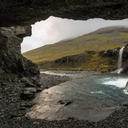
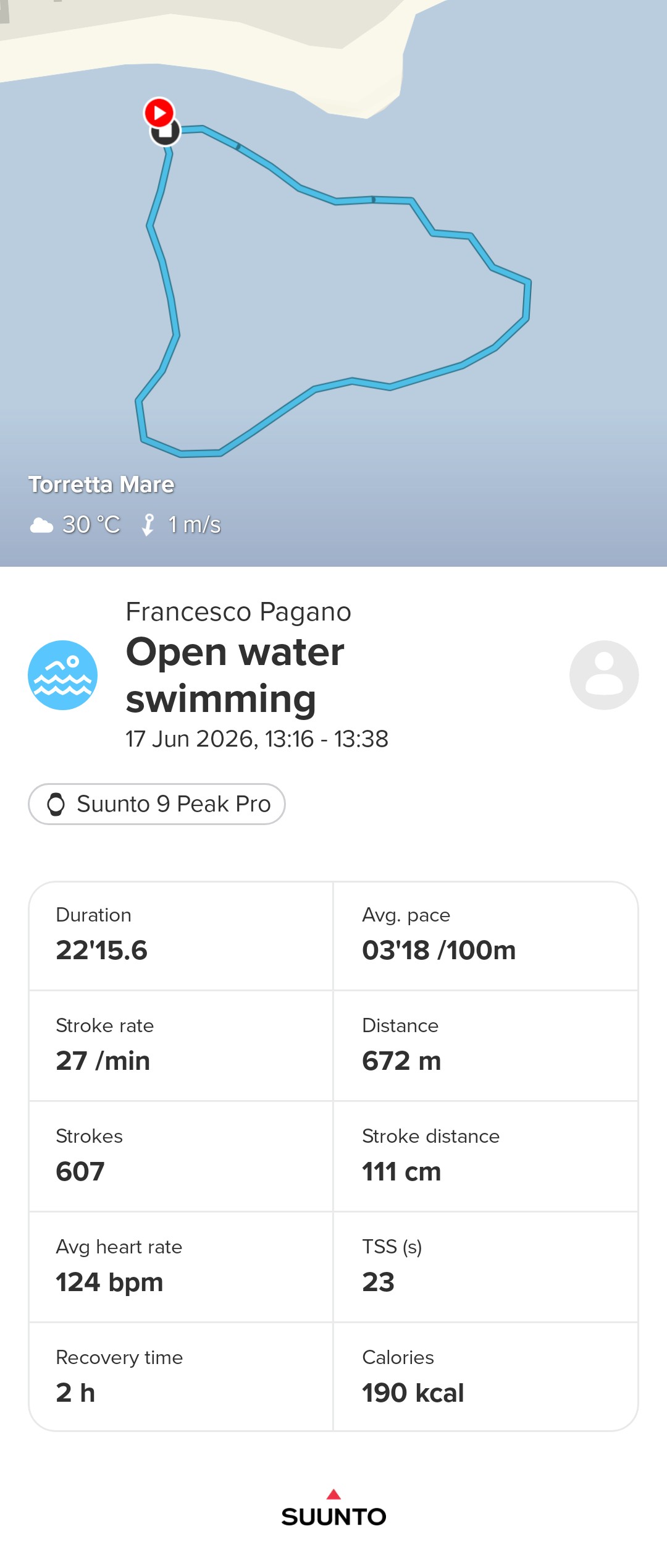
    @Francesco-Pagano this one is from last autumn. I was quite surprised cause earlier swims didn’t work that well from gps. I just carried the watch on my wrist. [image: 1783205866692-img_8192.jpeg]
  • 36 Votes
    6 Posts
    806 Views
    sky-runnerS
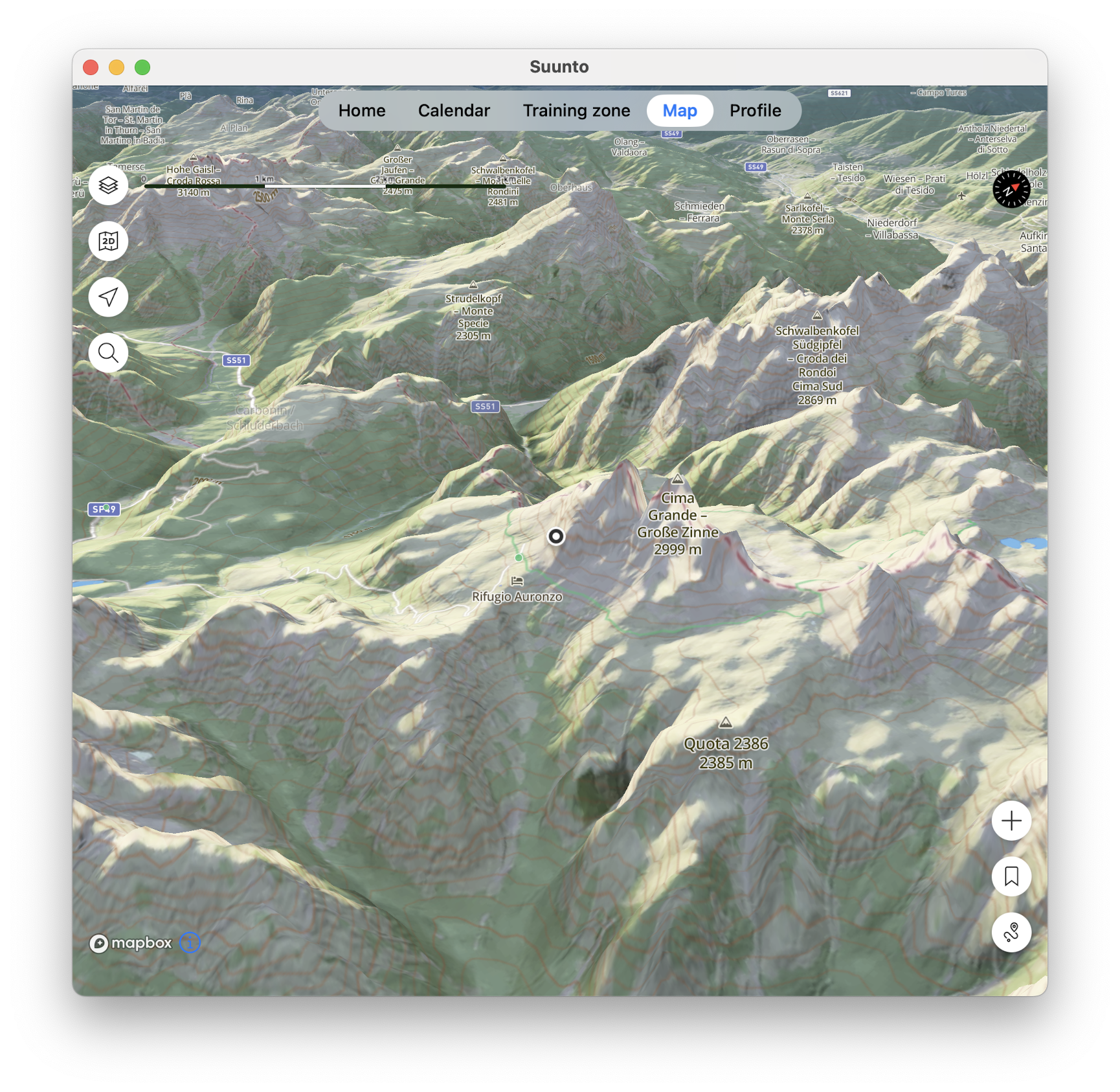
    @pavel.samokha Terrain map looks nice and could be useful, but sadly trails disappear from the map too quickly when zooming out, which makes it much less useful for routing. And even when trails are shown they they are too thin unless I zoom in a lot, at which point the terrain is much less useful because of how little map area I see.
  • Pairing the Nautic to more than one unit (phone/pad)

    Nautic
    2
    0 Votes
    2 Posts
    114 Views
    J
    @ccrhenrik This is usual behavior for nearly all smartwatches I know (not only Suunto) that they can pair to only one app connection. You need i.e. to disable bluetooth on the other device (or to unpair it in BT, but then you need to pair again) , then it switches to the app on the second device. This is how I have solved it.