• Watch carabiner support

    4
    1
    3 Votes
    4 Posts
    513 Views
    pilleusP
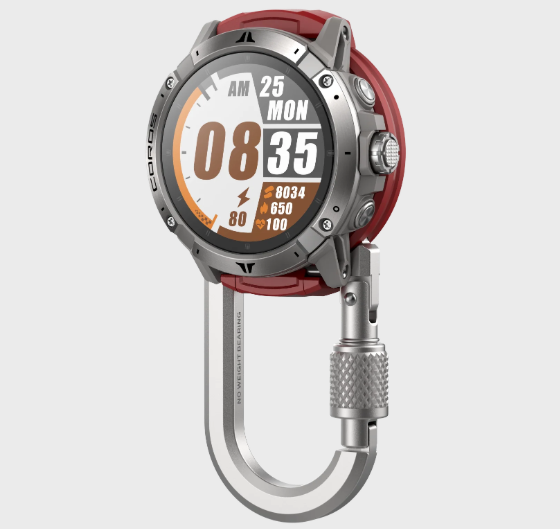
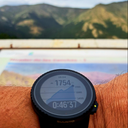
    My 9PP with a carabiner [image: 1769107781169-pxl_20250713_160018894-2.jpg]
  • Экран всегда горит во время тренировки

    2
    0 Votes
    2 Posts
    271 Views
    jjpazJ
    @tikgnd said in Экран всегда горит во время тренировки: Сегодня заметил , что во время занятие экран всегда горит , не уходит в режим затемнения. Кто то сталкивался с такой проблемой ? Here --> https://forum.suunto.com/topic/14477/raise-to-wake-not-working-properly-during-activities A possible workaround: today, just before starting activity I’ve entered the screen options menu (preactivity conf menu), I’ve switched ON AOD, then I switched OFF and it seems Raise and Wake has worked OK during activity… Can you try?
  • Installing Google apps

    3
    0 Votes
    3 Posts
    589 Views
    S
    @Egika Thank you. Not the answer I was looking for but I now know. Thanks again.
  • App-Vertical2 sync issues

    1
    0 Votes
    1 Posts
    177 Views
    No one has replied
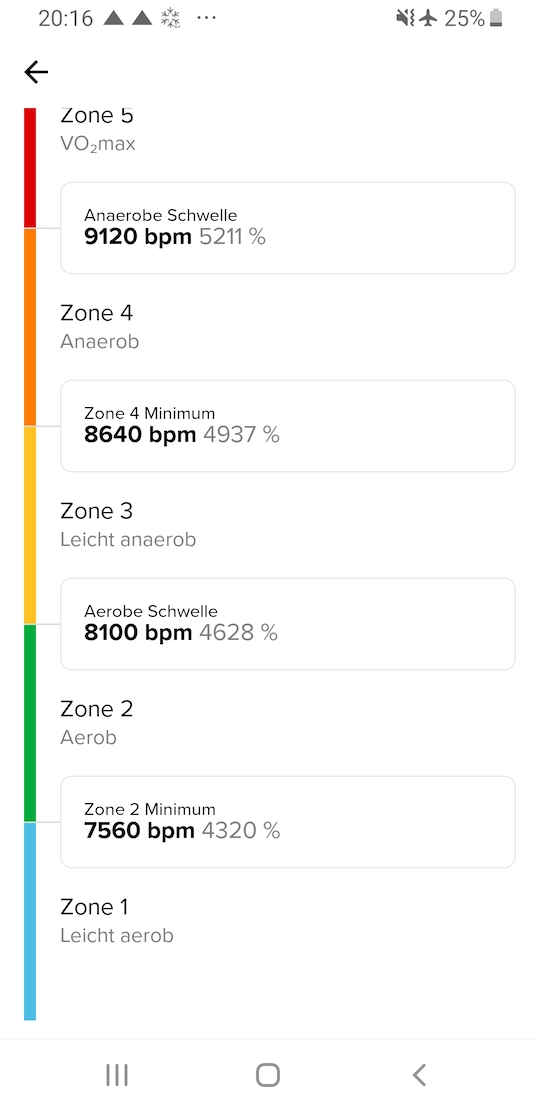
  • Zone Sense - wrong bpm values

    18
    2
    0 Votes
    18 Posts
    1k Views
    V
    @tom_vertical you are a robot and nobody told you, maybe
  • Suunto repair service is unbelievable

    2
    6 Votes
    2 Posts
    504 Views
    J
    @Péter-Túri How hard would it be for Suunto to email you, text you or call you. ‘Hi this is Fred from Suunto, i have a new watch here. Do you want me to open it and check if the screen is tilted? The package will be opened before arrival, but let’s make sure the screen on this one is not tilted.’ There are so many ways to Rome…
  • Ground contact time / Vertical Oszillation Missing

    16
    0 Votes
    16 Posts
    1k Views
    B
    I’ve done further investigation and can confirm that the issue is because of footpod connection. I’ve done several tests with my sv2 und the race2 of my wife. What I’ve done: 1.Hard reset 2. run in basic mode and standard mode > vertical Oszillation and ground contact time are visible 3. connect a footpod (in this case npe Runn) 4. treadmill activity > no metrics recorded 5. disconnect footpod (general disabling for outdoor and treadmill runs) 6. start basic and customized outdoor/treadmill runs > no metrics are recorded 7. soft reset / new app pairing 8. issue persists 9. started with 1. again without footpod > works fine. After that: same procedure from 2.-8. So for my testing it’s definitely about the footpod which seem to entirely block the metrics.
  • Steps x Avg step length < Distance???

    8
    0 Votes
    8 Posts
    913 Views
    jjpazJ
    @gkaempfer said in Steps x Avg step length < Distance???: Quite consistently I think that the number of steps reported for a run is way too low. Yesterday I did a 30km run. In the app the report counts: Distance: 30.13 km Steps: 21800 Avg. step length: 127 cm But… 21800 * 127 = 27.69 km So where did almost 10% of my run go? Did I actually make more steps? Longer steps? A normal rounding error? Did I fly 10% of the distance? Can someone please explain this? According to my last activity data, Race 2: Distance: 9.02 km. Steps: 8736 Avg.step length: 101 cm 8736 * 101 = 8.823 km Same activity, Race S: Distance: 9.08 km. Steps: 8743 Avg.step length: 103cm 8743 * 103 = 9.005 km. WOW. Maybe this is also related to my “Race 2” cutting distances isssue.
  • Lap avg pace in workout summary

    1
    0 Votes
    1 Posts
    138 Views
    No one has replied
  • Map ruler: is it possible to display absolute altitude of a point?

    7
    0 Votes
    7 Posts
    488 Views
    S
    @BrunoH Same to me. Visualization of labels could be improved, let’s hope for the future
  • Wrong HRV in summary

    13
    0 Votes
    13 Posts
    1k Views
    J
    @Dimitrios-Kanellopoulos All right It’s not what i’m expecting but it’s ok we can close this subject Thank you for your answers
  • Metranome

    1
    0 Votes
    1 Posts
    161 Views
    No one has replied
  • Sleep Tracking NOT working after Jan 7 UPDATE

    2
    0 Votes
    2 Posts
    365 Views
    F
    @Manikanda-Krishnamoorthy, try this thread: https://forum.suunto.com/topic/14406/sleep-widget-not-working-properly-on-vertical-2
  • Sleep widget not working properly on Vertical 2

    38
    1 Votes
    38 Posts
    5k Views
    S
    I have a Race S, and I tried everything you mentioned here, but it still isn’t working for me. In my case, it started on the 1st day of the year… I hope there will be a fix soon. I liked the sleep summary in the morning.
  • NFC Payment

    3
    0 Votes
    3 Posts
    2k Views
    D
    @Egika thank you for replying. I am expecting to receive a Vertical 2 this week. Decided to not keep a Garmin Fenix 7 Pro Solar, even though it had most of the feature I was looking for. The UI of Suunto drawn me in. I am not an athlete but I hope the watch can help me towards a better level of fitness.
  • Bug in the morning summary In weather conditions

    2
    1 Votes
    2 Posts
    234 Views
    SamppaPS
    @Manuel-Extreme this bug happens to me only when I activate button lock before going to sleep. The watch goes back to morning report from the weather widget after a few minutes if no buttons are pressed. No need to restart the watch. at least in my case.
  • No sound after firmware upgrade

    23
    0 Votes
    23 Posts
    1k Views
    G
    [image: 1768070565680-screenshot_20260110-182044.png] Screenshot from the spectrum analyser
  • Firmware Update 2.50.26

    1
    0 Votes
    1 Posts
    387 Views
    No one has replied
  • 0 Votes
    16 Posts
    2k Views
    G
    @matteo_000 there is no such option on the V2. You can choose Always On Display, but that implies a dimmed version of the display after some seconds that you don’t interact with the watch.
  • Pairing failure between Suunto Vertical 2 and Pixel 9 Pro

    2
    0 Votes
    2 Posts
    298 Views
    A
    For the information of people with this same Pixel phone problem, I have finally succeeded in pairing my watch and phone by rebooting my phone into “Safe Mode” thereby preventing all third party Apps that may be interfering from starting, then pairing the Bluetooth by traditional means (select watch from available list and entering provided PIN code). Then restarting the phone (so as to allow all apps to start correctly) and logging into the Suunto App as usual and pairing again (using the watch symbol in top left), this time the watch paired correctly and synched as designed. Thanks for listening.

Suunto Terms | Privacy Policy