• Spot on!

    11
    1
    9 Votes
    11 Posts
    774 Views
    ThlcdT
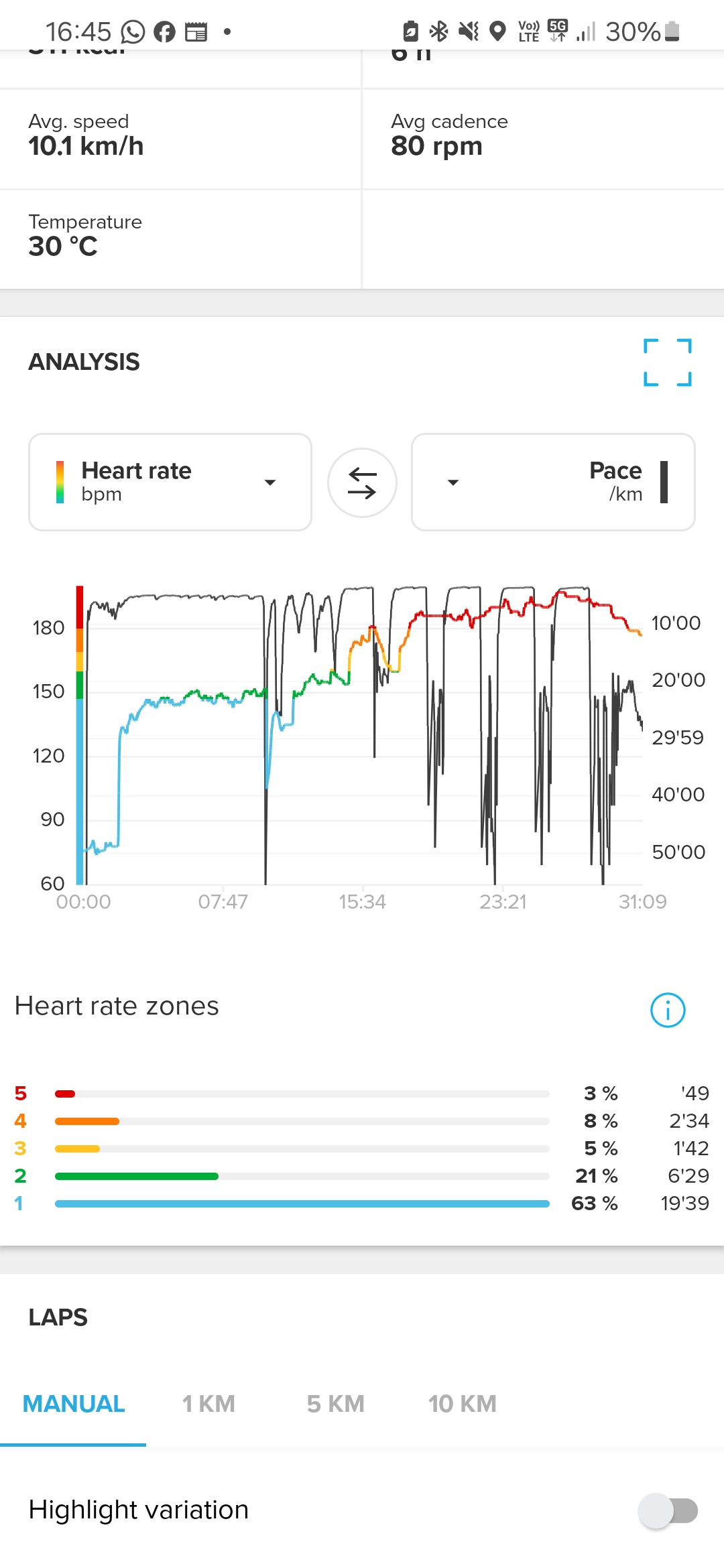
    Since the latest updates, I’m really impressed with how much the Race S wrist HR has improved. I compared it with a Polar H9 chest strap during a two-hour mountain bike ride today, and the two heart rate curves were almost identical during the first part of the ride. The second part was slightly less accurate, but that section was downhill, so the watch was probably moving a bit on my wrist. [image: 1778271797806-e3b2001b-9902-4bb7-81ca-f3faa341636b-image.png]
  • Min. Sleep HR too high?

    8
    2
    0 Votes
    8 Posts
    270 Views
    ravenR
    @2b2bff said in Min. Sleep HR too high?: @raven I know it shows the same issue, therefore I picked it… Those Min HR fields are actually buttons that show a line in the graph for the selected data. So, you can see whether the graph is below or above that line. Haha didn’t mean to imply you didn’t know you had the issue; it was just more musing to myself that I’m clearly not alone in this. I did seem to have missed that selecting it as a button turns on a line which is useful and clearly shows a few points in my graphs where the graph is going under the line. Thanks. I guess at this point my questions are more “does it work the way I’d expect it to for anyone or is what we’re seeing a universal truth in Suunto app/devices,” as well as “is there a good reason for this behavior I’m missing.” Have a good weekend!
  • Comparison for a specific route as part of a longer activity?

    2
    0 Votes
    2 Posts
    140 Views
    S
    @Messler I alsomwanted to compare specific sections but it seems it is not possible, as far as i am aware
  • Pool swimming app tracking distance wrong

    9
    0 Votes
    9 Posts
    651 Views
    KajkomK
    @Jason-Clarke Are your swimming styles correctly specified, because mine always don’t match the actual swimming styles I use in the pool?
  • Suunto Smart Heart Rate Belt keeps losing connection to the watch

    15
    0 Votes
    15 Posts
    1k Views
    Henrik NilssonH
    @Nelson-Diogo I agree. Hopefully they are aware and working on it. It seems wierd selling products that are supposed to be used together and they arent =).
  • Race S: Extremely high battery use rate

    53
    5 Votes
    53 Posts
    4k Views
    S
    @elbee Still, before the latest upgrade battery lasted substantially longer with sleep tracking enabled
  • Setting heart rate zones

    2
    1
    0 Votes
    2 Posts
    176 Views
    2
    @SRS2000 you can only have one max HR. It is impossible to have more than one. Even more it doesn’t matter as it is the top of your zone 5 anyways… Suunto Run is a bit different than the rest. With the others you have to set the zones yourself - more control, but a bit more hassle at first.
  • 1 Votes
    2 Posts
    160 Views
    Rik KoedootR
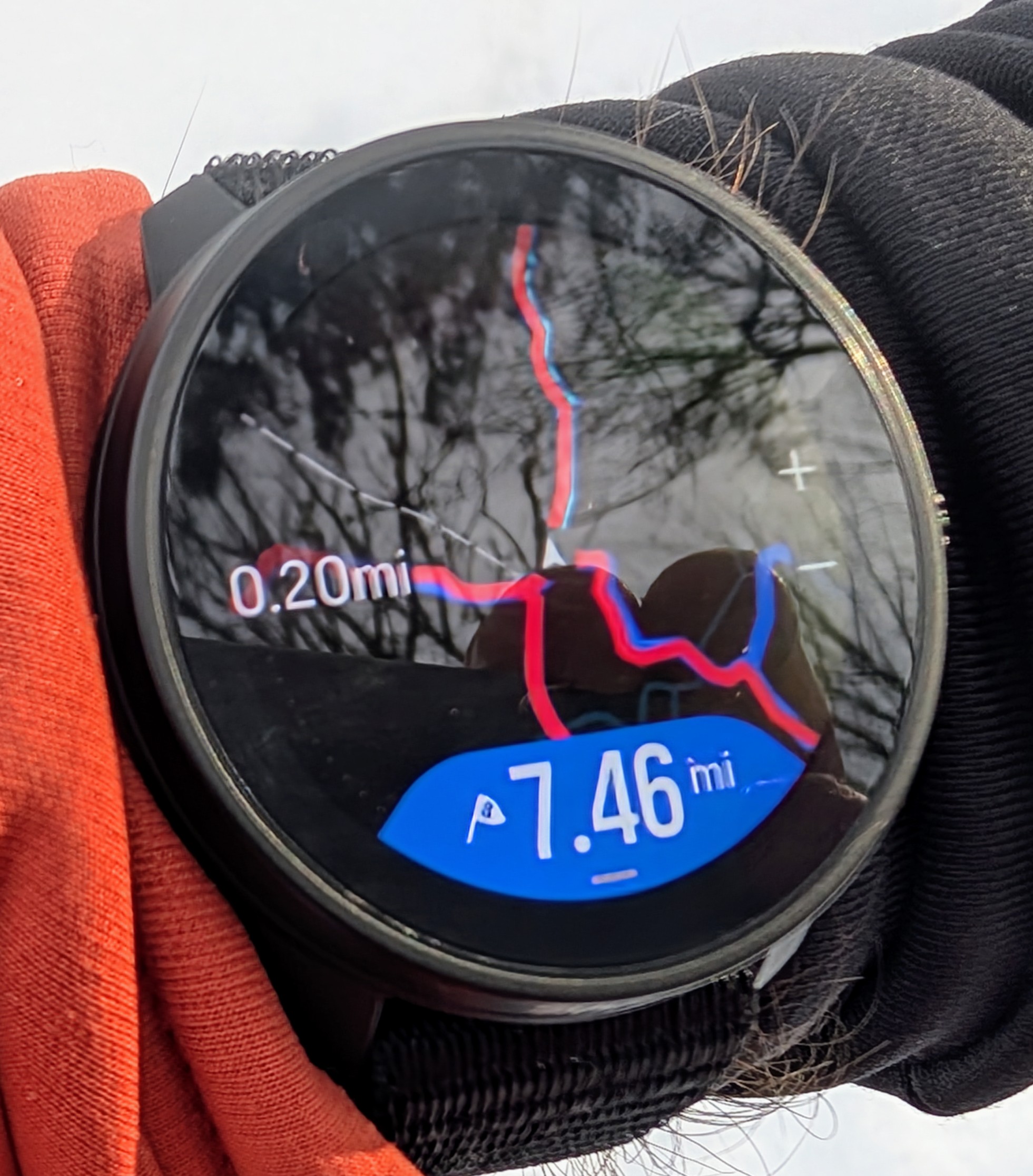
    [image: 1777194333458-img_2053.jpeg] [image: 1777194333470-img_2054.jpeg] Some more helpful info I thought about, I read someone had a similar issue two times at the same distance each time. For me time and distance are different in each case, so I am not sure if it’s related to his issue or not. This is the issue I mentioned https://forum.suunto.com/topic/15116/watch-reboots-mid-activity-at-ca-9km-when-using-gpx-navigation/2 This also seems to be related. https://forum.suunto.com/topic/14527/crashes-in-the-middle-of-an-activity?_=1777194428329
  • 2 Votes
    10 Posts
    782 Views
    2
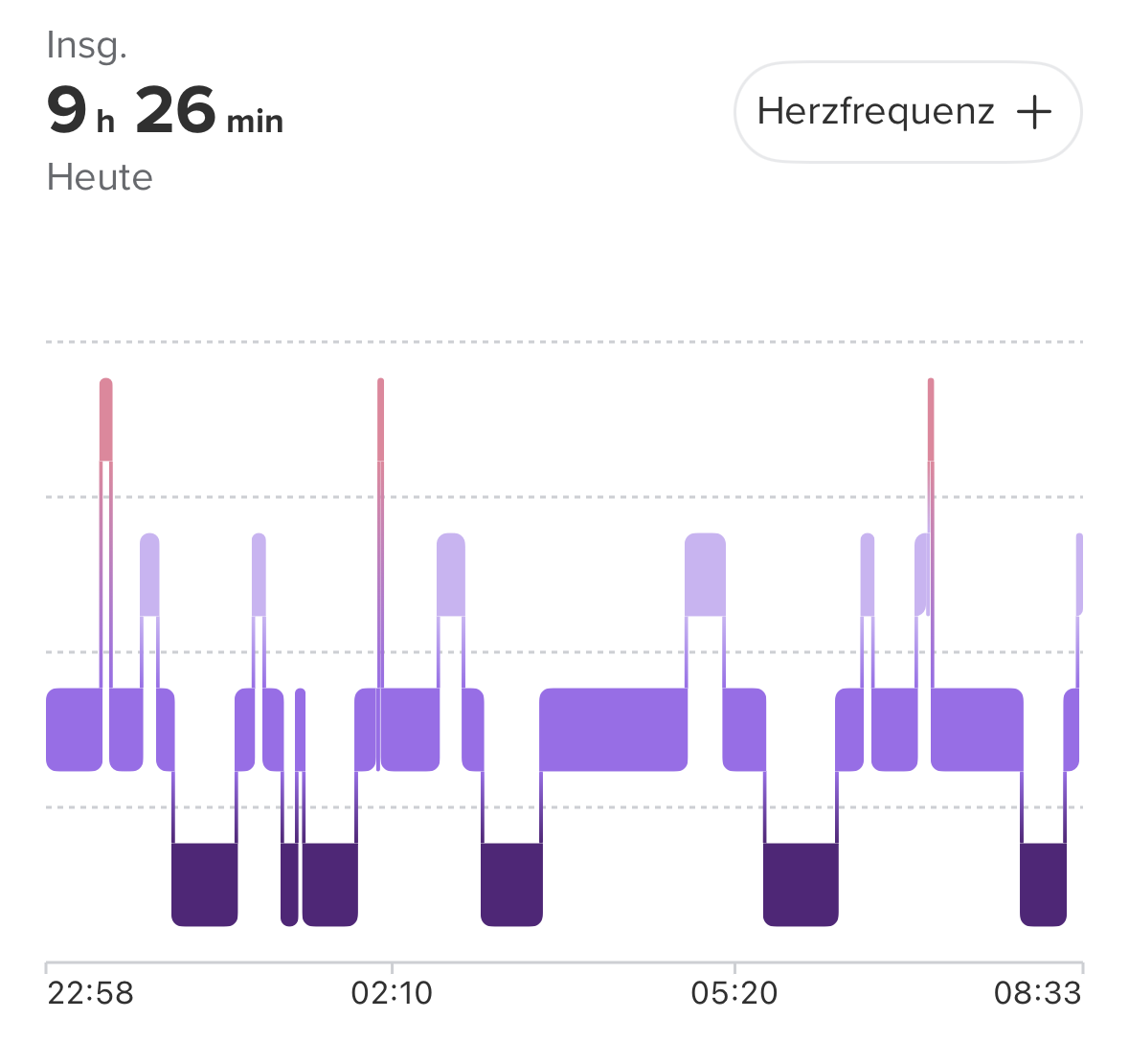
    @isazi said in [Race S - 2.50.28] Nap detected during recorded sleep: so report it again if it happens with the new firmware And there I am: Nap accounted to yesterday: [image: 1777121428413-059d473a-6019-4348-bf94-fa20ad027bb8-image.png] And tonights sleep: [image: 1777121473999-6f04e699-6aba-4c5e-bbc2-09d3a18430a6-image.png] Fair enough, I did wakeup because of some noise around 23:55 - as seen by the rising HR. But the sleep tracking didn’t even registered it as wakeup… I think, somebody should look at that code on a higher level as there seems to be something broken in the overall logic…
  • FW 2.53.2 Countdown timer vibration

    3
    0 Votes
    3 Posts
    267 Views
    S
    @halajos said in FW 2.53.2 Countdown timer vibration: @sindavide yes, I also experience it on the Race 1. The last beep, which should be longer, gets interrupted, therefore sometimes shorter or not even audible. By the way, having 11 beeps is weird to me, I’d prefer 9 short and one long. Yes, same here. Plus alarm in the morning interrupts without pressing button and no snooze.
  • Menstrual cycle tracking

    3
    1
    2 Votes
    3 Posts
    325 Views
    MiroslavaM
    @sazzas i asked for this feature to be improved and take inti account our cycle phases such as pain atc…
  • Feature Improvement: Add step count to available activity metrics

    3
    1 Votes
    3 Posts
    250 Views
    ravenR
    Coming back to this thread, I now see the restriction “while the Walking activity is active.” First, I don’t think this is an important metric for “live” use. The reality is “step count” is a basic metric that is most useful when you don’t have access to other metrics. For example, a cheap pedometer you attach to your shoe can give you steps but likely won’t have GPS to measure actual distance. In almost all cases, your actual distance is more important than number of steps. However, there is a related metric, cadence that can be relevant. This is “steps per minute,” and in running the advice is to typically around 180 spm which is what I tend to go for, although some prefer slightly different values. Search “ideal running cadence” but here’s a starter link: https://us.suunto.com/blogs/blog/tracking-cadence-heart-rate-and-pace-while-running So I’d look to cadence for “how effective are my current steps” and distance instead of total steps.
  • Downloading map takes a very long time

    23
    0 Votes
    23 Posts
    1k Views
    muurainM
    @suzzlo said in Downloading map takes a very long time: @muurain said in Downloading map takes a very long time: Suunto’s cloud service that throttles the downloads but… you can download maps for the mobile phone that are much faster… so… if we think, same server is delivering them… this should not be the problem… Anyway, I can live with it You’re right! I didn’t even realize that, even though I did download mobile maps too And yeah this does seem like an understandable constraint of small smart devices. I too am happy to have the convenience of WiFi downloads, even if they are pretty slow compared to bigger devices. My old Garmin Fenix maps downloaded way faster, but it was via USB cable and a PC. But given the analysis here, the original post does now sound like a WiFi issue or a bug. Maybe try downloading maps on some other place or WiFi…? If the download speed is considerably less than 1GB / hour (or ~2Mbps), it should work faster and there are not many broadbands this slow.
  • Reminder workout

    5
    1 Votes
    5 Posts
    276 Views
    B
    @Hashly-Iian but isn’t this an easy to implement Upgrade which would be very heplful! All data and technical basis is already given. Maybe with the step from beta workout plans to the final version…hope so.
  • Alarm info not showing on watch face after latest update

    12
    2
    0 Votes
    12 Posts
    850 Views
    isaziI
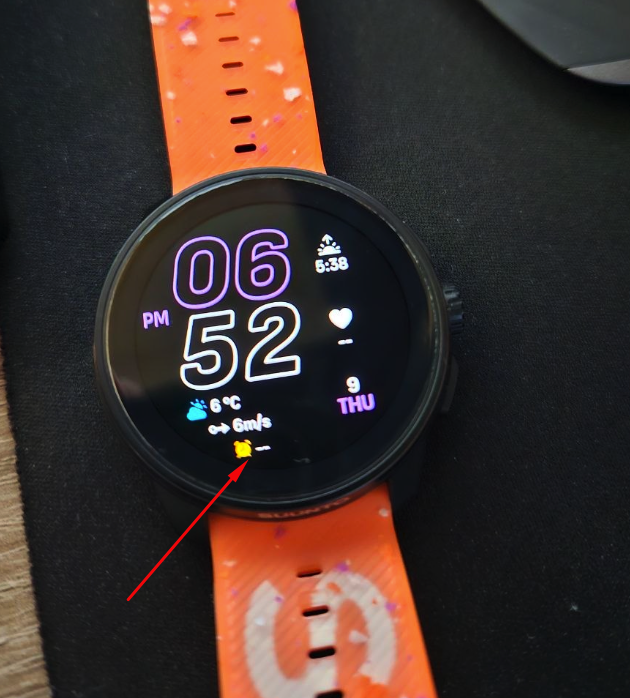
    Should be fixed in next release, being currently tested.
  • 2 Votes
    15 Posts
    1k Views
    Dima PursanovD
    So, UPDATE: 1. Not able to set alarm clock per any weekday weekly. For example: every Monday and Wednesday at 7AM, Tuesday-Thursday-Friday - 8:00, Saturday - 8:30. The issue I’ve described above: alarm is super critical function if the device has it: if I set it - probably I rely on it. If device is unreliable - I’m afraid to use it daily. Alarm should work even if battery saver is ON, even if there are other conditions: just high priority! - Implemented! 2. Workout plans are joke: I can set the interval training and… it’s second to nothing: the watch does not really help during the intervals, just showing them as laps, that’s it. For example I’ve intervals with specific HR Zones and what can the runner expect? Yes: the watch should vibrate when you are out of your Zone (by the way this is soo good on Coros: they have different types of vibrations for various positions in zones!). So for now actually missed opportunity for the workouts to work much better. I’ve to watch at the watch all the time to keep up with my training plan. Also I’ve to remember the plan, because interval training does not actually show any details about the planned parameters (zone/rate/pace for example). - tested more and it’s actually kind of there: you need to go to “guide” screen (which is LAST!) and the watch shows the details about your targets.
  • Settings lost and modified with each FW upgrade

    2
    1 Votes
    2 Posts
    138 Views
    2
    I think the same… unless there is a good reason (like new options) the watch should remember it’s settings… Regarding feeling - I left it enabled after I found it will get reenabled after updates. If you are asked, just press the crown without selecting a line and it will skip the question…
  • Hr recovery bug

    5
    0 Votes
    5 Posts
    425 Views
    S
    Hi, Seems the problem was that I finished both activities in Z1. Today I’ve pushed more ending in Z2 and it appeared!!
  • New firmware 2.53.42

    bpm
    12
    0 Votes
    12 Posts
    638 Views
    Inge NallssonI
    @snow said in New firmware 2.53.42: You need to start the activity Ah! Yes… That works. This was incredibly convoluted… Thanks. Hope my bumbling around will help other users. Edit: Everybody is talking about the Menu only accessible from the Map screen itself (the 3 lines/hamburger icon). Edit 2: And it works even without any Route loaded. Great!
  • Recovery: watch and SA differ

    9
    2
    1 Votes
    9 Posts
    550 Views
    E
    @freeheeler said in Recovery: watch and SA differ: @emkei me too… but I found a workaround: in movescount suunto promoted the phone as an extended watch display: that’s what I do. I use the watch mainly to track and record and look at the data in the app only. which data is correct? I don’t know. but it is where I see a long term trend. and I don’t want to worry Yes, this is probably the only way - but still awkward as Suunto is the only company I know having this issue. Unfortunately, this was not the only reason I left - there were differences between watch, iOS app and iPadOS in: steps TSS Recovery Resources HRV And sleep tracking was really off (especially if ready at bed, or working at a standing desk) The thread: Recovery watch & App

Suunto Terms | Privacy Policy