• Importing gpx file to Movescount not working

    27
    3 Votes
    27 Posts
    6k Views
    ?
    @stromdiddily said in Importing gpx file to Movescount not working: @André-Faria yeah this is pretty brutal…especially since Movescount appears to be the way forward for routes in Ambit line Just found out, if I connect my pc through ethernet it work. So there must be any setting to change on the router. If anyone knows what I should look for…
  • No automatic seasonal time change

    Moved
    20
    0 Votes
    20 Posts
    3k Views
    F
    @Efejota beautiful Suunto app… maybe it’s better also for me to go back to MC app…
  • Can't find place movescount map

    4
    1
    0 Votes
    4 Posts
    494 Views
    M
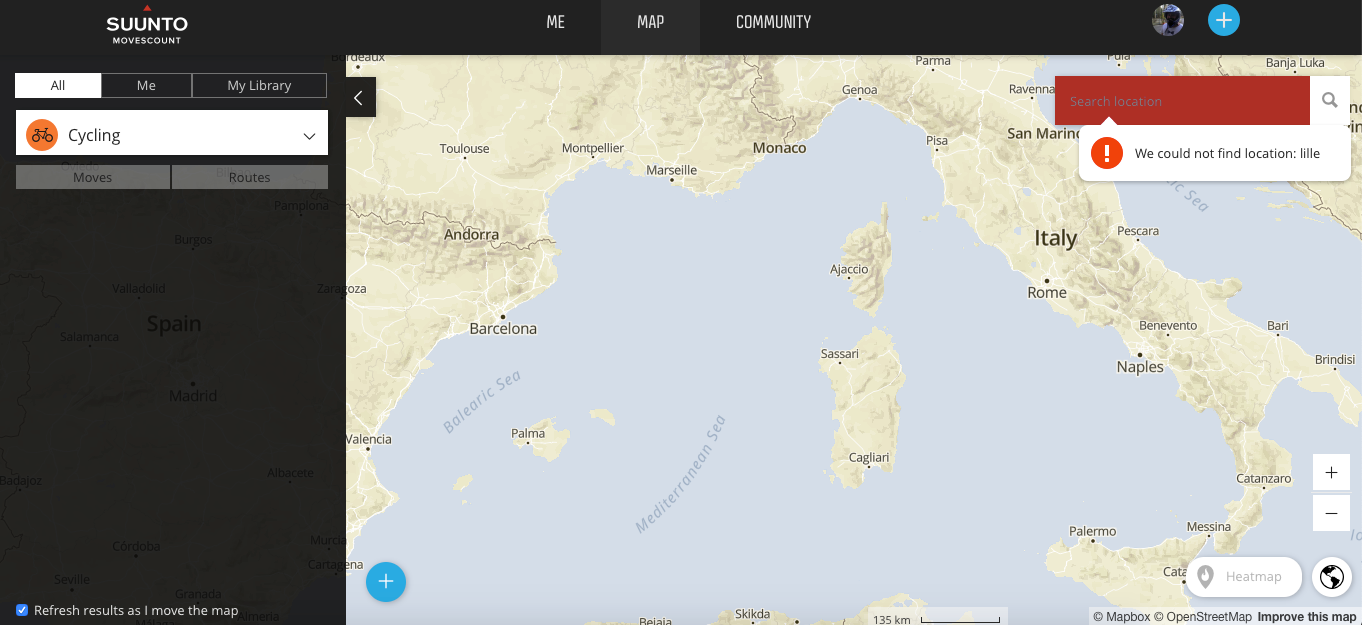
    It makes browsers to complain about Cross-Origin Resource Sharing, once this is addressed, Mapquest service responds with: The AppKey submitted with this request is invalid. In others words, not much end users can do about it.
  • Can't import gpx with waypoints to movescount

    2
    0 Votes
    2 Posts
    336 Views
    M
    @André-Faria said in Can't import gpx with waypoints to movescount: Movescount does’t support gpx with embbeded waypoints? It does. But on its own terms. Meaning that it will not recognise waypoints in GPX files coming from most ( like 9 out of 10 or so ) sources / services / applications. https://forum.suunto.com/post/56598 https://forum.suunto.com/post/61907 Those 2 posts are about route/wp imports to Suunto App, but Movescount route import has those same quirks. And few more tech bits - https://forum.suunto.com/post/37070
  • Movescount routing bug(s)

    13
    2 Votes
    13 Posts
    2k Views
    ?
    I know that this bug is not solved, but on my side I just use Komoot or ridewith gps to do the routes, send it to movescount, and then watch and on the watch the ascent/descent profile matches the one of komoot. I know it is another site to register, another file to pass, adding entropy and possibility of failiure, but it is a “solution”, at least for my usage. Hope to have helped
  • Ambit 3 still one of the most accurate gps watches?

    3
    0 Votes
    3 Posts
    544 Views
    cosme.costaC
    I usually run with a frined that uses an Ambit 3 Run and I use the S9B (GPS only), in my opinion and comparing both watches I found the following: In trail runs (using custom trail running sport mode), with around 300 m ascent very 10 km and some trees the Ambit 3 has most of the times a perfect track, the S9B has a very good track but not as good as the A3 and falls short on distance comparing the A3. Examples: S9B: 21.12 km - A3: 21.35 / S9B: 13 km - A3: 13.10 / S9B: 11.02 km - A3: 11.12 km In flat runs (using custom running mode), here the A3 has teh same or falls short on distance comparing with the S9B, tracks are quite similar. Examples: S9B: 11.43 km - A3: 11.31 km / S9B: 11.32 km - A3: 11.30 km I do not know if there is any diference in the sports mode that can affect this, but what I explain I have noticed several times.
  • Ambit with Suunto Link breaks heart rate data

    Moved
    7
    2 Votes
    7 Posts
    1k Views
    ?
    Same to me. I already forgot about this issue since I tried using SA. Pulse information is imprecise at SA.
  • Still access data from Ambit2-s watch?

    2
    0 Votes
    2 Posts
    327 Views
    N
    @guthrie My wife still use Ambit2, you can sync SA to Runalyze and from there export to .kml, if that is the question.
  • Change screens in Ambit 3 peak

    Locked
    2
    0 Votes
    2 Posts
    310 Views
    sartoricS
    You can find almost everything using the search function https://forum.suunto.com/search?term=ambit custom sport&in=titlesposts https://forum.suunto.com/topic/5247/how-to-use-suunto-services-sync-routes-customize-sport-modes-for-ambit3-traverse-and-traverse-alpha-with-suunto-app I’m closing this one to avoid duplicates
  • Ambit 3 Peak will not be recognized on Iphone XS

    3
    1 Votes
    3 Posts
    474 Views
    S
    @Fermin-Lopez-Unzu said in Ambit 3 Peak will not be recognized on Iphone XS: Have you read this ? https://forum.suunto.com/topic/3278/syncing-problems-ambit3-with-iphone11 Thx!!! Yes…I read this but I have a different problem with XS but not 11 and I cannot pair my Ambit with Bluetooth ! I also cannot find a solution here. Suunto support is somehow passive or not motivated to help.
  • Suunto Link and Ambit3

    2
    0 Votes
    2 Posts
    409 Views
    A
    Nevermind - it turns out you do have to connect SuuntoApp to get the option to connect to Movescount… Now I just have to deal with the unholy mess of duplicate Strava activities its created as my old test SuuntoApp account was still linked to Strava…
  • SuuntoLink and Movescount

    Locked
    2
    0 Votes
    2 Posts
    259 Views
    sartoricS
    This has been discussed several times, so I’m closing this one to avoid duplicates https://www.suunto.com/en-gb/Support/faq-articles/transition/how-do-i-use-the-suunto-services-with-ambit/
  • Movescount EOL - What does this mean for Ambit3 Peak?

    68
    0 Votes
    68 Posts
    13k Views
    isaziI
    @Janfi yes some people are looking for a solution to the issue of workouts not being available anymore.
  • Movescount & altitude profile

    16
    1 Votes
    16 Posts
    2k Views
    Kuba SarataK
    @Prenj said in Movescount & altitude profile: This is so awkward. It almost feels like Suunto app is some third party app and not in house solution. They are just making things more and more complicated. As it probably was bought from a third party and reskinned. I don’t see any other technical answer to all those decisions.
  • Stuck in workout mode

    12
    0 Votes
    12 Posts
    2k Views
    A
    @margusl That’s super useful! I occasionally start a workout to check if a sensor is working after a battery change or something and then have to delete them from Movescount, TrainingPeaks and Strava - I had no idea there was a way to stop a workout and not save it. Although I definitely prefer the default to be to save the workout rather than having to make sure I don’t hit the wrong button at the end of a workout and accidentally discard it (mentioning no names cough Garmin 310XT cough)…
  • Which POD is used for which measurement?

    1
    0 Votes
    1 Posts
    211 Views
    No one has replied
  • Ambit 2 - Average values (with auto pause)

    4
    0 Votes
    4 Posts
    596 Views
    Dimitrios KanellopoulosD
    @Steradiant no I don’t think it’s possible. The best thing todo is just manually pause.
  • Not see my latest app on movescout

    7
    0 Votes
    7 Posts
    939 Views
    Dimitrios KanellopoulosD
    @MartinLX For S9 that is by design. Once you sync with SA and customize etc the MC sync is blocked.
  • Force firmware downgrade on an Ambit3

    6
    0 Votes
    6 Posts
    888 Views
    M
    @Tom-Z , are you sure it happened after watch firmware update and it’s not related to MC app version or moving to Suunto App? Latest FW is 2.4.17, released on 2017-06-26, one before was 2.4.1, released on 2016-12-01 . I wouldn’t be so sure if anything older than those two would even work with latest MC app or current SA, even stepping down to 2.4.1 might introduce some issues with mobile apps (though it does work with Suuntolink, tested). And downgrading to anything older would also mean loosing of quite a few features - https://moveslink.static.movescount.com/release_notes/SuuntoAmbit3_ReleaseNotes.html But technically there’s no problem forcing a FW downgrade itself. Just be ready for update notifications in Suuntolink & Moveslink2 and possibly in mobile apps as well. [image: 1599900265892-a51335e1-7a24-4a0e-8159-78d405f987a6-image.png] [image: 1599900512196-7292e169-6b68-421f-9354-2bcdc9e2f203-image.png] Here’s a generic URL for A3P FW files: https://uiservices.movescount.com/devices/Emu/69.4.17414/<rev>/binary?appkey=<appkey> Replace <rev> with one from release notes (“2.4.17”,“2.4.1”, “2.2.16”, …) , you also need to provide required <appkey> yourself. If you are using Suuntolink on Windows, you’ll find it in %appdata%\Suuntolink\suuntoapp.log . Or look for production.json at Suuntolink installation folder. Suuntolink uses a certain naming convention for FW files when it downloads those (e.g. uiservices.movescount.com-Emu-69.4.17414-2.4.17.sfi ), but it doesn’t seem to really matter. Once you have the file you just drag-n-drop it onto drop area somewhere in lower portion of Suuntolink window, you’ll notice when you’ve found it. And as always, use it at your own risk, yada yada yada …
  • Unable to Sync Ambit3 with iPhone SE2020

    3
    0 Votes
    3 Posts
    428 Views
    F
    Yeah, thought I’d add to the noise on the slim chance that it does any good.

Suunto Terms | Privacy Policy