Subcategories

  • 150 Topics
    442 Posts
    Steven HambletonS
    This is almost unreadable for me, tiny fonts (I see a pattern here) - I hope Suunto create a dedicated app or even a web app with dark mode.
  • This is the place for creating new feature suggestions for the Suunto app or up-voting existing ones. You can also add your thoughts and comment on other user’s suggestions. Please remember to up-vote or down-vote already posted feature suggestions.

    2k Topics
    14k Posts
    No new posts.
  • Share here your issues or the bugs you have found. Please remember to search just in case your issue is already reported.

    1k Topics
    9k Posts
    No new posts.
  • Community-driven solutions and feedback for key topics

    1k Topics
    16k Posts
    No new posts.
  • Anything related to issues with Partner Sync (Strava, Training Peaks, Endomondo, Runanalyze)

    272 Topics
    3k Posts
    No new posts.
  • Need followers? Introduce your self! Share your profile here

    Pinned feedback social
    142
    6 Votes
    142 Posts
    35k Views
    Nordic_PandaN
    [image: 1772452704653-img_4354.jpeg]
  • Suunto Routeplanner

    Moved
    51
    1
    7 Votes
    51 Posts
    4k Views
    H
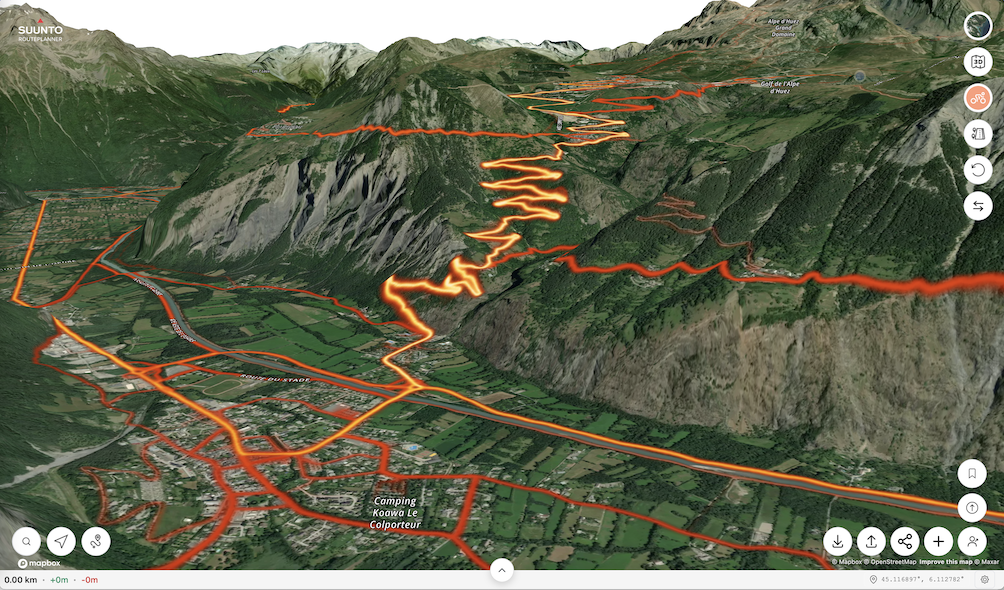
    said in Suunto Routeplanner: Hey everyone! After a lot of trial and error, I finally cracked a super simple way to turn any city walk into a personal audio-guided tour using just my Suunto watch + phone. No need for expensive apps or guided tours – works offline once set up, and it’s perfect for historic/architectural walks like in Oviedo, Spain. [image: 1773675041245-1dde23d4-977e-487e-8657-97753d21a80a-image.png] The key combo: Suunto Route Planner (web version: https://routeplanner.suunto.com/) for creating/planning the route and waypoints on a big screen. list itemGPSmyCity tours (free self-guided walks with detailed descriptions): https://www.gpsmycity.com/tours/oviedo-historic-architecture-6280.html list item@Voice Aloud Reader (Android TTS app) to read the tour descriptions aloud as you walk. Step-by-step how I do it: Pick a tour on GPSmyCity (e.g., “Oviedo Historic Architecture” – 2.7 km, ~2 hours, covers gems like Oviedo Town Hall, San Isidoro Church, Palace of the Counts of Toreno, Balesquida Chapel, Valdecarzana-Heredia Palace, and more – full list with descriptions on the page). Open the page on your computer/phone → copy the full text (introduction + all stop descriptions). Paste into a note or Google Doc. @Voice Aloud Reader: Import/share the text → it will read everything aloud (choose a nice voice, adjust speed). You can split into chapters by stop number for easy pause/resume, or just play sequentially. Bonus: offline TTS – download voice packs if needed. Create the route in Suunto Route Planner (browser): Go to https://routeplanner.suunto.com/ Search for Oviedo → zoom in. Manually add points/waypoints by clicking on the map at each stop’s approximate location (use the tour descriptions for exact spots). Name each waypoint clearly (e.g., “1. Casa Consistorial de Oviedo (Town Hall)”, “2. Iglesia de San Isidoro”, etc.). The tool auto-connects with paths/roads – tweak as needed. Save the route → sync to your Suunto app → sync to watch (turn-by-turn navigation works great). Important tip about waypoints/GPX (learned the hard way!): Waypoints added/edited in the Suunto app often don’t sync back to the web Route Planner properly (or get lost). Always export the route as GPX from the web planner BEFORE syncing to watch (or right after creating). Keep a copy on your phone/computer. If you need to edit later – import the GPX back into the planner (waypoints usually load if they were created there originally). Waypoints from watch → app → web don’t transfer reliably. Result: On the walk, your watch guides you point-to-point (arrow + distance to next waypoint). At each stop – pause navigation if needed, tell @Voice to continue reading the description/history of that exact building/sculpture/site. Feels like a real audio guide! This works for ANY city/place – just find a similar tour on GPSmyCity (tons of free ones), or even Wikipedia/Wikiloc/AllTrails descriptions. Super flexible for travel! Has anyone else tried something similar? What TTS app do you use? Any tricks for better waypoint handling in Suunto? Happy trails! ️ For testing, I attached my route.gpx file. route.gpx
  • Undecided for a new bike computer

    44
    0 Votes
    44 Posts
    2k Views
    Stoke80S
    @herlas No, there is no public discussion about this. It was just the e-mails with their support I shared above
  • no Foto Upload

    4
    1
    1 Votes
    4 Posts
    235 Views
    Olli2709O
    Resizing the photo didn’t work. It must be specific to certain photos and certain training sessions. The photo was 7.5 MB. I took the same photo again the next day and was then able to upload it. I’m a bit baffled. It doesn’t happen all the time, but it does occur occasionally.
  • My Plan BETA, training load and recovery.

    2
    0 Votes
    2 Posts
    303 Views
    go-outG
    Update: Nearing the End of My 10 Week Training Plan After almost ten weeks of focused training, I’m closing in on the end of my current program. The goal was to improve my VO₂max and build better endurance fitness — but so far, the results haven’t matched expectations. To be fair, I didn’t fully stick to the schedule. In most weeks, I trained more than scheduled. Now in week 9, my VO₂max has actually dropped compared to eight weeks ago. Here’s what I’ve learned along the way: I couldn’t stay fully aligned with the “My Plan” schedule due to my daily routine and lifestyle. The planned training load often felt lower than what I’m used to, so I naturally added extra workouts. Social activities also affected compliance — when friends invited me for an outdoor session, I couldn’t say no. For the coming weeks, I’ll shift my focus more toward fitness-level metrics like TSB and staying in the productive training form of TSS. This will keep me fit. Two ideas for improvement on the Suunto App would be: AI-based plan adjustments It would be great if AI could evaluate training metrics weekly and automatically adjust the plan. Right now, the 10 week program feels static — once it starts, it runs its course without adapting to changes in load or recovery, which leads to inconsistent compliance. Better visibility of TSS It would help to see TSS directly in the activity overview, next to Distance, Duration, and Avg. Pace. It’s a small change, but it would save an extra click and make tracking much easier. Just wanted to share these reflections as I wrap up the program. Curious to hear how others deal with similar challenges — have you made adaptive training plans work better in practice? Happy training, Yuri [image: 1772977970739-img_6507.jpg]
  • Request: Suunto SDK

    7
    0 Votes
    7 Posts
    919 Views
    brechtvbB
    @isazi there is a bit more information/manual online by now. But still no public access. Suunto does not have to deal with every developer - the public api is the public api, ony companies supported is a clear policy. I was checking for the spotify JS api for prototyping a future suunto-app. But offline replay is simply not available through public spotify-api (obviously in the end). Spotify will ony provide such feature/permission to Suunto itself. note: the provider of the garmin spotify app is spotify itself.
  • Smart sensor sync to Suunto app

    suuntoapp
    2
    0 Votes
    2 Posts
    150 Views
    T
    Anyone? Was this a ridiculous enquiry? I mean the Suunto app recognises a Pulse heart beat sensor, why not a Wahoo bicycle cadence sensor? Wahoo says any app which recognises smart sensors should recognise their sensor. ‍️
  • Suunto App - Compare interval lap times

    1
    1
    0 Votes
    1 Posts
    131 Views
    No one has replied
  • My coach and I don’t seem to understand each other.

    6
    0 Votes
    6 Posts
    404 Views
    Jose Luis Merino ParraJ
    @Bradleyd Yes, I have the start of the week set to Monday. I don’t see any reason why it should treat Sunday as a rest day.
  • Can't save training after editing

    8
    1
    0 Votes
    8 Posts
    447 Views
    SquirrelS
    @pilleus Looks like the problem is officially known and will be addressed. https://forum.suunto.com/post/185631
  • Calories burn refresh on exercise. Watch vs. Chest Strap.

    1
    0 Votes
    1 Posts
    111 Views
    No one has replied
  • Problem with displaying swimming segments

    2
    2
    1 Votes
    2 Posts
    221 Views
    Александр ДаниленкоА
    I was showing this before, but the problem still exists: [image: 1770752589150-1000069798.jpg]
  • iOS 3.0.0

    ios
    202
    1 Votes
    202 Posts
    29k Views
    TieutieuT
    Commentary zone has been improved : we now see all text when we want to modify it ; great !
  • TSS and calories abnormal from imported activities

    5
    1
    0 Votes
    5 Posts
    341 Views
    SquirrelS
    @isaac.net You’re welcome.
  • Heart rate zone correction

    1
    0 Votes
    1 Posts
    124 Views
    No one has replied
  • Categorization of strength impact

    Moved
    4
    0 Votes
    4 Posts
    587 Views
    ravenR
    @geolerigolo said in Categorization of strength impact: @sartoric Ok thanks! What about speed and agility? I had the same question today, searched, and found this unanswered question. What is “speed and agility”?
  • Desktop route planner thoughts

    Locked
    12
    1 Votes
    12 Posts
    1k Views
    pavel.samokhaP
    Locked, use this topic to discuss https://forum.suunto.com/topic/14564/suunto-routeplanner
  • My Plan Beta

    150
    7 Votes
    150 Posts
    29k Views
    Jose Luis Merino ParraJ
    Hi everyone, I have a question regarding the Suunto Coach and the beta version of the app. I configure a training plan and set my rest days as Monday, Wednesday, and Friday, which are the days I go to the gym. That means the days I want the app to distribute my training sessions are Tuesday, Thursday, Saturday, and Sunday. I also select running as the only sport. The issue is that Sunday is always set as a rest day, and the other three training days are filled with a mix of running and other sports (for example cycling or swimming), even though I only selected running. I’ve tried setting it up several times and in different ways, but I never manage to get the plan I want. Is there something I’m doing wrong, or is this a limitation/behavior of the Coach? Thanks in advance for your help.
  • The app doesn't show all workout data.

    1
    2
    0 Votes
    1 Posts
    99 Views
    No one has replied
  • Download All Activity Data

    export data traverse export data download data save data
    18
    0 Votes
    18 Posts
    8k Views
    J
    @raisedbywolves sorry this is not true as I have carried this as per @spree today 18 Jan 2026. Regards John

Suunto Terms | Privacy Policy