Suunto Routeplanner
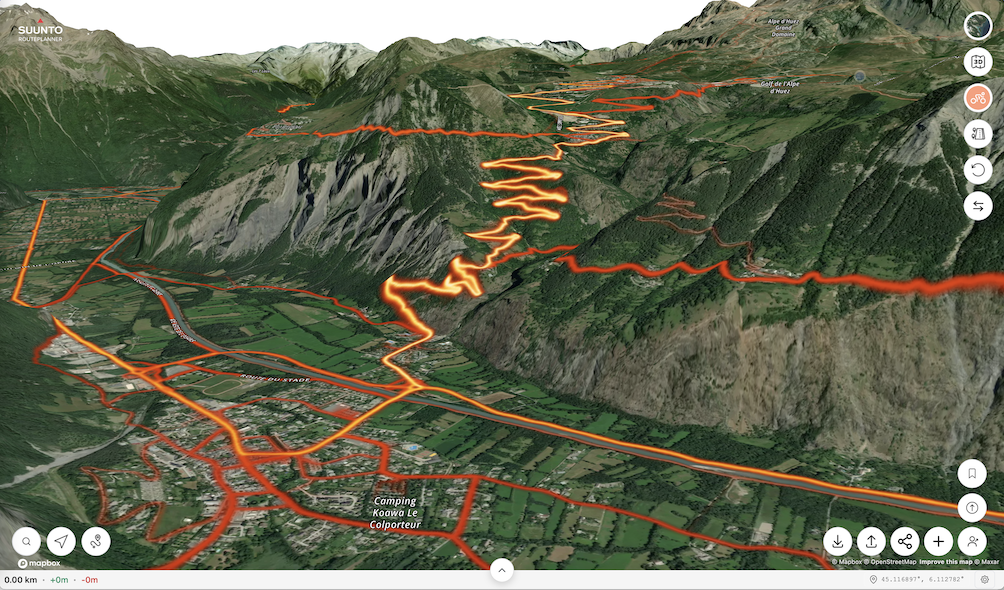
-
Please consider the following purely for informational purposes.
As I was particularly curious about the Suunto web GPX export.
The web presentation is actually very well done.
The GPX export differs from what I expected
See attachments:
Suunto_route.gpx
Suunto_navtrk.gpxThe Suunto GPX export and a comparable copy as a GPX navtrk file.
The original GPX file was manually edited for this purpose using Notepad++.
The GPX navrrk copy therefore so do not contain any trackpoint timestamps.
A few GPX WPTs have been added with a Garmin-compatible sym.
One of these GPX WPTs also contains an operational web link.
The GPX WPT list is not unnecessarily cluttered with turn instructions.
See also the presentation in the Cruiser desktop version.
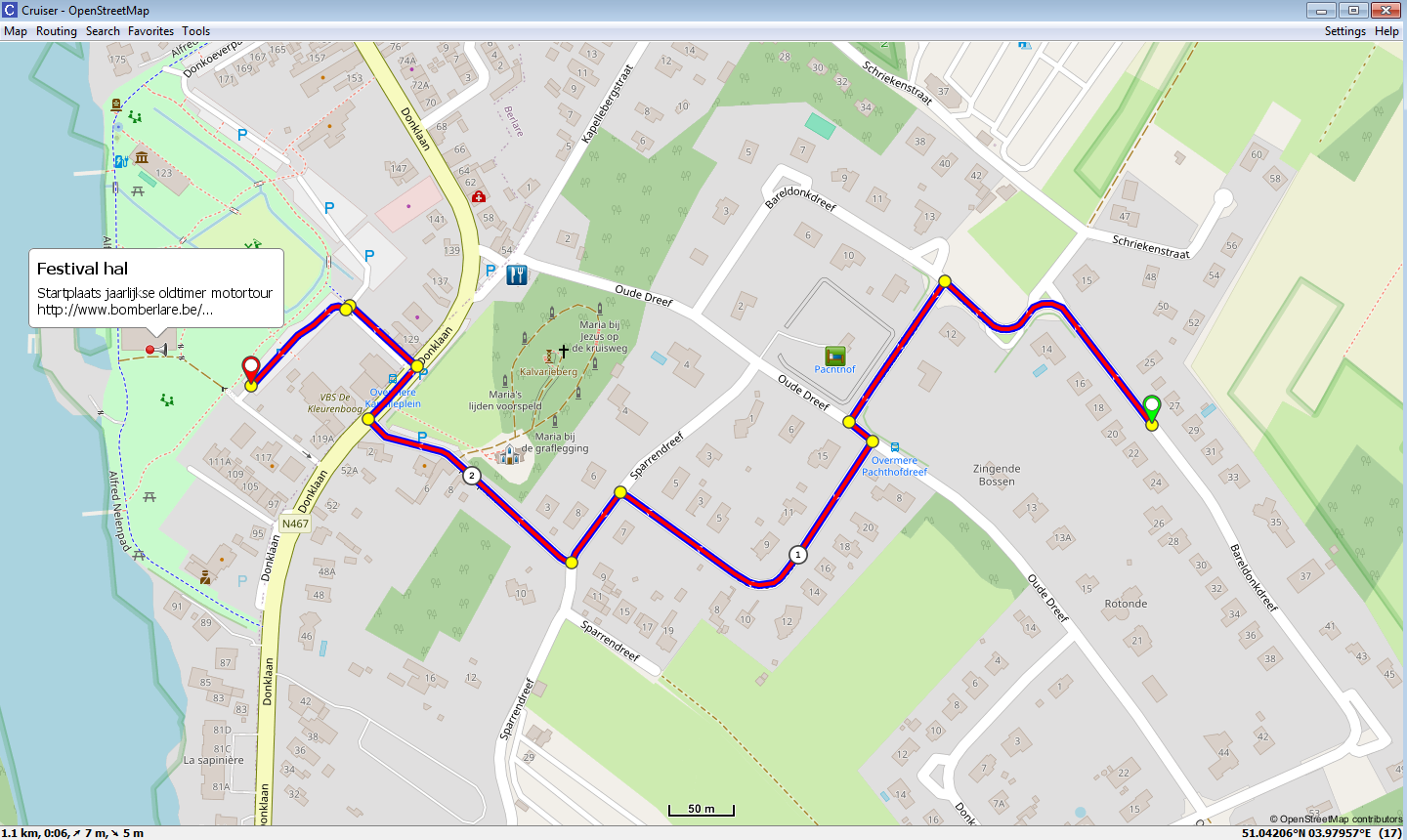
Translated with DeepL.com (free version)
-
@Mff73 said in Suunto Routeplanner:
It is more how routes and Waypoints are handled in Suunto routing current mecanisms.
@ all
The Suunto Web Planner gpx export includes items 1 and 2.- A “direct” gpx (rte) route. (Rarely used)
Some apps treat such “direct” routes as tracks.
Other apps may refuse to import or even do crash. - Suunto gpx extension.
The gpx extension ensures the *association between gpx rtept and unique corresponding gpx wpt that contains the instructions.
Find some gpx variants. (Inclusive Suunto gpx extension).
Can a volunteer (watch owner) import, test and report pse ?A_Suunto_route.gpx (Original rte export)
B_Suunto_track.gpx (rte converted to trk)C_Suunto_route+wpt.gpx (A + extra wpt)
D_Suunto_track+wpt.gpx (B + extra wpt)E_Suunto_navtrk.gpx
F_Suunto_navtrk+wpt.gpxG_Basic_navtrk.gpx (Contains no gpx wpt nor gpx extensions)
- Association
The required strict association is handled differently in a Plotaroute (Locus) gpx export.
As this is applied in a very similar way as used in a Garmin tcx course_coursepoints file.
The Garmin tcx course with coursepoints file is the “forerunner” of true track tbt navigation.
- In a gpx tbt navigation track this “fragile” association complexity is unnecessary.
The instructions are directly attached in the relevant gpx (trkpt) trackpoints. (As well Cruiser and Locus map do navigate this file)
- A “direct” gpx (rte) route. (Rarely used)
-
@Willy
What do you want “us” to test?
Importability? Routability? Something else?
I read all your posts, all about gpx files, and still not sure to understand where you are trying to guide us.SSU (retired), SV1, SV2
Wife : S9PP
SA: Always the latest beta :)
Android + Galaxy S205G -
@Mff73
Importability.
The reference is the A (rte) file. (Original).
Do file B to G import as well ?
“I am most curious about the B (trk) result”- If succesfull than next
Routability.
Do files B to F show the TBT as well or not ?
If nok than test STOP and over and out
If ok than continue with a more complicated (multioverlap) track
- If succesfull than next
-
Hello @kemetter !
This is a great app for viewing and creating routes on a larger screen. Would it be possible to add a route generator that lets you enter parameters like “duration,” “distance,” and “elevation gain”? -
@Mff73
Import of gpx (trk)tracks in the Suunto Web Planner is positive.
Simple compare by “manually” adding the tbt data in trackpoints.
Manual edit prone to “typos.” In previous files one right should be left.
- Out-and-return overlap track test file series.
Observe compare and study, open in Notepad++
1A_Suunto out and return rte.gpx
1AA_Suunto out and return trk.gpx
1B_Suunto out and return navtrk.gpx
1C_Out and return navtrk.gpx
1D_ A small file sized compressed gpz version is possible
The upload of gpz or zip files is not possible in this forum
1E_Out_and_return_course.tcx
1F_Out_and_return_course.fit
The Suunto gpx extension only adds the via trackpoint bindings.
I seriously doubt this is sufficient for 100% TBT reliablility.
In the previous simple track the Suunto TBT generation is correct.
In the out-and-return track the Suunto TBT generation is incomplete.
Specifically 2 TBTs in the overlap return track section are missing.True Track TBT file modes.
https://github.com/osmandapp/OsmAnd/issues/14147#issuecomment-1114034225 - Out-and-return overlap track test file series.
-
Planning another long run of ~35 km, give or take. As expected, the Suunto Route Planner has non-uniform spacing between distance ticks on the x-axis:
- 0 km
- 1 km (+1)
- 3 km (+2)
- 6 km (+3)
- 8 km (+2)
- 13 km (+5)
- 16 km (+3)
- 18 km (+2)
- 24 km (+6)
- 33 km (+9)
- 35 km (+2)
This gives a skewed view of the elevation profile:

Compare to the uniform spacing using onthegomap.com:

Suunto Race S / 9 Baro / Ambit 3 Peak / Observer
Polar H10 / Verity Sense / OH1
Stryd Duo / Wind
r/suunto mod -
@atoponce Yes, I can confirm this strange behaviour.
-
@atoponce same here

-
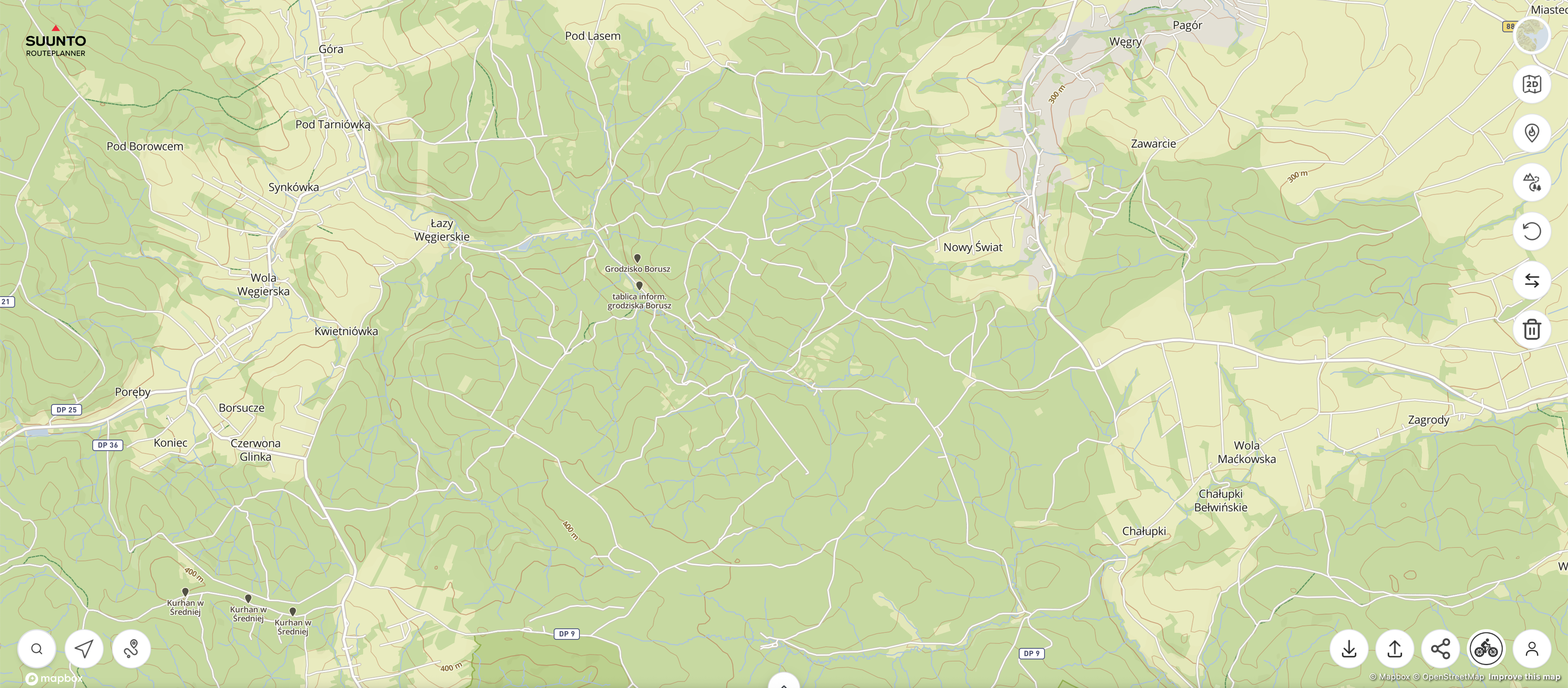
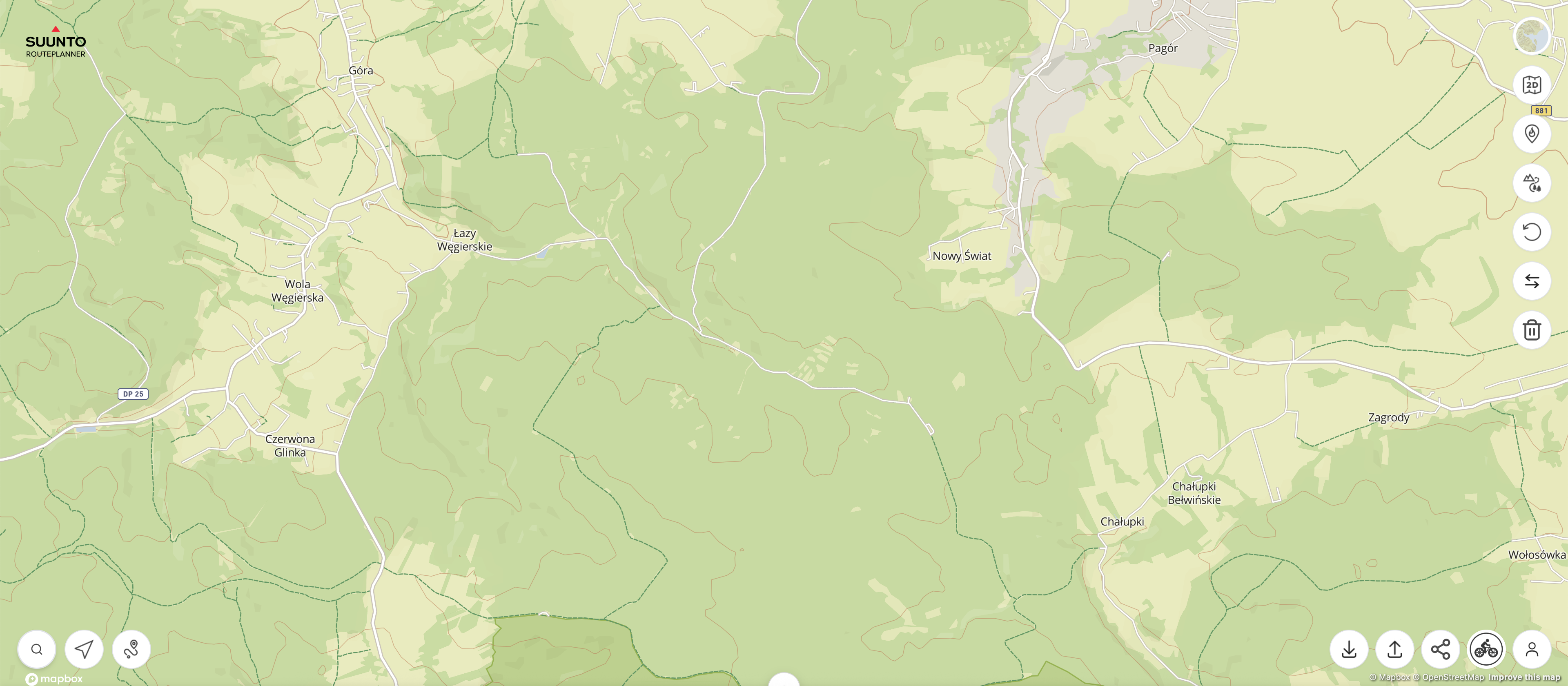
The problem with how trails and roads are displayed is simply disastrous - even in the route planner, compare the map at nearly the same scale and see how drastically it changes!
https://routeplanner.suunto.com/?lat=49.851338&lng=22.607213&zoom=13.1&style=outdoo
https://routeplanner.suunto.com/?lat=49.851338&lng=22.607213&zoom=12.95&style=outdoor
These aren’t watches, but maps on a computer - what’s the point of hiding so many roads?





Hello! It looks like you're interested in this conversation, but you don't have an account yet.
Getting fed up of having to scroll through the same posts each visit? When you register for an account, you'll always come back to exactly where you were before, and choose to be notified of new replies (either via email, or push notification). You'll also be able to save bookmarks and upvote posts to show your appreciation to other community members.
With your input, this post could be even better 💗
Register Login