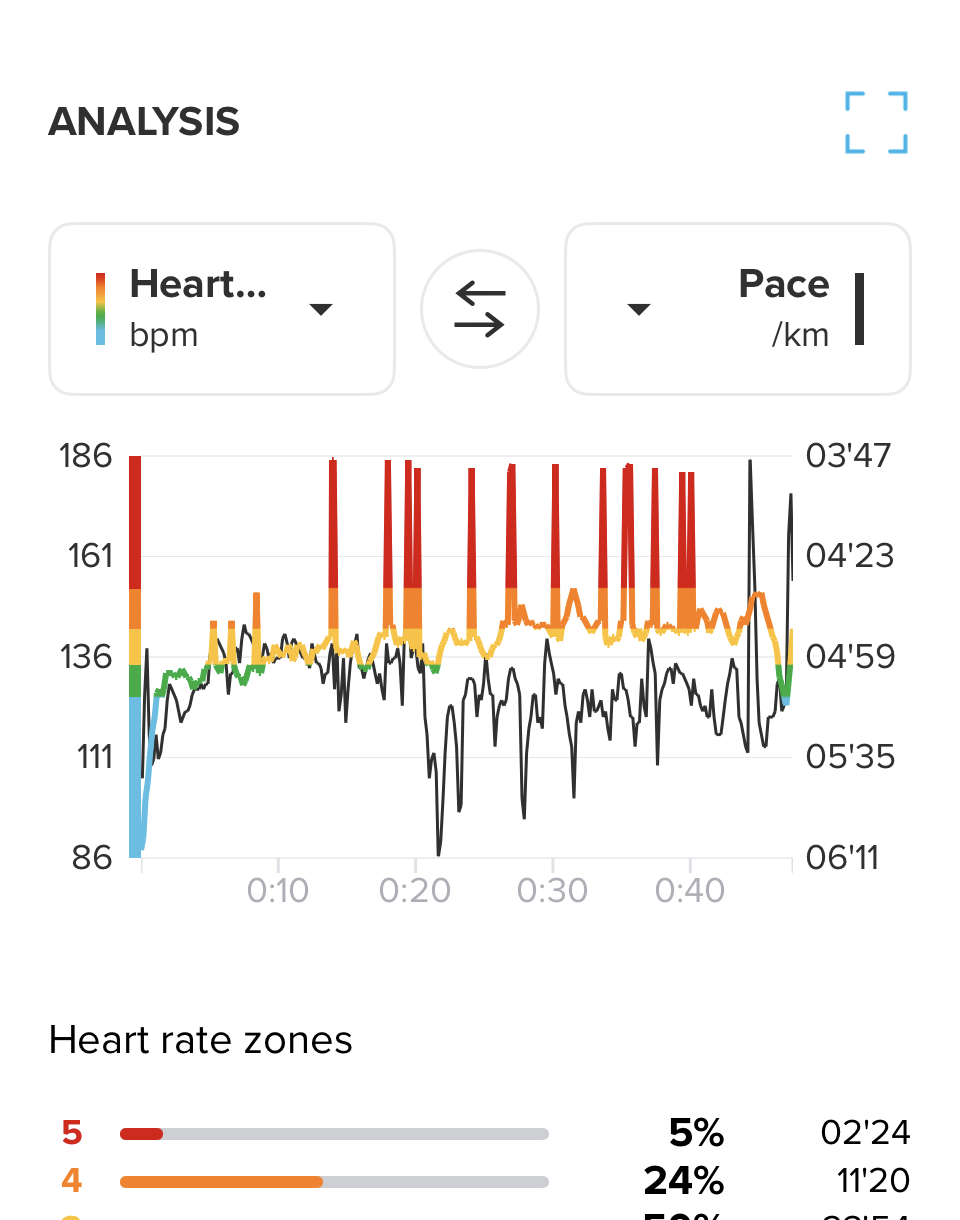
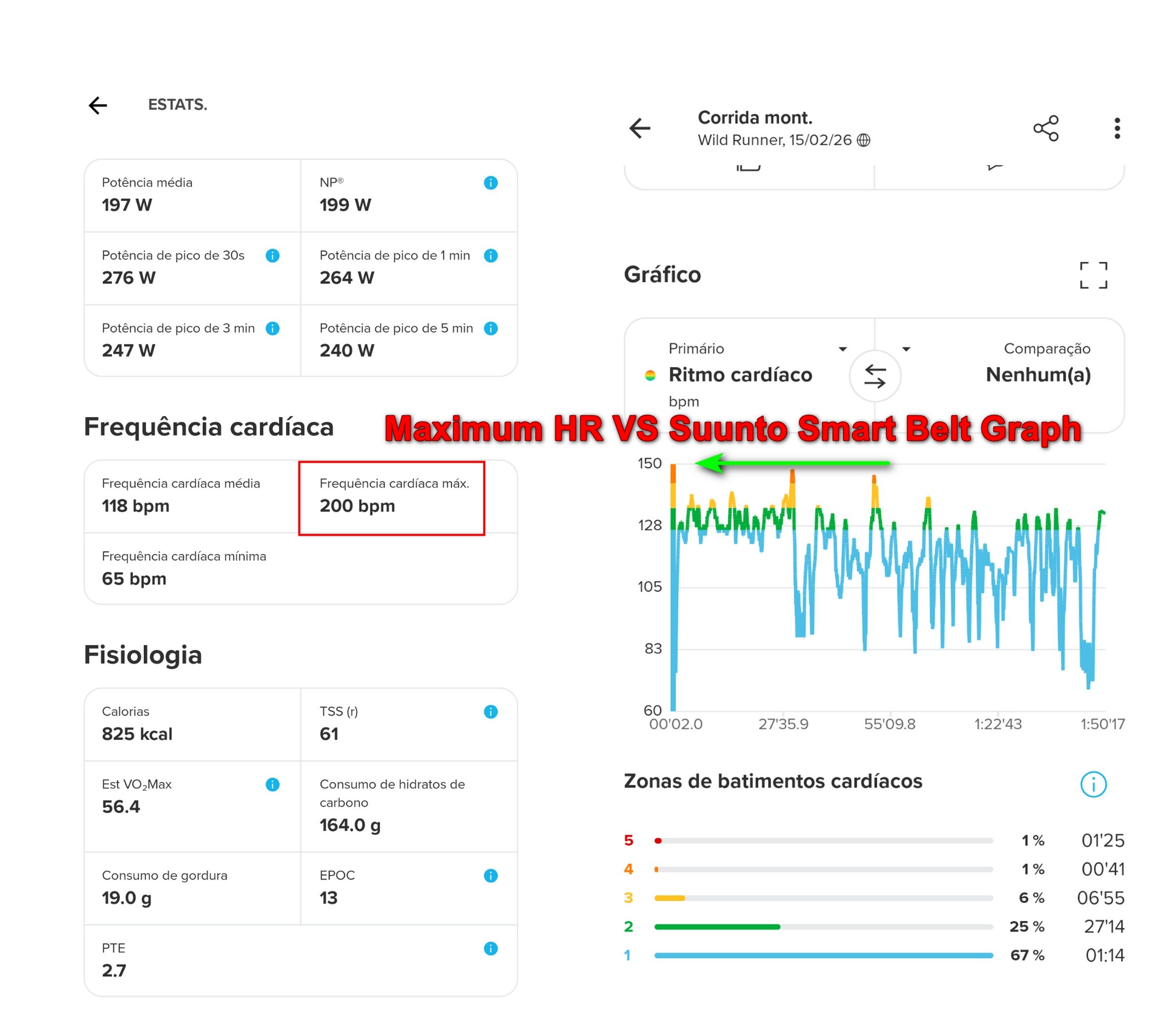
• ZoneSense not working properly during runs

    10
    4
    0 Votes
    10 Posts
    751 Views
    C
    @herlas Yup, the only numbers I still trust on my watch are time, distance & speed.
  • Dropping heart rate belt

    21
    5
    0 Votes
    21 Posts
    1k Views
    ?
    @owend said in Dropping heart rate belt: I had a feeling this might be some sort of timing bug when there are pauses (auto or manual) in an activity afaic no pauses at all. That said it only happened once so far…
  • My wife has some questions about the RUN

    5
    0 Votes
    5 Posts
    430 Views
    VoiGASV
    @enriqueescoms The 9 Peak Pro could be an option. On the downside it has no maps compared to Race S. But if she wants Maps its a lot more expensive in the Garmin Ecosystem than Suunto
  • My Sunnto Run has a passcode set automatically

    3
    0 Votes
    3 Posts
    280 Views
    jathin ganapathiJ
    @Hari-Seldon thank you
  • Treadmill: where's the calibration?

    23
    0 Votes
    23 Posts
    3k Views
    WlodiPawel 87W
    @Hari-Seldon ok I have it, while I was testing without running really most likely distance was too short, today after proper training I have got calibration at the end. It still looks different than on race or vertical but it’s ok does the job well.
  • Sunnto Run HR reads too high

    bug
    5
    1
    0 Votes
    5 Posts
    647 Views
    ?
    @DelHand said in Sunnto Run HR reads too high: @zagazoo Readings are consistent with my Wahoo chest strap most of the time. However, at some points during the run, my measured HR will increase from around 145bpm up to 180bpm with no perceived change of effort and no change reported on chest strap. This might persist for several minutes. I’ve never had (and all my running buddies) any problems with the chest strap in over 5 months apart from the known issues that have been fixed.
  • Altimeter: issue with manual altitude setting

    1
    0 Votes
    1 Posts
    150 Views
    No one has replied
  • Usability suggestions for Sunnto Run

    2
    0 Votes
    2 Posts
    254 Views
    Brad_OlwinB
    @zagazoo said in Usability suggestions for Sunnto Run: Here are some ways i think the usability of the Run could be subtly improved Morning report - stay on the screen until acknowledged. This one has been reported to Suunto as a bug and hope a fix is coming. You can view the report in Notifications if you miss it. Ability to edit the sleep wake time. - if you lie awake or meditate for any period of time, the watch thinks you are asleep still. Don’t know about this, would have to be for all watches I think. Allow always on display just for activities - this would help with battery charge times When charging show charge level continuously - the screen turns off so you have no idea how close it is to completing. Yes, I usually scroll down to see the battery charge When in “Do not Disturb” mode you can click the top button to turn on the display but then is no way to turn off - another click could turn it off again It should turn off quickly. I am really pleased with my Sunnto Run but these small changes would make it even better. Thanks, Andy
  • 1 Votes
    4 Posts
    517 Views
    ?
    @WlodiPawel-87 said in Feedback on Suunto Vertical RUN Model – Usability Observations After One Week: how do you know what is coming next update and when? He’s a field tester
  • Recovery time

    6
    0 Votes
    6 Posts
    810 Views
    Brad_OlwinB
    @ahstreak A problem with “Recovery Time” is when a hard training block occurs and the watch will tell you to recover but that is the point, to stress the body…… I would suggest you use TSS and TSB and Ramp Rate for this. Training Peaks has a series of educational pages for this. Suunto uses Training Peaks metrics. https://help.trainingpeaks.com/hc/en-us/articles/204071944-Training-Stress-Scores-TSS-Explained
  • data fields that are exclusive to Suunto Run

    9
    0 Votes
    9 Posts
    1k Views
    herlasH
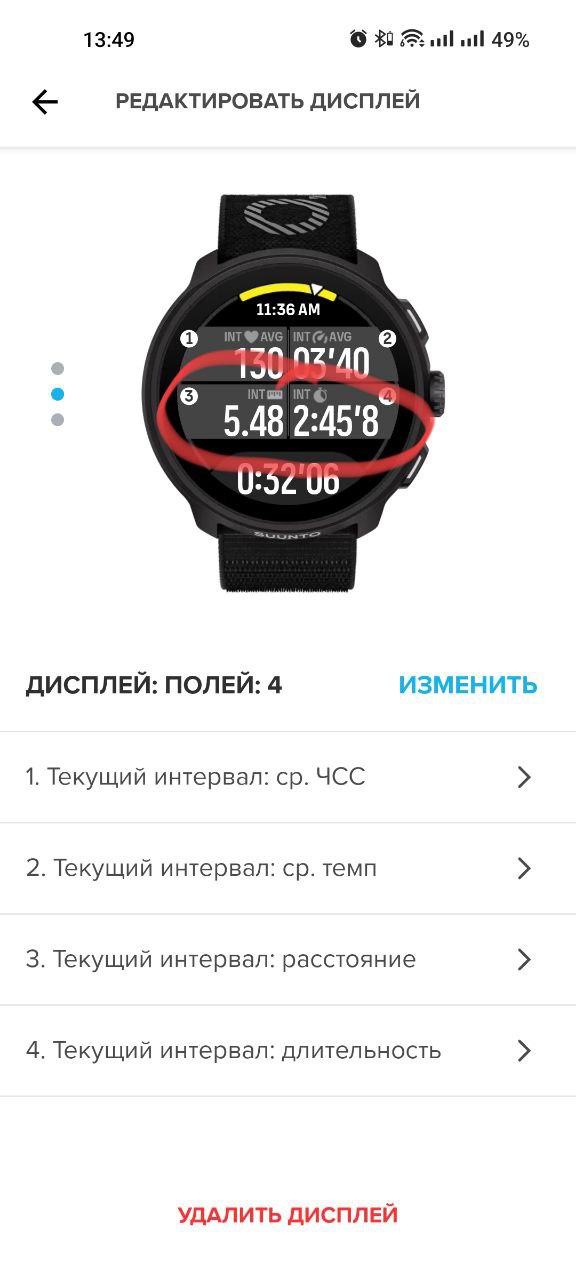
    @neilme I wasn’t referring to customizing the default structured workout screen, that’s not possible in any Suunto as you said, but I was saying that only on Suunto Run you cannot add your own screens to the structured workout. On all other Suunto watches, while you cannot customize the Suunto Guide screen, you can add your own screens along side, this isn’t the case for Suunto Run. Interval pace, interval distance on Suunto Run are useless right now, you won’t see them during a structured workout because on Suunto Run as I said before, you cannot add your own screens, so you’re left with a few screens Suunto makes available during structure workouts and that’s it.
  • Initial Pairing Issue - Cannot Unlock

    5
    1
    0 Votes
    5 Posts
    646 Views
    Derrick SpaffordD
    @Hari-Seldon Thanks, but I have no way to enter numbers as the watch screen is locked and only goes as far as showing the QR code as part of initial startup.
  • Tedious double tap to manual lap on track

    5
    1 Votes
    5 Posts
    471 Views
    N
    @Egika if this update get implemented then ill be much closer to buying this device. Where did you read this behavior will be updated?
  • Discovery option: a question

    4
    0 Votes
    4 Posts
    444 Views
    ?
    @OutdoorMan said in Discovery option: a question: I have it off on the watch and have no issues with the app Gosh, no one here (7 people) can get it to work That said not an issue that prevents using the watch…
  • Storm Alert while sleeping

    5
    0 Votes
    5 Posts
    639 Views
    ahstreakA
    @Jean-Marc-Louviaux mee too
  • Actual Battery Life - Suunto Run

    2
    0 Votes
    2 Posts
    491 Views
    ?
    @Jervin-Reyes I find myself recharging it about every 3-6 days depending on use (I use almost all). That said, I see a depletion of ~5-6%/h during activity with GPS always in performance mode (I also use navigation) and almost the same (per day) when I use it only as a watch (I use DND all the way except when I’m running).
  • Suunto Run Bluetooth Unpairing

    8
    1 Votes
    8 Posts
    1k Views
    C
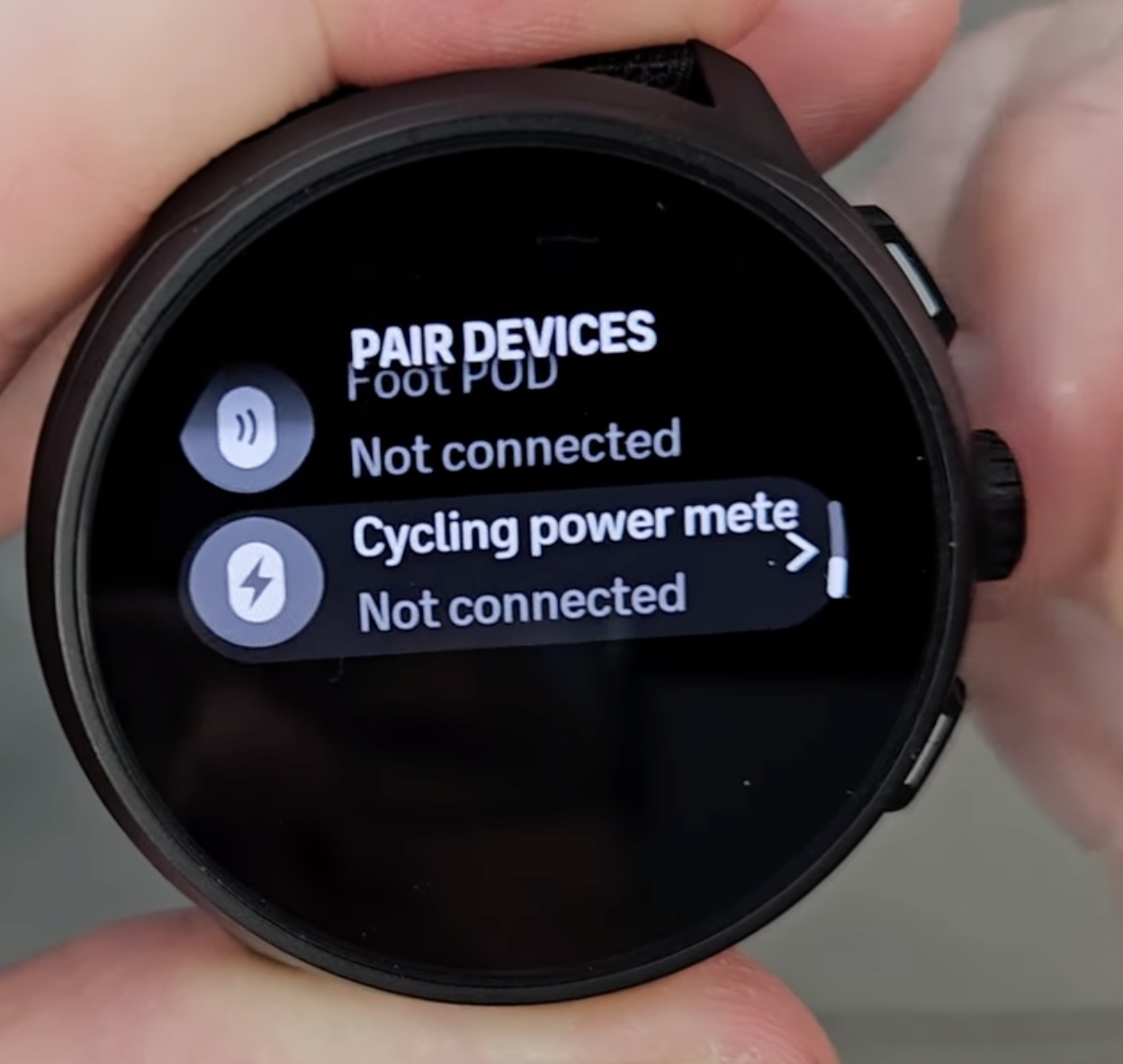
    @Gilles-Maiol-Vendranas-Rullier I was in the same loop just last week with my 9 Peak Pro. Really frustrating! What helped in my case is that I removed all paired BT devices/sensors from the watch and restarted and repaired the watch with the phone. Coincidentally or not, it started happening right after I enabled dual-BLE on my HR strap. After the actions taken above it works again, sort of. The weather doesn’t get updated automatically like it used to and “find my phone” function fell off too. No idea why Suunto is doing this to us. Time to figure it out.
  • Alert beep and vibration

    1
    1 Votes
    1 Posts
    334 Views
    No one has replied
  • Missing Benchmark / Fitness test

    1
    1 Votes
    1 Posts
    173 Views
    No one has replied
  • Morning Report missing

    5
    0 Votes
    5 Posts
    733 Views
    herlasH
    @Jervin-Reyes have you check in notifications? You might have missed it but it might be visible from there.

Suunto Terms | Privacy Policy