• Steps wildly innacurate

    15
    0 Votes
    15 Posts
    3k Views
    2
    @maszop That’s not what I meant. If you look at the HR before the 40 minute mark you see an average of 100-something. After the 40 minute mark 80-something. One of them is incorrect. Especially the sudden drop shortly before the 40 minute mark is not possible. I have done an experiment a while ago with an Epix Pro, using an Coros HRM and the Race S, waking a walk. Neither of the watches was spot on. Have to look it up. But I guess I should start a new topic for this…
  • S9P doesn‘t connect to Samsung mobile

    2
    0 Votes
    2 Posts
    836 Views
    T
    Short Information: a restart of the Samsung mobile has been solved the problem. This was the only thing which wasn‘t done before I opened this post. Thanks, Dirk
  • Baro / temperature sensors issue

    8
    0 Votes
    8 Posts
    2k Views
    Panagiotis KritikakosP
    Vertical it is
  • Charging Issue

    5
    0 Votes
    5 Posts
    1k Views
    A
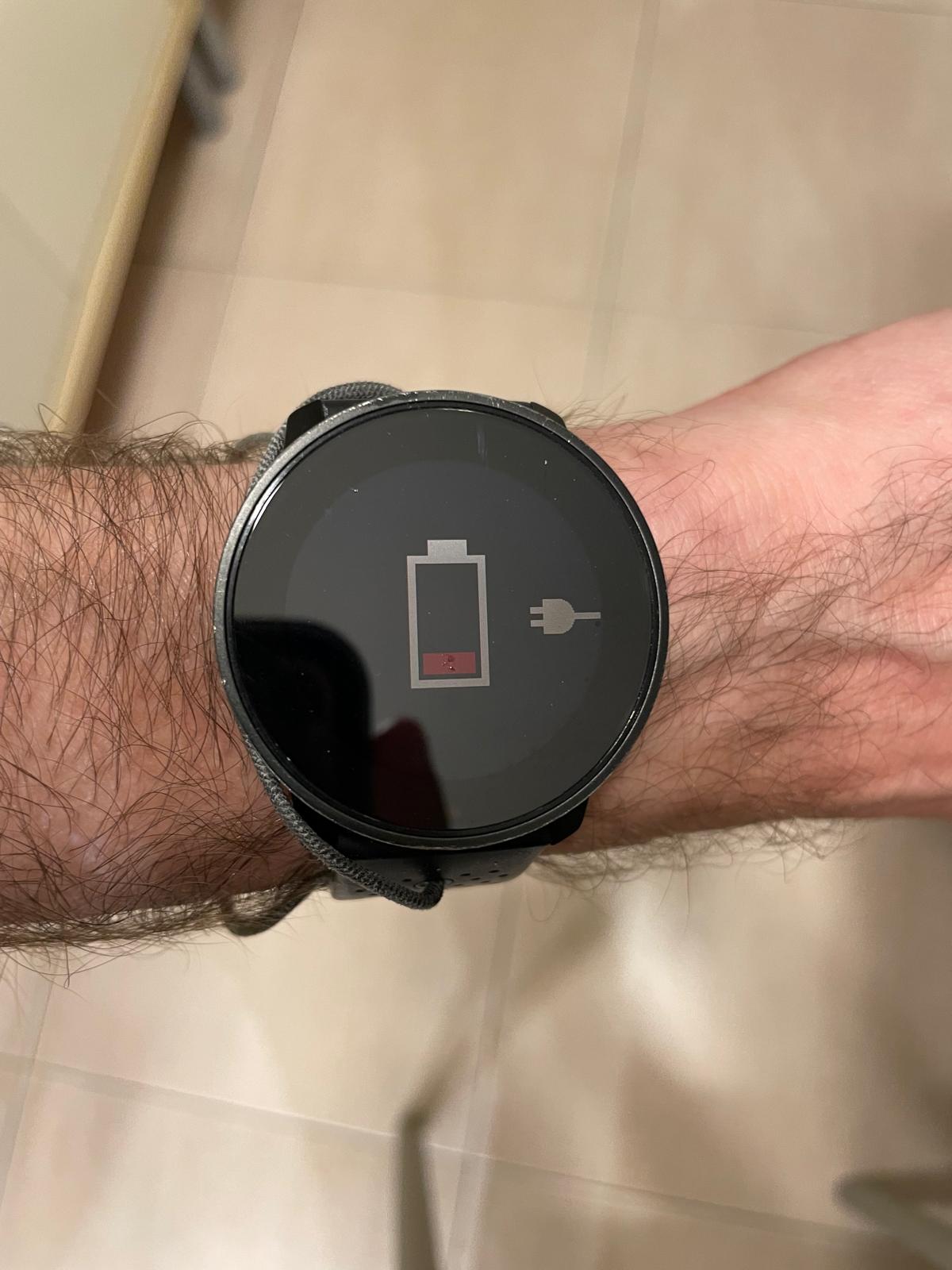
    Thx for your suggestions but unfortunately they didn’t help. Here is what I did: Somehow the magnetic charging pod doesn’t connect properly. So I have to get the watch in the right position. I used a tiny, empty honey jar on top and two candles at both sides to stabilize. Than I moved the whole system around and back and forth until the charging icon appeared. Hands off and don’t touch for several hours. Et voila, the watch is fully charged again. Let’s see what kind of objects i have to use next time ;-).
  • Inaccurate heart rate

    1
    0 Votes
    1 Posts
    558 Views
    No one has replied
  • Erroneous HR on bike

    8
    0 Votes
    8 Posts
    1k Views
    revcpR
    @Leonid-Yasyukevich good idea. I’ll try that. Thanks.
  • S9P OHR monitor stopped working after updating to firmware 2.26.8

    2
    0 Votes
    2 Posts
    1k Views
    L
    @Mihail-Kulagin Hi, you need go to general settings -> about -> scroll list down and press few sec bottom button -> scroll again list down to OTA pkg -> here you can see three last firmware updates. And i got a question for you…how do you installed 2.19.42?.
  • ZoneSense

    22
    0 Votes
    22 Posts
    4k Views
    L
    Well, i must say “new” features mostly useless for us, they are for marketing and money profit to company. For us is better to take a laboratory vo2 test, it shows you what you need to train and show your correct hr and pace zones. As example of “new” feature which they sell was fused track to 9 peak, if you check right now at manual for 9 peak you cant find it. I like my 9 peak and i specially buy ti version when they appeared. After a couple of failures due to the mismatch of the suunto + (zonesense and box breathing) there are problems with the battery, I’m trying to solve it, but in Russia it is impossible to get service center support. I think that reliability should be at the top of everything, and then all the newfangled things.
  • Suunto 9 - trail running not showing vert?

    12
    0 Votes
    12 Posts
    3k Views
    M
    @moreusernameftw I uninstalled and reinstalled the Suunto app on my phone and htat seems to have fixed it. I can now do custom sports.
  • Sport defaults to custom battery mode

    21
    3 Votes
    21 Posts
    3k Views
    B
    @jjorgemoura, Other people can verify, but I believe this is a ‘feature’ of the custom battery mode to use the custom mode if there is any change to the default settings ( such as GPS quality, screen off in 10s, etc…). As a test, try starting a training in custom battery mode, with all the default settings, you can end|discard that training, then start a new training. If my hunch is correct, the battery mode should now use the Performance option.
  • Battery charge error.

    3
    0 Votes
    3 Posts
    1k Views
    L
    And i forgot to mention 3.Perform a full reset to factory settings. Settings->General->Reset settings
  • Enregistrement sommeil

    3
    0 Votes
    3 Posts
    1k Views
    M
    @mrogue_83 bonjour, je fais un retour d’expérience. Après MAJ hier et plusieurs reboot à partir du bouton supérieur de la montre, cette nuit le sommeil a été enregistré. Je pense donc que le problème est résolu. A voir dans le temps.
  • Watch freeze with "Recharge Icon"

    3
    2
    1 Votes
    3 Posts
    948 Views
    L
    Hello! I have a similar problem and tried different methods. I even created a similar topic to yours. I think I found a solution, but I need some more time to check. I will write a detailed message under my topic with the solution soon (two or three days to check approximately).
  • Suunto 9 Peak Customisation

    Moved
    5
    0 Votes
    5 Posts
    1k Views
    Brad_OlwinB
    @SensixSicily The 9Peak does not have the hardware to support customization. It is similar to the 9 Baro. Even though the 9PP and 9Peak look similar, the hardware inside is radically different.
  • Raise to wake for activity only

    1
    2 Votes
    1 Posts
    579 Views
    No one has replied
  • Altitude

    3
    0 Votes
    3 Posts
    469 Views
    Regis Letowski 0R
    Merci beaucoup pour les informations mais il me semble que Fusedati n’apparait pas sur la 9 peak
  • Suunto 9 peak with polar verity sense

    4
    1 Votes
    4 Posts
    1k Views
    M
    @moreusernameftw First you need to pair the Verity Sense to the watch. You can do this now, no need to wait until you’re ready to run/exercise. To pair the VS sensor, put it on your arm and turn it on. Then go through the settings/connectivity/pair sensor menus on your watch and select “pair HR sensor”. It’ll tell you to moisten the sensor, which you can obviously ignore for an optical sensor and click to the next step. The watch will then search for and pair to the sensor within a few seconds. When you want to run or whatever exercise using the VS sensor, put it on, turn it on and then go to the exercise start menu in the watch. The watch will automatically connect to the VS, overriding the watch wrist sensor (no need to disable it). As above, you’ll know it’s connected because the heart symbol will have the little “wings” (belt). If you’re still not sure if it’s connected to the VS before you start running, take the watch off and check that the wrist sensor lights are off.
  • Breathing Exercise

    15
    6 Votes
    15 Posts
    3k Views
    ChrisAC
    @seanvk thanks
  • HR belt requires re-pairing every time

    3
    0 Votes
    3 Posts
    481 Views
    K
    @JonasLarsson Nope, I’ve only used the belt with this Peak 9 The workout starting screen doesn’t even show the icon for belt when this happens, just a blinking grey heart icon. I’ve triple checked that I have wrist HR disabled and HR belt enabled for the exercise to no avail. If I go to watch settings, remove HR belt and pair it again then it works as expected and the pre-workout screen has HR belt icon flashing. But then again when starting the next exercise of same type it doesn’t detect anything.
  • Is suunto 9 peak compatible with Rouvy

    3
    0 Votes
    3 Posts
    939 Views
    W
    @Gustavo-Arriola Some news here : https://forum.suunto.com/post/156958

Suunto Terms | Privacy Policy