• Suunto Plus App for HYROX

    5
    8 Votes
    5 Posts
    3k Views
    EgikaE
    @Olaf-Gottschalk btw: I don’t understand, in which way it makes sense to count steps of an activity… Is it a training goal to finish the activity with maximum or minimum number of steps?
  • 0 Votes
    1 Posts
    215 Views
    No one has replied
  • Zonesense me marca aeróbico al final de mis sesiones de alta intensidad

    1
    0 Votes
    1 Posts
    178 Views
    No one has replied
  • Up ahead?

    15
    2 Votes
    15 Posts
    3k Views
    sky-runnerS
    @fritzbt2013 I suggested a similar approach in other discussion threads. I agree that zoomed in elevation profile already provides some of Up Ahead functionality. I also fully agree that showing elapsed time on this screen is redundant because we can see it elsewhere. As you said, it would be a great solution to show the waypoint name along with the distance to that waypoint, and the distance should be in larger font and easier to read! The name should be of the last waypoint visible on the profile, so it is in sync with the distance. And we can already see remaining ascent and descent to that waypoint, which makes Suunto implementation even more functional than Up Ahead. The only missing part is to make it more usable!

  • Box breathing app

    17
    0 Votes
    17 Posts
    3k Views
    ChrisAC
    @Mattg576 it’s great how you could configure Suunto watches for different “use cases”
  • Critical Swim Speed Guide

    1
    0 Votes
    1 Posts
    245 Views
    No one has replied
  • Race Nutrition App Needs a Major Usability Overhaul

    2
    5 Votes
    2 Posts
    531 Views
    G
    @porter297 in another thread someone recently recommended to (ab)use structured workouts for this.
  • Padel score

    2
    0 Votes
    2 Posts
    903 Views
    Mff73M
    @Maria-Mette-Kronhoff It is working. Install it on your watch with the Suunto App, select Padel mode and the app is there.
  • Zone entry/exit vibrations during Nolio workouts

    3
    0 Votes
    3 Posts
    783 Views
    Anthony GuillemetteA
    @mando Thanks for the link, I hadn’t actually seen that thread, but it matches with what I noticed. So it really does seem to be related to a new firmware version that enabled this, and not the Suunto App Nolio. I just hope they’ll add an option to configure it, because it’s honestly quite annoying.
  • Loop pace - first loop set manually

    3
    1
    1 Votes
    3 Posts
    1k Views
    segi_pnS
    @smopi Yes, I have the Suunto Vertical too. I had this problem with previous FW versions as well. But only now have I gotten around to writing this post.
  • Zonesense doesn't work during the entire session

    11
    1 Votes
    11 Posts
    2k Views
    A
    @Rinbo71 I see! thanks for sharing - sounds like an issue with your chest strap, I’d say. In my case ZS doesn’t work at all with FW 2.44.
  • Review of Athletica Live Tracking

    1
    6
    2 Votes
    1 Posts
    1k Views
    No one has replied
  • how to use daily tasks/running drills?

    1
    1 Votes
    1 Posts
    647 Views
    No one has replied
  • Live t.racking

    3
    0 Votes
    3 Posts
    1k Views
    GiPFELKiNDG
    @peegee look here, i made some Videos https://forum.suunto.com/post/170516
  • Lots of new apps, including LiveTracking

    24
    10 Votes
    24 Posts
    5k Views
    Ecki D.E
    Trying to connect with my 9pp all Bluetooth stuff turned on. iPhone 12 Pro with recent iOS. I tried to turn bt on / off on the watch, discovery mode on on the watch but no connection when turning on the s+ live app. Tried several times. No Idea what to change. Edit: turned of discovery mode on watch again and found watch not connected in the Suunto app so restarted Suunto app, synced watch again and now it connects to the app
  • Kettel bell is missing in the Suunto Plus Calisthenics feature

    Moved
    1
    0 Votes
    1 Posts
    456 Views
    No one has replied
  • S+ Strava Live Segments guide

    1
    1 Votes
    1 Posts
    524 Views
    No one has replied
  • Suunto plus for live tracking

    12
    9 Votes
    12 Posts
    5k Views
    Nikolai SimonovN
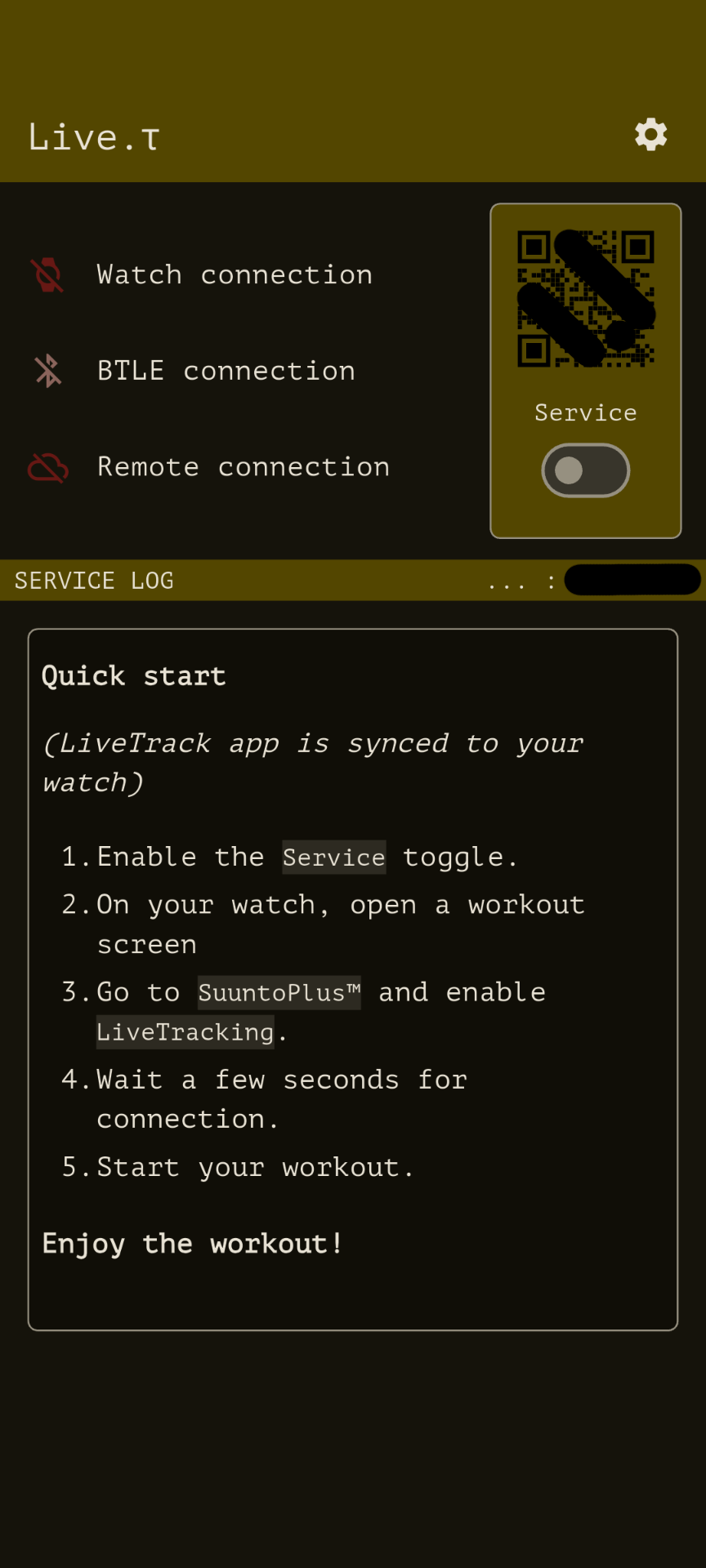
    Hey @Danny-poleg You don’t need to enter any ID to connect your watch — it connects automatically when you enable the LiveTracking SuuntoPlus app and the service toggle is on. Here’s a short video that walks you through the setup: https://plus.athletica.one/live/b/10205048-E86A-45F7-A922-01F4F4C4FFDE/Usage-instructions Each installation of the mobile app generates a unique device ID - it’s an anonymous identifier that you can share with others if you want them to follow your activity live. You can find your ID in the About section of the app or right under the Service toggle. This Id i using for follow you by your follower. via link like live.athletica.one/<YOUR_ID>
  • Race Pacing app - Using Grade adjusted Pace according to GPX

    1
    3 Votes
    1 Posts
    689 Views
    No one has replied
  • Shimano E-bike systems

    64
    0 Votes
    64 Posts
    19k Views
    L
    Provato ieri sera, fa sempre uguale, 3 secondi poi sparisce tutto

Suunto Terms | Privacy Policy