Subcategories

  • All resolved bugs and issues

    192 Topics
    5k Posts
    No new posts.
  • Issue with uploading long activity

    4
    1 Votes
    4 Posts
    163 Views
    Pavel KrokovnyP
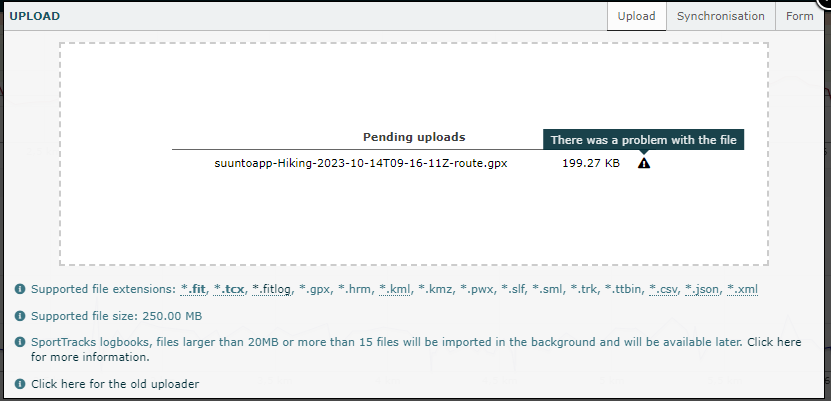
    @dimitrios-kanellopoulos Already tried: reboot the phone, reboot the watch, connect to various wifi networks, use VPN, add photos, change name of activity. It did not help, this activity remains unsynchronized. I can not add comment to this activity, application says “no internet connection”. No issues with adding comments to other activities. New activities are successfully uploading to Suunto / Sports Tracker / Strava.
  • Heart rate zones summary empty, graph is OK

    3
    1
    0 Votes
    3 Posts
    164 Views
    BrunoHB
    @dimitrios-kanellopoulos Not the answer I was hoping for, but thank you!
  • Smart sensor not synchronizing with android (doesn't give a heartbeat)

    2
    0 Votes
    2 Posts
    118 Views
    BrunoHB
    @jarisyke That’s pretty usual. You can try these tricks: Replace the Smart Sensor battery. Make sure the belt is really wet before wearing it. I even bought conductive gel to be sure. Just buy a new belt. Many people here have reported the belt not lasting a year even with proper care. The sensor is OK, it’s just the belt going bad…
  • Suunto App pairs but does not remember Ambit3

    4
    0 Votes
    4 Posts
    131 Views
    C
    @sartoric Found the problem for you or future folks. Maybe software bug or not clear. The Connectivity on the phone has Sync not set to Auto. Sync needs to be set to Auto to avoid the weird above bug. I set the MobileApp to Auto Sync, was able to have the app remember the pairing. After that I’m able to switch the MobileApp to not auto sync, and we’re good.
  • Sport modes customisation doesn't work

    20
    0 Votes
    20 Posts
    1k Views
    Mitch9M
    @michal-postupalski said in Sport modes customisation doesn't work: @mitch9 I did a full reset with Suunto Link App and it helped Full reset also solved the problem for me.
  • No swimming distance in activity summary. #bug #swimming

    3
    3
    0 Votes
    3 Posts
    139 Views
    Marcin PolakM
    @isazi Yes, the watch itself shows the correct distance in the summary as well as in the diary. The problem is only with the application.
  • Roller skating no altitude gain/loss displayed in app

    8
    0 Votes
    8 Posts
    207 Views
    sartoricS
    @darxmurf said in Roller skating no altitude gain/loss displayed in app: @sartoric yes I know it could sound silly, but you never know … I would try to clean the app cache too, or wipe data (uninstall/reinstall)
  • Manually added steps in activity does not count in daily steps view

    2
    0 Votes
    2 Posts
    141 Views
    Piotr PientkaP
    @Dimitrios-Kanellopoulos can you confirm that manually added steps are not included by default into daily steps. Currently I don’t know if I’m doing something wrong or it’s just designed in that way.
  • 0 Votes
    5 Posts
    618 Views
    rob7xivR
    @metalmi said in [Android 12] Sunnto App connection issue to Sunnto 7: @rob7xiv I had connection issue after upgrading to Android 12 (also Samsung). I removed and reallowed permissions to Suunto app on phone and it fixed it for me. Habe you read it? It didn’t help, reinstall is permission delete.
  • Accidentally multisport run

    3
    1
    0 Votes
    3 Posts
    151 Views
    Milan NovákM
    On Endomondo (rest in peace), when I changed workout type, it changed those data too, I don’t think, it should be too hard to do this sort of feature (when type of activity is changed, just call same method(s), that is(are) responsible for generating those data, when new activity is saved)… actually I noticed, that on my TACX bike trainer I can’t export native from garmin connect to suunto app and I always have bike trainer as other sport when I am importing it manually and when I changed it to indoor cycling, those data won’t change. I think, Strava do refresh those data too, but I am not sure
  • Incorrect swimming pace values ​​in the chart

    1
    2
    0 Votes
    1 Posts
    89 Views
    No one has replied
  • large blocks of data missing from app

    2
    0 Votes
    2 Posts
    122 Views
    isaziI
    Weird. Maybe @pavel-samokha can have a look next week? Also, try to contact support.
  • Wrong "star review" displayed when editing an activity

    8
    0 Votes
    8 Posts
    280 Views
    freeheelerF
    @dimitrios-kanellopoulos could be… I’ve signed out and in again and all batches are gone
  • GPS doesn't update

    4
    0 Votes
    4 Posts
    171 Views
    K
    @inkognito that worked! Thank you, I was going crazy!
  • No sleep data for four days now

    3
    0 Votes
    3 Posts
    149 Views
    EgikaE
    just to make sure: is sleep tracking switched on in the seetings?
  • Maximum heart rate hardcoded to 180 BPM in Suunto App

    7
    0 Votes
    7 Posts
    278 Views
    ?
    @matthieu-fou unfortunately personal settings from Ambits don’t get synced to Suunto app, even using latest SuuntoLink version. It would be nice, but not possible at the moment. See my post here.
  • pers. sportmodi indoorcycling

    Moved
    16
    1 Votes
    16 Posts
    643 Views
    D
    @sartoric and then when the weather around is crazy you finish with ascent/descent values, what is what we are expecting after riding on stationary bike
  • Suunto Spartan Ultra - Unable to Sync Large PTL 2021 Run

    33
    1 Votes
    33 Posts
    772 Views
    Juraj ŠintálJ
    hello, I have similar problem with syncing new activities. do not depend on distance. this is happening. 1- turn on BT on smartphone 2- open SA and tap on watch icon [image: 1641152933586-279e1e15-d466-40b7-a17b-78bc14eccea8-image.png] then the syncing started picture above then it continue wit syncing POI, GPS performance, then sa shows syncing activity data [image: 1641153561443-cbffb055-c074-43e1-998e-643c537d34ee-image.png] and then, inmediatelly the syncing crash with this [image: 1641153667805-3a332f6c-7db9-4bef-9f7a-3c06665690dd-image.png] tap on retry finish with same problem. then I turn on and off BT on device. not help restart smartphone and watch. not help forget watch restart both devices, pair watch again. not help forget, uninstall SA, restart both devices, pair them again. not help but after many times tapping on retry, turning BT on/off, restarting devices the activity sync. I dont know which step help. EDIT: steps, calories, sleeping is synced watch Spartan ultra - latest ver. SA - 4.49.1 no beta smatphone moto g9 power android 11 - actualization from 1. november 2021
  • Bad route sync

    9
    5
    0 Votes
    9 Posts
    320 Views
    J
    Hi, a few months later, I tried a new route : it still works with no issue, no need to create A, B, C… routes first. Great ! Thanks @łukasz-szmigiel!
  • Suunto app cannot connect to watch. Can it be an Android 12 issue?

    4
    3
    0 Votes
    4 Posts
    133 Views
    Dimitrios KanellopoulosD
    @drbubo not sure what happened there but we have tested android 12 and should have been ok. If you have more issue feel free to post again.

Suunto Terms | Privacy Policy