Surface Time - Dive Log Incorrect (Internal and App)
-
Hi all,
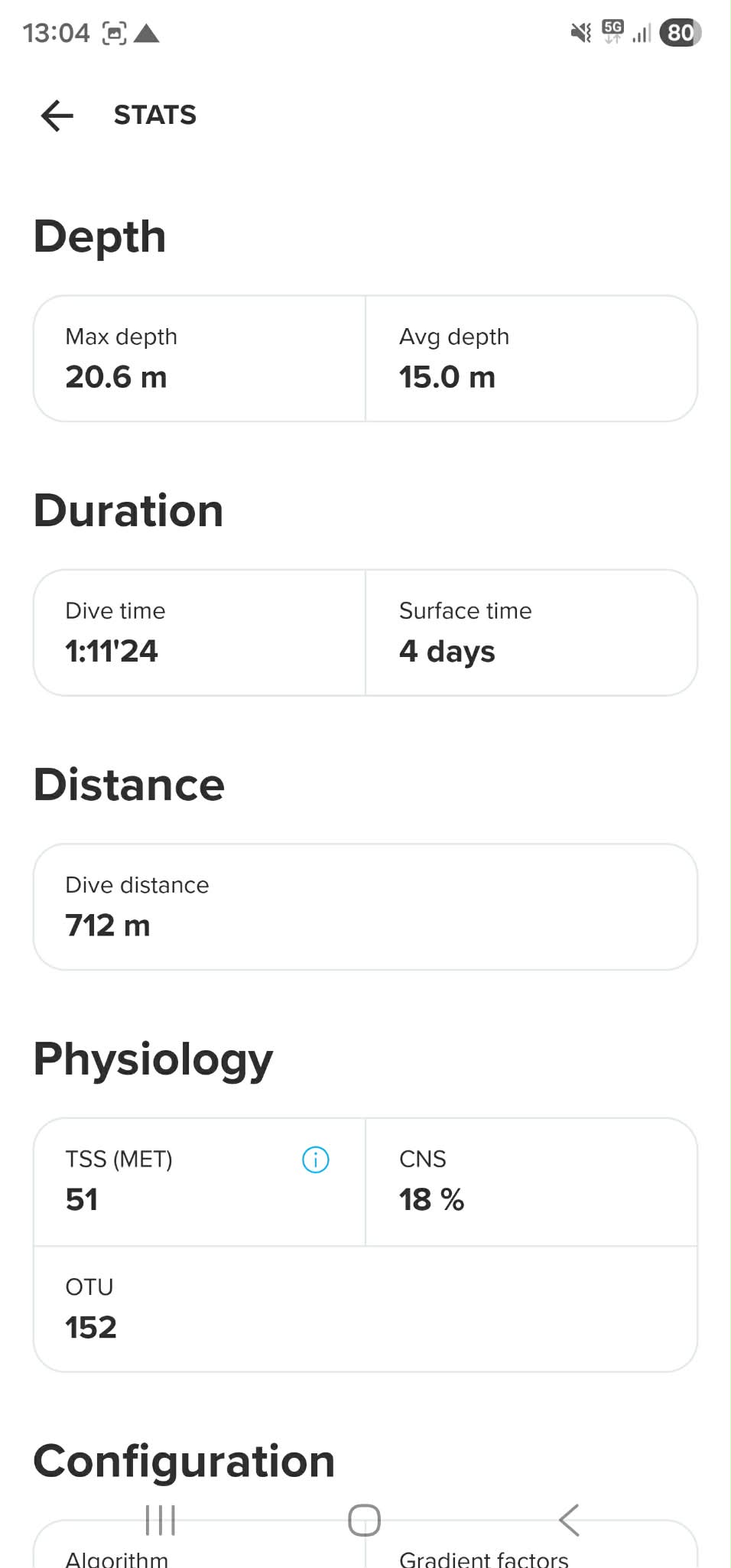
I recently purchased the Nautic, but am having trouble with the device not logging the correct Surface Time for daily diving events. The Surface Time is being correctly tracked on both the Surface Screen and in the Dive History menu, however once a dive is saved to the internal log, the log data is showing Surface Time as being >99 Hours, and once synced to the app, it is showing as 4 days there also.
As an example, I went for a dive on Saturday morning, after not diving since the previous weekend, so that was fine with Surface Time being >99hrs. However, the dive on Sunday morning was ~24hr since the last dive, and the Surface Time on the Surface Screen indicated this correctly, but after the dive when it saved, the log data was indicating >99 Hours (and 4 days on the app).
I usually turn the device off after my dive during wash down of my gear back at home. So I am thinking there may be a bug involved with powering the device down between dives causing some issue? I have 10 dives with this device, and have only had it log the correct Surface Time once, in which it was a back to back dive (roughly 1 Hour surface Time), where the device was never switched off, and it was left to go into standby mode. Are these devices designed to just be left on all the time similar to a traditional “watch”?
I have already done/checked the following:
- Device and app are both up to date
- The date and time have been set manually, while also using the Auto Time Update mode
- A “Soft Restart” by holding all 4 buttons for 12 seconds
{I have yet to do a full restart of the device though.}
I have added some photos below to show:
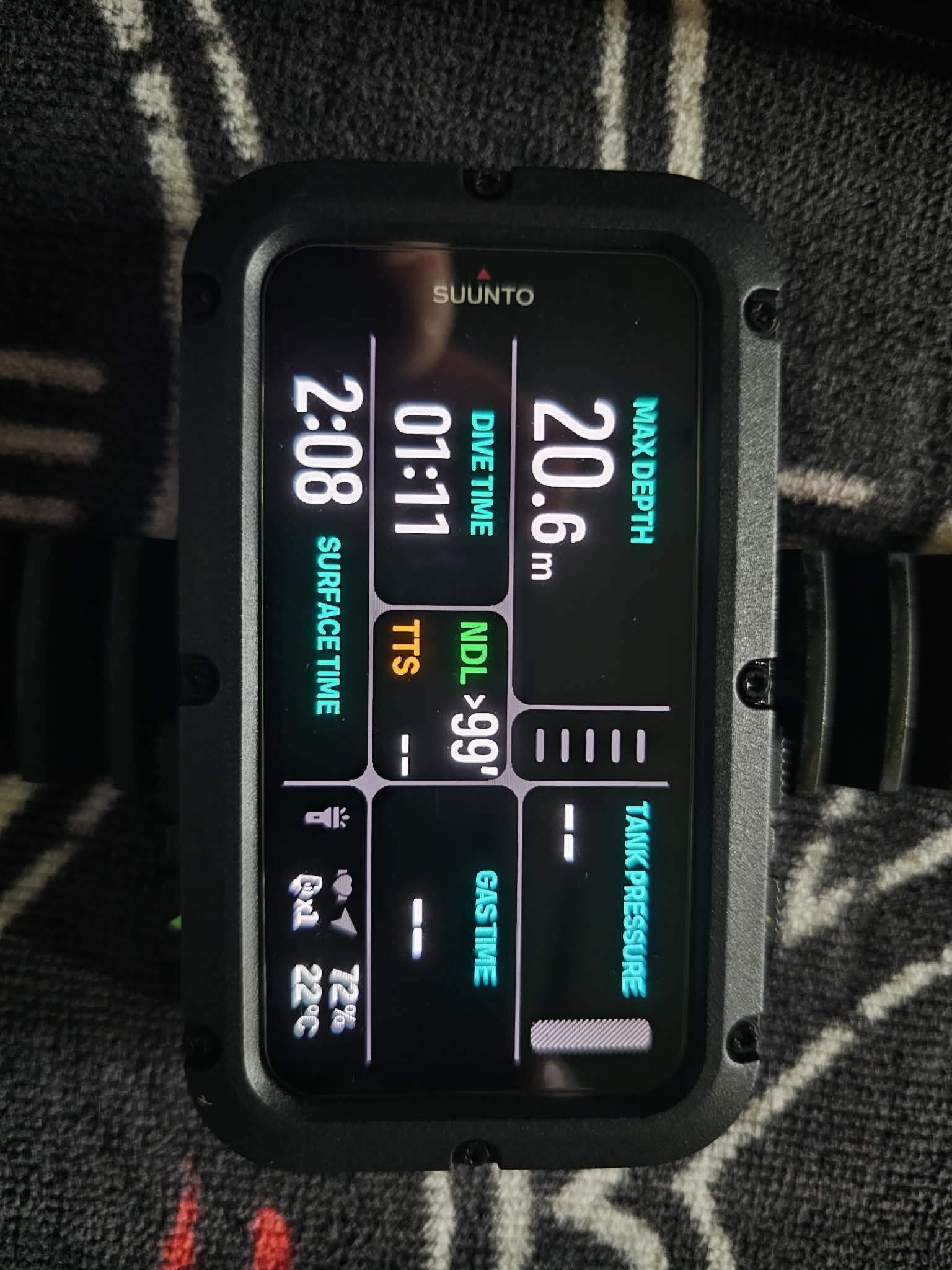
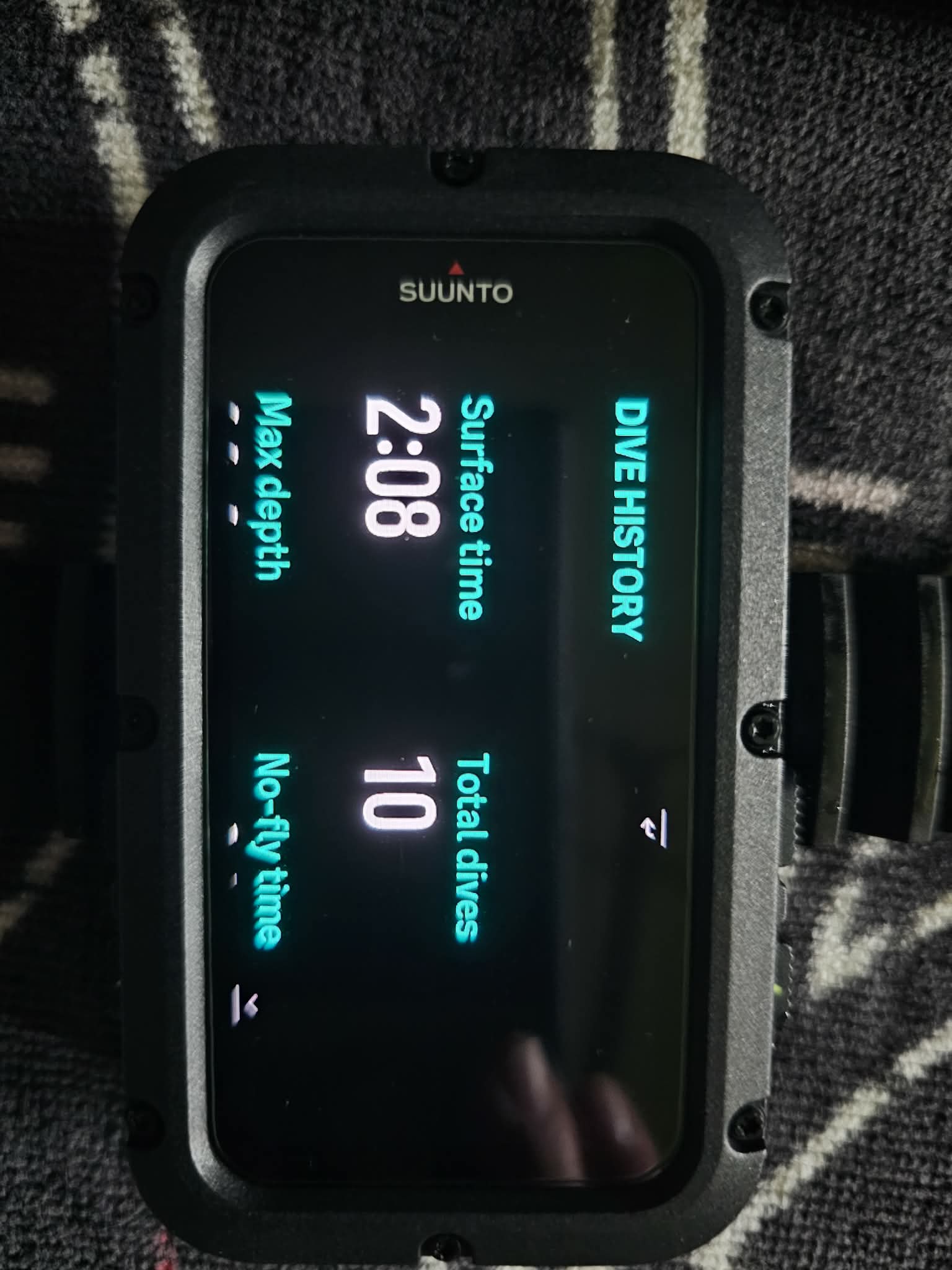
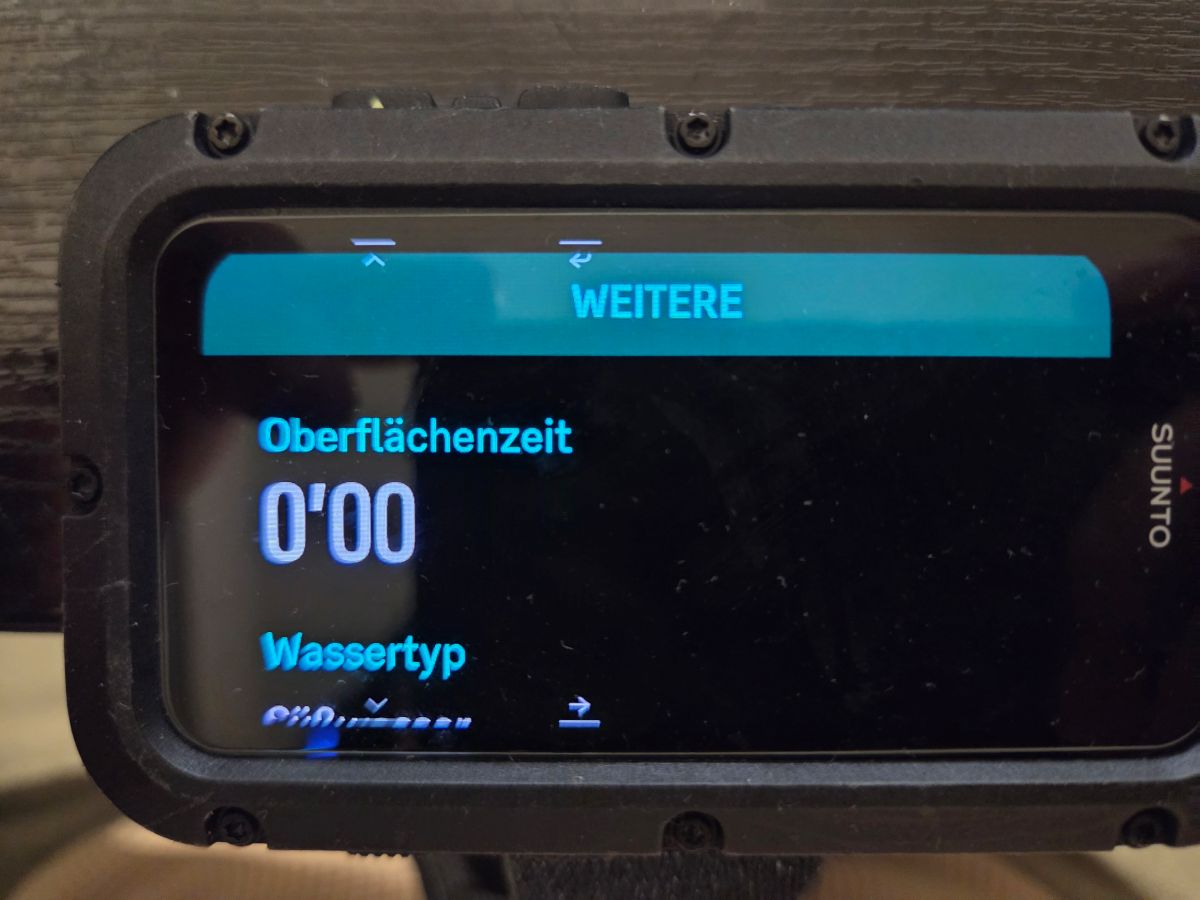
- That the Surface Time is correctly being indicated on the Surface Screen and Dive History menu (currently showing 2 Hours 8 Minutes in photos).
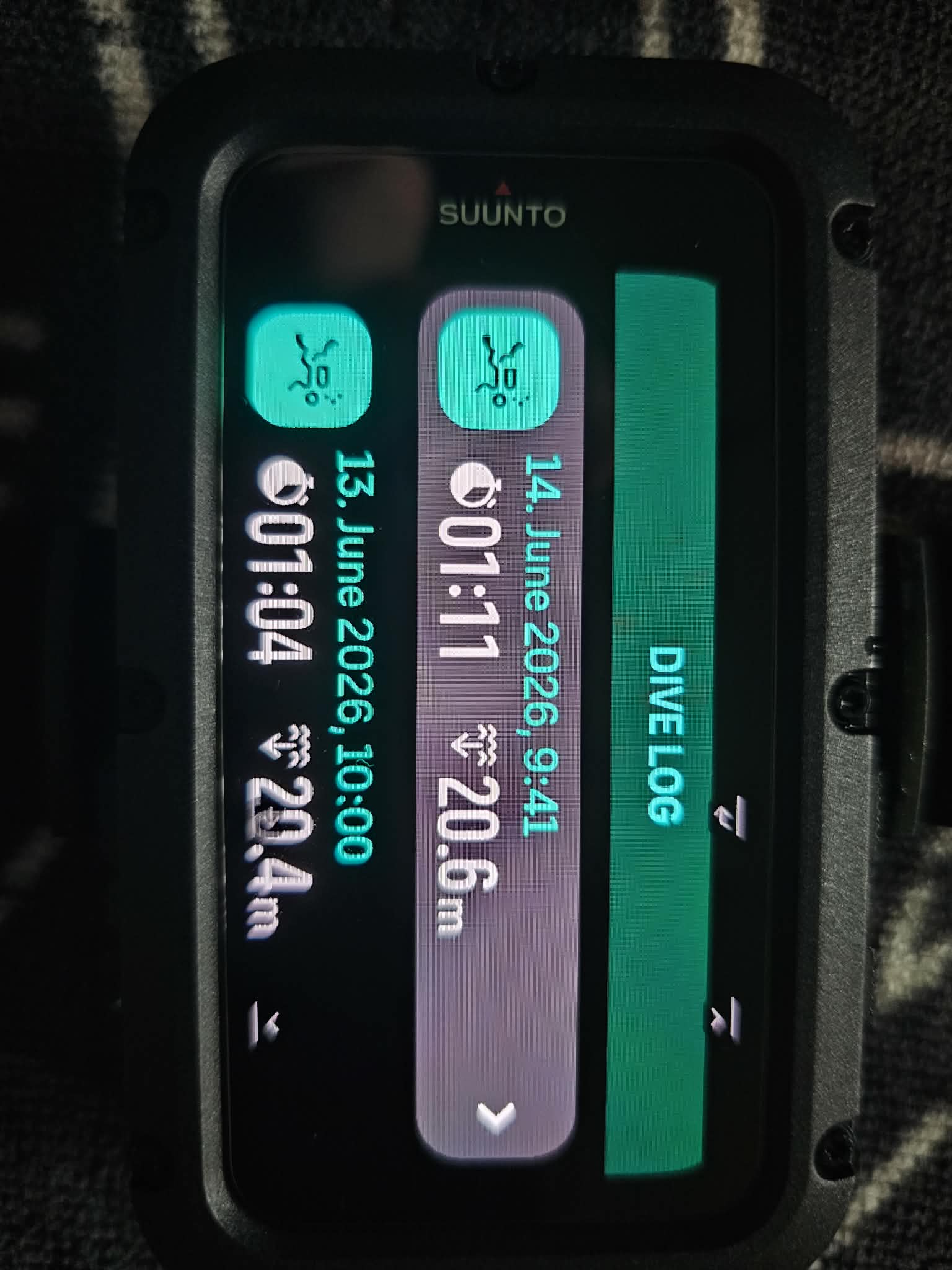
- A photo of the internal Dive Log to show 2 dives within ~24 Hours.
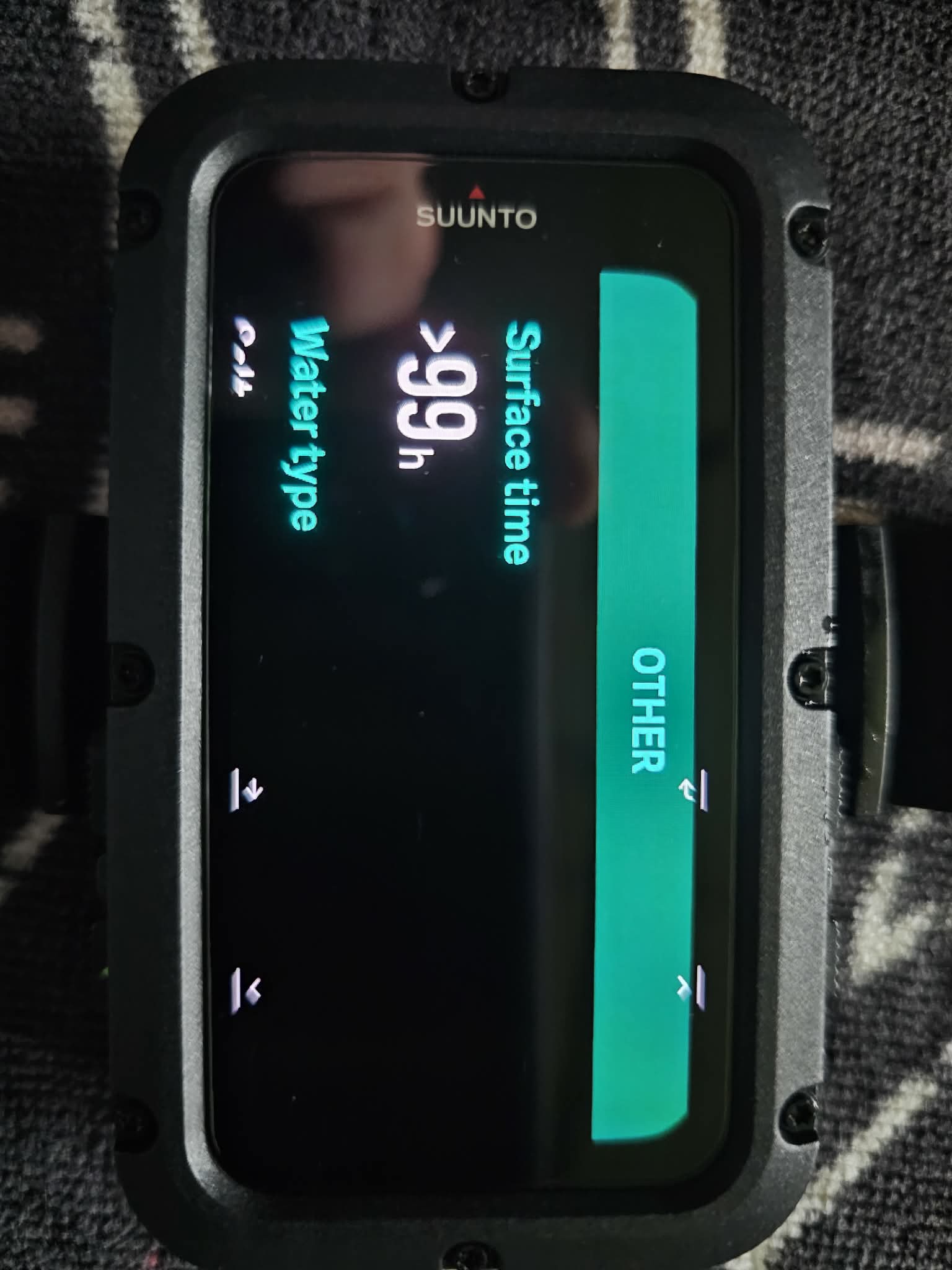
- A photo of the internal log data from the dive on the 14th June, incorrectly indicating a Surface Time of >99 Hours (should be ~24 Hours).
- And finally, a photo of the Suunto App log once synced, showing a Surface Time of 4 Days for the dive on the 14th June.
Any help would be greatly appreciated.
Kind regards,
,
-
@DJWilko
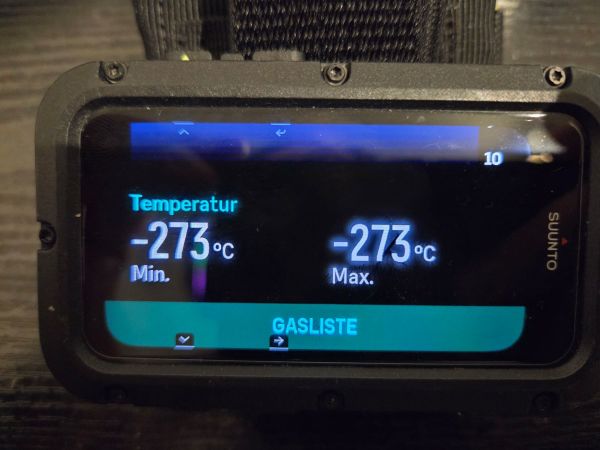
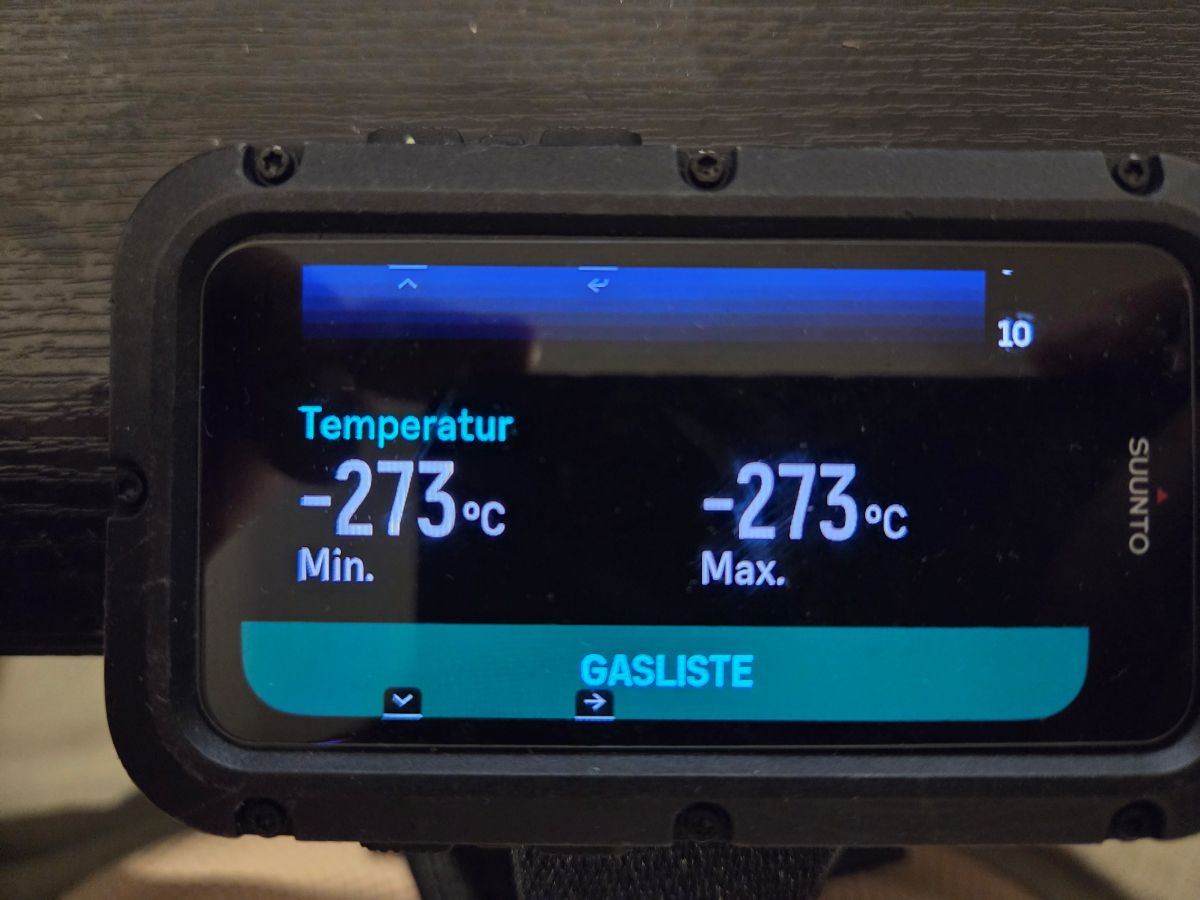
Please don’t expect Suunto to provide a proper answer regarding the log issue.My logging is completely messed up as well. Some dives show temperatures of -273°C, and air consumption is sometimes not displayed at all.
My support case has been open for more than two months now, and I still haven’t received any useful information or a real solution. I’ve already given them several chances and more than enough time.
The only reason I haven’t returned the device already is that I unfortunately bought additional accessories worth over €250 for it, including the POD and strap. Otherwise, it would have been gone a long time ago and I would already be using a Perdix.
I have now given Suunto a final deadline of 14 days to provide a concrete and satisfactory solution. Seven days of that deadline are still remaining. If they fail to resolve the issue within that time, I will hand the matter over to my lawyer.
I’m honestly fed up with Suunto and the way they are handling this.
-
Here we go again. Another completely broken dive log from the Suunto Nautic.
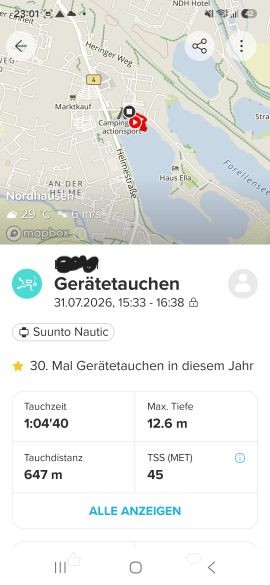
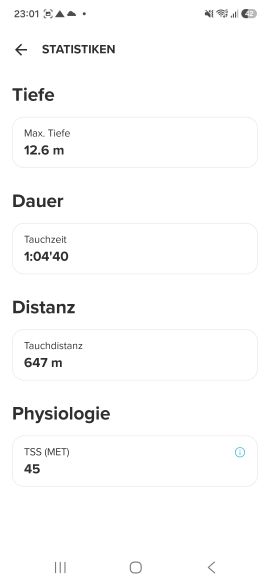
The actual dive lasted 1:04:40, with a maximum depth of 12.6 metres and a water temperature of 17°C. The Suunto app even shows these values correctly.
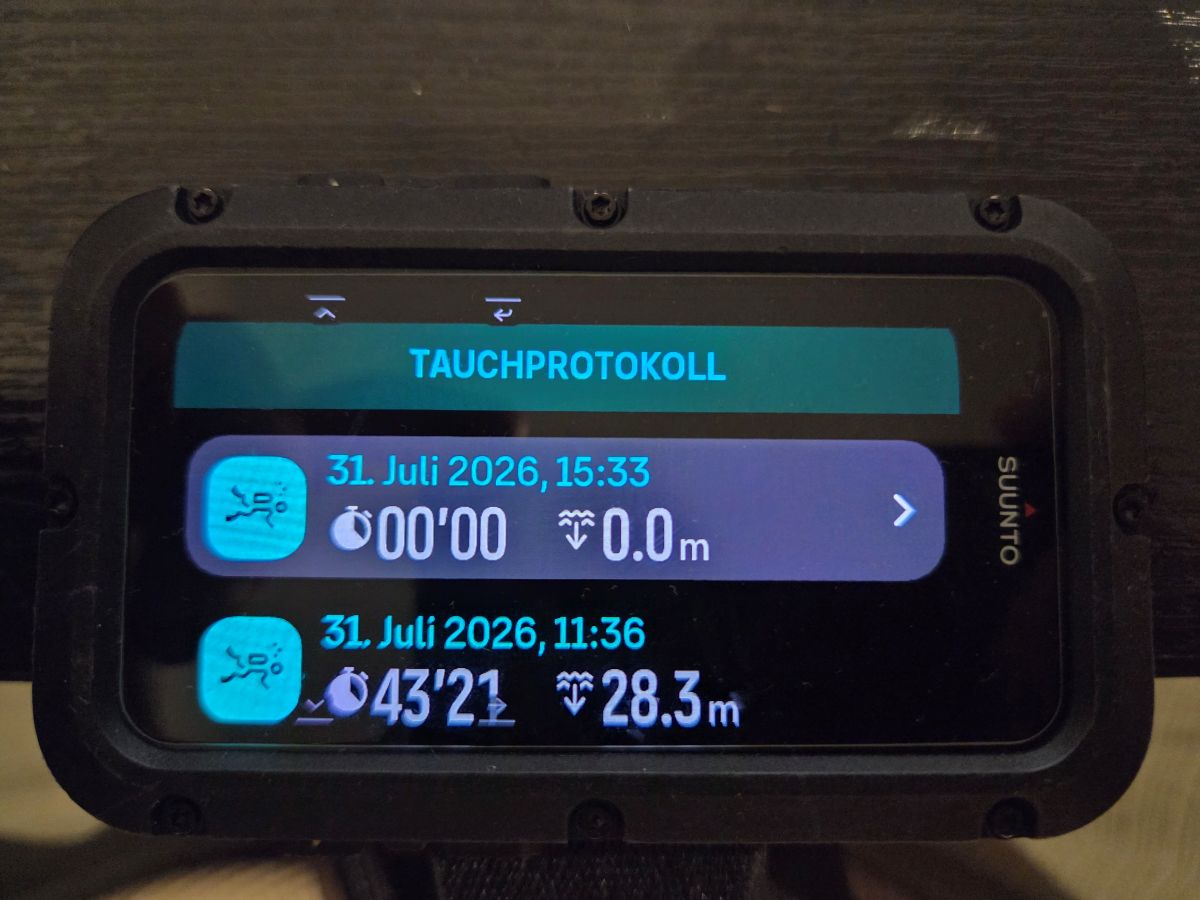
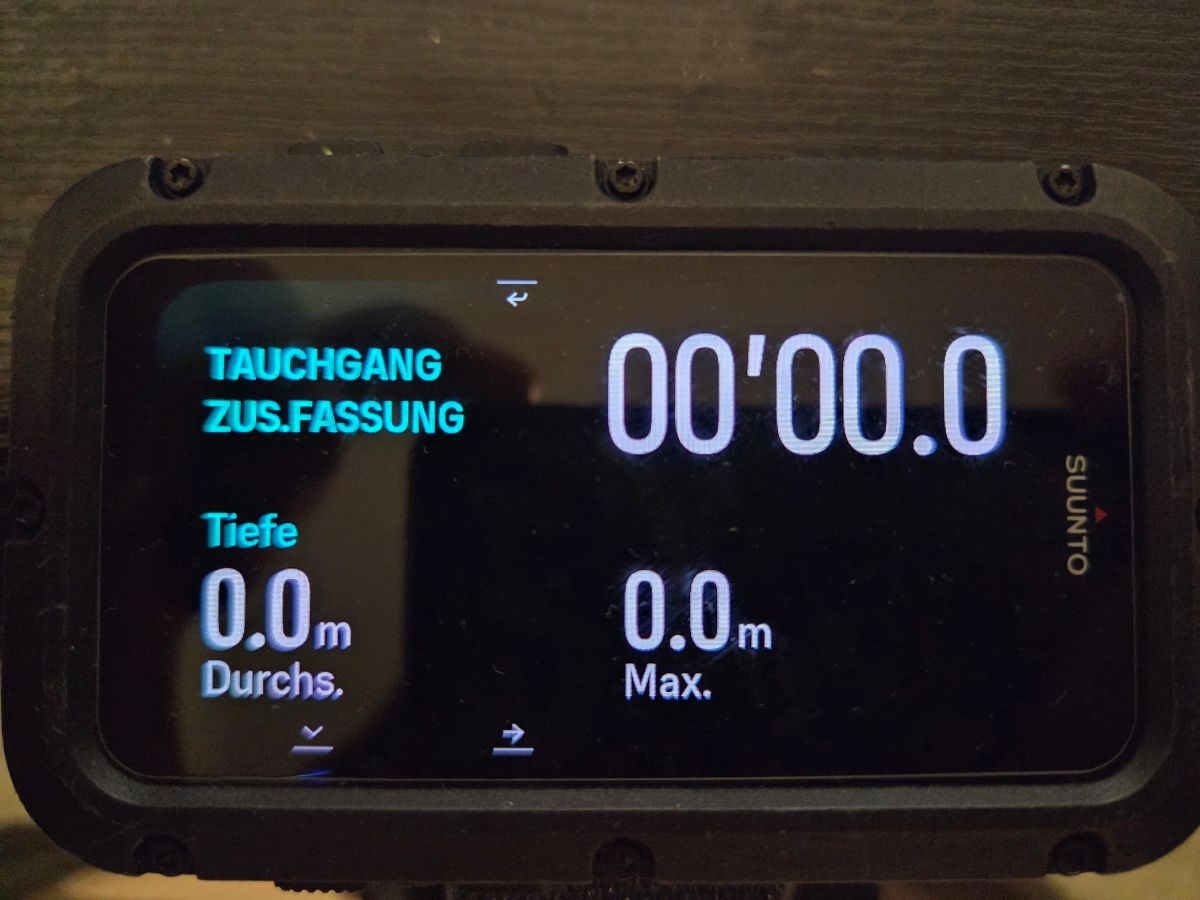
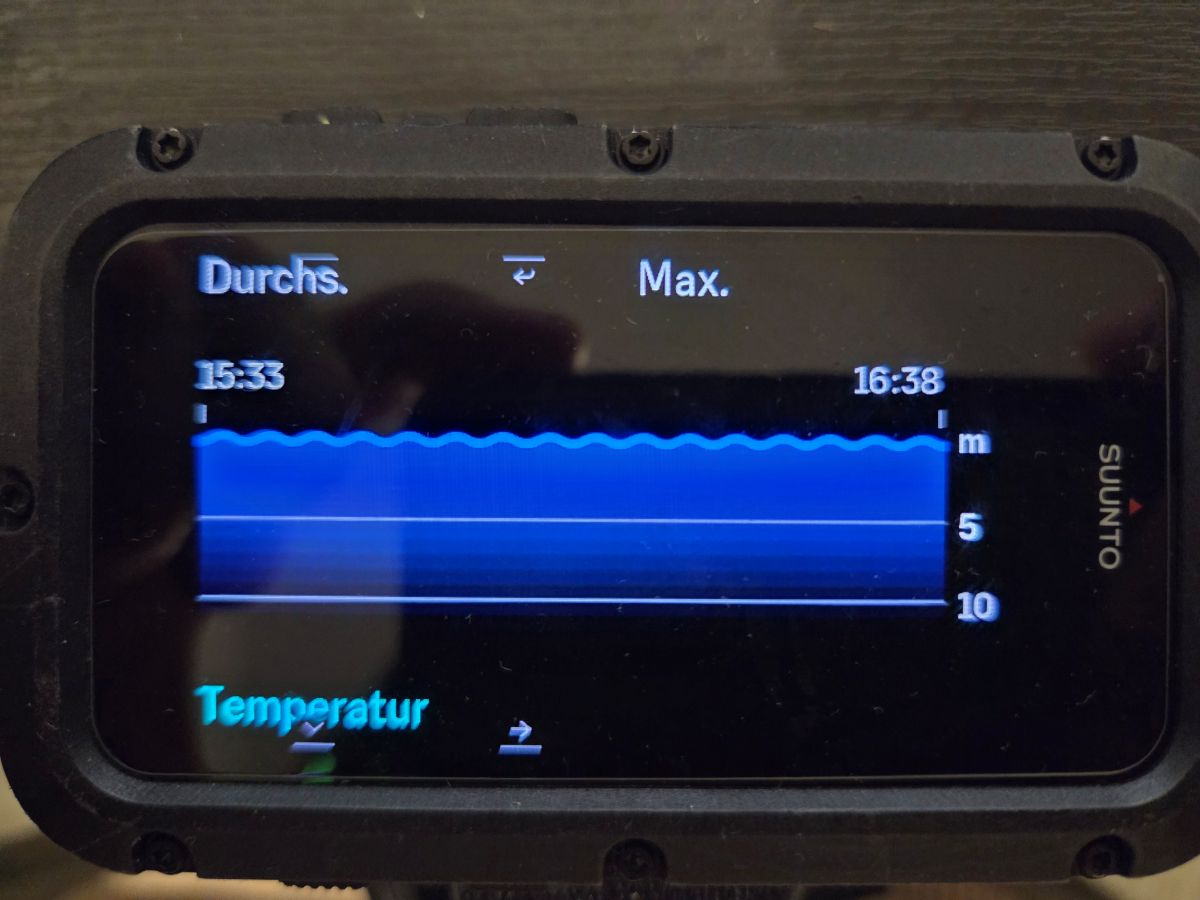
But on the Nautic itself, the same dive suddenly shows:
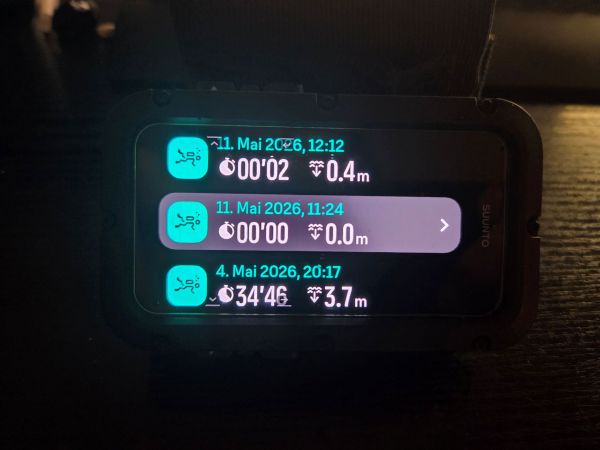
00:00 dive time
0.0 m maximum depth
0.0 m average depth
–273°C minimum and maximum temperature
a completely useless depth graph
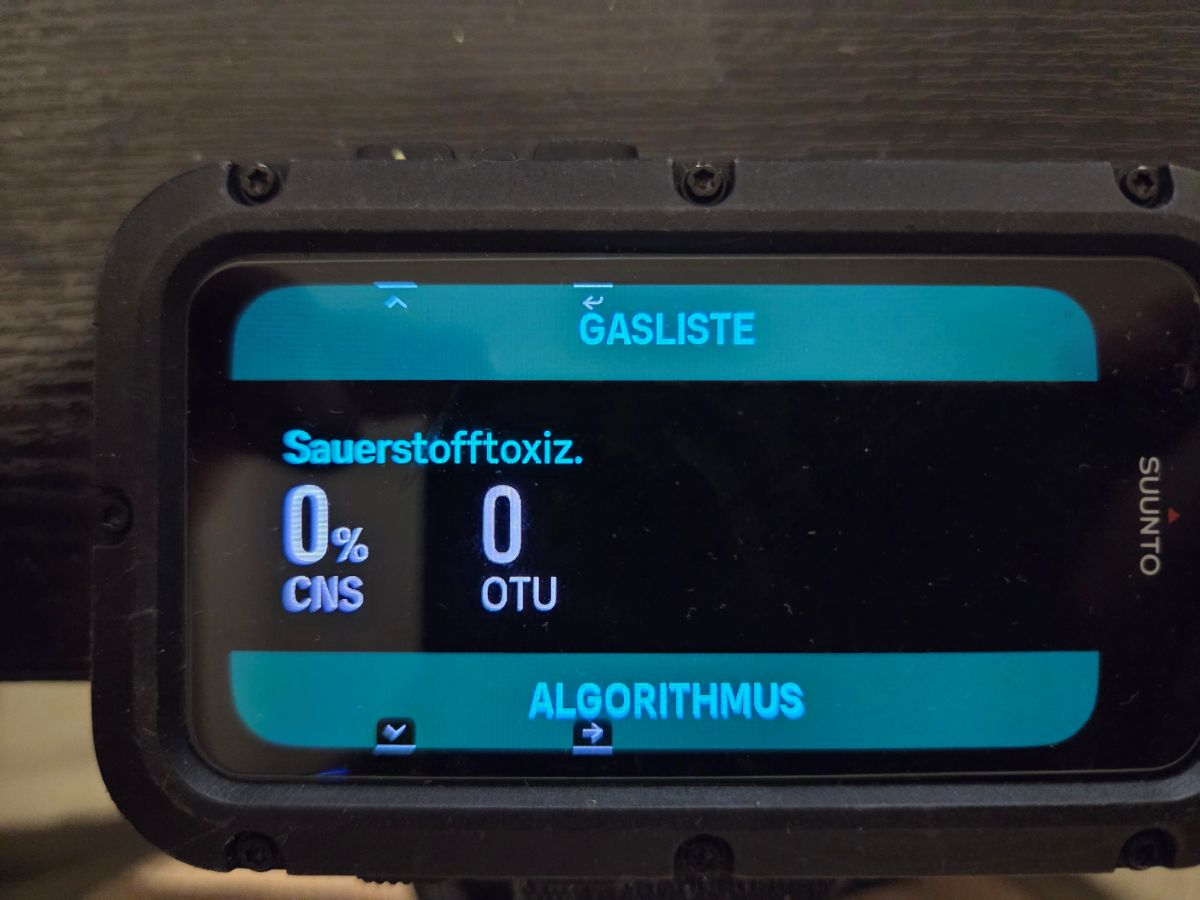
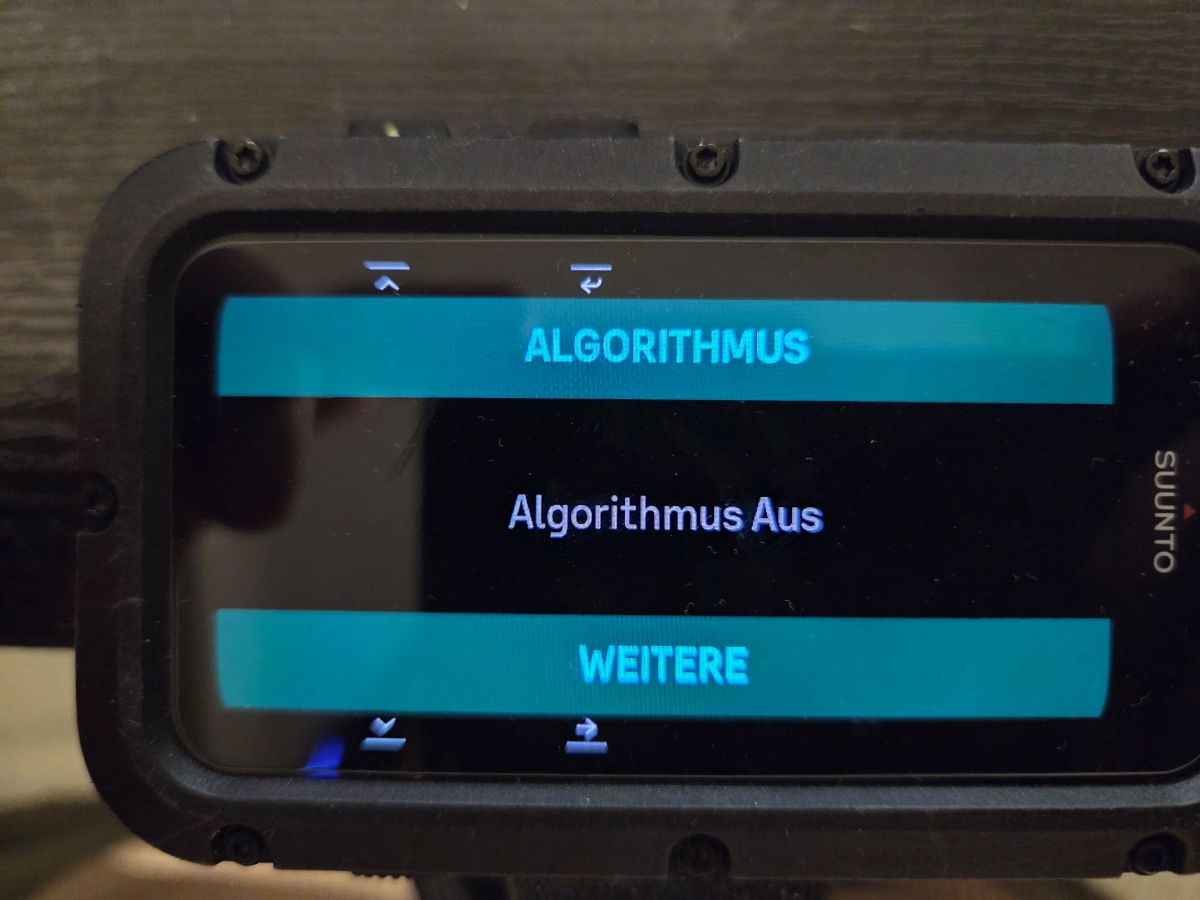
missing or obviously corrupted dive dataSeriously, Suunto: –273°C? Absolute zero? Was I diving in outer space?
This is not a minor cosmetic issue. This is a dive computer that cannot even display its own recorded dive data correctly. The data clearly exists because the app shows it, but the computer itself displays complete nonsense.
There have already been numerous posts in this forum about firmware problems, corrupted logs, incorrect calculations and other serious bugs. Yet Suunto continues to remain silent while the support team gives customers the same useless answers and tells them to wait.
When will Suunto finally respond to these reports publicly?
When will Suunto acknowledge that the Nautic firmware is broken?
When will there be an actual fix instead of customers being endlessly passed around by support?
This is an expensive dive computer, not an unfinished beta product. Customers should not have to collect screenshots, open support cases and repeatedly prove that the device is malfunctioning.
Stop ignoring the reports. Stop hiding behind support tickets. Give Nautic owners a clear statement:
Is Suunto aware of these firmware problems?
Which bugs have been confirmed?
When will corrected firmware be released?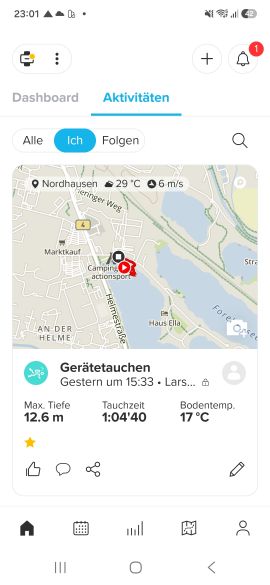
-
@l.sillsuunto i think its not firmware problem, and you have a faulty unit
You should send to warranty for replacement
46 Dives in my Nautic and mine dont show does problems
update to the latest firmware
https://www.suunto.com/en-pt/Support/Software-updates/Release-notes/suunto-nautic-software-updates/ -
@DJWilko I compare my dive logs on the Nautic and on the app
They match exactly the surface time…
But when the dives are more than 4 days apart, it show >99h on Nautic and show 100:00"00 in the app
99hours are 4 days + 3 hours
-
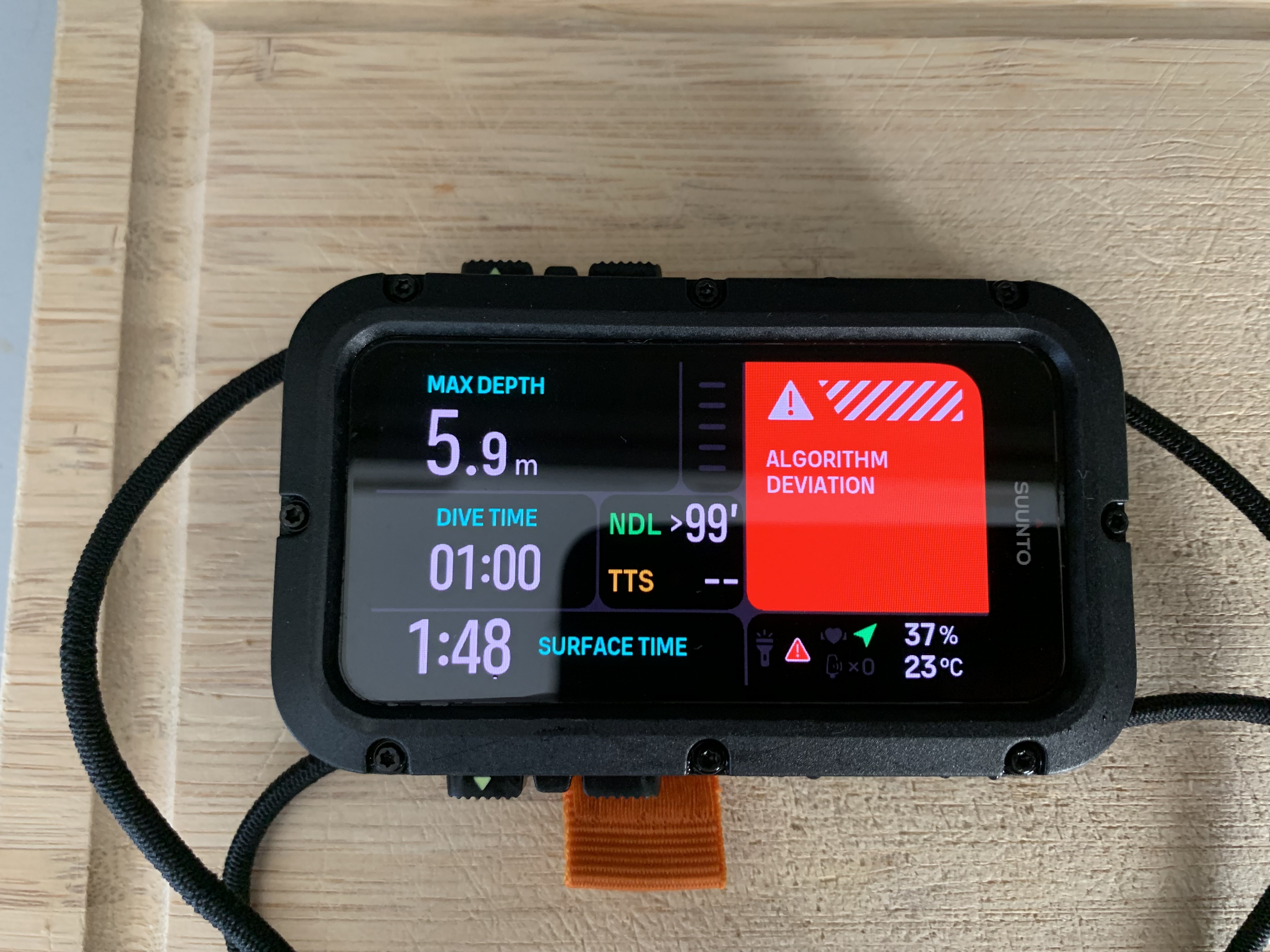
I had the same issue today: dive logged as 0 minutes, 0 meters depth. On top of that, I got an algorithm deviation warning.
My theory is that the logged dive didn’t match what the algorithm had actually calculated internally, which triggered the deviation warning (but this is what i speculate).
It seems impossible that my dive itself caused a deviation, because it was no deeper than 5 meters, with an average depth of 2.5 meters, for 1 hour. No rapid ascents or anything unusual.I’ve had this computer for 3 months now, 42 dives so far. This is the first time I’ve encountered this issue. Not exactly reassuring when it comes to trusting this computer underwater.
Is Suunto aware of these issues?
-
I had the same issue today: dive logged as 0 minutes, 0 meters depth. On top of that, I got an algorithm deviation warning.
My theory is that the logged dive didn’t match what the algorithm had actually calculated internally, which triggered the deviation warning (but this is what i speculate).
It seems impossible that my dive itself caused a deviation, because it was no deeper than 5 meters, with an average depth of 2.5 meters, for 1 hour. No rapid ascents or anything unusual.I’ve had this computer for 3 months now, 42 dives so far. This is the first time I’ve encountered this issue. Not exactly reassuring when it comes to trusting this computer underwater.
Is Suunto aware of these issues?
@Klaas
Could you provide some detailed information about your issue, e.g. in a PDF file?As stated in this post: https://forum.suunto.com/post/195431, I filed a report regarding the device as potentially dangerous. The case has now been forwarded to a German authority for further investigation and clarification.
They have asked me to provide additional information, so I am currently collecting reports of similar cases.
-
Thanks for the reply. I’ve first submitted a support ticket directly to Suunto. I’d like to give them the chance to respond before I send you the PDF.
I’ll update this thread as soon as I hear more.
-
@Klaas Can you upload the dives log file (json) to Claude AI and ask Claude the simple question why the algorithm deviation occurred? Can you let us know the response?
Hello! It looks like you're interested in this conversation, but you don't have an account yet.
Getting fed up of having to scroll through the same posts each visit? When you register for an account, you'll always come back to exactly where you were before, and choose to be notified of new replies (either via email, or push notification). You'll also be able to save bookmarks and upvote posts to show your appreciation to other community members.
With your input, this post could be even better 💗
Register Login