Syncing to Training Peaks
-
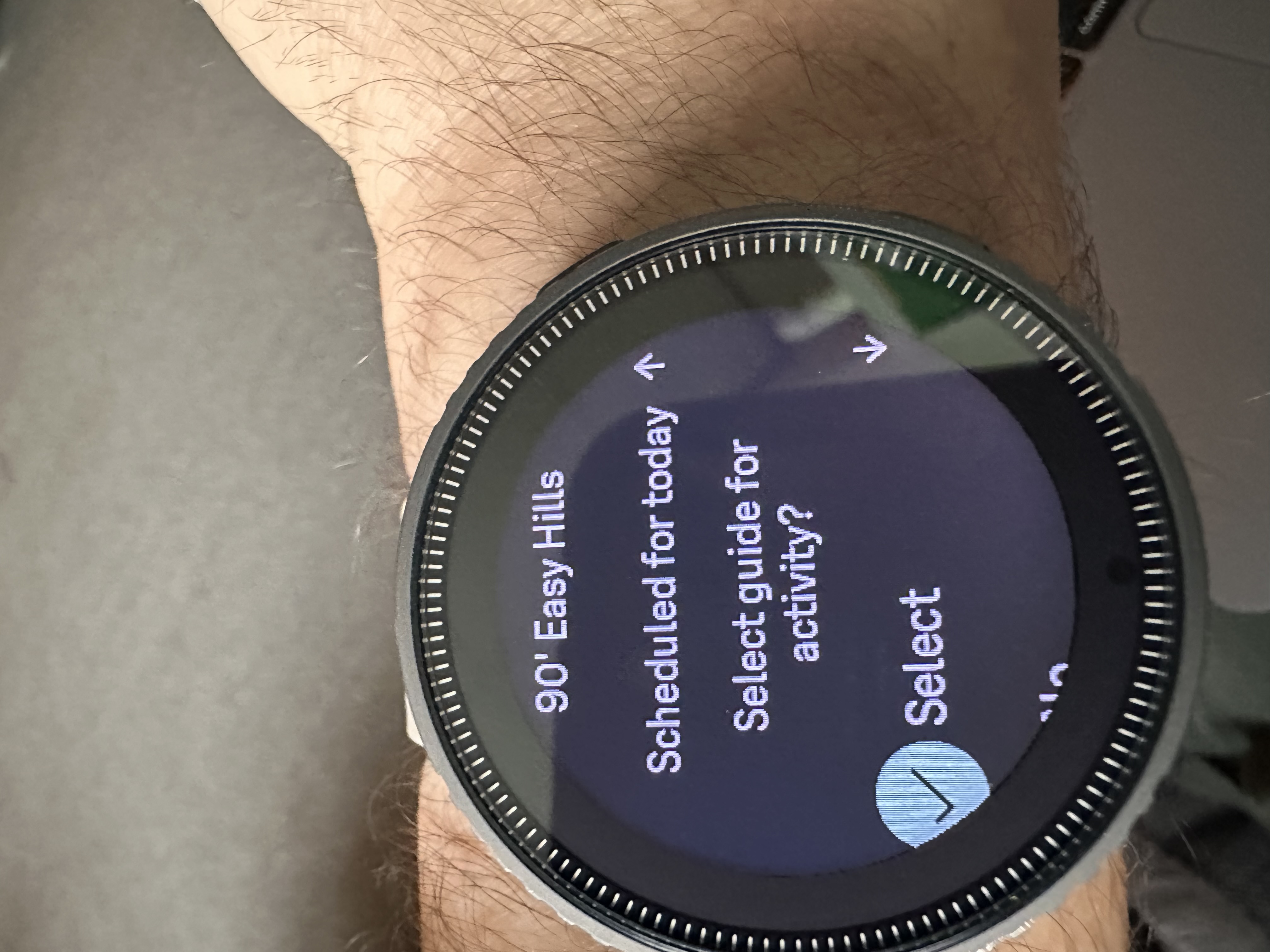
I currently have a ultrarunning training plan on Training Peaks & activity uploads fine. However, I’m currently in rehab for a calf injury, so ANY rehab activity I do (I.E walk) still uploads onto activity despite me selecting “NO” on the “select guide for activity” option on the watch prior to the session. Therefore, for example, my 20 minute walk ‘overrides’ a 90 minute planned hilly run. Any way to make it add to TP as a seperate activity?
-
@alem57 You can select no here and simply go into the Guides and select the appropriate exercise for today. I do not know how the exercises are prioritized but it is easy to select a different one in Guides on the watch.
-
@Brad_Olwin yes, there’s no issue with selecting the guide. My issue is it uploads to the planned activity when I’ve clicked “no”……or done a completely different activity.
-
@alem57 Reboot the watch, I have not seen this happen. Also, you might want to delete and add the TP connection.
-
@alem57
This is a Training Peaks issue as far as I can tell, it does the same when I use a Garmin watch, so nothing you can do on the watch to stop it. But from what I remember you can unpair them in TP - go into the workout and click on the three dots in the top right (in the app), where there is an option to unpair them. I believe this unpairs them without deleting the workout. -
@MKPotts said in Syncing to Training Peaks:
@alem57
This is a Training Peaks issue as far as I can tell, it does the same when I use a Garmin watch, so nothing you can do on the watch to stop it. But from what I remember you can unpair them in TP - go into the workout and click on the three dots in the top right (in the app), where there is an option to unpair them. I believe this unpairs them without deleting the workout.This is the answer

-
@MKPotts Thank you, this solved my issue. Only works on a desktop (i.e.
not via the app) but all’s good after unpairing.


Hello! It looks like you're interested in this conversation, but you don't have an account yet.
Getting fed up of having to scroll through the same posts each visit? When you register for an account, you'll always come back to exactly where you were before, and choose to be notified of new replies (either via email, or push notification). You'll also be able to save bookmarks and upvote posts to show your appreciation to other community members.
With your input, this post could be even better 💗
Register Login