Spartan Sport Wrist HR Baro stucks in update mode
-
Hello at all.
Yesterday i got my first Suunto watch - a Spartan Sport WHR Baro - and i liked it from the first second.
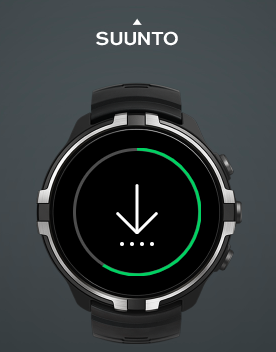
But after round about 2 hours of wearing the watch, it changed automatically to update mode (down arrow with four dots) without interaction from me.
And till now i was not able to leave this mode/screen - so watch isn’t usable at the moment.Things i have tried till now:
-
Soft-Reset (12 sec. upper right button) restarts the watch - direct into update mode
-
Hard-Reset via Suuntolink on a PC. Here SL says, the watch needs a reset (red cross on watch image). But the installation of the firmware always stops at the third step (third dot on the watch) and says there was an error and i should reset my watch. Tried this a few times now, but got this error every time.
-
At the moment i will try to let the battery drain out of energy and after shutdown, recharge it.
Has anyone some other ideas, what i can also try?
Has someone else such a problem with an Suunto watch?Greetings from Germany,
Bastian -
-
@Bastian-Schroll not sure, maybe the watch is defective. Try to contact support, they’re usually very fast.
-
Just for your information:
-
run out of energy does not fix anything - still stuck in update mode
-
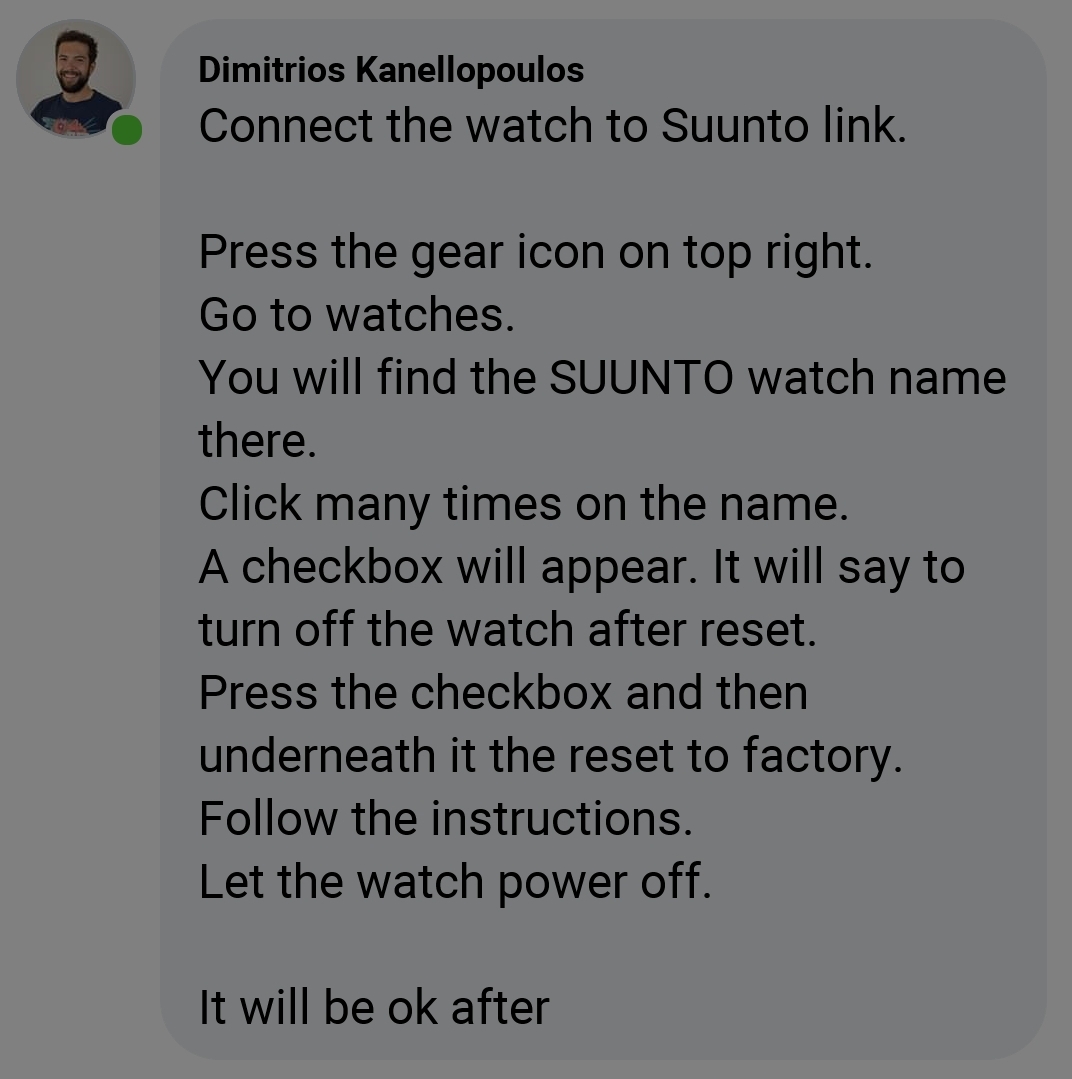
also this trick does not help anymore:
https://forum.suunto.com/assets/uploads/files/1578509185798-screenshot_20200108-194536_lite.jpg
I’ll try now to contact the support team - lets see…
Little bit disappointing for a new Suunto user
-
-
@Bastian-Schroll hey I’m very sorry to hear you may have got a defective watch, but unfortunately it may happen with anything you buy. You’re in Germany so you have a two years warranty period, and support is highly praised.
-
sadly I can’t reach the support till now …
At the moment i try to do a manual downgrade to an older version (drag zip file into SL) but that also breaks at the third step …
But if i try this a second time - SL knows the “new” old version. So it does flash anything but do not complete the process.
-
@Bastian-Schroll what are you using to contact support?
-
@isazi i tried the web chat on their homepage and facebook messenger … but no one was available.
Tomorrow i will try to call the hotline - but their buisiness times are rly crap for working people
-
@Bastian-Schroll a friend of mine was with the same problem.
Uninstalled suuntolink, switched off bluetooth and reboot the computer, after that installed again Suuntolink and worked. But I don’t know why this worked.
-
Let me add, reset the watch to factory settings.
-
@Bulkan i had tried this on two different PCs
Also tried a manual downgrade to 1.12.## which also failed, but after that i tried the newest version again and it run till the last step but then the watch does some disconnects and the update failed again
-
@Bastian-Schroll try also with the Suunto App. There is a support tab in settings.
-
@isazi OK I tried also the message via app now… Let’s see

-
Reached someone at the hotline - very fast support here

Watch goes now to Suunto via express shipping.I want to thank you, for your help and will give you a update in a few days
Lets see … -
Arrived at the service center this morning.
Now its on his way back to me. Very fast support. Lets see the result when it arrives here.Dear customer, I have replaced your device with a replacement unit.
Best regards, Suunto Service Center
-
Yesterday my watch came back to me - and it works fine now.
Lets see the first training today - thanks for your help anyway.


Hello! It looks like you're interested in this conversation, but you don't have an account yet.
Getting fed up of having to scroll through the same posts each visit? When you register for an account, you'll always come back to exactly where you were before, and choose to be notified of new replies (either via email, or push notification). You'll also be able to save bookmarks and upvote posts to show your appreciation to other community members.
With your input, this post could be even better 💗
Register Login