GPX file loaded from Suunto Route Planner – no zoom for elevation segments
-
I’m wondering if this is a bug or if it’s due to the GPX file for the route created in the Suunto Route Planner online.
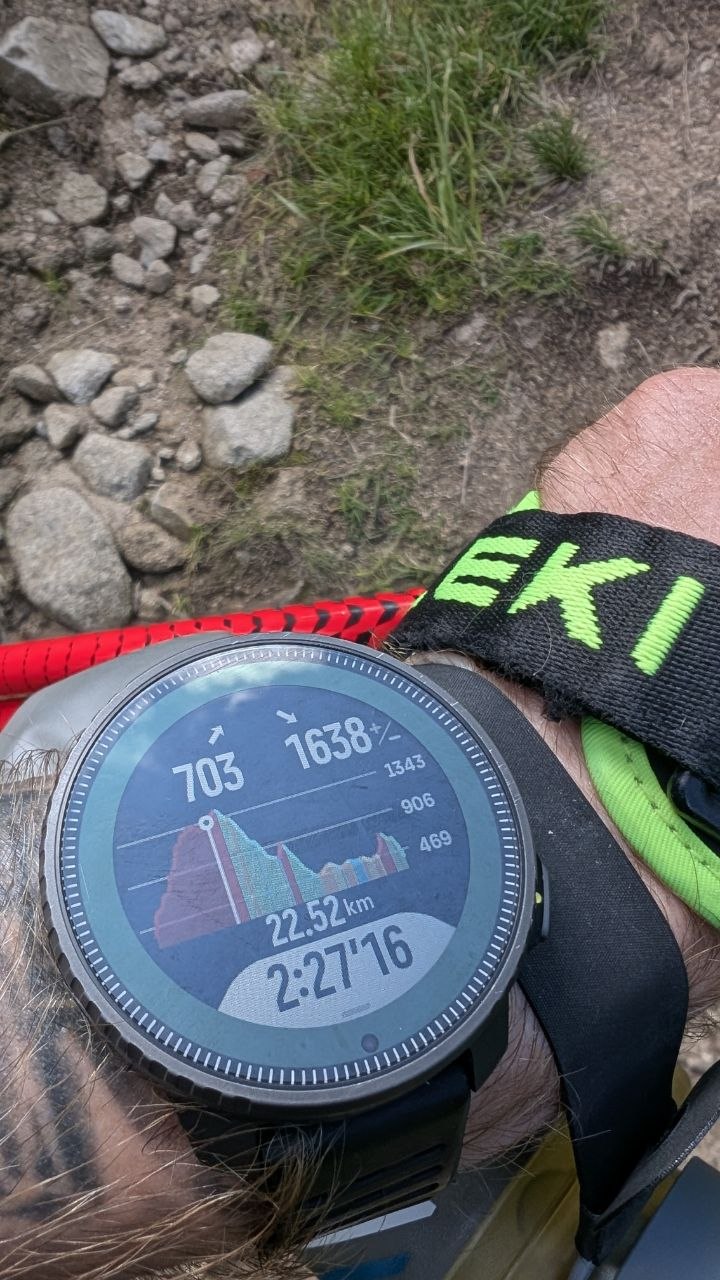
While in Slovakia, preparing for the Big Bears Ultra 62 km, I created a track to guide me from point A to B. Unfortunately, it turned out that the elevation profile preview wasn’t available at a more detailed level for each ascent or climb.
Only the main elevation profile was visible—pressing the zoom in/zoom out button had no effect—nothing happened.
I’m attaching the GPX file—maybe someone will be able to verify this.
GPX: https://mega.nz/file/vrhhiZxb#OvYnl_EgvKLPMUblGdpG5WvyRCUiiqhbnqavHYbjhnE
-
@Adrian.S I’m having the same issue, no zoom at all. Route created via komoot and sent automatically to suunto app.
-
@nomison maybe it is a bug or unexpected behavior. No matter what it is I do not expected will be updated. Our Vertical 1 is now out of date with bugs and potential improvements.
-
same issue here, for some reason it stopped working. It is a brilliant feature for trail running so I’m hopeful Suunto will fix it.
-
@Jesús-LP there have been recently some issues with climb guidance, that should have been solved. We just have to wait for the next App update
https://forum.suunto.com/post/196697

Hello! It looks like you're interested in this conversation, but you don't have an account yet.
Getting fed up of having to scroll through the same posts each visit? When you register for an account, you'll always come back to exactly where you were before, and choose to be notified of new replies (either via email, or push notification). You'll also be able to save bookmarks and upvote posts to show your appreciation to other community members.
With your input, this post could be even better 💗
Register Login