Some questions about Race 2
-
@jj-frl For the first topic, you simply do not.
This is not a problem for me, as when I’m doing an activity, I’m busy doing the activity so I’m not going to interrupt my running, weightlifting, etc. to do something else like check the weather. If I’m done with my activity, then I end it and then can use other features of the watch. The only time this might be relevant for me is if I’m going for a walk which is low effort, and there, I will have my iPhone with me so would use that for other things.
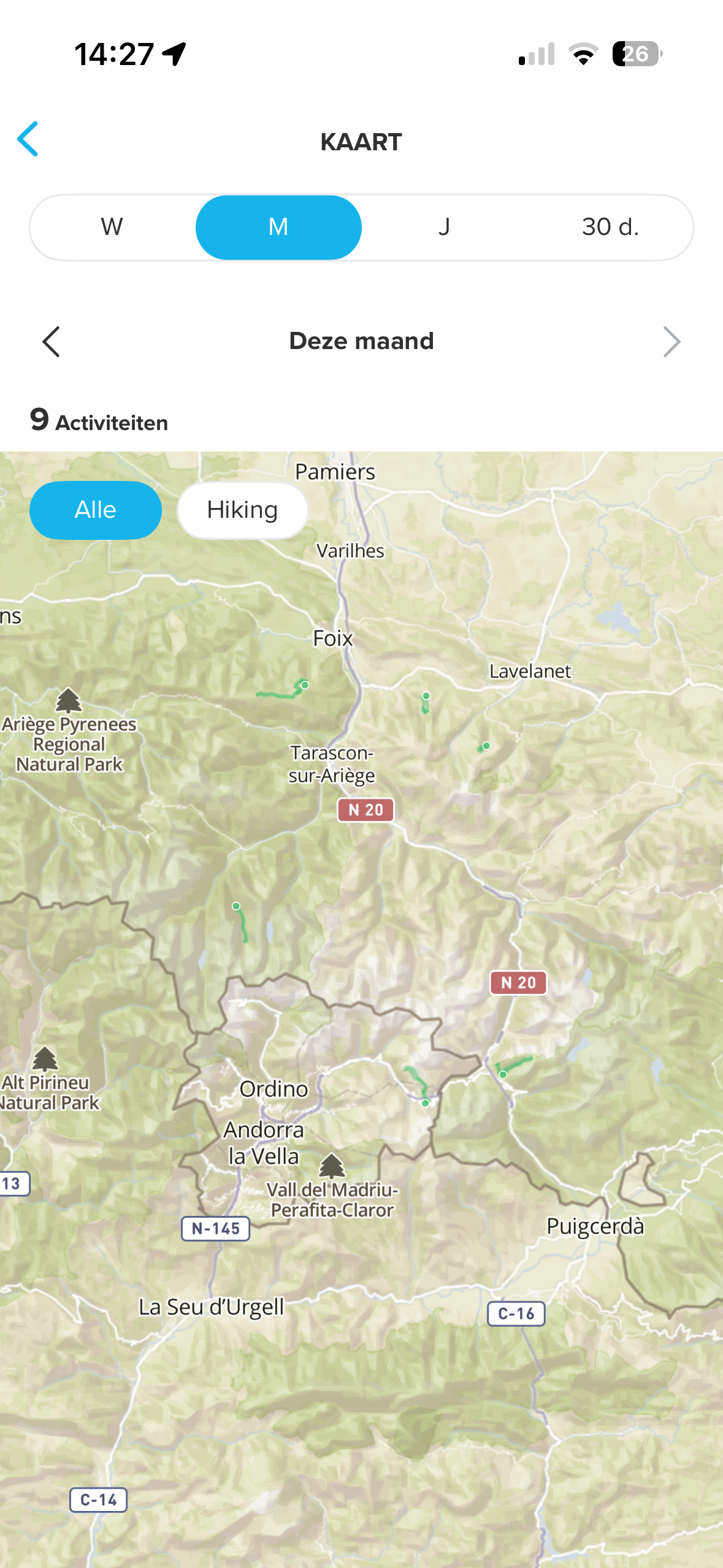
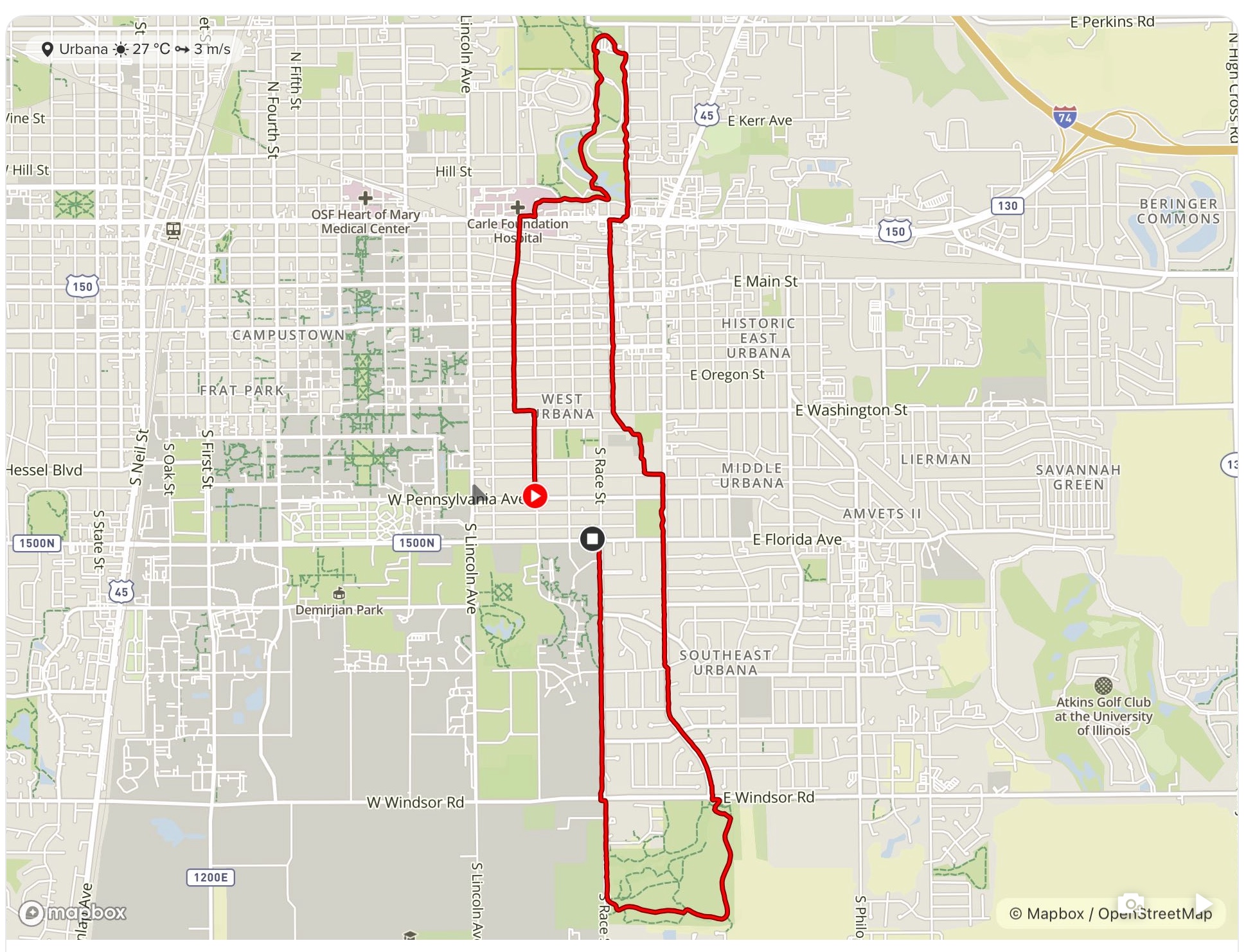
I don’t understand the second question. What exactly is displayed in green/red? The “trace line” of your run for me is in red not green. Can you show a photo? Anyway, I suspect there’s not a way to change what you’re seeing.
-
@raven Thanks for your reply
 I understand not all users will use their watch the same way. When I’m on a long hike it’s handy to check forecast, total steps that day or even water temperature with the sensor on the Race 2. I would prefer to do so without stopping the activity.
Or when I’m on the bike, I don’t like to get my phone out of my backpack to check stuff I could see on the Race 2. I feels weird that you have a watch with all this functionality, but you have to stop the training session to be able to see it.
As for the marking of the past hikes: can you see ll 9 of them?

-
@jj-frl Ah, I see. I look more at individual session maps not a larger summary map. I just need to inspect a single session and not nine at once. So here’s an example of what I normally see, and again, I don’t think there’s options to change colors in either view. I also understand why you’d like to do other things but the watch simply doesn’t support that. I noted my own use just as a comparison that it’s the sort of thing some people like me won’t care about, but of course, others like you will.
When I want features like that without my phone, I look to my Apple Watch which has LTE and can get updated data without requiring me carrying a phone at all. If I have the phone, then I’m more likely to use it for the larger screen. Suunto is far more basic and more focused on doing the session. In some cases, you might get additional info through SuuntoPlus.
-
@jj-frl Some of Suuntoplus app could be the solution for you question 1. Wheather, timer, sun, moon = sure. Steps, temperature im not sure
-
@runyx17 not even needed, i believe some of this values can be added to custom sport mode even without suunto plus app. I don’t have watch on me right now so i can try which fields exactly.
-
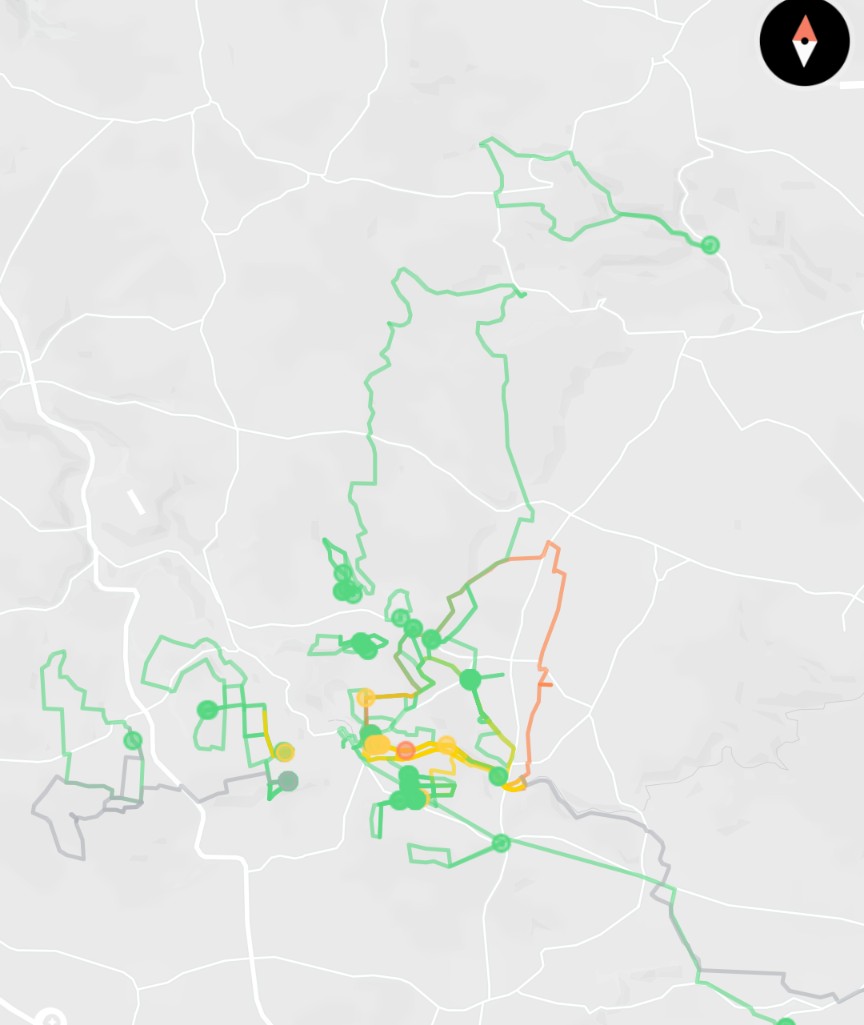
@jj-frl you can switch your map background to different colours in the map menu and then you’ll get better contrast for where your activities have taken place
-
@jj-frl the tracks for past activities are shown in the colour of the activity. E.g., green for walking, reddish/orange for biking, blue for sailing, etc.
-
Sorry for my late reply, was on a hike
@runyx17 Thank you for pointing out that we can use additional apps for that. Even though that functionality is already available on the watch. Wouldn’t it just be handy if we could use the standard functionality without having to add extra apps?
@tomas5 As you say: some values can be used. I’d prefer it if all options were available. For example, I can’t even check the date on a long hike without stopping the session. Can’t see the steps I did that day or set an alarm.
@chrisa Thanks for this tip, this helps a lot with visibility of the sessions
@mdzott Would still love to be able to change the colours of the activity myselfI’ve had the watch for a few weeks now; I must say I’m impressed by the screen, battery and am starting to get used to the – somewhat limited – functionality and the slightly less well-thought-out design choices. What’s on it and available during a session is well thought out, though.
I’m not sure I would have bought the watch if it had been clear from the outset that its functionality during a training session was so limited. As someone in another thread has pointed out: there are € 150 watches that do a better job in that respect.
-
@jj-frl have you checked custom sport modes?
watch temperature, as well as weather forecasted temp, sunrise, sunset, time, etc. can bee added as data fields to any sport mode.
Then there is specialized weather S+ screens.The only things you cannot get out of the box is current date and step count. I ever wondered why anyone would like to know their step count. It must have been some good marketing from whoever came up with this…
-
I ever wondered why anyone would like to know their step count. It must have been some good marketing from whoever came up with this…
I looked into the history of “step count” and asking some people I know who use that metric, and I think a few things came together to make it popular. First was the “10000 steps” idea made by a Japanese marketing firm years ago which I think people liked as being an easy number to remember, and it was promoted as a universal thing (compare with tracking active calories, where people of different weights like need different targets).
https://www.nuhs.edu/debunking-the-10000-step-myth-figuring-out-what-actually-matters/
It also resonates with some people as some of their “natural activity counts” towards it, so walking around the house, etc. gets one somewhat toward the goal then they just need to “finish their steps.”
I still see it ideally as more of a “training wheels” metric and think at least tracking active calories is better (so other activities like cycling and yoga “count better” despite not having many steps, as opposed to Polar’s system that assigns “step equivalents” to encourage non-walking activity). And Suunto puts steps and calories on the same Daily Health page so I can see someone new to fitness and Suunto thinking “need steps” eventually learning to use calories instead.





Hello! It looks like you're interested in this conversation, but you don't have an account yet.
Getting fed up of having to scroll through the same posts each visit? When you register for an account, you'll always come back to exactly where you were before, and choose to be notified of new replies (either via email, or push notification). You'll also be able to save bookmarks and upvote posts to show your appreciation to other community members.
With your input, this post could be even better 💗
Register Login