Live location S+ app
-
Hey @GiPFELKiND !
could you share .gpx of this route?
-
-
Mittenwald_Trail_ZUT_2025_fa6c0d4010(2).gpx
Thanx! I looked this track, found an issue.
TL;DR - it’s a bug in preproccesing tracks, to avoid it you should use gpx with route not a track that bypass preprocessing.
The root cause is here:
gpx format has a two tags for holding routes
<trk>and<rte><trk>- represents a saved by device route and usually contains timestamps on points, telemetry extensions etc…<rte>- represents planed route by some software.in live.τ we can use both of them, however for
<trk>we’re making some preprocessing to reduce amount of points on straight lines, collapse stops etc, it allows us save quite a lot of cpu and memory while navigating, but, you found a bug in this preprocessing, due to this route points in<trk>tag app thinking that it’s a recorded route and should be sanitized, but sanitizing faced up with issue in it’s logic trackpoint without timestamp and gap more than 100m - algorithm decides it looks like a malformed gnss data - no timestamp and speed probably more than 100m/s and cut it out.so in fix i’ll add euristic if point not contains timestamps probably it might be proceed like a route not a track…
but anyway i suggest use gpx followed standarts.
And thank you for bug report
-
@Nikolai-Simonov okay thank you! Thats the official route from UTMB Homepage from the Zugspitz Ultra Trail in 1 Week. The UTMB share this official route!
-
@GiPFELKiND yep, it could. it created via outdoor active as i see in the metadata. but frankly, not every software follows standards, so, neither good nor bad just a fact.
-
@Nikolai-Simonov what about the fact with the Break while run a Activity? I never had a complete track…suddenly the watch says Error… And did not track again. Yesterday 28km Trailrunning! Lost 3 times the Connection? End the Activity at suunto watch, start again…
-
What phone model? and what error?
also on lates android build, knowing issue if you app swiped out from activity list, you probably could lost connection, fixed but not released yet.
in general race for BTLE connection between suunto app and live.τ app still exist, but observation said that it’s not a big deal, and connection works in general well. personally i usually lost connection in some difficult areas near military objects, or radio polluted regions… not sure if it’s your case.
you can try to the latest apk build here - https://artifact.fra1.cdn.digitaloceanspaces.com/live-t/apk/1.0.18/live-t.apk
or if you use google play join internal builds here - https://play.google.com/apps/internaltest/4701596347369604163
-
Just purchased a Race 2. Updated to newest firmware. I installed LiveT on my phone (iOS) and on watch. I activated it in the run activity and was able to connect to my phone. The watch and the phone connect. Unfortunately after that my watch freezes then reboots. After watch reboot when go back to the run activity the watch freezes again. My watch looped on the “The device is being restored to a safe state” then it did a hard reset. I’m also trying to do a structured interval plan I created. Are there any know conflicts with that?
-
Hey @Tamon-Yanagimoto!
nope, never heard this behavior, is it happens if you try use Live.τ + structured workout?Suunto Race 2 Ti
Suunto Race
Suunto 9 BaroSuunto Aqua
Suunto Wings -
This year, I’ve already run 3 ultra races, each about 60-65 km (6-7 hours). Every time, I share my location via LiveT (Android, Pixel 8).
I ran the last one on Saturday.
On every run, after a few hours, my location stops being shared - it disconnects from the watch or something else happens. I don’t have time to figure this out while I’m running fast, so I just ignore it, but this is a major flaw for Suunto.
I use the Vertical 1.
I thought maybe it was because Android was killing the app in the background… So, as a last run, I made sure that battery saver mode was turned OFF and that the app could run in the background without any restrictions.
It didn’t help.
When I noticed that my location was no longer being shared, I opened the LiveT app on my phone and saw that the button was turned OFF.
I tapped the ON/OFF button to turn it ON, but it couldn’t connect to the watch anymore.
I think you’ll need logs from the watch or the app, but if you’re not a developer, it’ll be hard to fix this.
-
@Nikolai-Simonov yes I built a custom interval workout because I wanted to use navigation at the same time. If I use the built in intervals I cannot use navigation (this is known Suunto functionality)
-
Hi. Thanks for the app, it works. It looks nice, like very good piece of software and I like it, but…
The map is horrible. Basically empty, with no usable points that could help somebody determining where actually I am. Like if anything happened deep in forest, mountains etc, it is impossible to precisely locate me, call help, navigate to, or so. No possibility to reflect position to any other mapping service. Even copy/paste coordinates fails. It is weird.
My point is: I use this app during my bike trips (often in the wild) to let my wife or friends know where I am. But they don’t in fact. -
@Lazyjones thanx for feedback! copy/paste coordinates it’s really good catch!

regarding maps, for now we use openfreemap as a tile provider but i could agree outdoor / hiking maps is not their strong point. unfortunatelly major providers like a maptiler or mapbox significantly out of budget.
Now i’m looking to self-host tiles, let’s see.
-
@Nikolai-Simonov Understood. Please allow to quick transfer coordinates to any other mapping service. The one who monitors the position will certainly have to do this several times. It should be quick and easy.
Thanks, cheers. -
I was just wondering why my Track Live keeps cutting out after about 2–3 hours every time…
Have you signed up for a subscription since the latest update, and does the free plan include 45 minutes of tracking?
-
@Adrian.S not realy
discribe it here - https://forum.suunto.com/post/193011 -
Hey guys!
If anyone faced up with issue when S+ app turn black and disconnect from the app. could you please try latest 1.8 R9 (it should be in the suunto store already) and let me know if it works
also i can confirm that it wont work alongside with structured workouts
structured workout also quite greedy of heap mem. live.τ too. -
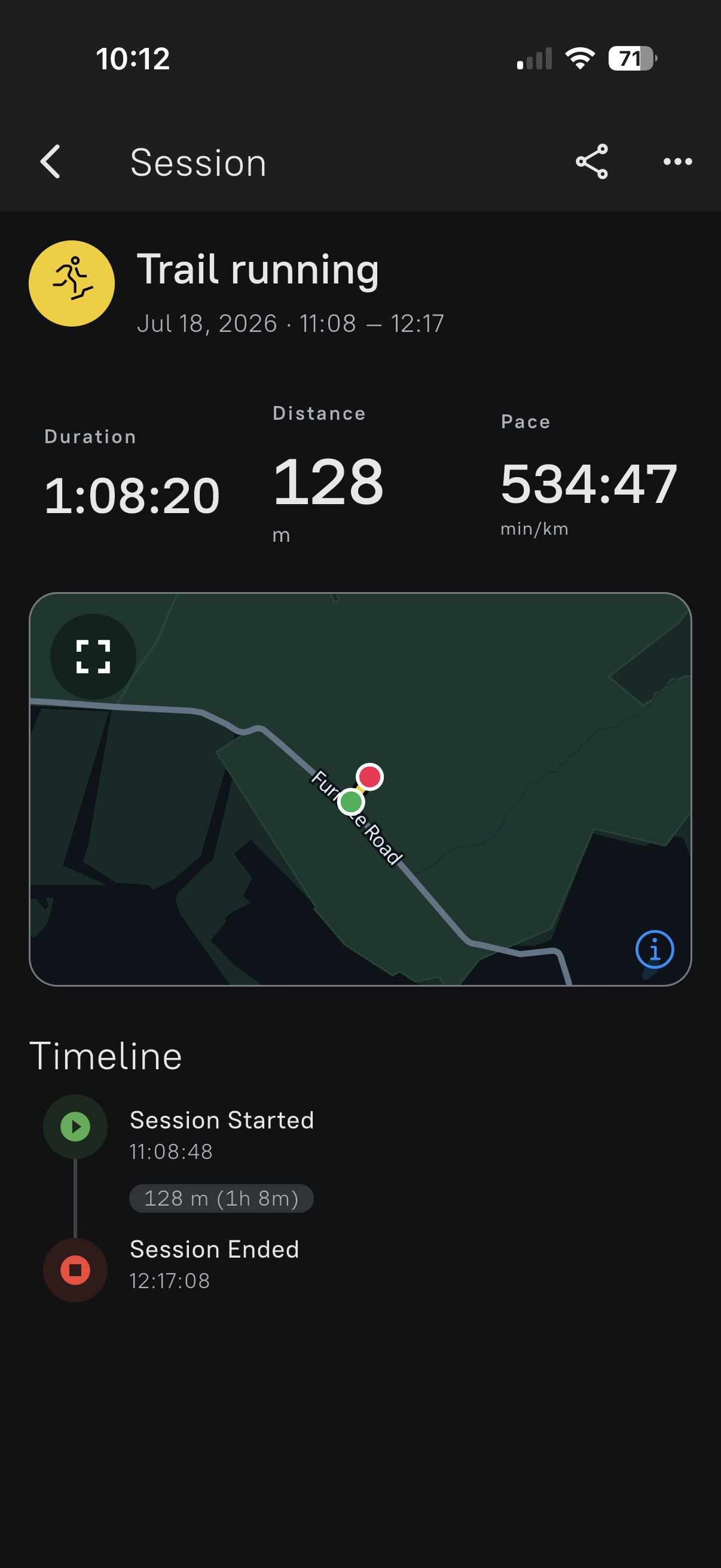
@Nikolai-Simonov I just submitted two screenshand associated SIDs to the support email. 2 recent 5 mile runs are getting truncated shortly after starting. Duration is saved correctly but pace and distance way off.
Vertical 1 Ti Solar with current FW and app
Suunto App latest beta
LiveT app updated. Happened July 8 and today.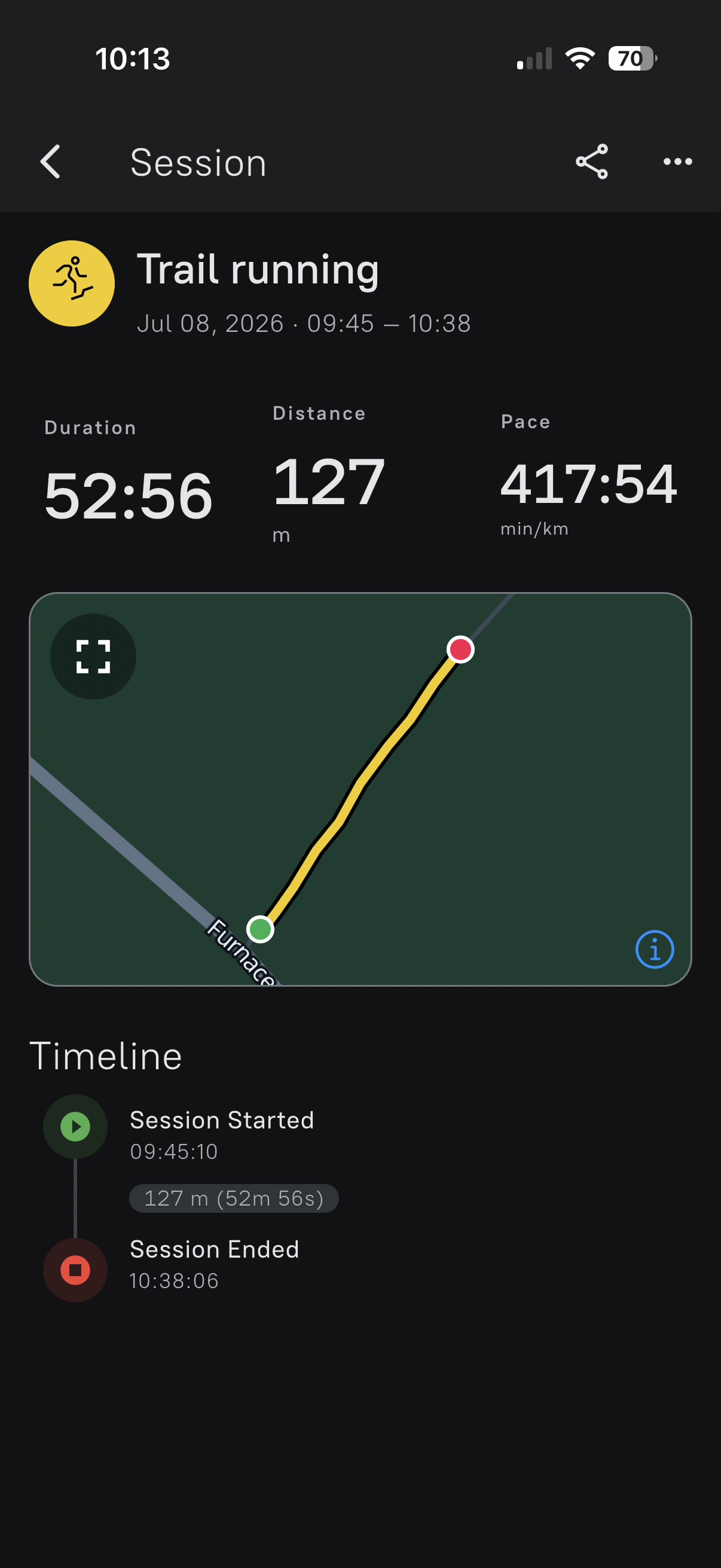
-
Wanna share a little update on [dis/re]connection issues.
I’ve received a noticeable number of reports lately from users whose connection was lost somewhere in the middle of an activity. Sometimes it recovered, but in other cases the watch remained in “reconnecting” state until the application or even the watch was restarted.
A special thanx to @larrybbaker for detailed reports that encouraged me to investigate the problem much deeper!
After investigating the issue, I learned that there could be a few issues in AURA:
AURA is Suunto’s native BLE management layer between Duktape and Zephyr BLE stack, managing connections to external sensors if i understood correctly.
-
AURA may try to create a connection while Zephyr still has an existing connection object for the same device. Instead of safely waiting, reusing it, or cancelling the old connection, the observed path reaches an internal assertion. AURA then restarts, potentially interrupting connections to the phone, HR belt, power meter, foot pod, and other sensors. Automatic recovery may then enter the same failing path again.
-
AURA uses a fixed pool of write requests. The analysis indicates that one completion path may fail to release a request when the associated client connection has already disappeared. If this happens repeatedly, the pool can eventually become exhausted and subsequent writes can fail or stop completing.
To be honest, this evidence based just on log analysis and available firmware bins without any access to internals of AURA it could be a false positive. But 90 percent sure it’s not.
From our side, app could reduce BLE pressure, avoid aggressive retries, and we’ve made this. We lost in reconnection reliability, however, wins in lower BLE pressure. However, it won’t resolve an inconsistent native connection state or release resources retained inside AURA.
I’ve shared a much more detailed technical report with Suunto, including the relevant logs, and step-by-step reasoning. So, hope it gives the Suunto team a useful starting point.
Apart of that, because AURA is shared by multiple BLE functions, this problem may not be limited to our application. It could also be relevant to reports of external sensors disconnecting during activities, such as those discussed in that thread - https://forum.suunto.com/topic/15629/hr-chest-strap-disconnected-during-activity - symptoms are really similar.
-
-
@Nikolai-Simonov I asked “internally” if there are more reports of the disconnects, and shared this post.






Hello! It looks like you're interested in this conversation, but you don't have an account yet.
Getting fed up of having to scroll through the same posts each visit? When you register for an account, you'll always come back to exactly where you were before, and choose to be notified of new replies (either via email, or push notification). You'll also be able to save bookmarks and upvote posts to show your appreciation to other community members.
With your input, this post could be even better 💗
Register Login