Suggestion : in COMPASS => rolling mode to give a chance to secondary information for being more readable
-
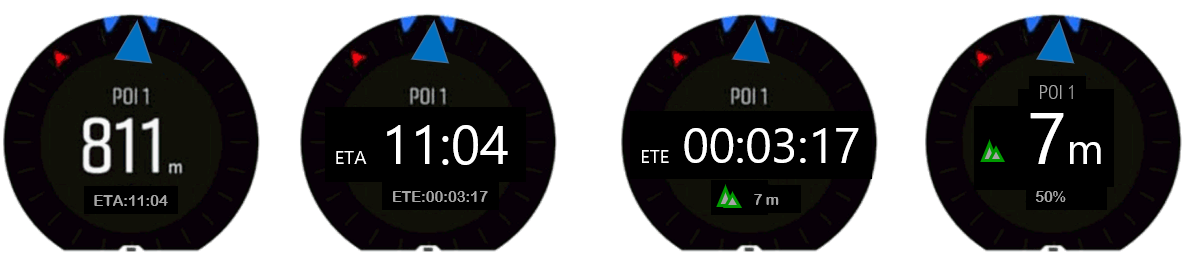
Hello, proposal of the day (which was part of a previous discussion) and always on the thema : how to have better readibility of information.
Instead to change the screens, why not to just change the behavior a little bit …
For example :
In exercise mode, in the compass, when activating a personalize battery mode, if you touch & tap the screen, you can see ETE ETA, altitude also (BTW thanks a lot to the suunto moderators for having teaching me this)
… but …
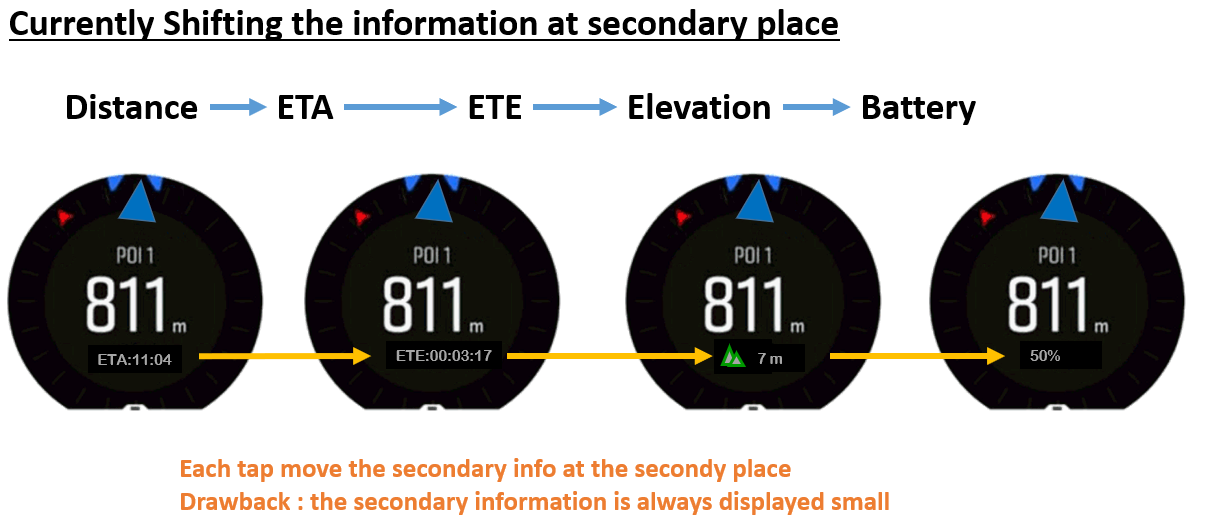
These information are treated as secondary (the distance is the primary one) and hence are systematically written in small and gray font in the secondary position … so difficult to read
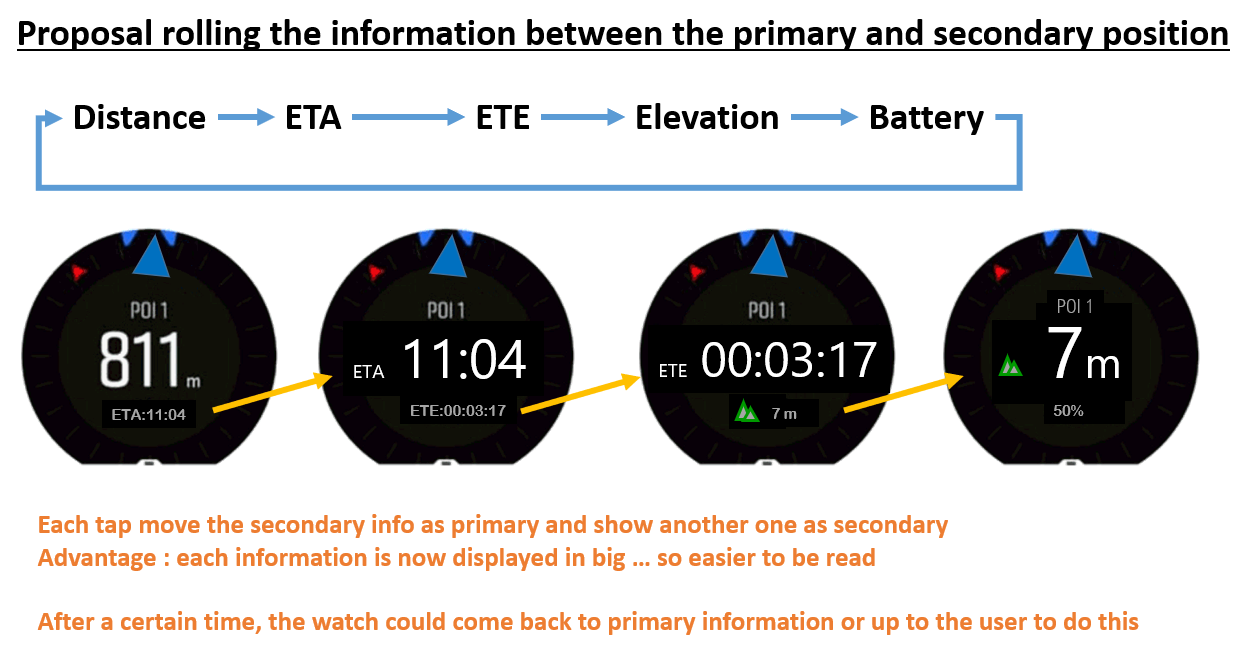
Why not to revisit this and instead to shift these information in the secondary position, suunto is doing a rolling between primary and secondary position …
CURRENTLY IT WORKS THIS WAY
PROPOSAL OF IMPROVEMENT
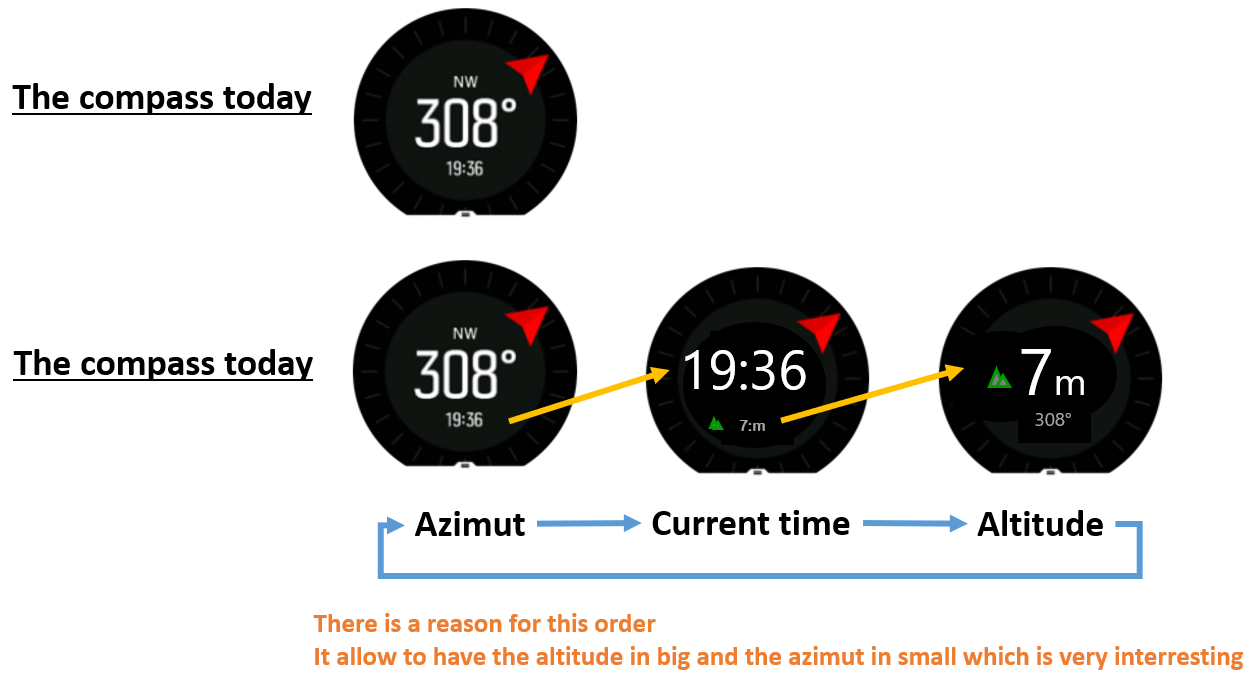
By the way, if in compass mode, there was the altitude displayed
Last but not least, should the touch&tap mode return automatically to a “defautl” position after a certain time on these screen …
My prefered choice = NO
Why ?
If you remember well in one of my post I was suggesting to have a COMPASS view in which we could see the altitude instead of the azimut, because this is a very interresting mode used in the army to navigate on line of altitude in no visibility situations. with this proposal … we have it !!! -
@mister-pyc I don’t particularly like rolling display of information, it’s distracting, but I would like a way of changing information that does not require to have touch enabled.
Watch: Suunto Vertical 2 Titanium Black
Blog: isazi's home
-
@isazi May be my english is here not good enough.
my idea was … the screen as it is has a primary information which has already a big font, if there is a way so that the different secondary informations can become the primary until I decide to change (so not coming back to a default)
then it gives me the control and the choice.
I can either stay with the azimut, or decide for a certain time to display the altitude instead, or during another amoutn of time the ETE or ETA … my choice …
So as it is my choice, it’s me disturbing myself … so no issue here. -
@isazi I agree with you on your remark without the touch. in the other hand, it has an advantage if the touch was still usable in a locked situation. you take no risk of a wrong action which will result into stopping accidentally the exercise recording. it happened to me due to my glove this winter, hence the LOCK feature is a fantastic one … but … should leave th touch & tape available as this is not damaging in any manner the watch actions


Hello! It looks like you're interested in this conversation, but you don't have an account yet.
Getting fed up of having to scroll through the same posts each visit? When you register for an account, you'll always come back to exactly where you were before, and choose to be notified of new replies (either via email, or push notification). You'll also be able to save bookmarks and upvote posts to show your appreciation to other community members.
With your input, this post could be even better 💗
Register Login