Gustin is now available in the Suunto app
-
Hi everyone,
Gustin is finally available in the Suunto app.
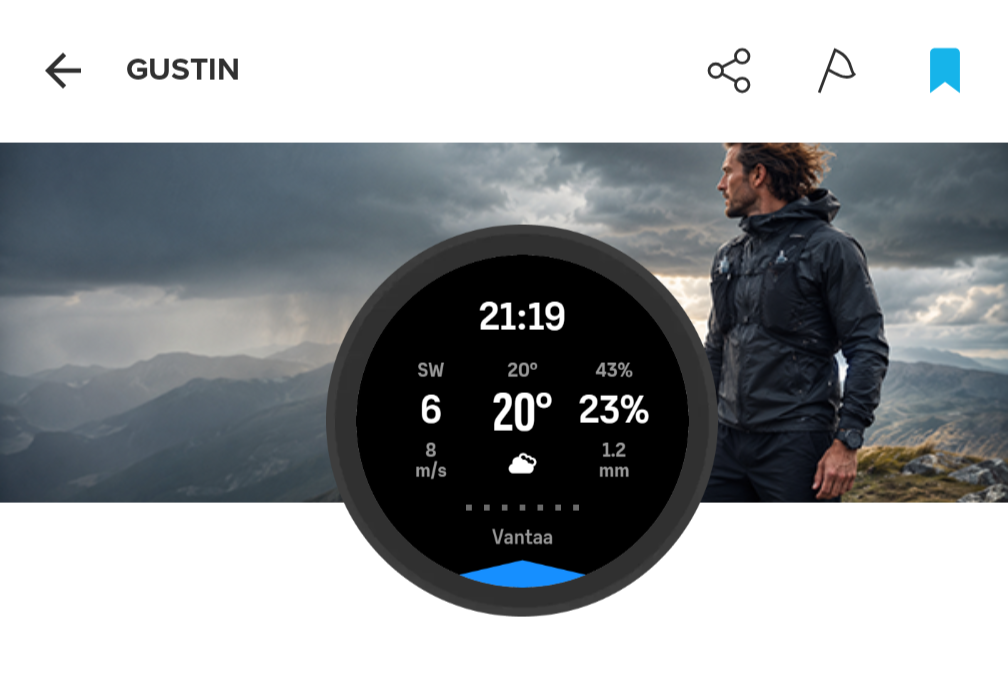
I created it as a compact weather screen that can stay with you during a workout. It shows the current conditions and the next seven hourly forecasts without having to leave the activity screen.
Gustin displays wind direction, wind speed and gusts, temperature and feels like temperature, weather conditions, humidity, probability of precipitation and precipitation amount.
One of the main features is the wind direction indicator around the edge of the display. Instead of showing only a compass direction, it uses the watch heading to show where the wind is actually coming from relative to the direction you are facing. This makes it much easier to interpret the wind while running, cycling, hiking or spending time in the mountains.
You can browse the next seven forecast hours directly from the watch. Press the upper button to move forward one hour, hold it to go back, or press the lower button to return immediately to the current conditions.
Gustin uses the weather information delivered to the watch by the Suunto app, so make sure the watch has received a recent weather update before heading out.
It is available for compatible UI2 watches, including Suunto 9 Peak Pro, Vertical, Race, Race S and Ocean.
You can find Gustin now in the SuuntoPlus Store in the Suunto app.
Feedback is very welcome, especially from people using it during longer outdoor activities.
S9PP 2.50.28
-
@Łukasz-Szmigiel it looks very nice and useful, installed on my Race right now!
-
Amazing. I’ve always wanted to have this on my Suunto watch. I’m amazed that one person can do something like this all by themselves. Great Job!
It’s a shame that the community has to do so many things on its own. -
Thank you - that looks like a lot of hours of work!
-
@Łukasz-Szmigiel Awesome. Thanks so much for this.
Really like the layout and ability to advance through the hourly forecast. One concern is that I might forget what each of the numbers represents, especially the right column with two percentages that could easily be misinterpreted. Is there any room for icons, perhaps? I realize it’s already pretty tight, and reading the SuuntoPlus description is clear enough, but I’m often forgetful, especially out on the trail.
Is the watch capable of receiving weather updates during an activity? Or are all background updates completely paused while recording?
Again, really great work. Your apps really stand out amongst all the new ones for being well thought out and very Suunto-like.
Vertical Ti / S9PP Ti / S9P Ti
-
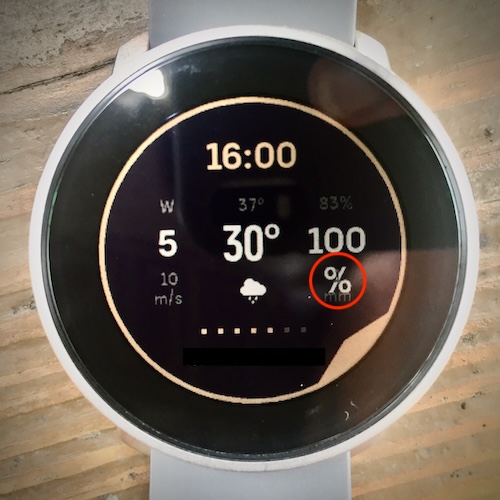
Noticed that if the probability of precipitation is 100%, the “%” gets pushed to the bottom row. This is on 9PP.
-
@duffman19 thanks, I’ll investigate.
-
@duffman19 icons are problematic on a small screen. But I agree that with plenty of data it’s easy to forget which is which. I’ve designed it so that the most important ones are larger.
I do believe the weather is being updated hourly during the workout too.
-
icons are problematic on a small screen.
I agree. I don’t think there’s any room for icons, especially on the 9PP. I’m sure I’ll get used to the layout. It’s only really an issue with the righthand column percentages, anyway.
A great thing about this app is that it actually shows more info than Suunto’s own weather widget. Hour-by-hour precip probability, humidity, and wind gust aren’t visible in the widget. You can only see the current hour’s stats at the bottom. Glad you tapped into that “hidden” info.
-
@łukasz-szmigiel Thank you very much. Installed on my V1 and I’ll be testing it. Have a nice day

-
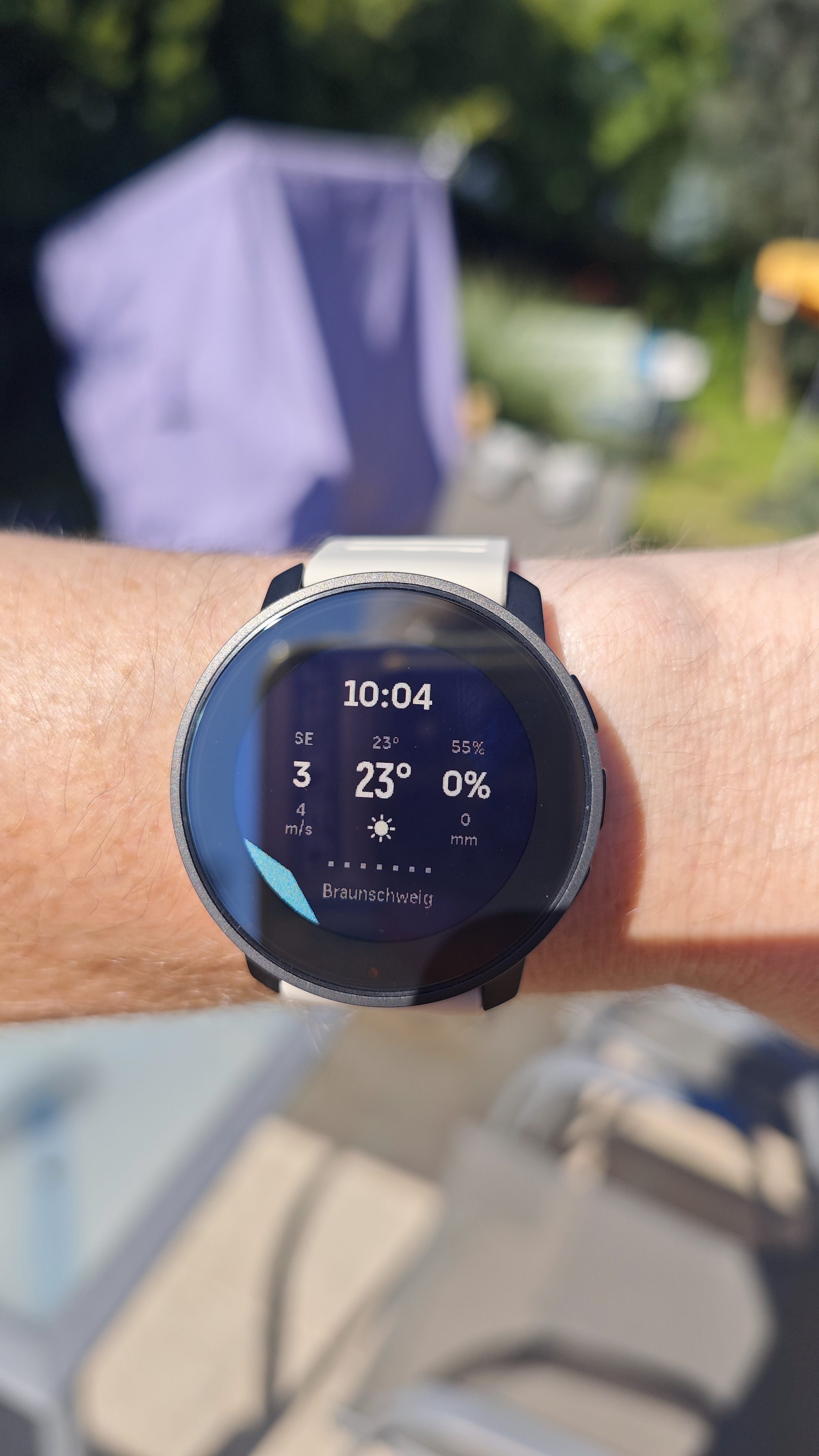
Looks great in my Suunto 9 peak pro

-
Learn more about Gustin on:
https://gustin.szmigiel.design/
Detailed changelog will be published there as I don’t want to pollute app’s description in Suunto App with detailed changelog.
-
I test it today during lunch ride.
Data quite consistent with Windfield app and Windy app on my Garmin Edge.Would be an ultimate app for all outdoor activites if it would combine also one screen similar to Safe suunto app.
A3S | S9B | S9P | S9PP | SV1 Ti | SV2 Ti
Suunto Wing
Suunto App: Android Beta -
Would it be possible to show the baro change too? and maybe sensor temp (even if it is not showing the true outdoor temp.)
-
@Łukasz-Szmigiel
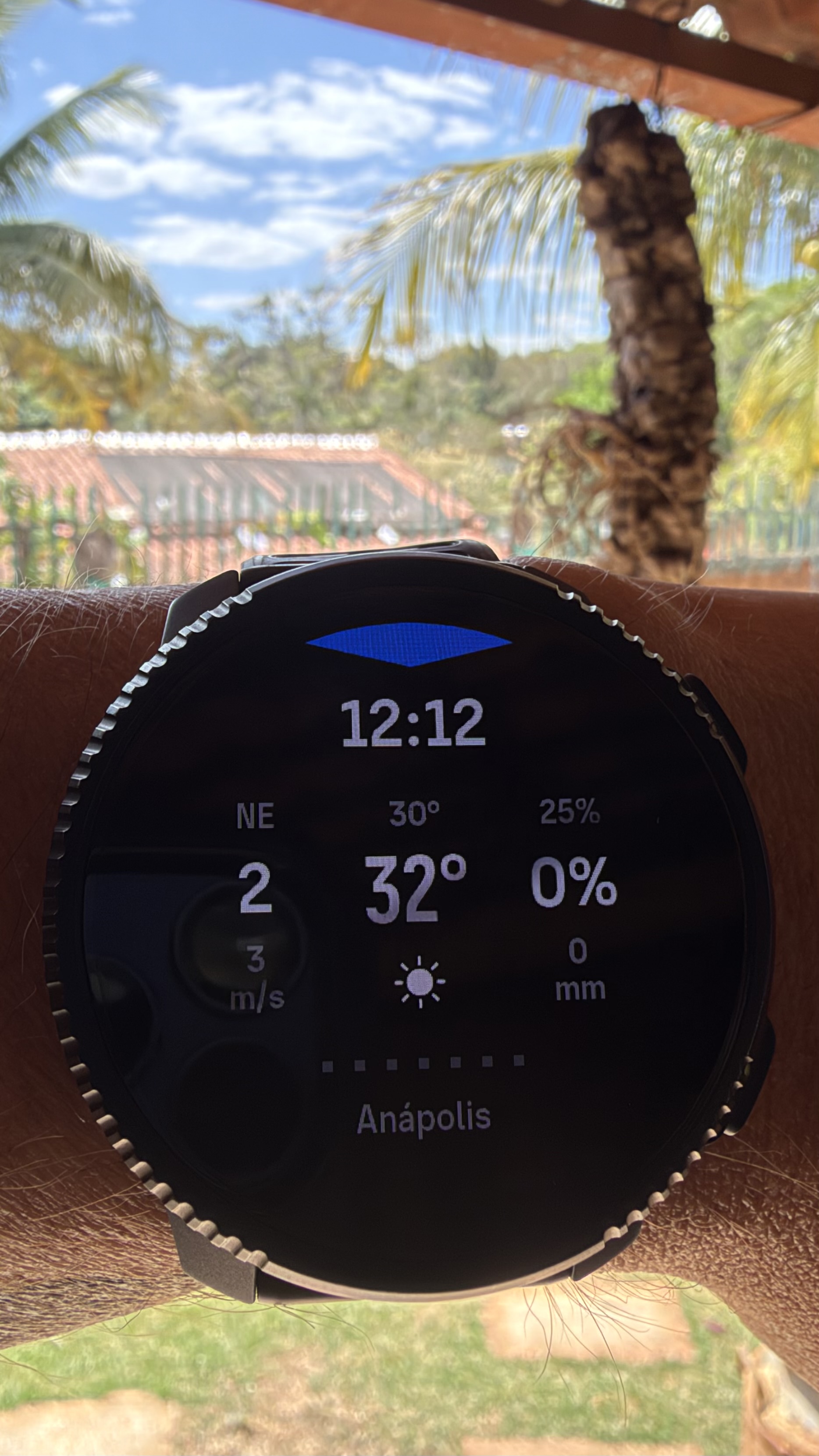
Perfect work and very practical. People like you make our lives so much easier.
-
@v.sacre interesting idea. However:
- There’s safe already.
- Too much in case of S+ is no good
- You can unload S+ and load different one during the workout so there’s no need to have a one-app-fits-all
-
I like the wind direction arrow the best. I’ll have to use it during a real exercise to see how well it works. But I see it’s potential for cycling (to avoid head on wind) and sailing.
Of course, the issue is always where from the weather data comes. Unfortunately, usually, it is not overly granular.
-
But I see it’s potential for cycling (to avoid head on wind)
I’m glad that you find this useful as this was my initial thought behind the dynamic arrow. Why think about directions if we can compute it from sensors and weather data and visualise easily.
I’ve tested red/green marks on opposite directions (head/tail wind) but it was too complex and problematic with colour coding on current vs forecast.
So in current version it’s just one arrow for the wind direction relative to the user. Also, I’m using fused direction, so it behaves in the same way as in the map/navigation. Compass when stationary and GPS while above ~ 2 km/h.
-
@Łukasz-Szmigiel said:
Also, I’m using fused direction, so it behaves in the same way as in the map/navigation. Compass when stationary and GPS while above ~ 2 km/h.It’s a great idea and works great for me when I’m not moving.
But the wind direction arrow doesn’t seem to move at all/align with the wind direction no matter how much I rotate my hand/watch while cycling. I’m not sure if this is a bug or what?!
I am using the original Race.
-
@Mads-Hintz-Madsen this is how fused direction works. If you’re moving, direction is taken from GPS heading, not from compass. Compass is used when stationary.










Hello! It looks like you're interested in this conversation, but you don't have an account yet.
Getting fed up of having to scroll through the same posts each visit? When you register for an account, you'll always come back to exactly where you were before, and choose to be notified of new replies (either via email, or push notification). You'll also be able to save bookmarks and upvote posts to show your appreciation to other community members.
With your input, this post could be even better 💗
Register Login