Tides not syncing
-
@Feissty Was better after restarting my watch…
Is it possible to manually set the location in the new tide widget? For example when I am not at the sea right now but want to monitor the tides at a chosen location…
-
I don’t live by the sea, and I get the message telling me to synchronise the data with my mobile phone.
I then used fake GPS to send a different location to my smartphone, and Ocean immediately displayed the tide information.
However, as soon as I switch back to my actual location, the widget stops updating because the app can’t find any sea nearby. A message then appears in the widget stating that the update has failed.
At the moment, I can’t see any way to enter a fixed or preferred location.
Perhaps this could be fixed with an app update, as the data comes from the smartphone. -
@trianst That’s what support answered:
At the moment, the tide widget does not support manual selection of a future or custom location. It automatically uses the closest supported coastal location based on your current position or saved watch location settings.
We understand how useful it would be to plan ahead for different coastal areas, and we will make sure your feedback is shared with our product team for consideration in future updates.
-
Having the tide widget available on watches that can support it would also be really useful. Thanks
-
@aqua86
Thank you for your feedback.
Let’s hope this is implemented soon.
In my view, this should be done within the app, as it is the app that passes the data on to Ocean. -
Thanks for the responses, still no luck unfortunately and I live right by the ocean.
I tried turning my watch on and off and synching but it still comes up with the same message.
-
Is there any info of where data are coming from ?
Tides calculation can be weird in some location 🥴 -
@Feissty
Maybe a trivial question: Have you enabled location services on your smartphone, and does the Suunto app also have permission to access your location?At least on Android — unfortunately, I can’t say how it works on Apple devices.
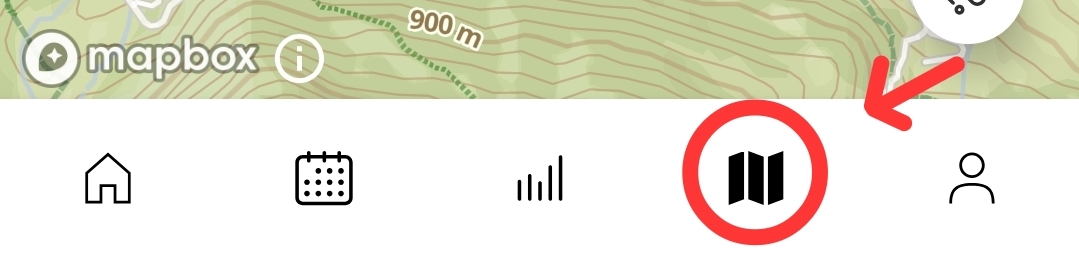
A simple test is to tap the map icon at the bottom of the list in the Suunto app. You should then see your location displayed on the map.
-
Thanks, yes have that working, it intermittent which is the annoying part.
-
@Feissty I am experiencing the same, it worked for two days and in the past three days it refuses to update, syncing, power off/on, nothing works. I am near the sea and gps is working perfectly fine in both the Suunto App (iPhone) and the watch (Ocean). It feels like an early release of an unfinished app, very unreliable.
-
It seems like the gps radius set really small in the app. Yesterday I was in Cabourg (France, Normandy) having dinner and noticed the Tide app showed data again, showing Houlgate as the location. Today we were at the shore of Houlgate, next to Cabourg, and guess what? No data again while the data loaded in Cabourg even a two days forecast. Suunto, please fix this as it is very unreliable.
-
@Gilles-van-der-Have please remember, that this is a user forum. While some of the community memeber also work for Suunto you are not talking to Suunto directly here…
-
@Egika thank you, I am aware, as with many forums i anticipate on Suunto monitoring theirs to further improve their products and services.
-
@Egika thank you, I am aware, as with many forums i anticipate on Suunto monitoring theirs to further improve their products and services.
Every time I report a bug and tell suunto support more people on their forum complain about it, they always ask if I can provide links to those topics.
It could be that Suunto support tries to annoy people by asking a lot of info or it could br they haven’t got a clue what’s going on on their forum.
-
@aqua86 Hi! Also, any chance it can be suggested to cache an entire region tide chart on the watch so that it’s not required to sync at all for years for a given region (except to correct published errors, etc…it can still sync but just to make corrections). Today, many watches can show tide data from around the world that are not smart / connected devices at all. The smart watch should at a minimum do what a dumb tide watch can do if possible. Having to sync daily (sometimes multiple times a day) isn’t a great experience for such a capable / expensive watch

Thanks!
-
My vertical 2 has not had any tide updates for several weeks after a few weeks of updating every 5-6 days for a few weeks. I am in Scotland within metres of the sea.



Hello! It looks like you're interested in this conversation, but you don't have an account yet.
Getting fed up of having to scroll through the same posts each visit? When you register for an account, you'll always come back to exactly where you were before, and choose to be notified of new replies (either via email, or push notification). You'll also be able to save bookmarks and upvote posts to show your appreciation to other community members.
With your input, this post could be even better 💗
Register Login