Removing “Gym Timer” from Track Running?
-
I’m about to start a Track Running workout and need to use two SuuntoPlus
 apps, but one slot is already occupied by “Gym Timer.”
How can I remove it when it doesn’t appear in the SuuntoPlus app list?
I’m using Suunto Race, which only allows two SuuntoPlus
apps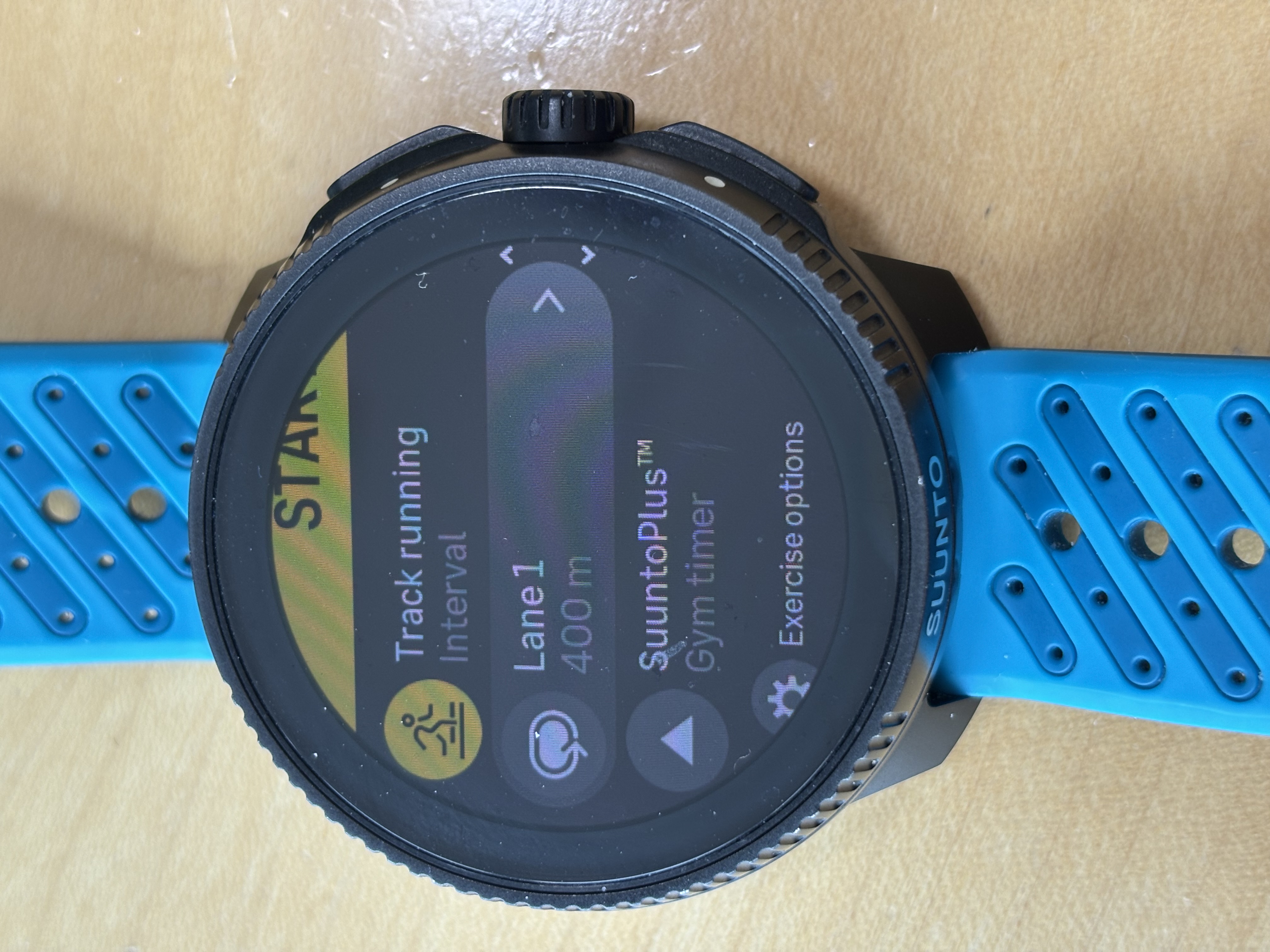
-
@Rayfox just find it in the list of SuuntoPlus Apps and de-select it.
-
I understand that it is not in the list to deselect…
which would be strange. Have you tried a reboot? -
@Egika
Yes, I have tried a soft reset.I suspect it might be related to the fact that I created a “Sport Mode customization” for Track Running.
-
@Rayfox this is weird. I tried to customize Track running and save it, it doesn’t have the Gym Timer in the list. But when I select for example Strength training, I can select Gym Timer. Can you maybe try to edit the custom sport, change something and save it to see if things change?
-
I deleted my “sport mode customization” for Track Running and created a new one — but the issue persists.
-
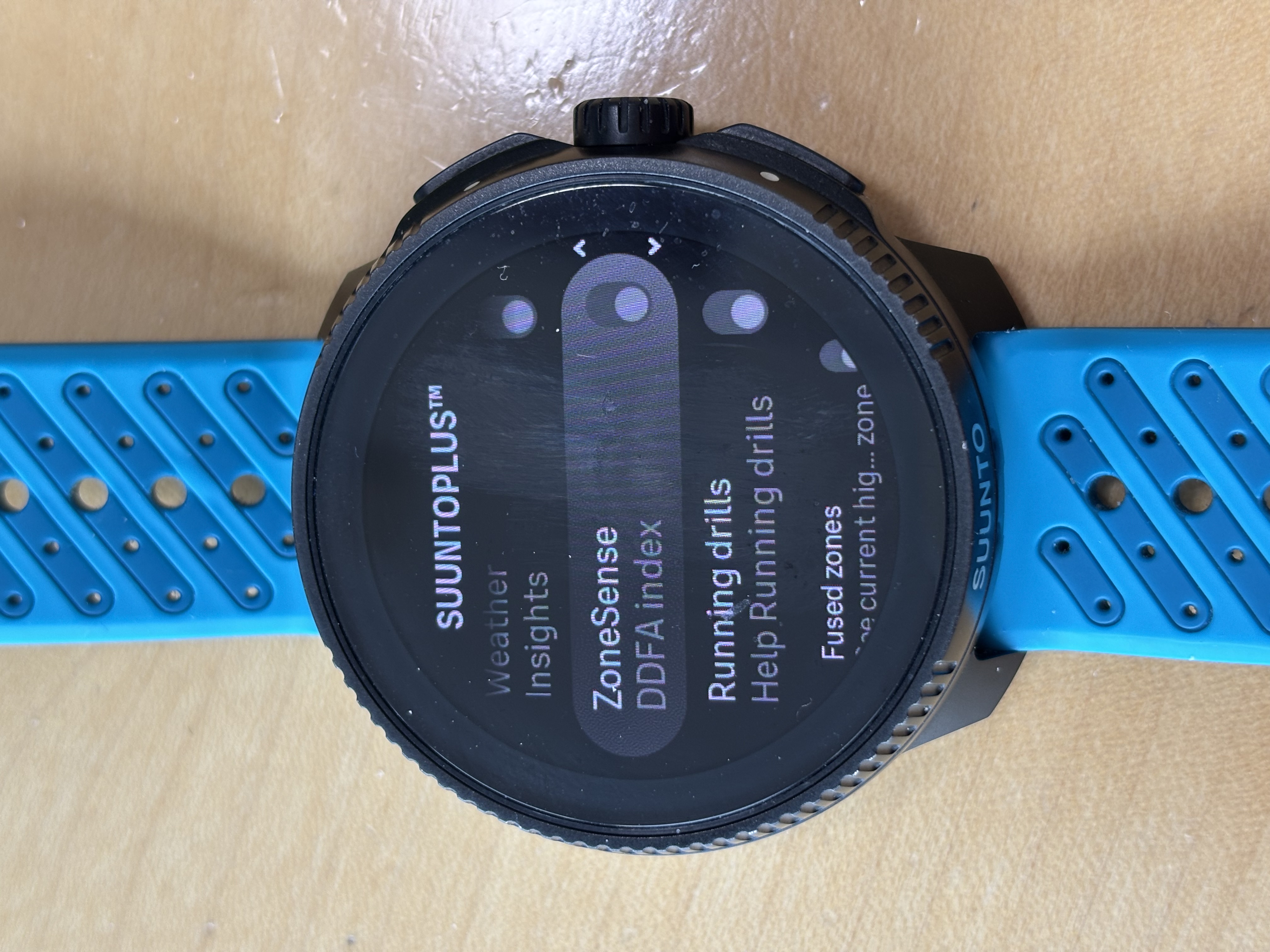
@Rayfox Have you thought of deleting the Gym timer app from the watch? But I would still like to see the video scrolling through the whole list of S+ apps on your watch. (list in pic #2) 🧐
-
@Squirrel
I deleted “Gym Timer” from the watch, and that worked—Track Running no longer had Gym Timer assigned.However, after reinstalling Gym Timer, it automatically appeared again in Track Running…
-
@Rayfox now I am confused.
I thought you never had “Gym Timer” in your watch and it was mysteriously showing.If it is installed to your watch, is it visible in the S+ selection in the pre-start screen yes or no?
-
-
The list of available SuuntoPlus apps for Track Running (as shown in image 2) does not include “Gym Timer”, so there is no option to turn it on or off.
I do have Gym Timer installed on the watch, but it cannot be selected for Track Running—similar to “Running Basic”. It is only available for activities like “Weight Training”, which makes sense.
-
@Rayfox thank you for clarification.
This is indeed a strange situation… -
So my workaround, in order to use two SuuntoPlus apps with “Track Running”, is to remove “Gym Timer” from the watch (via the Suunto app on my iPhone) and reinstall it before going to the gym again.
I was just hoping someone had a quick fix—but my workaround is definitely manageable. Have a great day everyone

-
@Rayfox remove Gym Timer, select two other SuuntoPlus apps in Track Running, reinstall Gym Timer. My guess is that this will work, as both app slots are already taken by a different app and therefore Gym Timer cannot be selected anymore…
-
 R Rayfox referenced this topic on



Hello! It looks like you're interested in this conversation, but you don't have an account yet.
Getting fed up of having to scroll through the same posts each visit? When you register for an account, you'll always come back to exactly where you were before, and choose to be notified of new replies (either via email, or push notification). You'll also be able to save bookmarks and upvote posts to show your appreciation to other community members.
With your input, this post could be even better 💗
Register Login