[Race2 - 2.50.28] weird GPS track and crash during workout
-
so my Race 2 crashed, yet again, yesterday but this time looks like the reason is obvious
I was using default run mode, with one S+ app (manual hill reps) and HR strap (polar h10)
my wild guess is that the problem is with GPS module/data processing. take a look at screenshots- path shows clearly that I’m a ghost and can fly through buildings

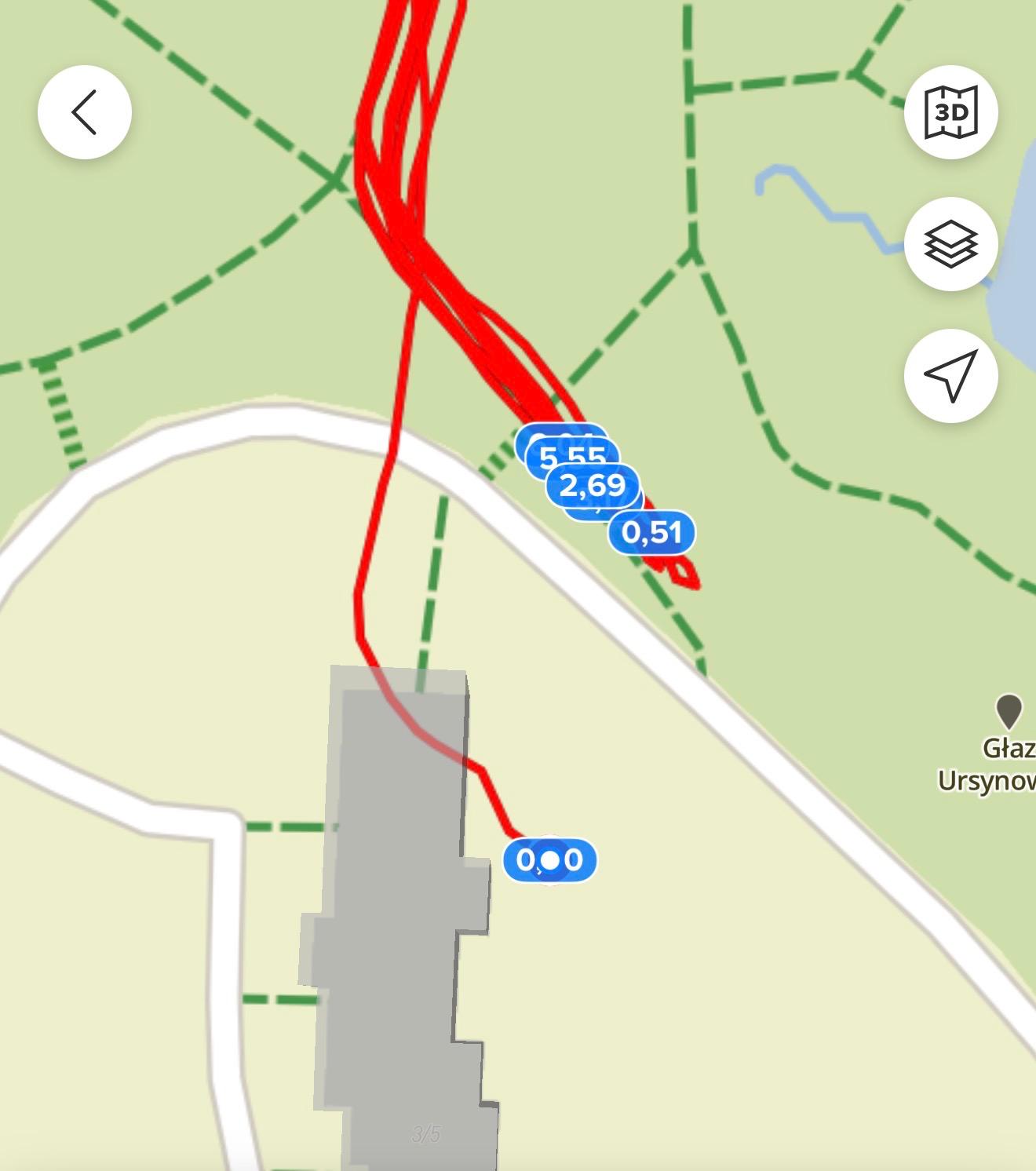
- I was grinding the same hill over and over again and yet, it’s getting smaller with each rep (shouldn’t it be other way around? )
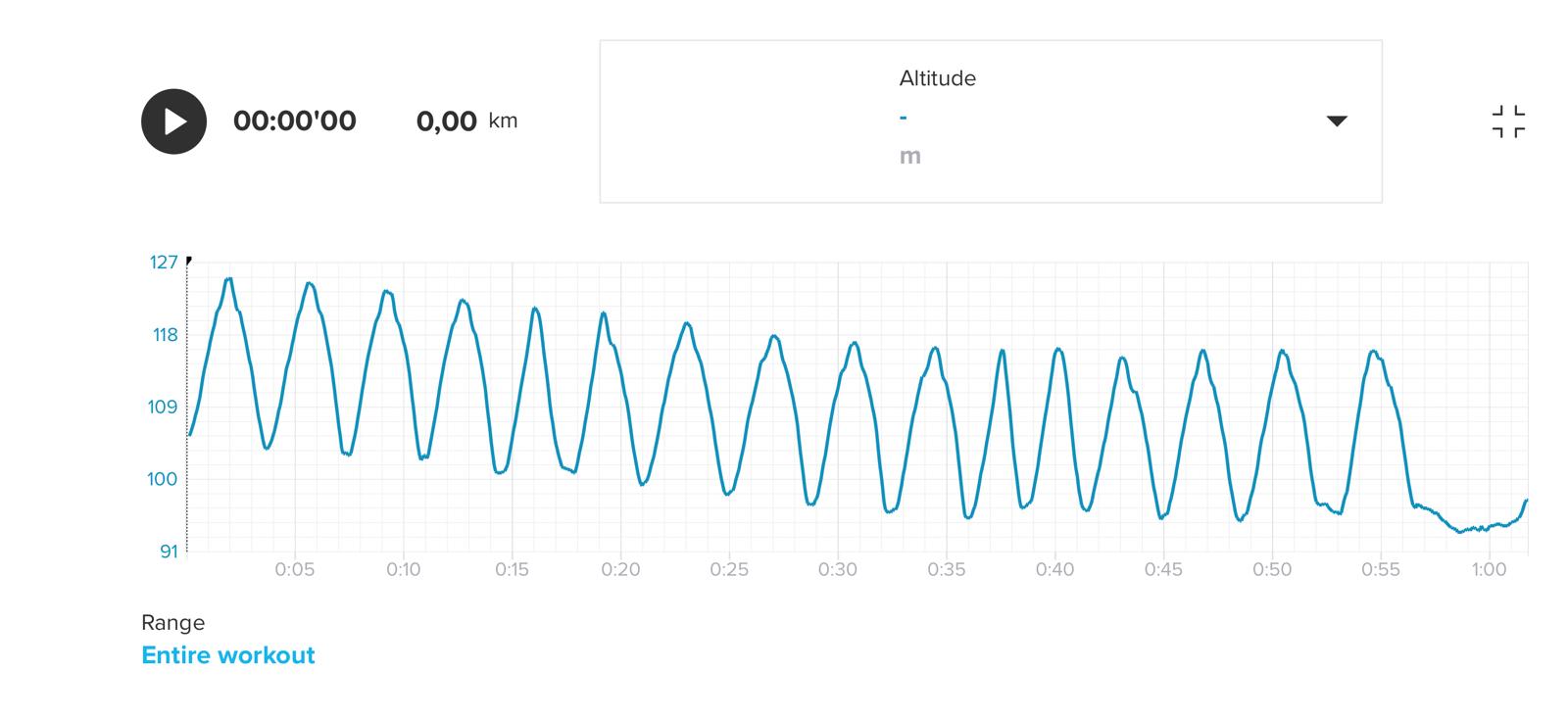
watch is on latest FW v.2.50.28
logs already sent to Suunto - path shows clearly that I’m a ghost and can fly through buildings
-
@mich-heller I had also a very strange crash yesterday during a running workout. I was also wearing Polar H10 and had a map view open for the route. My watch’s (Race 2) display wouldn’t turn on when I raised my hand and I had to press the middle button to see the route. The second time I did this, the watch booted itself, presumably it crashed.
Have you heard anything back on this issue?
-
@jtamj no, unfortunately not a thing
but… I had another crash on saturday my watch did exaclty the same thing. I tried to zoom out map, watch wouldn’t react (rotating crown did nothing), then screen went blank, I was able to wake it up like 2 times (with significant lag after button press) and in the end it crashed… after about 450m of run…
no HR belt this time, so I guess it’s not BT/HR related
-
First crash for me yesterday during a treadmill run, after about 50’, just when a notification popped up…
-
my race 2 crashed again today. i’m on a roll, it’s every other GPS workout now

-
@mich-heller I would suggest to wait for next firmware update, and if it happens again with the new firmware, we’ll forward the bug to Suunto
-
I had a crash on my Race 2 two times.
- One it was during my workout at the very beginning. I used HR belt and didn’t use any map or track.
- Second one was today during my long run with map and track screen active. I haven’t look at the watches at the time of crash. I just felt a vibration (which it has during startup). Looked at the watches and saw the booting logo.
It is very annoying during training, but during race (especially long trail run) it is not acceptable.
Does anyone know how can I get and send crash log to Suunto for investigation?
-
@newegor https://www.suunto.com/en-gb/Support/faq-articles/suunto-app/how-to-send-diagnostic-logs-on-suunto-app/
Note: Your watch needs to be paired with the Suunto app.
Open Profile in the app.
Open Settings and scroll to the last section of the view.
Tap the Send logs to Suunto option and then confirm if prompted.
You will see the notification Sending logs to Suunto until the logs are successfully sent. This may take several minutes. Please do not close the app while the notification indicating that logs are being sent is visible. -
@mich-heller as far as I know, sending logs if you are not instructed to do so, or if you are not reporting a bug here, is not useful, as no one will receive and see them.
Watch: Suunto Vertical 2 Titanium Black
Blog: isazi's home
-
@isazi
 I was always wondering how does it work
so how does it work exaclty beside exact request from team? if I create thread with bug report like this one, does it make sense to send logs? because I’m doing it after every crash -

