Suunto Run Storm Alarm Indicator
-
Had the storm alarm activate in my Suunto Run today, everything worked as expected…except there was no “indicator remains in the display until conditions improve.” It would make complete sense for it to be in the same indicator slot on the watchface from that quote in the manual but…it wasn’t anywhere to be found.
In the same vein…there’s no pressure trendline indicator as also shown in the manual, in the alti/baro app, nor the pressure field on watchfaces…
-
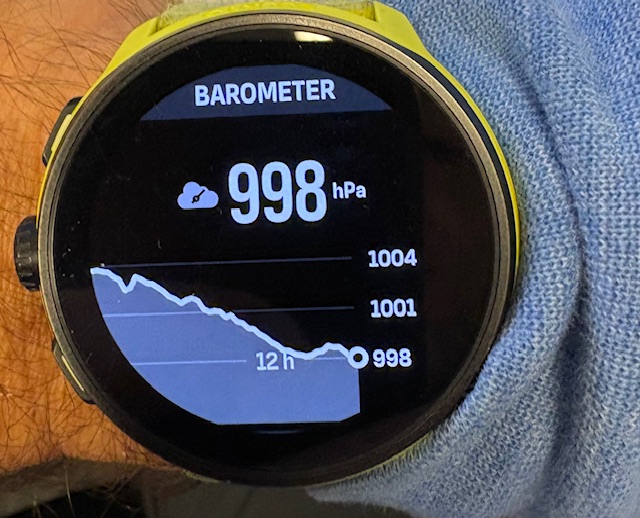
@JebClydeNC no idea about the persistence of the storm alarm symbol, but I definitely do have the baro trend in the alti/baro widget:
-
@Egika The trendline I’m referring to is the two-segment design, dating back to the Core and even prior, denoting the last 3 hours, and the 3 hours before that. Its a compact way of representing the graph, and has been a staple of watch faces for decades for Suunto. The manual even references it and shows pictures for the Run…but its absent from the watch itself, including in your photo (replaced by the cloud icon)
-
@JebClydeNC
you mean this?
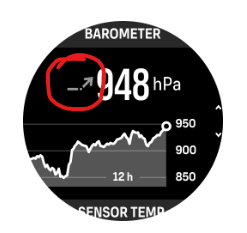
Right, I don’t have it in the watch as well. Just - you have the fully pressure trendline. So this one would be redundant. The manual should be changed.
As a selection for complications, I don’t find it in the manual, that it should be available…
-
@Egika Yep, thats the one. I disagree on the redundancy personally (albeit probably from tradition of having that in so many watches, including Suuntos over the years lol). But yes, the mention of it, picture of it, and of my original mention of the “storm alarm indicator” show either the software needs to change to align with the manual and other watches, or the manual needs some updates to align with the current watch setup…


Hello! It looks like you're interested in this conversation, but you don't have an account yet.
Getting fed up of having to scroll through the same posts each visit? When you register for an account, you'll always come back to exactly where you were before, and choose to be notified of new replies (either via email, or push notification). You'll also be able to save bookmarks and upvote posts to show your appreciation to other community members.
With your input, this post could be even better 💗
Register Login