Ability to sync dive to SSI app
-
You could try the app SUBSURFACE. If it does not work drop a line to the maintainer. It will be looked at and most certainly will function after the maintainer has done the necessary update. Good luck.
-
found this website to import or export dives (completely free) desktop or app
Ive select the file .FIT from Nautic and select Ocean and it worked
-
Thank you for the feedback Pavel
“At first glance it looks like doing something like this for Suunto should be relatively simple”
Quite cool!
Interesting pointers given by NO-DECO and Nandodiver, thanks, I will give a try to both Subsurface and Divelogs
-
@el.Fakir Gôôd luck.
-
Based on another user’s suggestion, I made a Suunto .FIT to QR code open-sourced browser app.
App: https://shaevitz.github.io/suunto-to-ssi-qr/
GitHub: https://github.com/shaevitz/suunto-to-ssi-qrBasic workflow
- Export the dive from the Suunto app as a .FIT file.
- Open the browser tool: https://shaevitz.github.io/suunto-to-ssi-qr/
- Choose the .FIT file.
- The tool generates an SSI-compatible QR code.
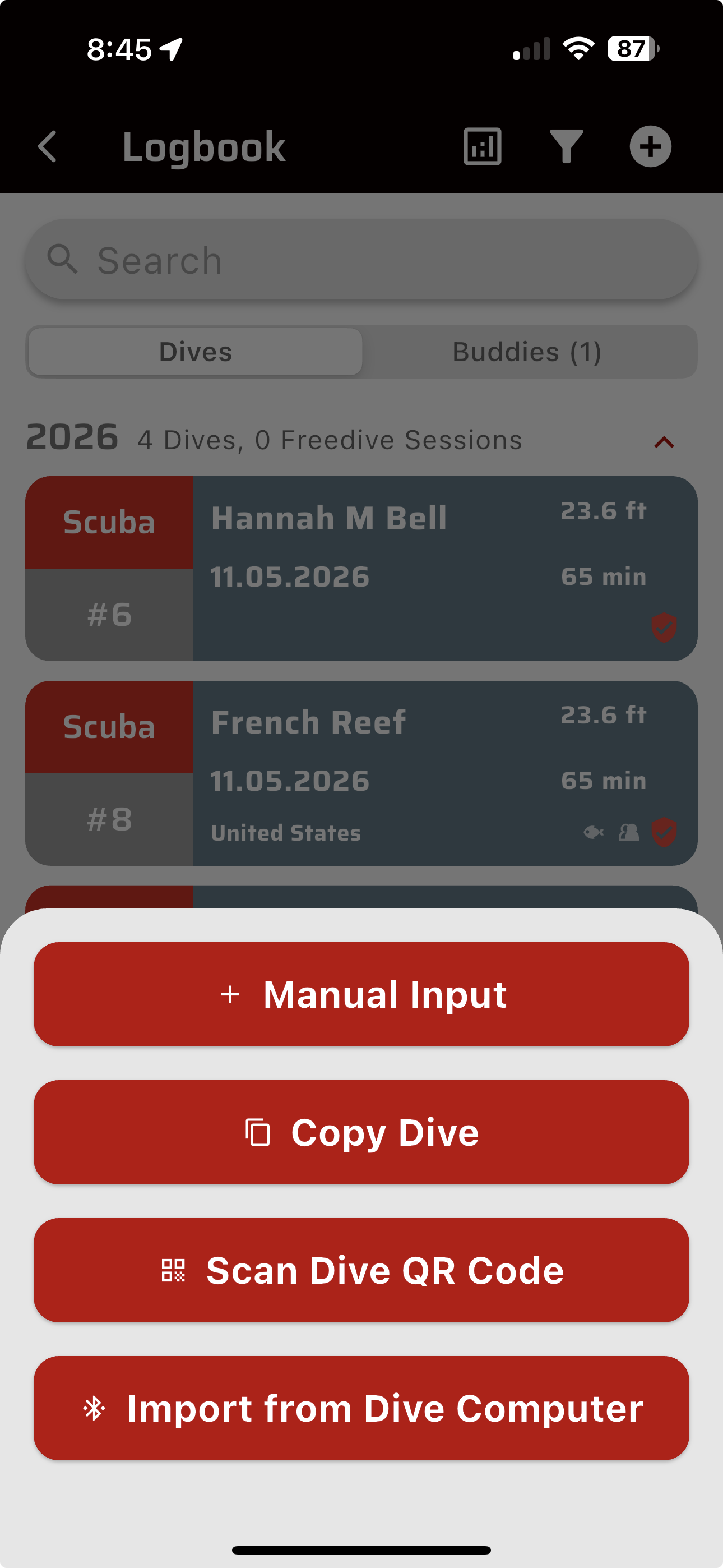
- Open the SSI app and use its QR import/scanner to scan the QR code.
Notes / caveats
- The browser version does not upload your dive file to any servers. It parses the FIT file locally in the browser.
- You cannot use a single phone to do the whole process if SSI requires the live camera to import the QR code. You need to show the generated QR on another device/screen, print it, or otherwise get the QR in front of the phone camera. I did not find a “scan QR from photo” option in SSI.
- The QR format appears to store a compact dive-log summary, not the full dive profile. The tool currently includes date/time, duration, max depth, and water temperature where present.
- I have only tested this with my Suunto Nautic S exports, so other Suunto devices may or may not work without tweaks.
- It is MIT licensed, so feel free to use, fork, or improve it.
-
@jshaevitz works fine
-
what does the SSI QR do ? A little confused
-
@Dimitrios-Kanellopoulos if you use the SSI app as your dive log, one import option for adding a dive is by scanning a QR code. This app converts your Nautical S recorded dive to the qr so you can add the dive to SSI without typing in the details.
-
@jshaevitz nice project.
Suunto has partner API. If you integrate with it, you can let users authorize with their suunto account and download FIT files directly from the cloud. This way it would be no need for manual download/upload. -
@jshaevitz You want to help me add it to QS (quantified-self.io) ?




Hello! It looks like you're interested in this conversation, but you don't have an account yet.
Getting fed up of having to scroll through the same posts each visit? When you register for an account, you'll always come back to exactly where you were before, and choose to be notified of new replies (either via email, or push notification). You'll also be able to save bookmarks and upvote posts to show your appreciation to other community members.
With your input, this post could be even better 💗
Register Login