Sleep widget not working properly on Vertical 2
-
yes, this is an iOS only issue. Thus not only originating in the watch.
-
@itoakio & @mountainsdudeshikes, as step 4 of the procedure, try force restarting (soft reset - 12sec upper button) the watch. My Vertical shows correct sleep info/HRV in the widgets after the restart.
-
@Freezer worked! thank you very much. my recovery metrics are still off between app and watch. It should even out over the coming night I think.
-
@Freezer indeed, it does. thank you. Let‘s hope this is a permanent fix.
-
I have had this same issue for a week or so. Tried the advice given here, but still not working. I don’t even see the time in bed -option. I also uninstalled the app. Now it seems to upload duplicates of my recent activities
 Hopefully this sleep thing gets sorted quickly as now the information in the watch is quite useless.
 -
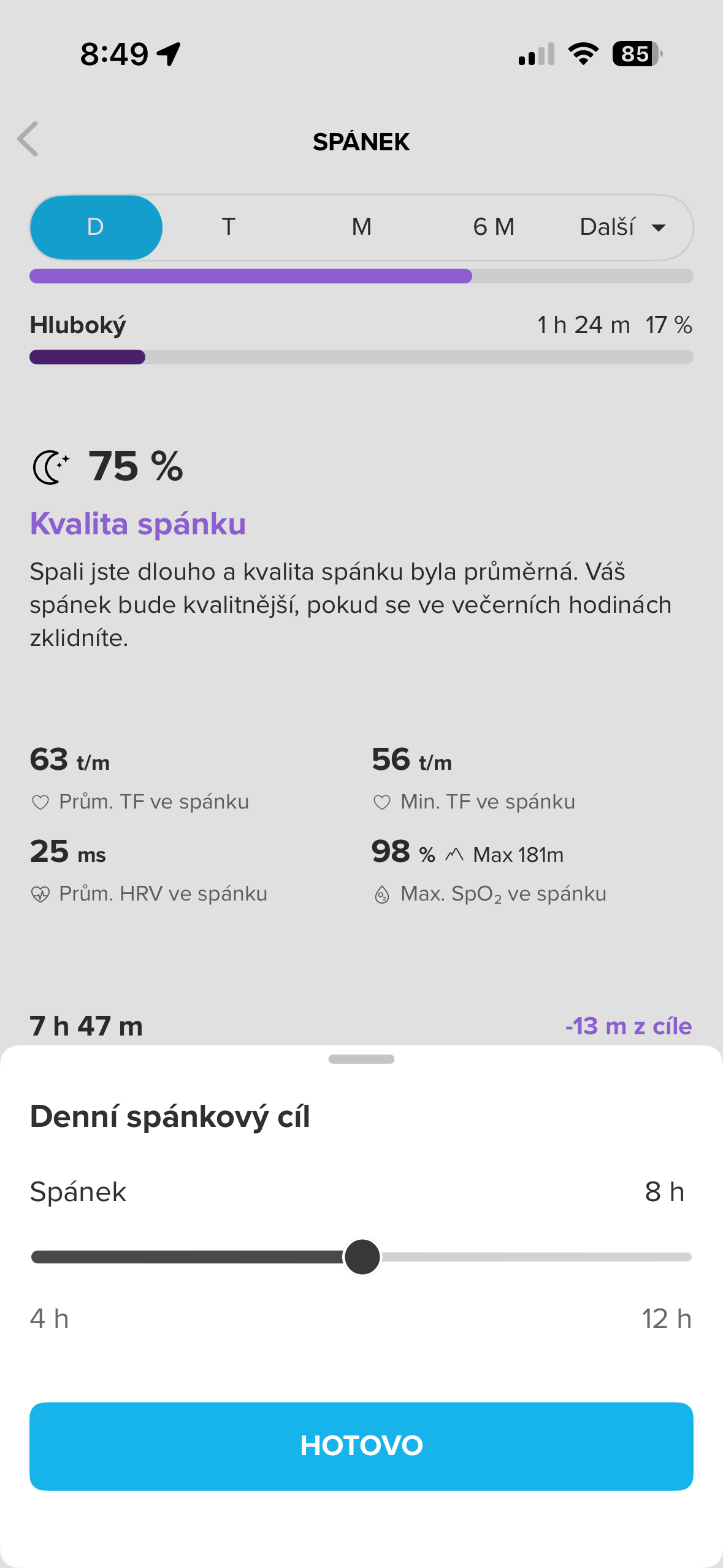
@OpaJaa, in the Suunto App you select “Sleep” - either from the Dashboard or the Training Zone/Recovery/Sleep so that you get the expanded sleep view and scroll all the way down to the bottom and select “Daily sleep target” - that’s where time in bed it’s supposed to be set (once set it’s no longer available). NB you should also re-pair and force restart the watch after this.
-
@Freezer thanks, but it is not there. I did the un-pairing, couple force restarts and even reinstalled the app. And still I only see the amount of sleep slider there. And yesterdays sleep in the watch. So it seems the workaround is not working for me. Waiting to get an updated version of the app or other guidance on how to proceed. I can live with this but it does give bit of doubt on the reliability of the software.
-
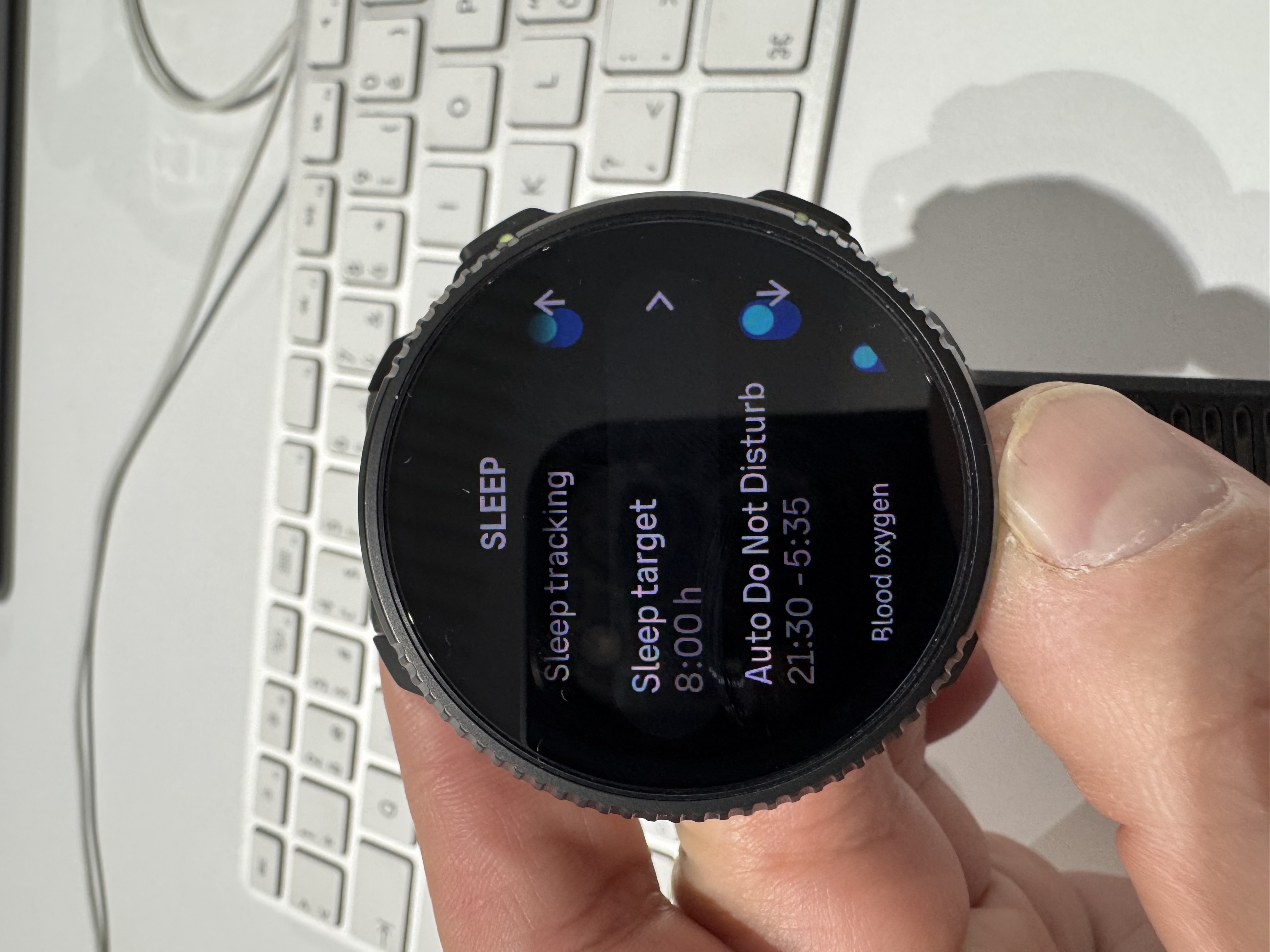
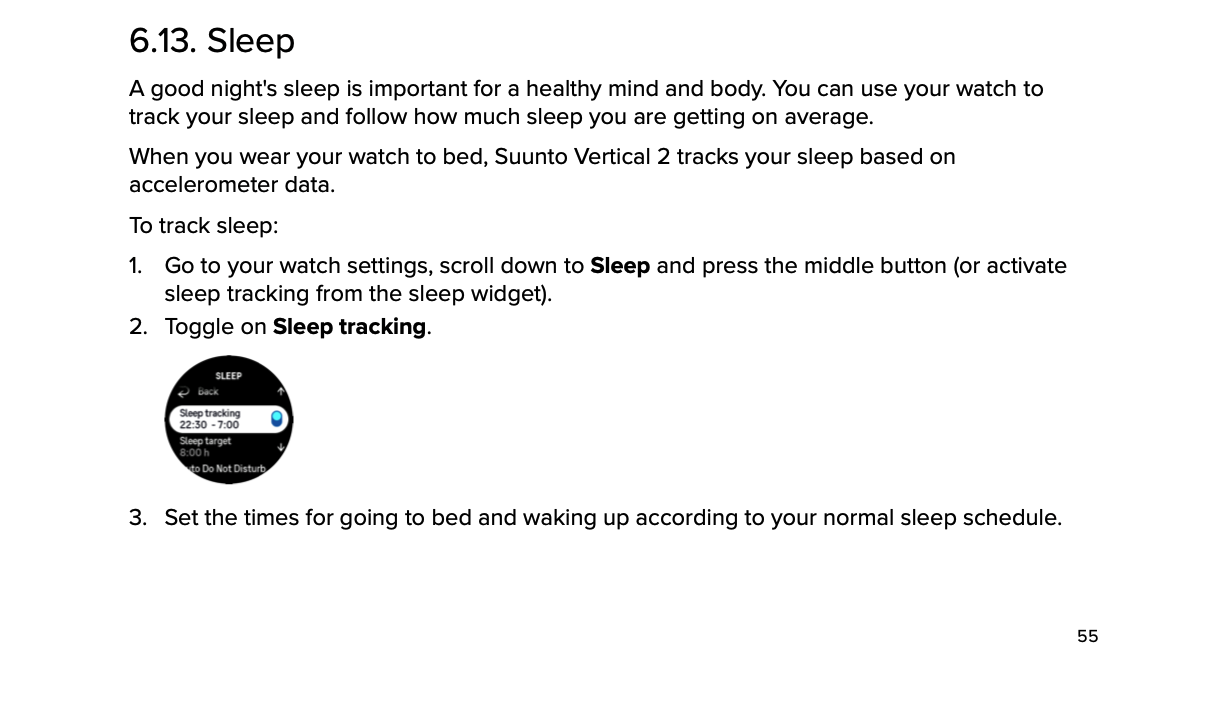
@Freezer And actually the sleep times are not available on the watch either. I think I originally set them from there. But now the sleep settings are missing it. Sleep tracking toggle is there but not the times when sleep should be tracked. I looked from the manual and it should be there.
-
I have the same affliction. The software version in the watch is 2.50.26. The sleep widget shows it is offset by one day. It shows the last date a day earlier. Everything is fine in the app on both iOS and macOS. I wanted to try the instructions from @Egika , but for me the “Time to bed” setting is currently missing. I only have Sleep tracking, Sleep target, Auto DNB…
I tried unpair, pair, delete. Nothing works. I will wait for a fix

-
@Petr-Manek you should look for the “Time to bed” setting in the Suunto App (iOS), not on the watch.
-
@OpaJaa, sorry to hear that it didn’t work for you. I don’t have any other suggestions, for me it worked as described in the posts above.
-
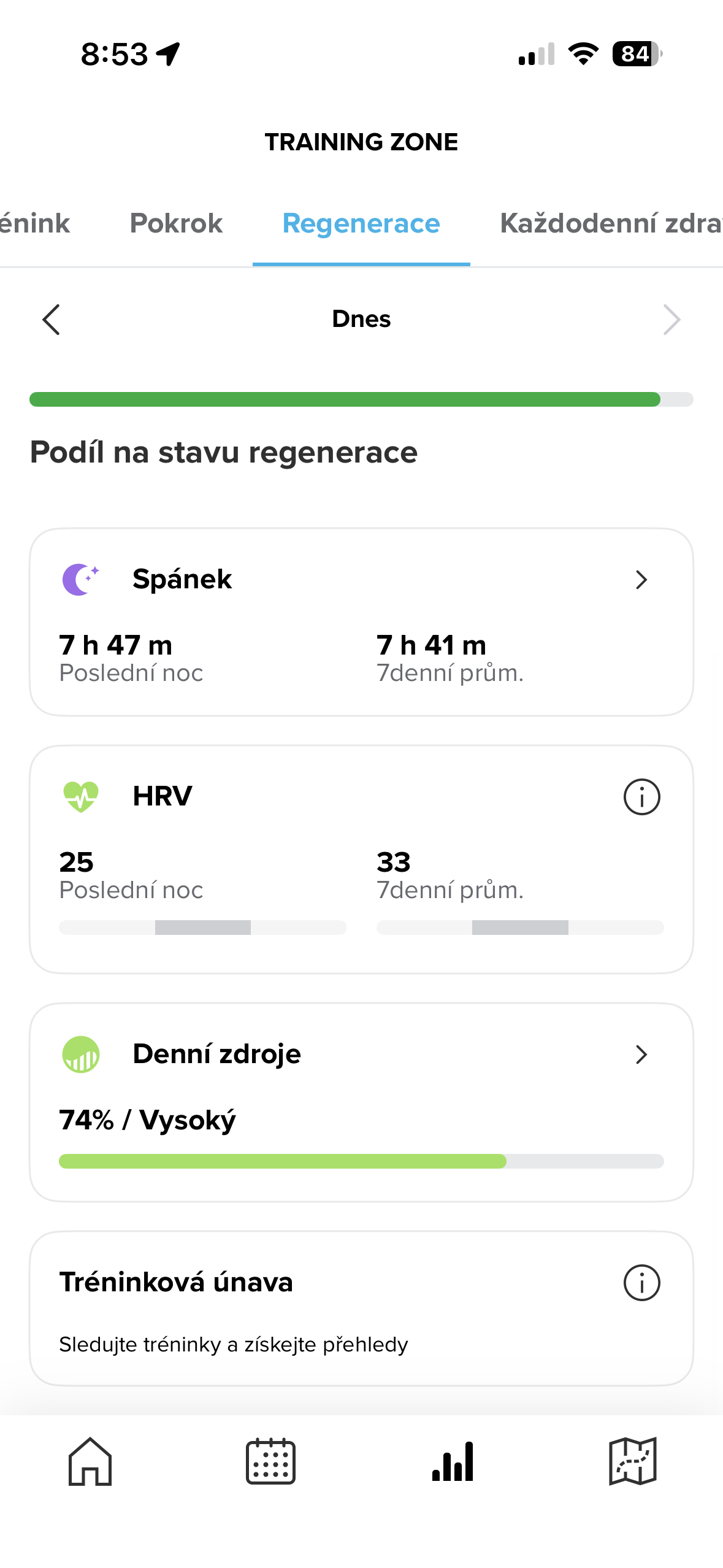
@Freezer Thank you, I automatically wanted to set it in the watch. I also looked in the manual and based on the picture shown. Ok, I went to Training zone > Regeneration > scrolled down and don’t see the Time to bad setting. If I click on sleep, only the daily goal is at the bottom. I must be doing something wrong. This is my first Suunto watch and I’m getting acquainted.
-
@Petr-Manek, seems you have a similar problem as @OpaJaa.
When I troubleshooted (after first unpairing Vertical2) what I did differently form you is that I selected “Sleep” from the “Dashboard” not from the “Training Zone -> …”. Maybe try that.
-
@Freezer Thank you for your interest in our problem. I tried to do what you said, but nothing changed.
-
@Petr-Manek You forgot to do the first step: unpair the watch and restart the mobile APP. I mentioned this above

-
@Egika if this might be of interest to Suunto; Setting for “Time in bed” is always visible/available when Suunto App is paired to (old) Vertical Solar but not when it’s paired to Vertical 2.
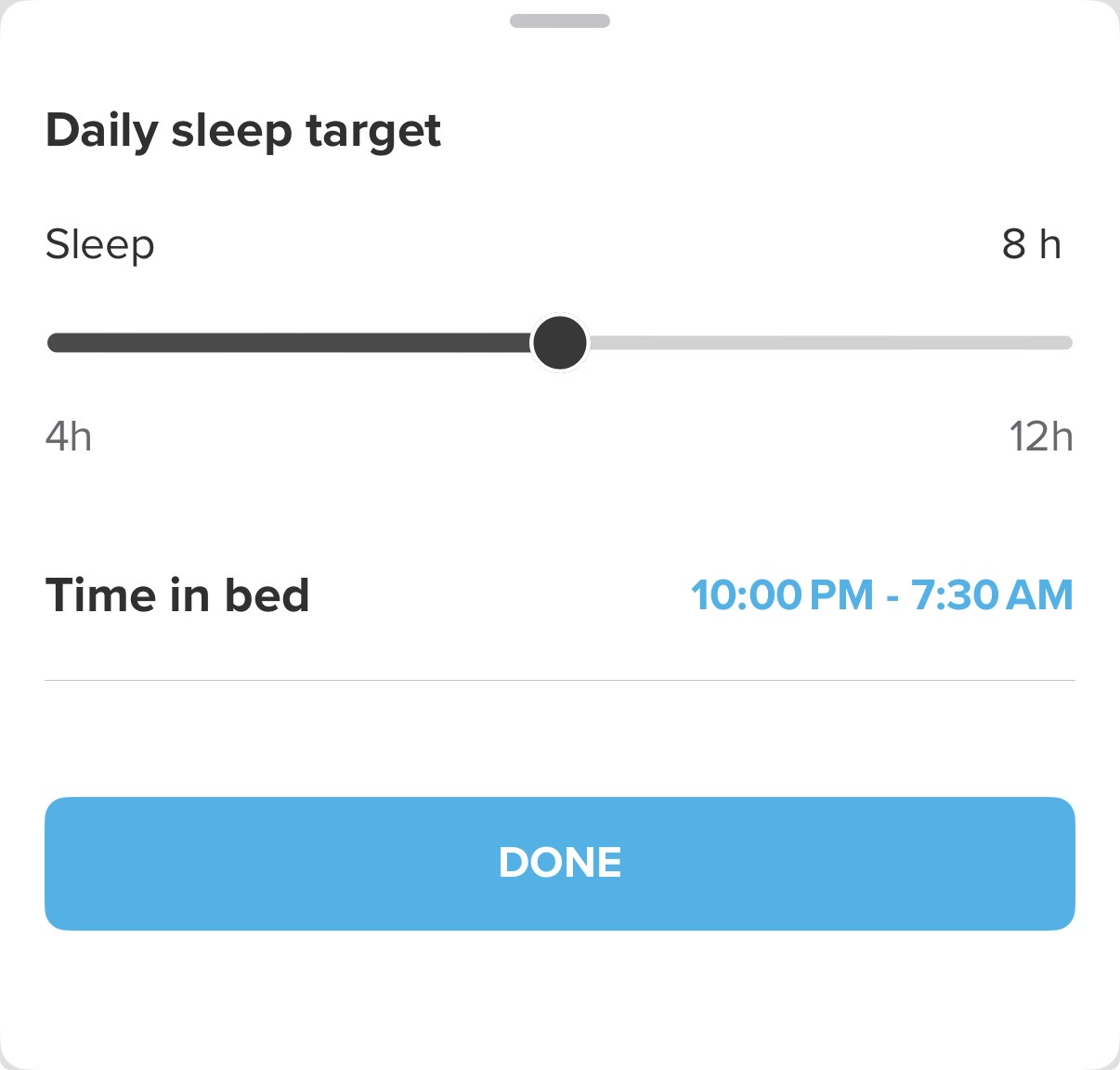
-
@Anton-Zhedik Hi, thank you, I tried it as you said, but still not working.

 ️
️ -
I have a Race S, and I tried everything you mentioned here, but it still isn’t working for me. In my case, it started on the 1st day of the year… I hope there will be a fix soon. I liked the sleep summary in the morning.

-
F Freezer referenced this topic on
-
F Freezer referenced this topic on
-
 O OutdoorMan referenced this topic on
-
M MMarcel referenced this topic on



Hello! It looks like you're interested in this conversation, but you don't have an account yet.
Getting fed up of having to scroll through the same posts each visit? When you register for an account, you'll always come back to exactly where you were before, and choose to be notified of new replies (either via email, or push notification). You'll also be able to save bookmarks and upvote posts to show your appreciation to other community members.
With your input, this post could be even better 💗
Register Login