Problem connecting S+ apps with their external sensors
-
@isazi @Raimo-Järvi today’s test was less successful: I could connect to the Train.Red sensor, but not the Core.
The Core was advertising, and after 4 failed attempts to connect to the sensor, my phone paired and connected without issue. Either there’s a problem with Core S+ app, or the problem persists.
I’ll try the Train.Red sensor and my Activelook glasses tomorrow.
https://zulusierra.co
-
@Ze-Stuart let me know, if this is not fixed yet I may ask you to send some logs and we can open an issue with Suunto.
-
@isazi @Raimo-Järvi continued problems, with new problems developing. As follows:
Yesterday I went on a run. I could only connect to 1 S+ Bluetooth device, either my Engo 2 or Train.Red monitor. Despite the Core broadcasting, verified using my phone, the S+ widget was unable to connect.
TL;DR: suspected Bluetooth disconnect to three devices. Problem of two Bluetooth S+ connections continues.
Setup:
- Race, latest firmware
- Stryd Duo, paired as footpad, power pod disabled (I have it set for my bike’s power meter)
- Sennheiser Momentup Sport, paired as chest strap (HR source)
- Default Running profile, power
- Battery mode: performance
- Suunto Plus: ActiveLook, FusedZones
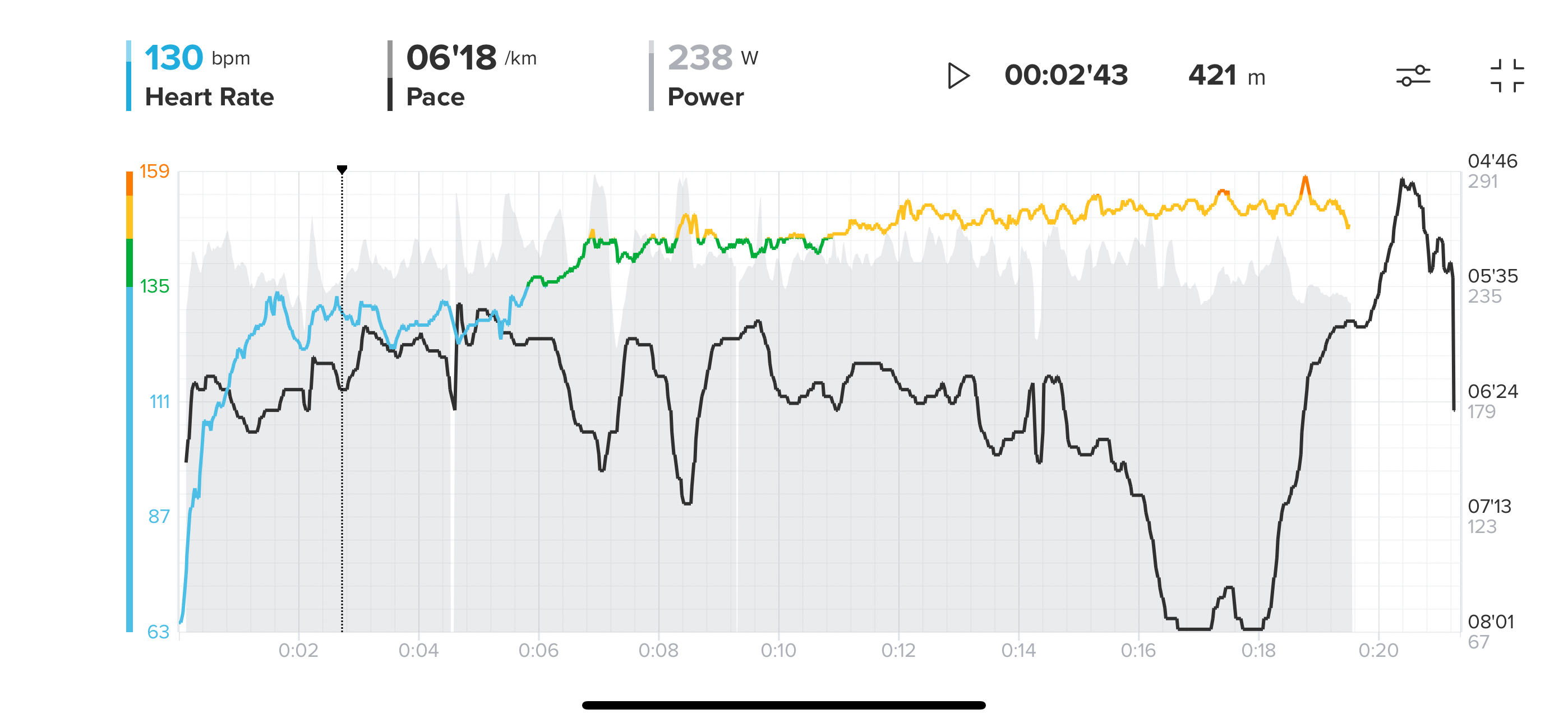
After 22:22 of running, the watch stopped connecting to external sensors: I noticed this as on my Engo 2, the HR field went from numbers to ‘–’ and the other two fields (power, pace) stopped updating. Looking at the watch, power was no longer displayed, which allowed me to determine it was probably the watch losing connection to Bluetooth. You can see on the graph that power and HR are no longer recorded, but pace continues to be.
I stopped running, paused, tried disabling/enabling the ActiveLook field, which didn’t restore the connection. I ended the activity, started a new one, and was able to continue without issue.
Please let me know if the .fit of the activity, or log files would be helpful.
 IMG_8432DB921B05-1.jpeg
 -
@Ze-Stuart I will link this forum thread to Suunto
Watch: Suunto Vertical 2 Titanium Black
Blog: isazi's home
-
@isazi thanks!
-
@Ze-Stuart Suunto needs logs of this happening, otherwise a bug cannot be opened
Watch: Suunto Vertical 2 Titanium Black
Blog: isazi's home
-
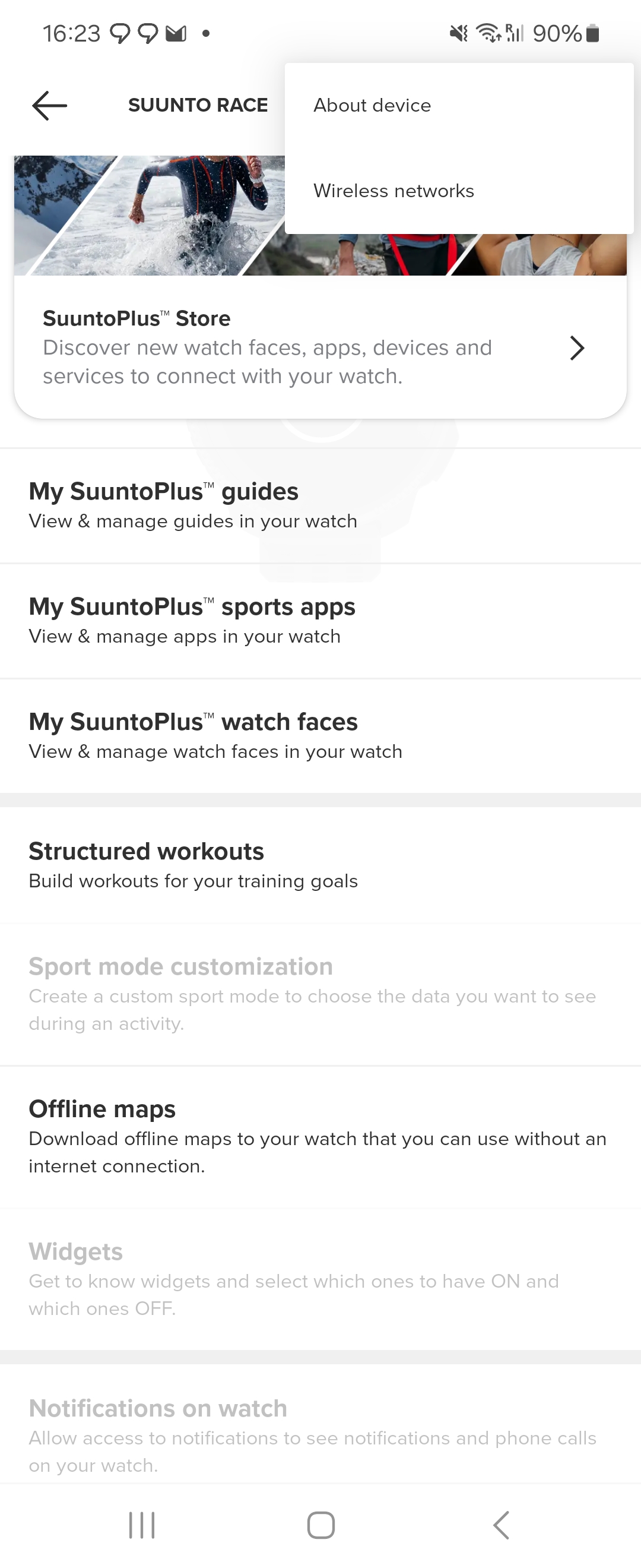
@isazi happy to. Where’s the upload log button gone?
-
@Ze-Stuart in settings
Watch: Suunto Vertical 2 Titanium Black
Blog: isazi's home
-
@isazi found it and sent them.
-
@Ze-Stuart send me a PM with the time you sent logs, and the email associated with your Suunto App account


Hello! It looks like you're interested in this conversation, but you don't have an account yet.
Getting fed up of having to scroll through the same posts each visit? When you register for an account, you'll always come back to exactly where you were before, and choose to be notified of new replies (either via email, or push notification). You'll also be able to save bookmarks and upvote posts to show your appreciation to other community members.
With your input, this post could be even better 💗
Register Login