Tank pressure must be displayed at all times!
-
Tank pressure must be displayed at all times!
The tank pressure(s) are hidden behind the compass and user enabled Fields!
Solution: There is enough vertical space right to the Depth Gauge to graphically show the active tank pressure at all times. E.g. as a 5 bar indicator that are green until the user set alarm level, then orange and red from 50 bars and down - and blinking red below 20 bars.
AND a 1 Field sized compass will be nice - even that its shows only the numerical bearing from north and a red arrow to the left or right to indicate the shortest direction towards north - and a vertical yellow line marking the user set course…
-
In our dark and merky waters in NL the main screen for me is allways the compass screen. And yes you can switch but I really would like to see an option with the tank pressure in compass mode…
-
@Niels-Søren-Bøgh and @hhouter I am miffed about the same issue that compass hides the tank pressure.
I made a list of a few software limitations in the following thread, let’s hope Suunto developers are listening:
https://forum.suunto.com/topic/14363/software-limitations-of-suunto-nautic-vs-garmin-x50i -
@Niels-Søren-Bøgh Goodnidea I up vote for this.
-
Indeed tank pressure and compass should be visible in 1 screen.
It should be a simple fix.With a small compass widget, with just the heading in degrees, I would be happy.
Setup a screen with tank pressure and heading.
And never have to change screen on most of my dives. -
# Suunto Request:
It would be great if can you make a Switch Window “Compass View” double field. In this case we can assign it to the main screen and have the pressure + compass in a single view.
The view would be perfect to hold position and check regurarly during the dive.
The limited view should hold the position N/S/W/E markers and bearing indication as in the picture below.
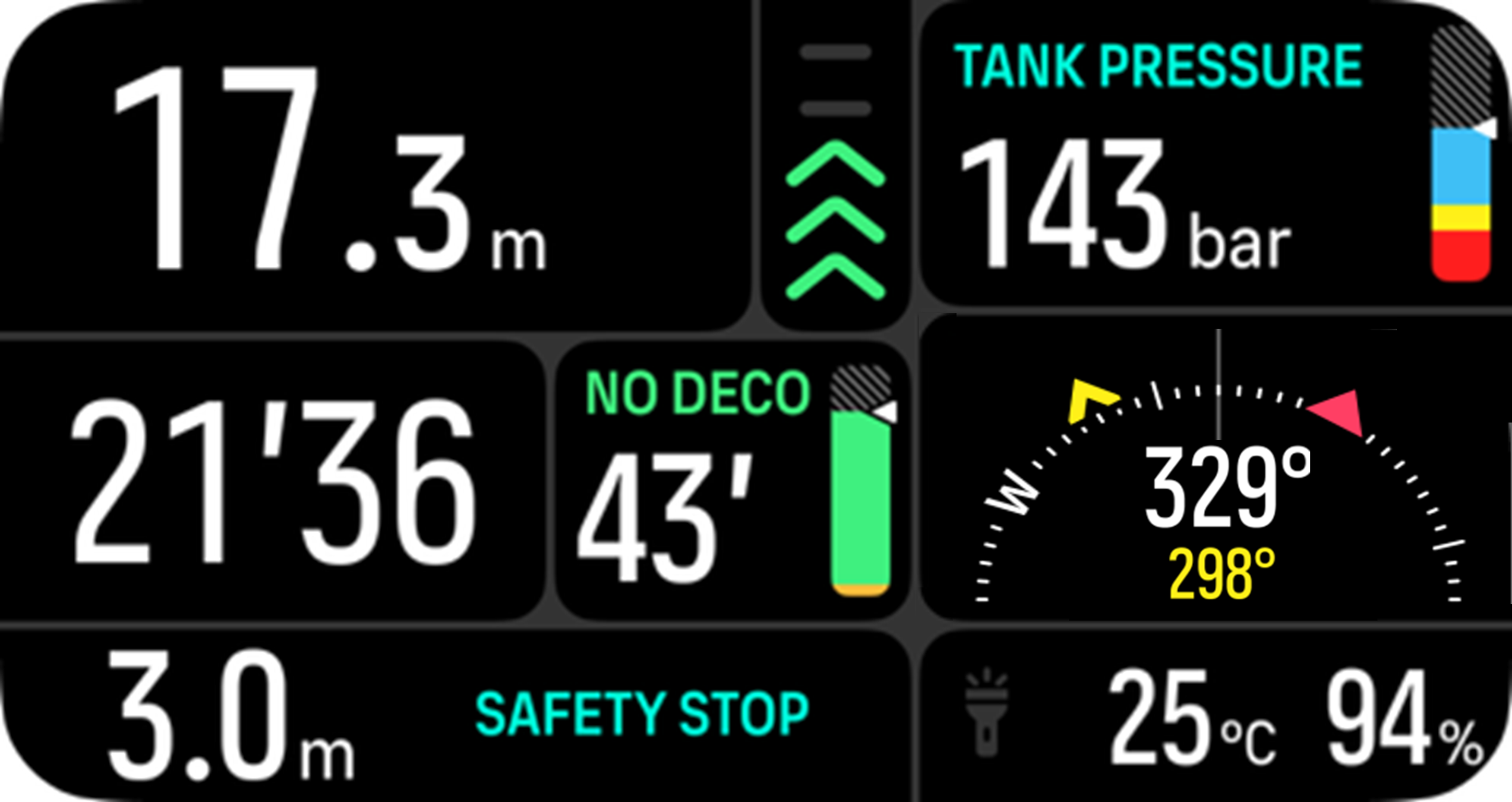
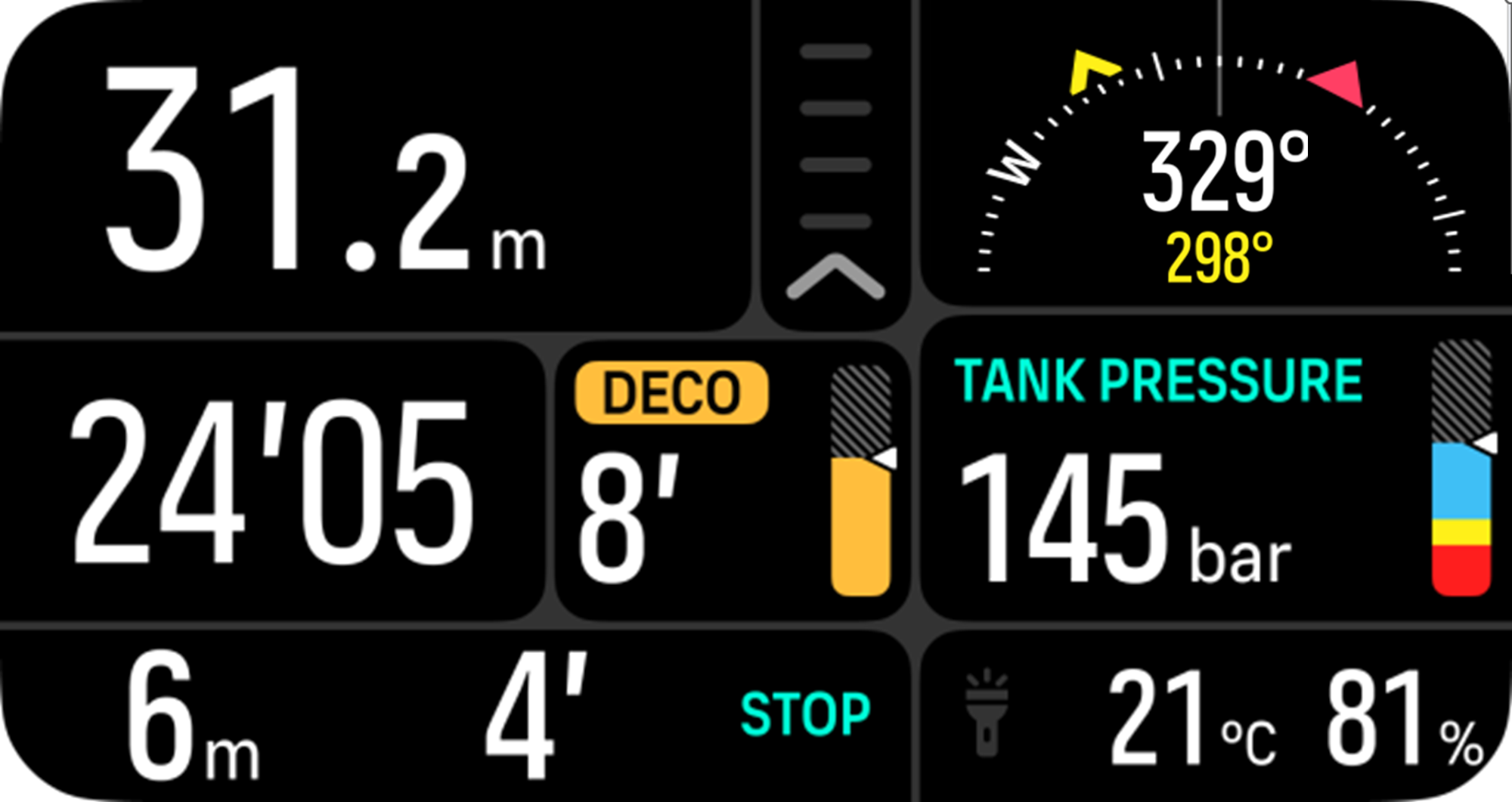
-
@hhouter it is also posible to put the tankpressure in the screen with NDL. So the TTS change for tankpressure.
-
@Spooky HI, Just a question, how do I change the TTS out for Tank Pressure? When I select “Allways show both NDL and TTS” it is fixed window and I cannot change this field as it is not the switch Window.
-
@hhouter You cannot change NDL and TTS to Tank Pressure.
The NDL (No Deco Limit) and TTS (Time To Surface) fields are dive related primary time information in minutes - where as Tank Pressure belongs to another section on the screen.
But, you have an option to see booth at the same time, if you want to know the TTS before the NDL reach 0 (and the dive become a deco dive, where the TTS will increase even if you stay on the same depth).
It should be in this way.
-
@Niels-Søren-Bøgh Thanks. That is what I thought.but I was hoping that there was an option to configure the TTS/NDL screen so that TTS was traded-in for the Tank Pressure. In our waters here in NL the Tides / Currents / Shipping routes require me to have the compass screen as my primary screen in front of me at all time. This screen does not provide me Tank Pressure so switching to the main screen is required. I hope Suunto will make a 1 field Compass view somewhere in the future.
-
@hhouter I do agree with you , the compass should be also available as a “small” window. So one could configure tank pressure and Compass on the same custom screen.
As for NDL and TTS displayed at the same time on the Middle section. I find it well placed
-
@Niels-Søren-Bøgh Bonsoir, ça me parait indispensable également -> j’èspère que ce sera retenu pour une future mise à jour

-
Its possible to use tank pressure with ascent rate… its one click away
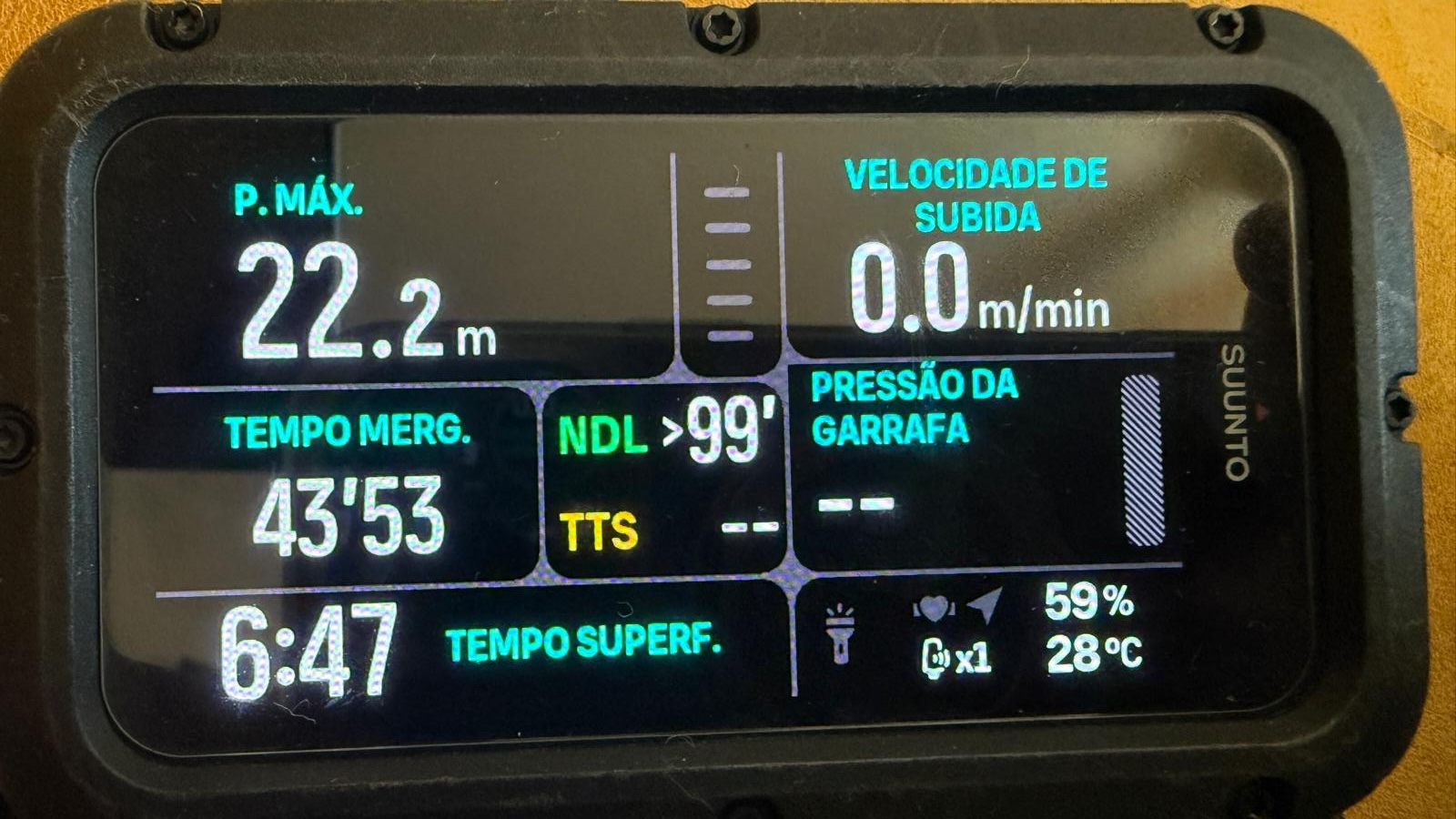
-
I am a new and un-proud owner of the Suunto Nautic. I cannot believe that the Compass cannot be show along side with Tank Pressure. The screen is so brilliant but we are only allowed to use on small corner and maximum of two data fields (None if you choose compass for a page). This is ridiculous. I strongly advise against buying this watch. I should have gone with Perdix or Garmin. Very disappointed. I did not know I have to come to forum to find out I cannot do this.

Hello! It looks like you're interested in this conversation, but you don't have an account yet.
Getting fed up of having to scroll through the same posts each visit? When you register for an account, you'll always come back to exactly where you were before, and choose to be notified of new replies (either via email, or push notification). You'll also be able to save bookmarks and upvote posts to show your appreciation to other community members.
With your input, this post could be even better 💗
Register Login