Feature request Dive Logs duplicate
-
I have the Nautic and Nautic S, that i use at same time in scuba diving…
Every time i synchronise the dive computers with the APP i will end with Duplicate Dive Logs
And there no way to tell what dive log belongs to each dive computer
If im paired with Nautic S, i dont need to see the Dive LOGs of Nautic and vice-versa.
Now im synchronising the NAUTIC S first and add some TAG name to avoid deleting the wrong dive log from Nautic S … i deleted all duplicate dive logs from Nautic
But even after the deleting dive logs from Nautic, on the next synchronising the app gets the deleted Dive Logs…
its really annoying.
-
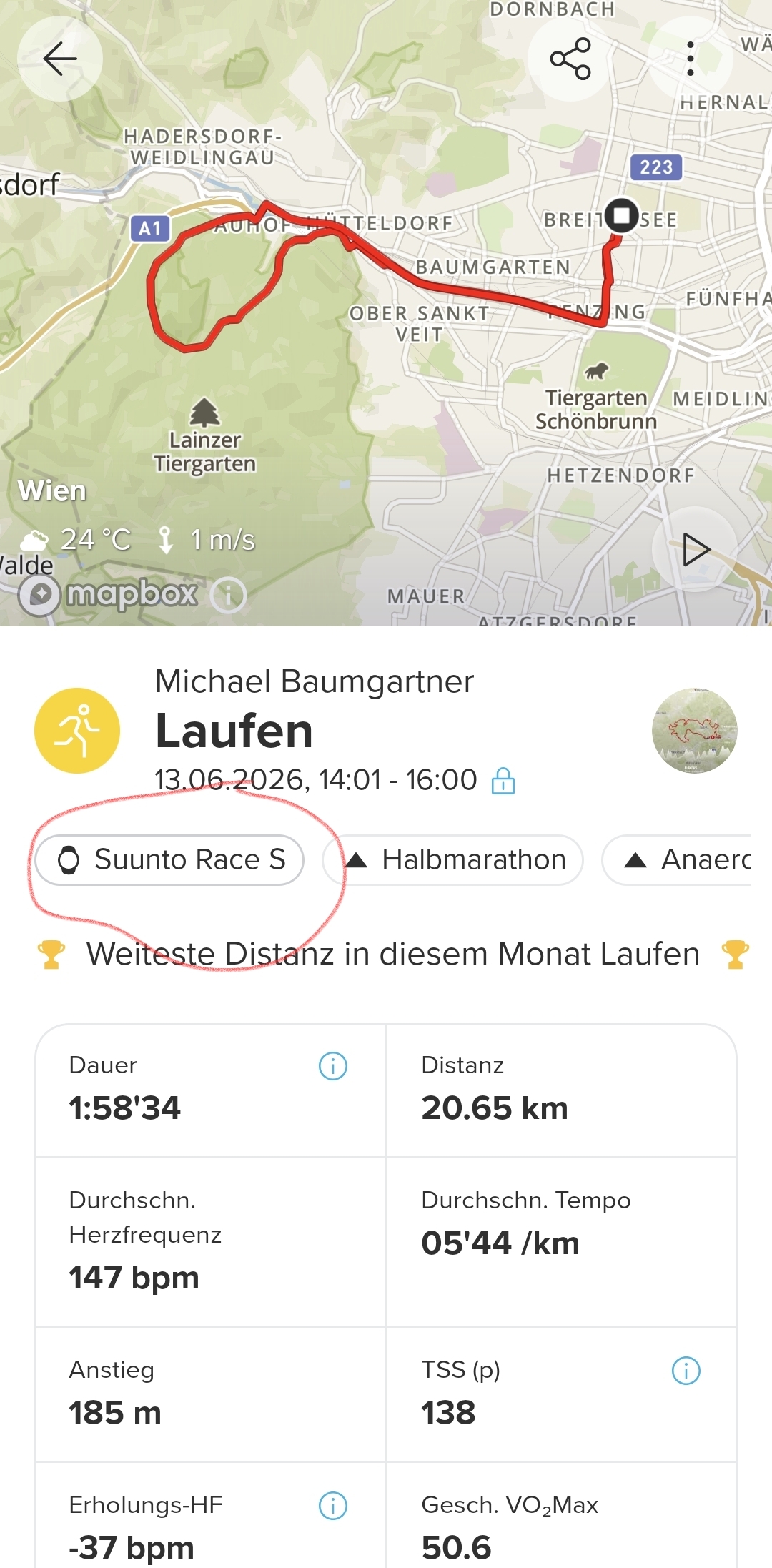
@Nandodiver Thats strange, because the workouts with “normal” sports watches tag the activity with the model name. That way I can see which of my activities a recorded with SV1 / Race S.
You have no Tag named Nautic (S)?Edit: I have Android, maybe thats an App thing?
-
-
Should be the same for Nautic:
https://forum.suunto.com/topic/15127/suunto-app-questions-for-diving/2
But you have to click to open the activity, unfortunately I cannot see the tag in the overview
-
@VoiGAS yeah, that is a thing of the past, sadly. You could see this tag there a year or so ago…

Hello! It looks like you're interested in this conversation, but you don't have an account yet.
Getting fed up of having to scroll through the same posts each visit? When you register for an account, you'll always come back to exactly where you were before, and choose to be notified of new replies (either via email, or push notification). You'll also be able to save bookmarks and upvote posts to show your appreciation to other community members.
With your input, this post could be even better 💗
Register Login