[Vertical 2, 2.53.42] Map and Navigation features are greatly improved but there are still a lot of old issues and also new bugs introduced in the latest update
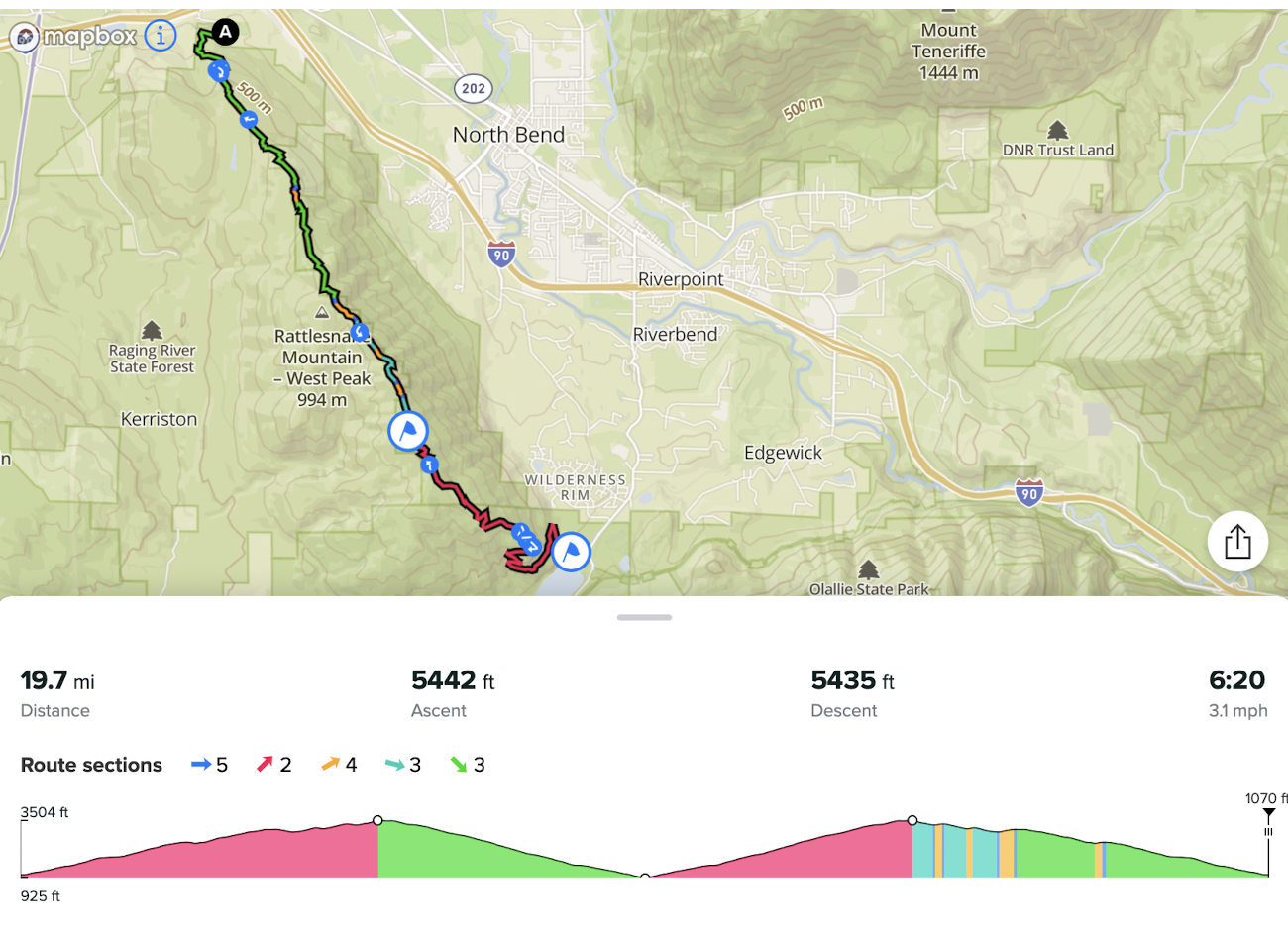
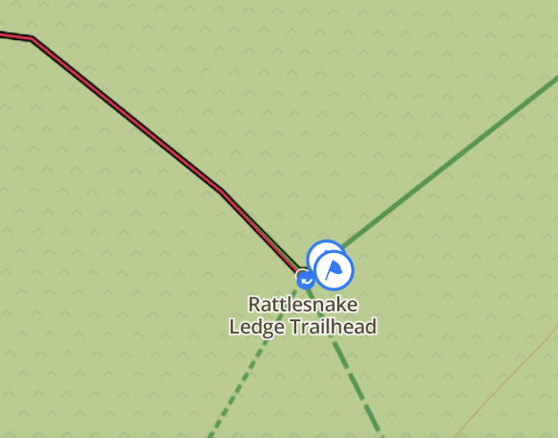
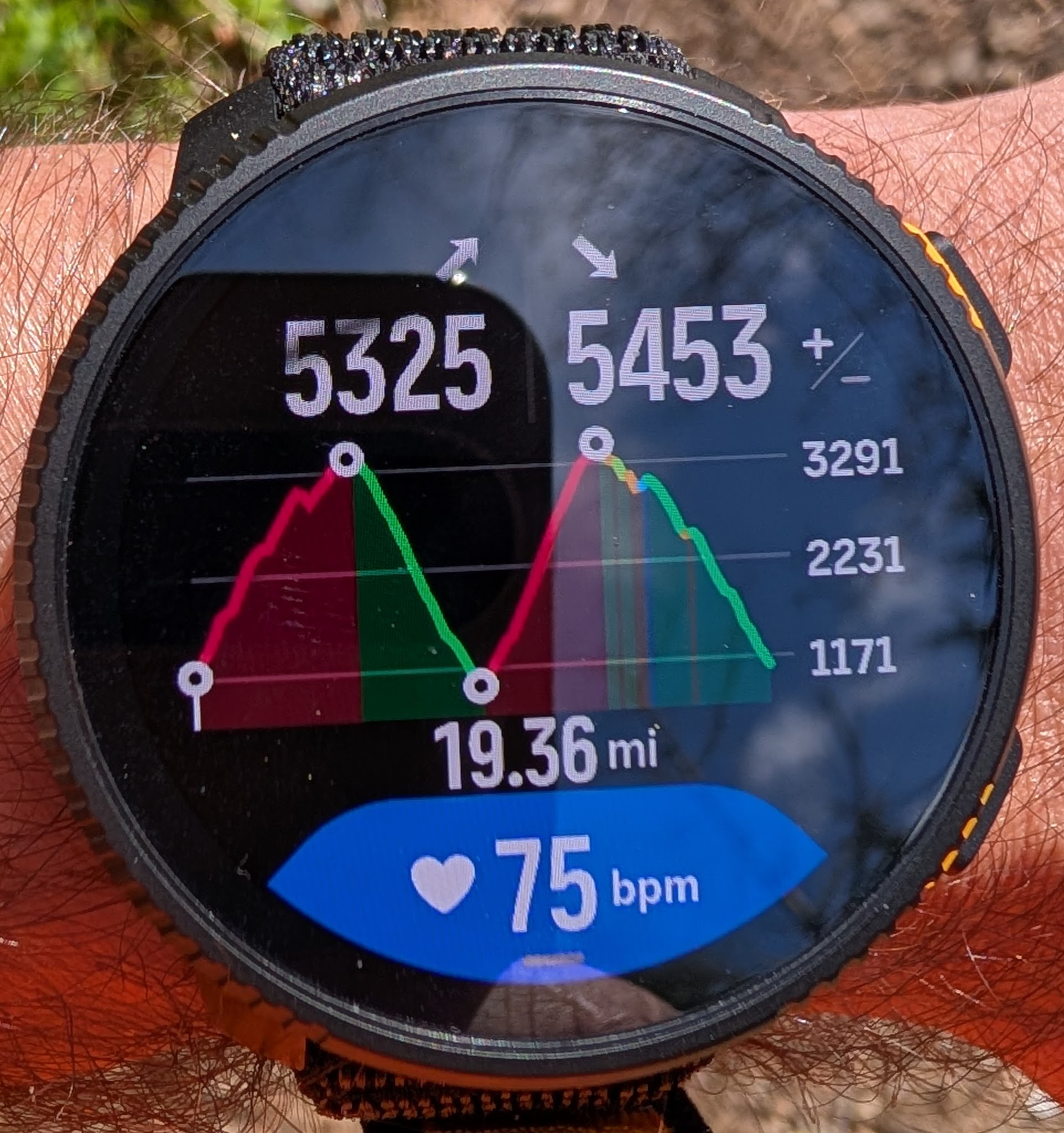
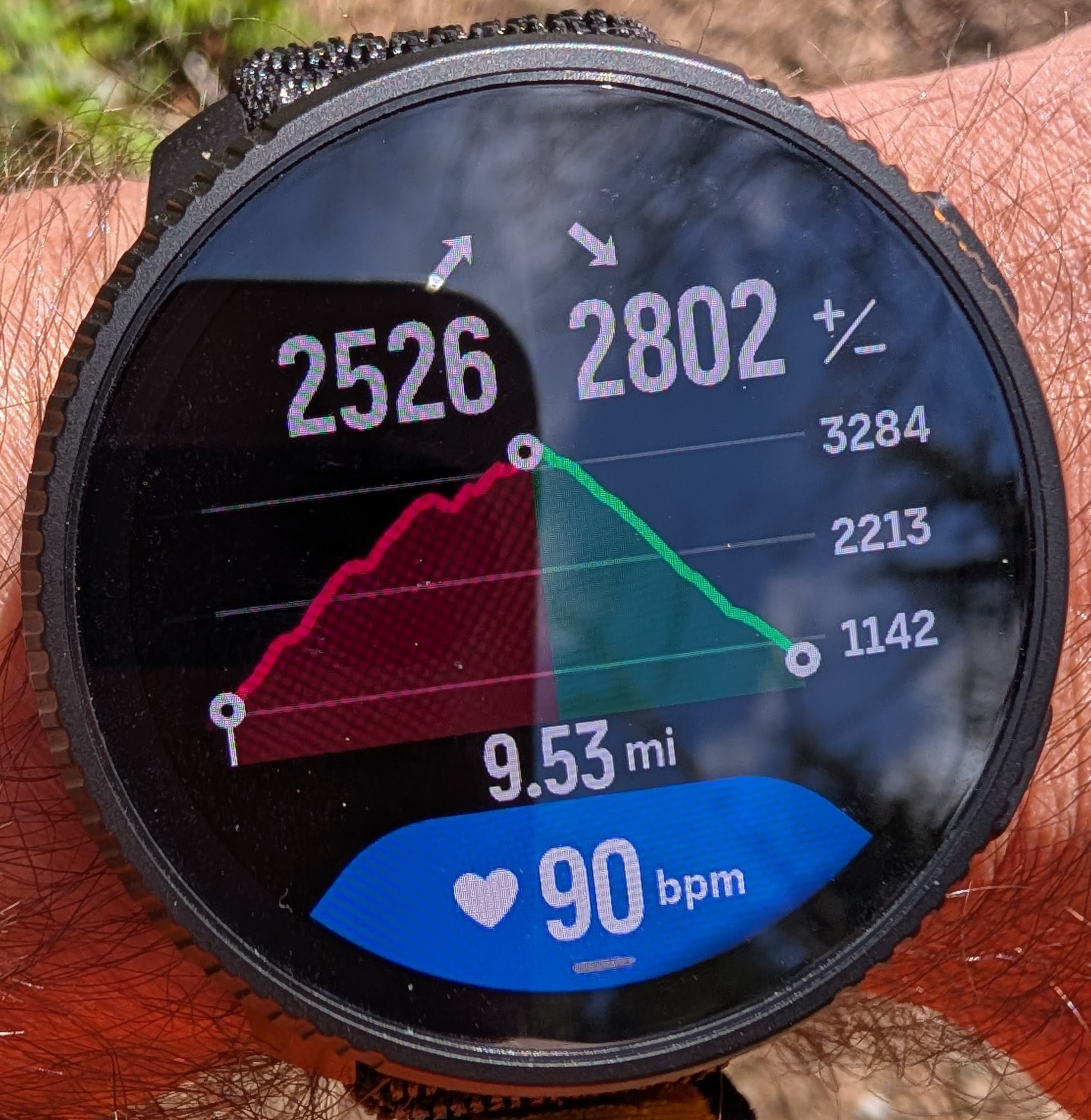
-
@Joaquin said in [Vertical 2, 2.53.42] Map and Navigation features are greatly improved but there are still a lot of old issues and also new bugs introduced in the latest update:
@dreamer_ I’m really happy to see you here. You’re a very discerning user and I truly appreciate that you also take the time to recognize the positive things. That kind of balanced feedback is very valuable for us.
Please don’t hesitate to reach out to me privately anytime if you have comments, ideas, or suggestions. I would genuinely appreciate it, and I’m always happy to pass them directly to our team. Your input is truly valued.
Thank you so much @joaquin . I’m quite impressed about how much Suunto has improved the software from the previous generation. Really nice work
-
@dreamer_ btw, you can check all new update in this PDF.
Some points very importants for experts users like you:https://we.tl/t-mdAFQfunNp2pyc2a
LAUNCH NOTES Q1 - 2026
Race S, Race, Race 2, Vertical, Vertical 2
LAUNCH NOTES – PAGE 1
• Smart Navigation
– Smart OFF ROUTE
(intelligent off-route alerts based on speed, direction and distance)– Off-route guidance
(distance and direction to the closest point of the route)– Track Back
(automatic route creation based on breadcrumbs)– Smart Autozoom Turns
(dynamic zoom when approaching a turn based on distance, direction and speed)– Climb Guidance 3.0
– Smart consecutive turn management
(the next turn is not shown until the current one is completed if turns are <20 m apart)– Customizable map data field
(up to 5 configurable data fields such as HR, power, distance, etc.)• Configuration from the watch
– Enable / disable ascent and descent notifications in Climb Guidance
– Enable / disable turn-by-turn navigation
– Enable / disable Smart Autozoom Turns– Automatic routing during activities using Suunto App offline maps
(requires Suunto App update in April)LAUNCH NOTES – PAGE 2
• Maps 2.0
– Maximum map detail at 500 m zoom
– City names
– Important place names
– Peak names– Contour line altitude labels
– POIs displayed on the map
(bar, hospital, water source, parking, etc.)• New elevation model for route planning
– Updated elevation model used when creating routes in Suunto App
– Built using more than 135 different elevation data sources
– Reduces noise previously observed on steep terrain
– Provides more accurate ascent and descent calculations
when planning routesLAUNCH NOTES – PAGE 3
• Swimming
– Swimming drills support
– Manual Lap button for pool intervals• Training and Metrics
– New HRR (Heart Rate Recovery) metric in training analysis
– Heart rate and power broadcast
– Ascent goal during activities
• Sport mode experience
– Option to enable touch screen during activity
– Option to disable autolap notifications
(for intervals created directly on the watch)– New icon for the data field
“% incline last 100 m”– New data field
distance to next turn• Daily Smart Experience
– Specific alarms by day
– Independent notifications and sound settings
(daily use vs activity)– Sunrise time added to Morning Report
– “Go Around” numbers when selecting values
– Improvements in navigation menus
COMMENT – TURN GENERATION IN GPX ROUTES
Many GPX files only contain the track geometry and do not include reliable turn instructions.
Some platforms generate turns automatically based on the curvature angle of the track. For example, if a curve exceeds a certain threshold (such as 30°), a turn alert is created.
While this approach may appear convenient, it also introduces important limitations and potential risks. Natural terrain curves can easily exceed this threshold, which may lead to false turns, missing relevant turns, or incorrect navigation alerts.
For this reason, Suunto does not automatically generate turns from GPX curvature alone.
Accurate turn-by-turn guidance requires either:
• Routes created or edited directly in Suunto App, where the platform has full and updated map information
• Devices capable of generating turns using their own onboard cartographyCurrently only one manufacturer uses full onboard cartography to generate turns directly on the device. Most platforms, including Suunto, use track overlays on maps rather than full map-based routing engines.
If you have used GPX files with automatically generated turns on other devices, you may already have noticed situations where false turn alerts appear simply because the track curvature exceeds a certain angle threshold.
Until a more reliable solution is available, Suunto prioritizes accuracy over automatic generation, ensuring that turn instructions are only created when they can be trusted.
I think this can really help you with your navigation!
Technical & Product Specialist – Suunto Iberia
-
@Joaquin said in [Vertical 2, 2.53.42] Map and Navigation features are greatly improved but there are still a lot of old issues and also new bugs introduced in the latest update:
Accurate turn-by-turn guidance requires either:
• Routes created or edited directly in Suunto App, where the platform has full and updated map informatio
Does this also apply to the Suunto web route planner?
-
@snow said in [Vertical 2, 2.53.42] Map and Navigation features are greatly improved but there are still a lot of old issues and also new bugs introduced in the latest update:
Does this also apply to the Suunto web route planner?
That’s right, they use the same engine, and although you don’t see the turns in Routeplanner, the app displays the turns of the routes drawn in Routeplanner.
-
@Joaquin said in [Vertical 2, 2.53.42] Map and Navigation features are greatly improved but there are still a lot of old issues and also new bugs introduced in the latest update:
you don’t see the turns in Routeplanner,
That was exactly what I was wondering. Thanks for clearing that up!
-
@Joaquin said in [Vertical 2, 2.53.42] Map and Navigation features are greatly improved but there are still a lot of old issues and also new bugs introduced in the latest update:
@dreamer_ btw, you can check all new update in this PDF.
it would be very valuable to have such a detailed explanation with any firmware release, users would learn to use their watches at the best without wasting time trying to understand how things works
THANKS! -
@Stefano-M64 agree…this presentation is in Spanish for spain but It would be great to have something like this globally, as many of the complaints I sometimes see here or other forums, would be resolved.
Technical & Product Specialist – Suunto Iberia
-
@Joaquin said in [Vertical 2, 2.53.42] Map and Navigation features are greatly improved but there are still a lot of old issues and also new bugs introduced in the latest update:
this presentation is in Spanish for spain but It would be great to have something like this globally
It’s not really a problem, because, as far as I’m concerned, I upload your documents, videos and so on to NotebookLM and can then generate detailed technical reports in my native language. For me, at least, it’s a godsend!
-
@Joaquin said in [Vertical 2, 2.53.42] Map and Navigation features are greatly improved but there are still a lot of old issues and also new bugs introduced in the latest update:
@Stefano-M64 agree…this presentation is in Spanish for spain but It would be great to have something like this globally, as many of the complaints I sometimes see here or other forums, would be resolved.
Hi, since I found your document very useful, I took the liberty to translated it to english. It’s mostly based on automatized Google Translate function, but I had to edit some parts by myself, hope everything is correct;
-
@Stefano-M64 said in [Vertical 2, 2.53.42] Map and Navigation features are greatly improved but there are still a lot of old issues and also new bugs introduced in the latest update:
Hi, since I found your document very useful, I took the liberty to translated it to english. It’s mostly based on automatized Google Translate function, but I had to correct some parts by myself, hope everything is correct;
SUPER THANKS!!!
-
@Joaquin having such a document at the release of such a big update would be great. At least it was not available in this forum.
-
I think Suunto should do a better job themselves – precise presentation, description, and instructions. Same thing happened with the Vertical 1. For a long time, potential buyers could mostly find reviews of the very limited launch software – before the updates that turned it into a completely different watch. Quite a weird strategy.
The latest updates are potentially excellent marketing material. Particularly given the low number of new releases and the existing models on the market.
-
@maszop right.
Have you seen Janne’s extensive videos of the new features in January and then last week? -
@Gunnar full agree…we are working for the future
-
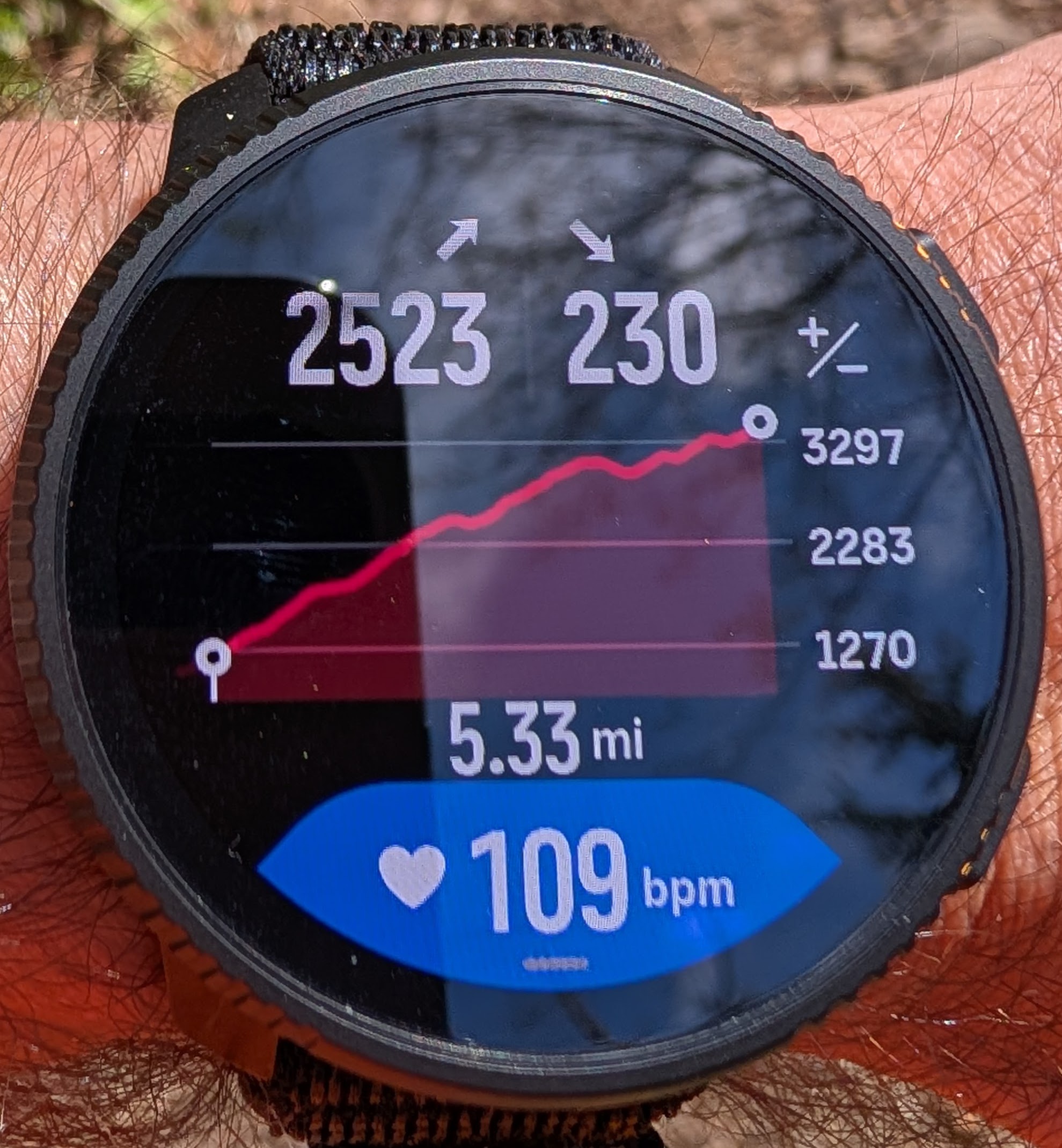
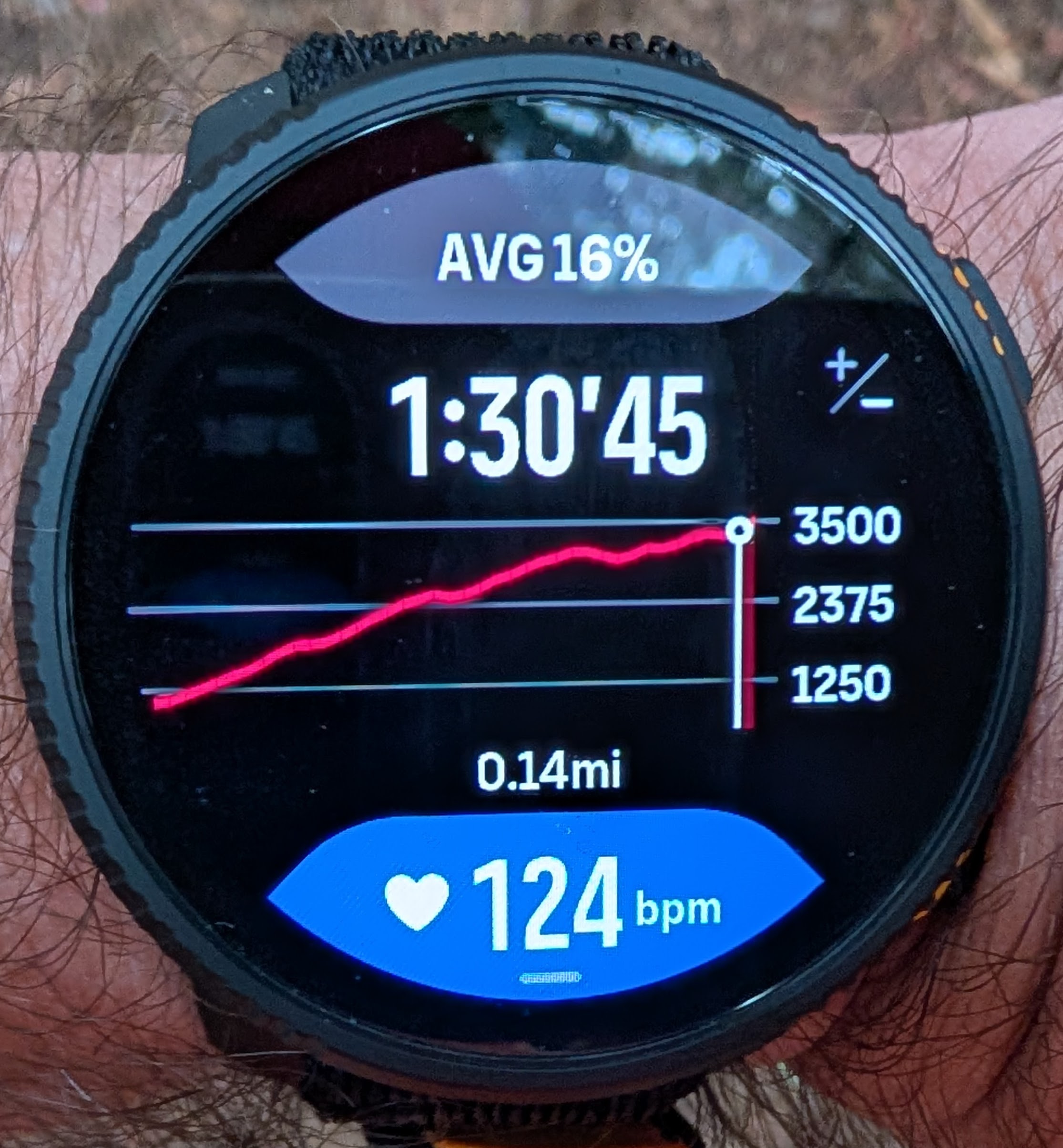
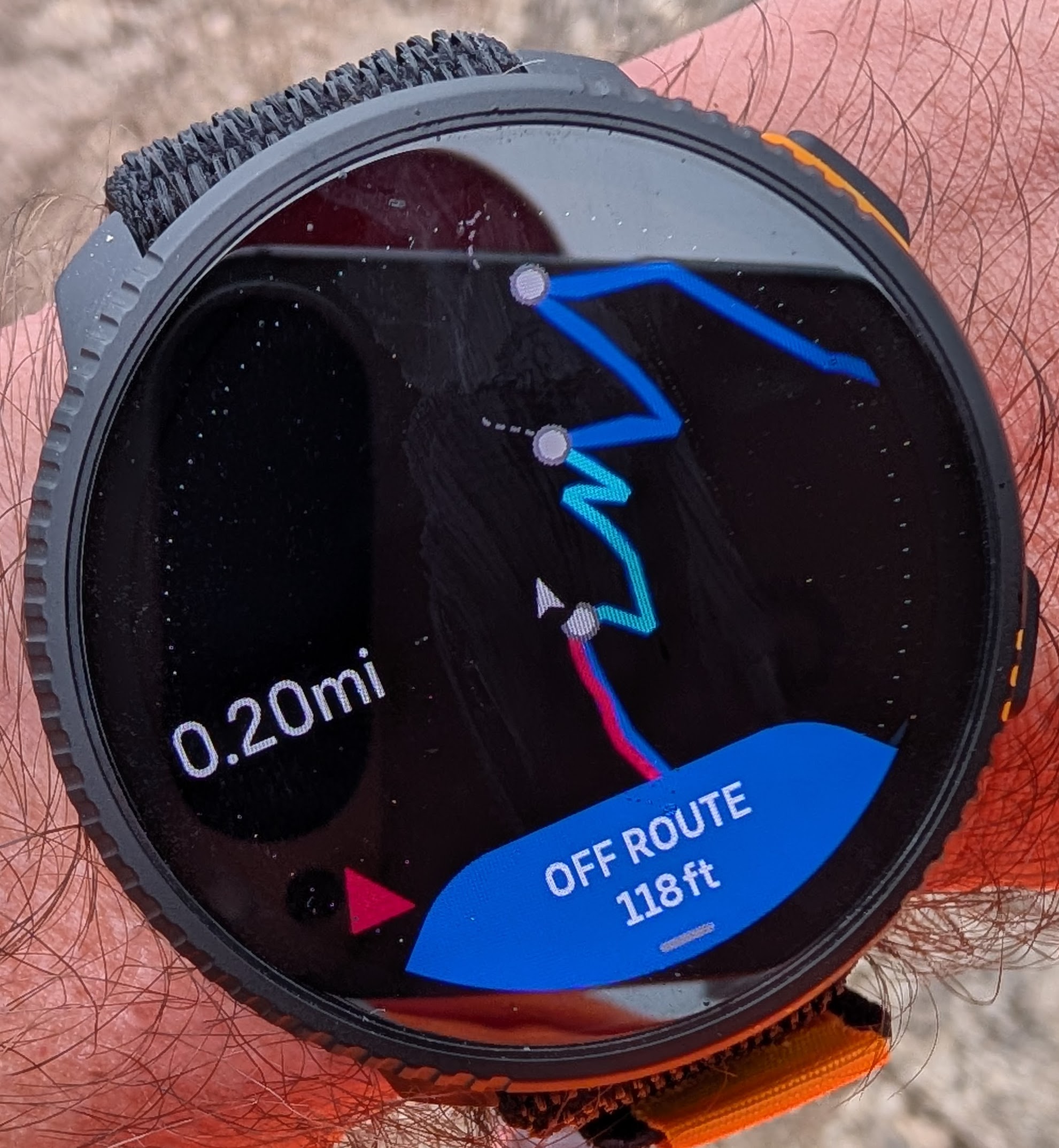
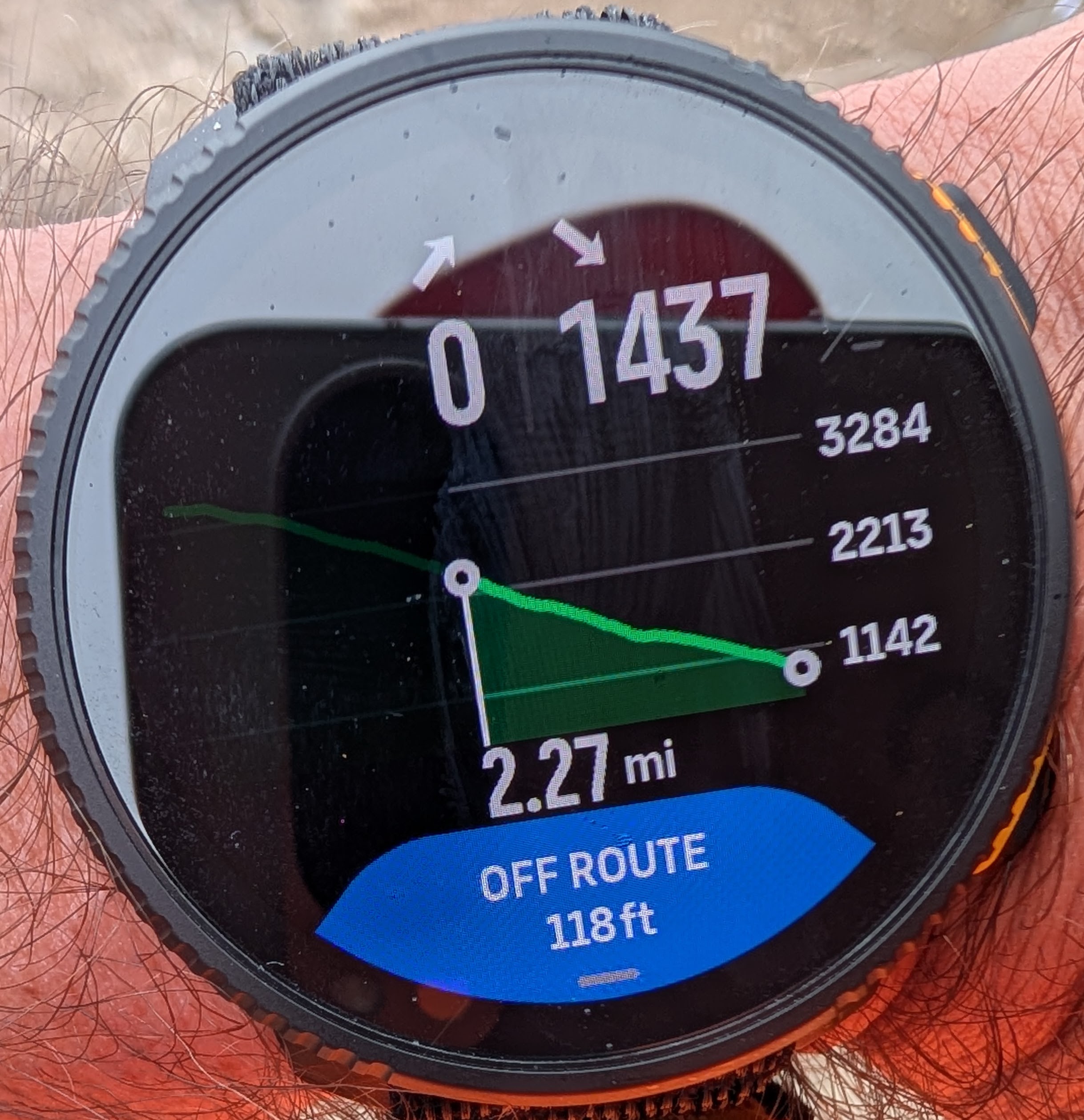
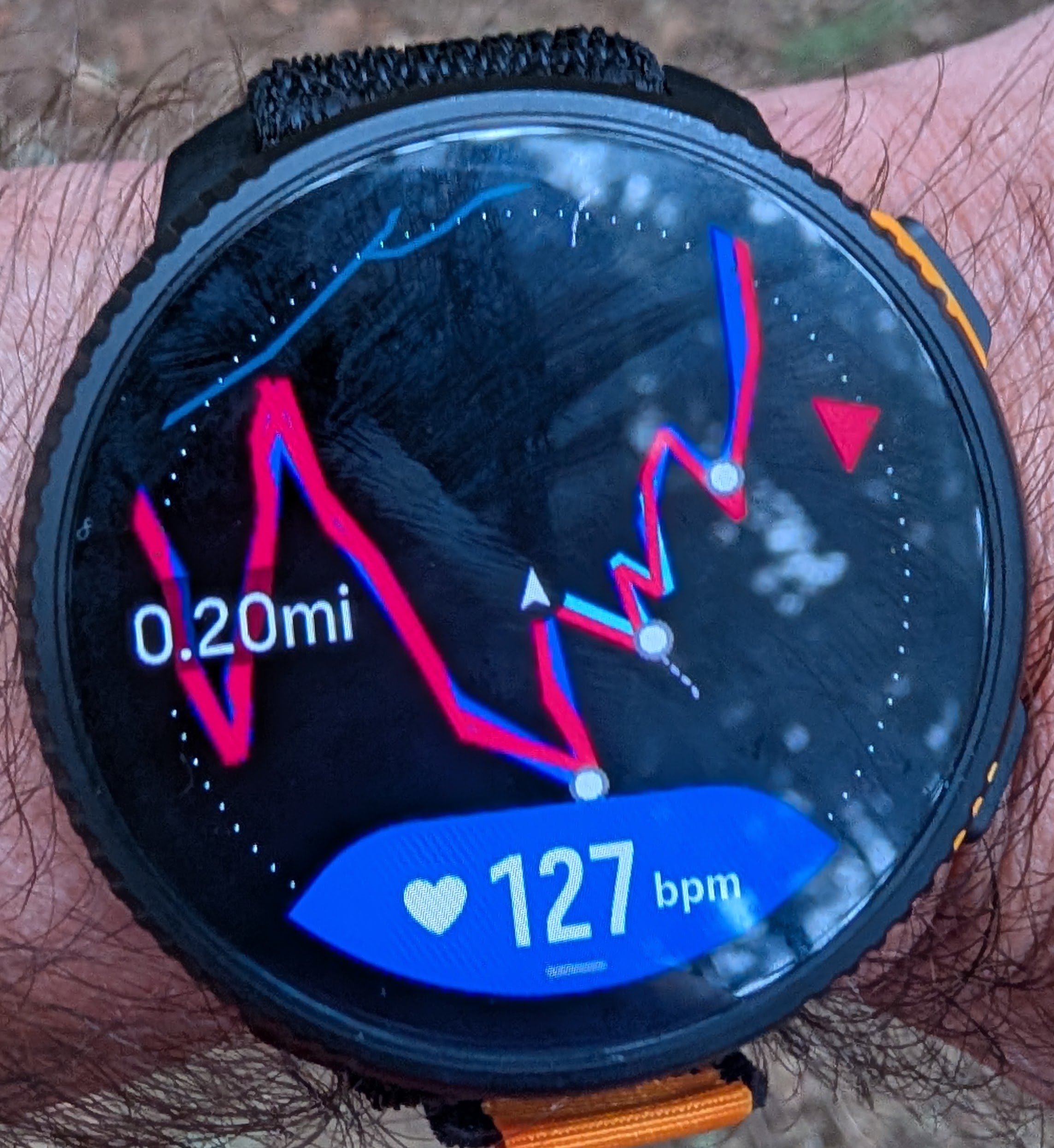
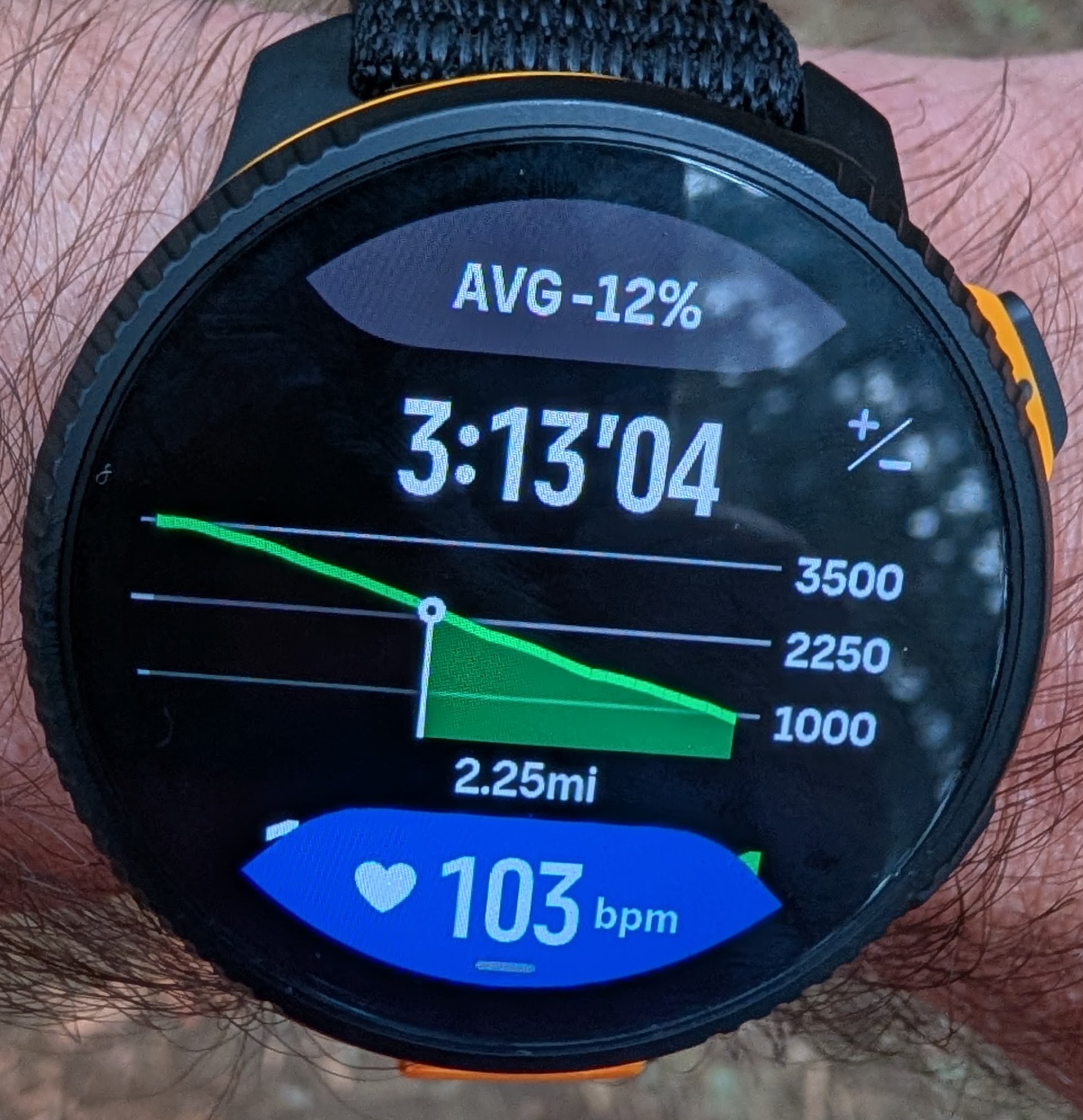
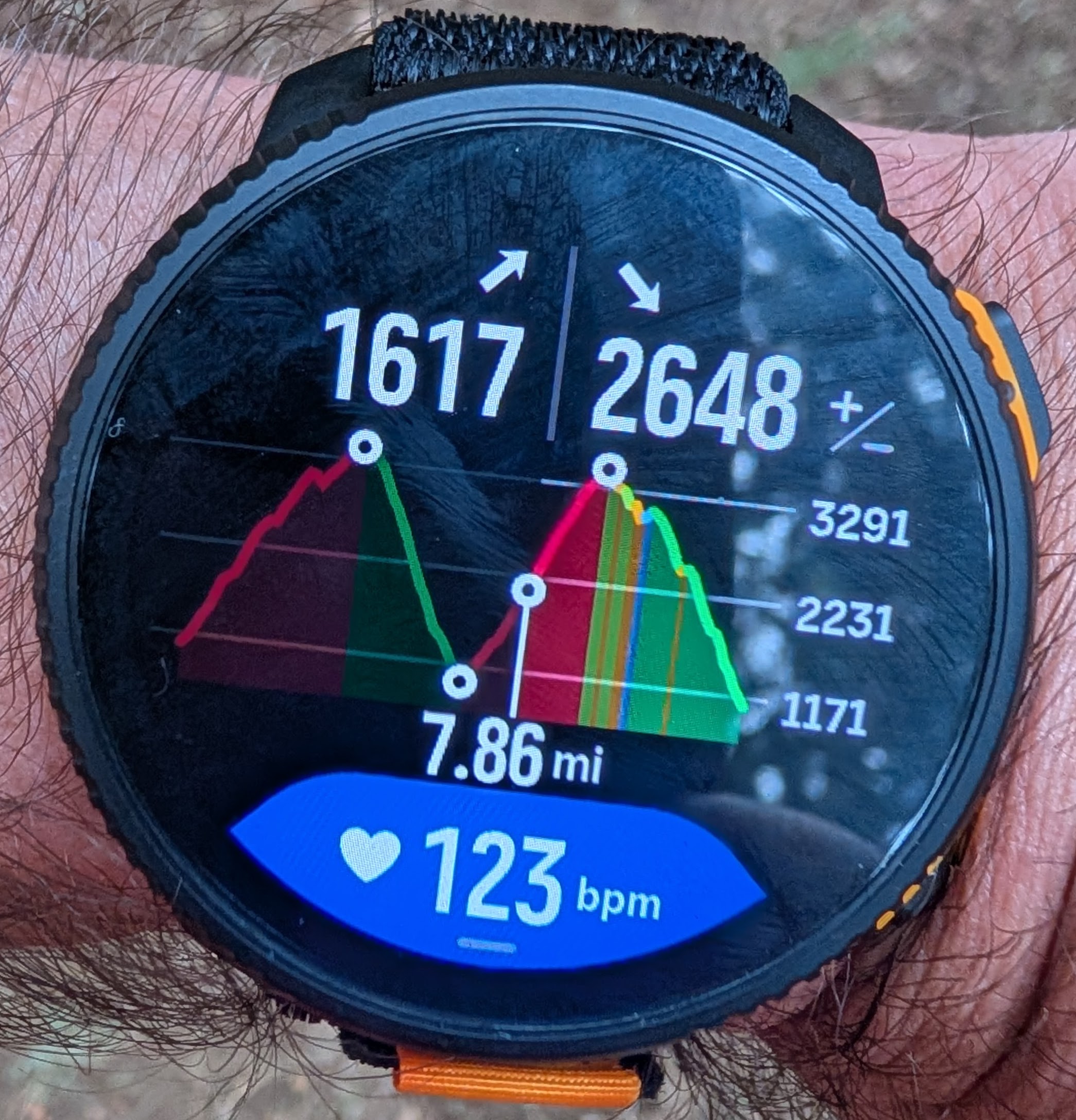
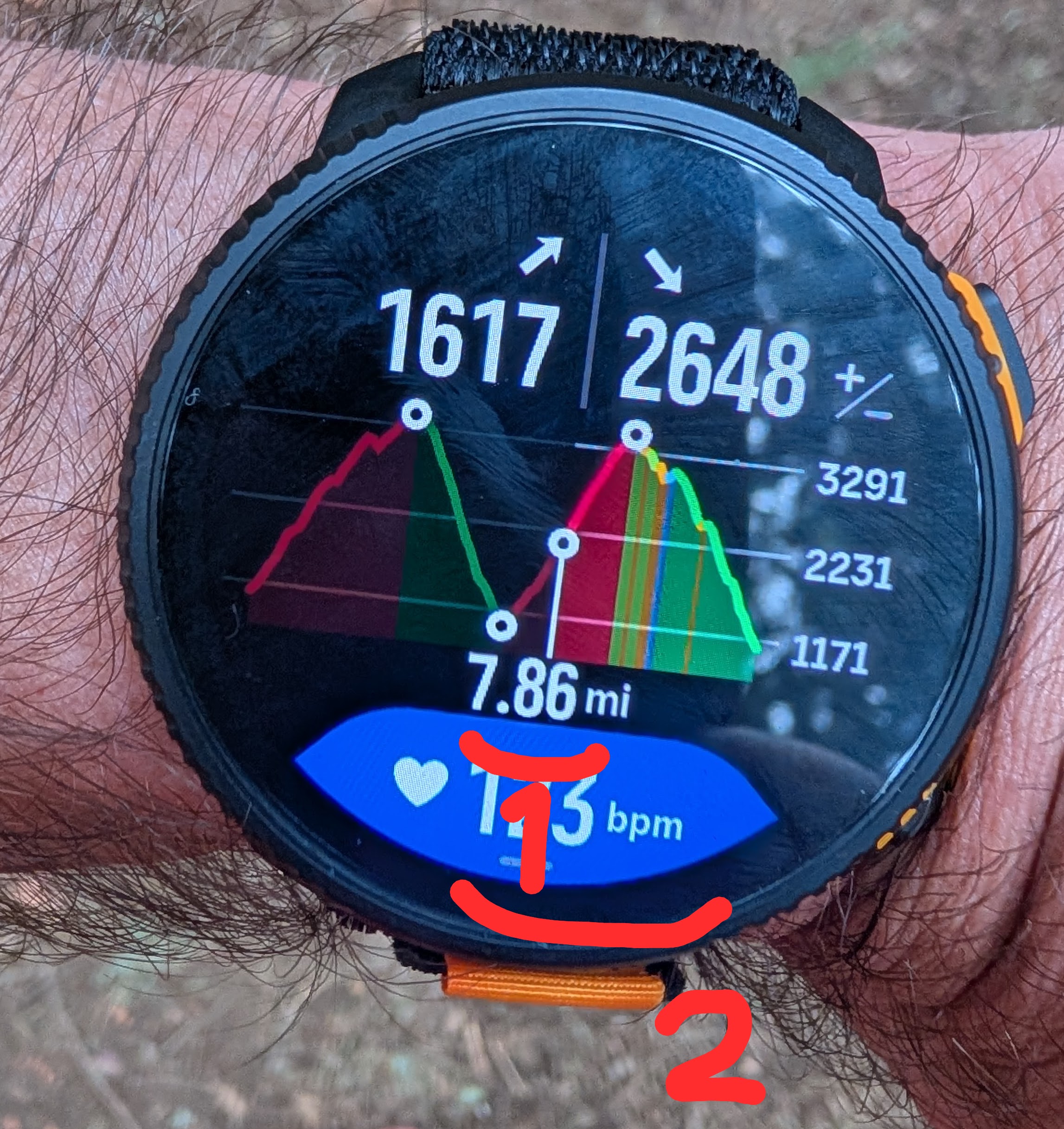
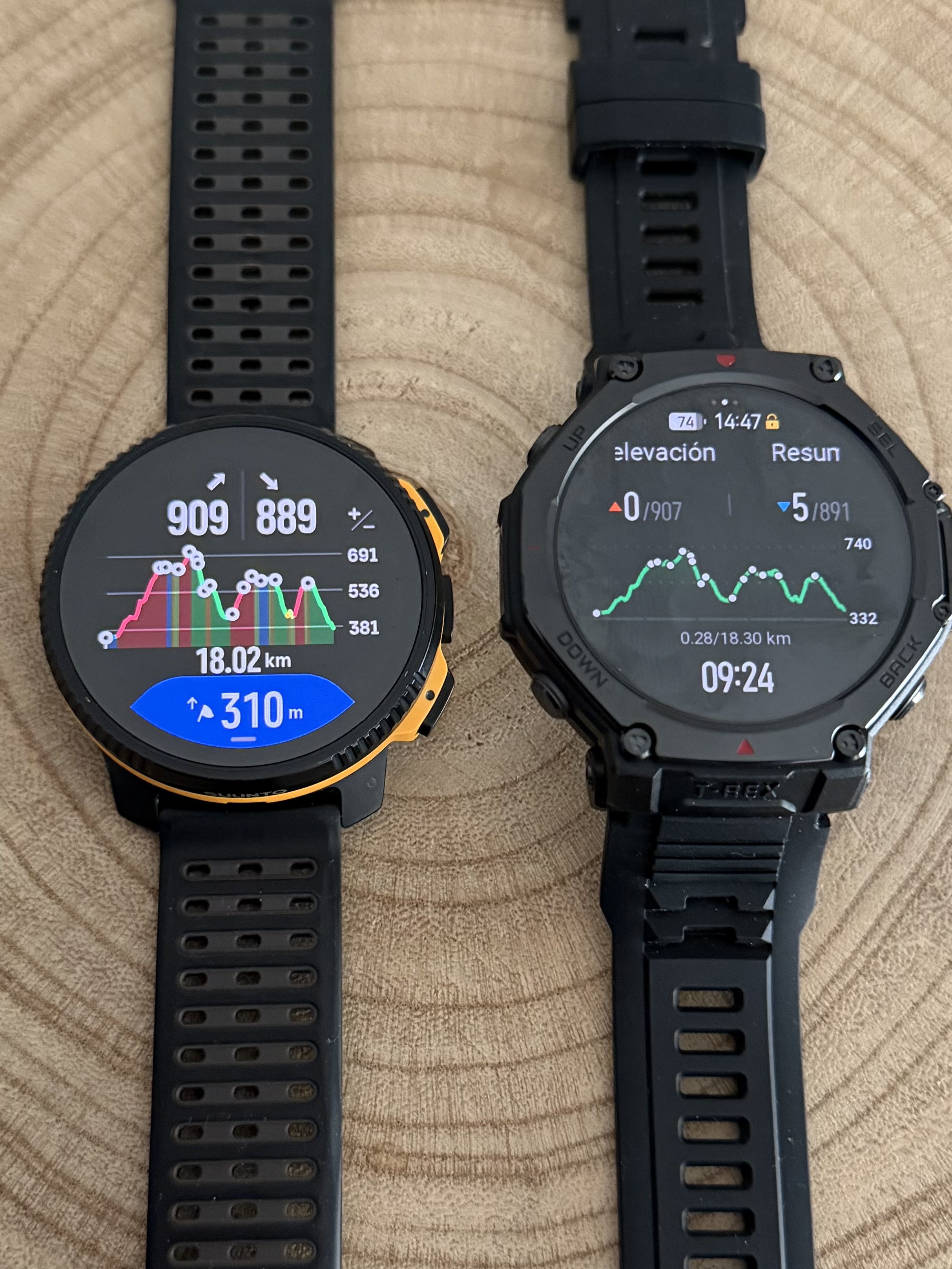
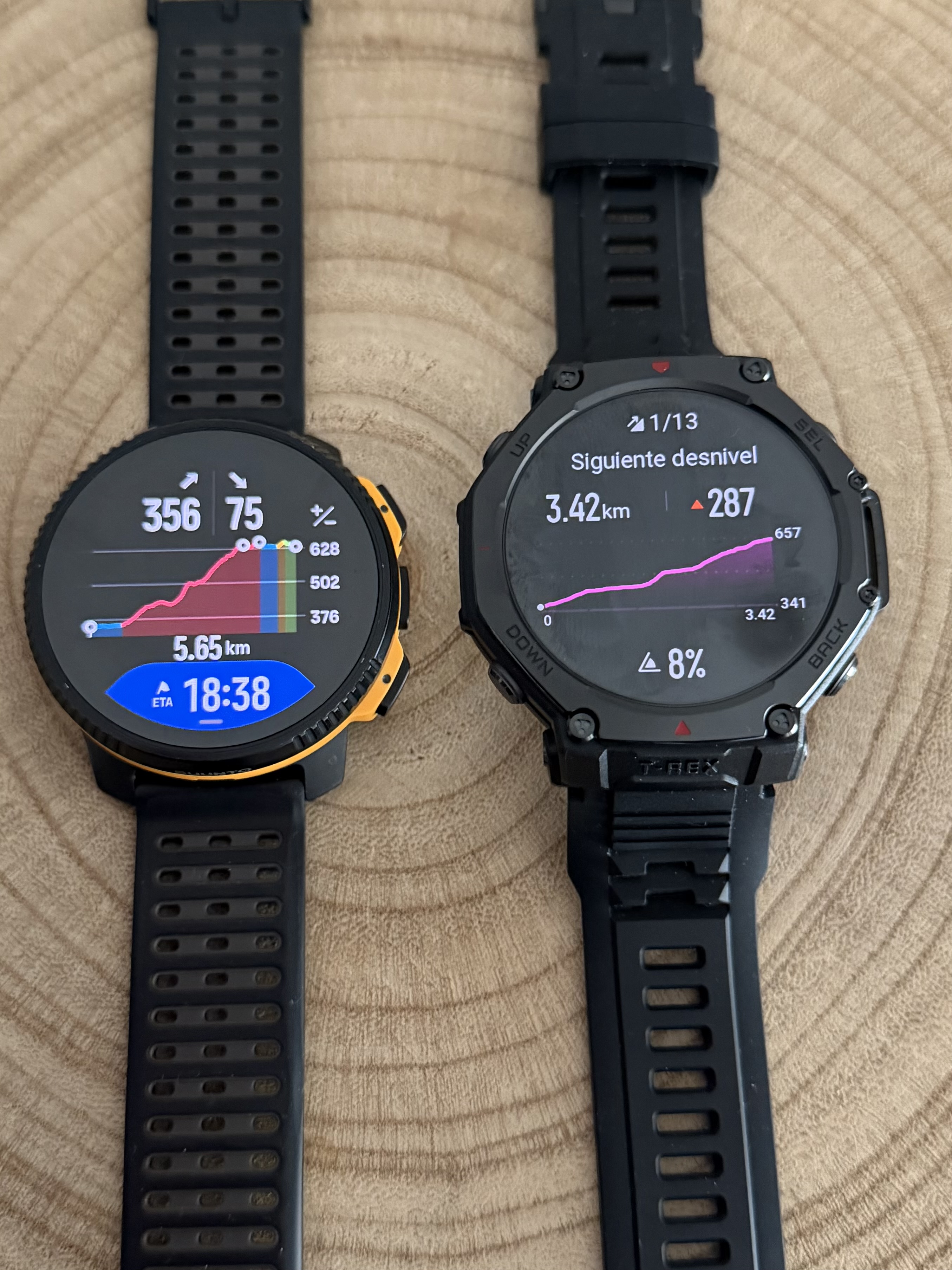
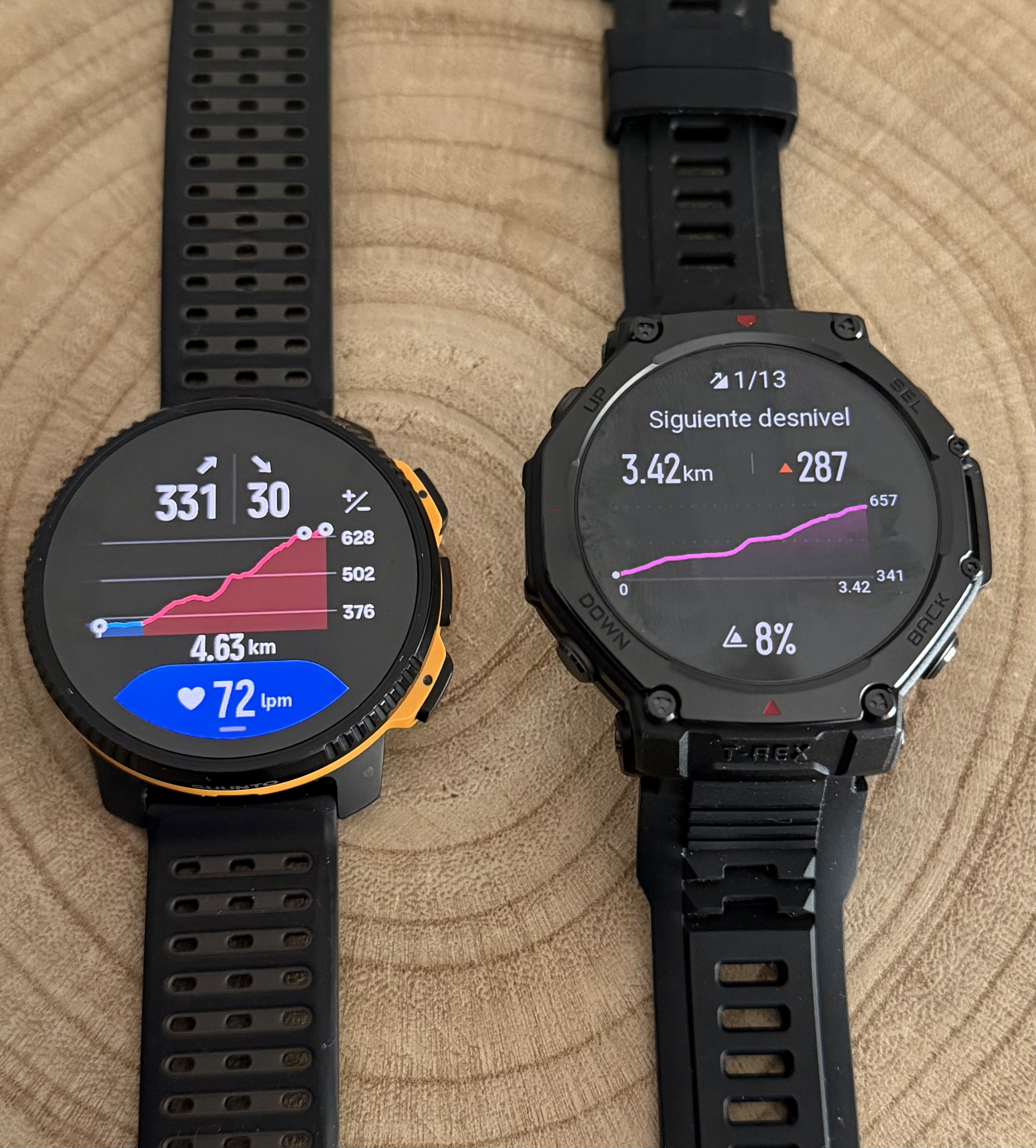
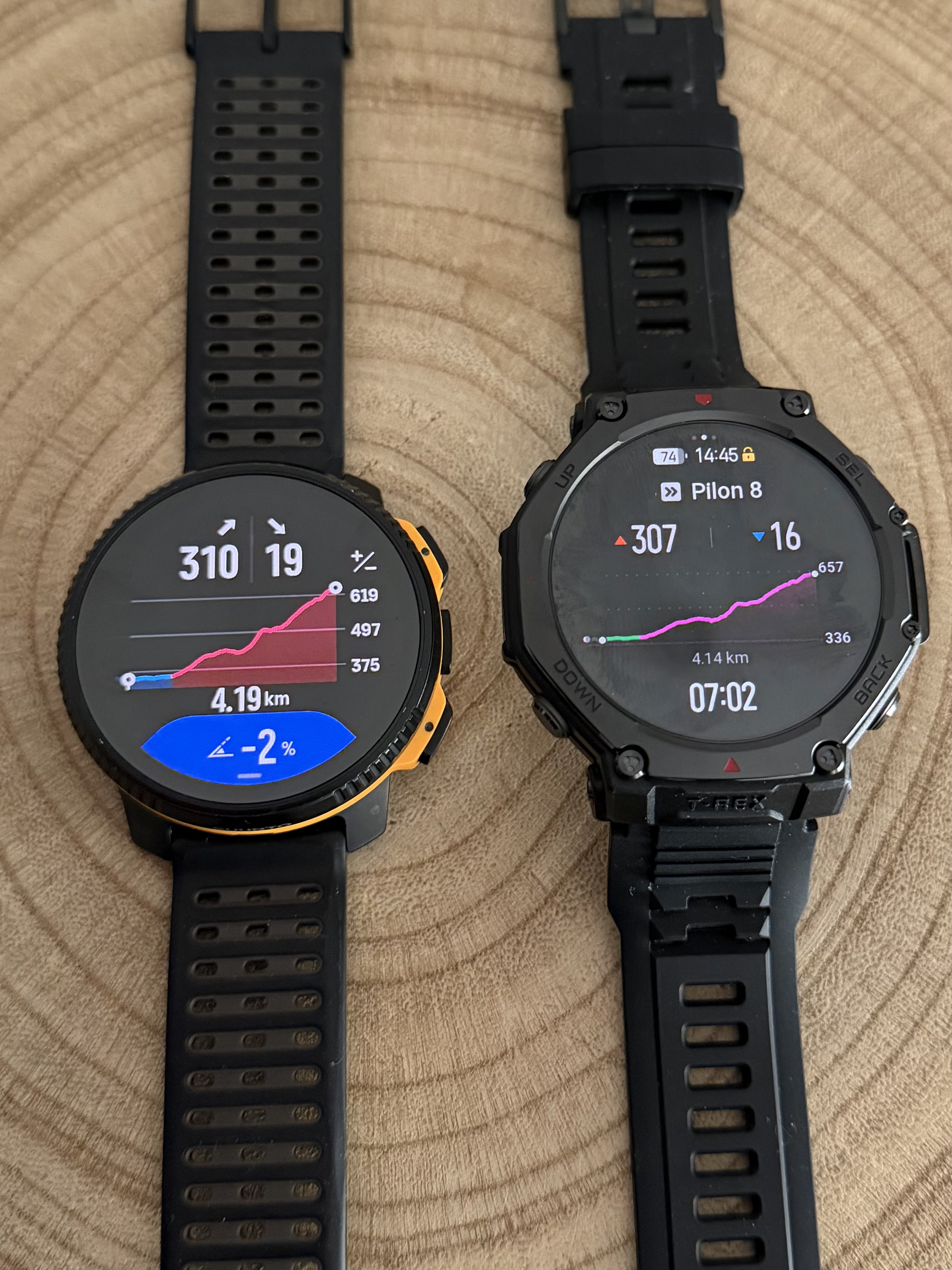
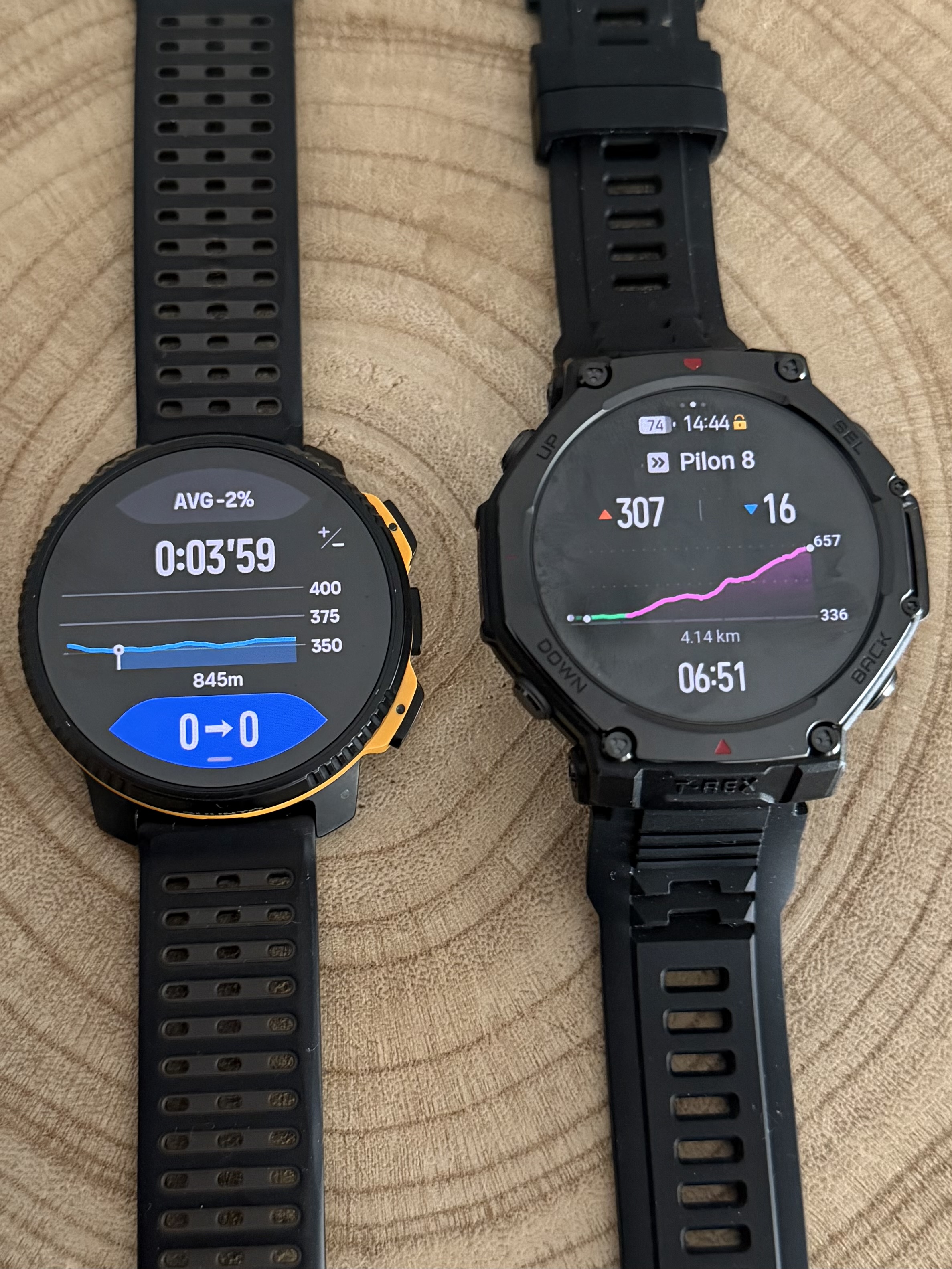
@dreamer_ Since you mentioned another brand that also uses climb guidance, I took the time to take a few photos for you.
Here you can see how we display routes with waypoints and how other brands present them. I am not here to say who does it better or worse, only to show how we approach it.
One thing I really appreciate is having five dedicated screens for Climb Guidance. This allows you to always understand exactly where you are on the climb and what still lies ahead.
The customizable data field is also a real differentiator. At any moment I can display heart rate, gradient, estimated arrival time to the next waypoint, remaining ascent to the next waypoint, ascent or descent of the current segment, and much more depending on the activity.
That is why I mentioned this earlier today. Suunto Climb Guidance is not perfect and there is always room to improve. We should always push for better. But honestly, the new Climb Guidance is already an incredibly powerful tool.
You are going to enjoy it a lot


-
@Joaquin said in [Vertical 2, 2.53.42] Map and Navigation features are greatly improved but there are still a lot of old issues and also new bugs introduced in the latest update:
@dreamer_ Since you mentioned another brand that also uses climb guidance, I took the time to take a few photos for you.
Here you can see how we display routes with waypoints and how other brands present them. I am not here to say who does it better or worse, only to show how we approach it.
One thing I really appreciate is having five dedicated screens for Climb Guidance. This allows you to always understand exactly where you are on the climb and what still lies ahead.
The customizable data field is also a real differentiator. At any moment I can display heart rate, gradient, estimated arrival time to the next waypoint, remaining ascent to the next waypoint, ascent or descent of the current segment, and much more depending on the activity.
That is why I mentioned this earlier today. Suunto Climb Guidance is not perfect and there is always room to improve. We should always push for better. But honestly, the new Climb Guidance is already an incredibly powerful tool.
You are going to enjoy it a lot
Thank you so much @joaquin . At this moment I’m very convinced about Suunto’s approach about being FAR superior than every brand of the market.
I have a bit of doubt with just one thing, and that is the profile between checkpoints I posted (AID stations). That is the most important Climb screen in my opinion. When you are in an ultra race with many hours in your legs , that is exactly what you’d like to see. Altitude/descent and profile until the next checkpoint. That’d make everything just perfect.
And a little minor improvement too. If you look at the comparison shots, the checkpoint dots should be smaller to avoid overlapping when there are many. Everything will be cleaner with just that slightly minor change.
But I need to test It yet (and play with the zooms to see everything), thought.
Pretty excited about this guys. This is very good work. -
@dreamer_ said in [Vertical 2, 2.53.42] Map and Navigation features are greatly improved but there are still a lot of old issues and also new bugs introduced in the latest update:
Thank you so much @joaquin . At this moment I’m very convinced about Suunto’s approach about being FAR superior than every brand of the market.
I have a bit of doubt with just one thing, and that is the profile between checkpoints I posted (AID stations). That is the most important Climb screen in my opinion. When you are in an ultra race with many hours in your legs , that is exactly what you’d like to see. Altitude/descent and profile until the next checkpoint. That’d make everything just perfect.
And a little minor improvement too. If you look at the comparison shots, the checkpoint dots should be smaller to avoid overlapping when there are many. Everything will be cleaner with just that slightly minor change.
But I need to test It yet (and play with the zooms to see everything), thought.
Pretty excited about this guys. This is very good work.Thank you so much for the thoughtful feedback, I really appreciate the level of detail in your observations.
In the example I shared this situation happens mainly because the route contains a very high number of waypoints. In that specific test route I placed 16 waypoints in just 18 km, which is actually far more than what you would normally see in a real race course. I intentionally exaggerated the number to stress test the system.
Even in those situations you will still be able to clearly see all the key information from your current position to the next waypoint or aid station. Distance, ascent and descent remaining, and the elevation profile up to that point are all visible and easy to interpret during the activity.
About the waypoint dots, you are absolutely right that when there are many checkpoints close together they can overlap visually. In normal race routes this tends to be less noticeable because there are usually fewer checkpoints, but your suggestion about slightly smaller dots makes sense and would definitely improve visual clarity.
As I mentioned before, the system is not perfect and there is always room to improve. Personally I would also love to see the waypoint name displayed in the blue data field in the future. That could make aid station navigation even clearer during ultras. Let’s see how it evolves.
In any case I am really happy to hear you are excited about it. Enjoy testing it and playing with the different zoom options. I think once you try it during real activities you will see how powerful it is.
-
Now this is great post. Thank you for all the feedback.
Community Manager / Admin @Suunto
Creator of quantified-self.io - sync Garmin and COROS activities to Suunto, import Suunto routes, deliver Suunto routes to Garmin courses, and analyze training data in one private dashboard. -
@Joaquin Since you seem to be connected to the Suunto development team, I wanted to share one additional piece of feedback about the elevation profile and climb guidance - the colors.
What I find inconsistent is the coloring scheme that I suspect is based on cycling climb categories rather than the slope grade %. That may make sense for cycles because that have gears, in which case climb categories represent the amount of work, but these colors may be quite misleading for running and other similar activities. I’ve seen many examples where an easily runnable 3% uphill slope is shown in red color just because it is longer, but at the same time a fairly steep 12% grade slope can be shown as yellow just because its length is just below the threshold to make a higher grade category. That is often misleading, especially in longer distance races where even short but steep climbs are not runnable. Furthermore, by design yellow ascents can never be long because once they get longer the multiplication of distance and grade brings them into the red category.
Here is what Garmin does - when you look at the end-to-end profile, it is broken into major climbs and descents, and the colors represent the climb categories. But once you zoom in, there are a few more colors (shades) and they now represent the grade, so in a single climb you may see multiple colors to give a more exact information. Those different colors are not separate climb segments but rather visual representation of grade within a single longer climb or descent. I find that fear more usable that Suunto’s approach. Also, Garmin’s approach mostly avoids slicing rolling terrain into dozens or sometimes even hundreds of tiny short ascents, descents, and flat sections - those segments are often so short (sometimes around 100 meters) that the watch can’t even track them correctly.
Suunto: Ambit, Ambit 3 Peak, 9 Baro, Race S, Race Ti, Vertical 2 Ti
Garmin: Forerunner 210, Forerunner 610, Fenix 6X, Fenix 7X Ti -
@Dimitrios-Kanellopoulos yeah, @sky-runner always provides valuable input. The problem is no time to read all feedback
-
S slash1111 referenced this topic on
-
D dreamer_ referenced this topic on






Hello! It looks like you're interested in this conversation, but you don't have an account yet.
Getting fed up of having to scroll through the same posts each visit? When you register for an account, you'll always come back to exactly where you were before, and choose to be notified of new replies (either via email, or push notification). You'll also be able to save bookmarks and upvote posts to show your appreciation to other community members.
With your input, this post could be even better 💗
Register Login