Suunto Vertical 2 – Bluetooth issues: connection loss after a few minutes and/or after stops”
-
Hardware
iPhone 17 Pro, 512 GB
iOS 26.4
Coros Dura GPS device
Heart rate devices
Suunto HR belt, purchased March 2026
Coros upper arm heart rate sensor
Polar upper arm heart rate sensorApps
MySuunto version 3.9.0
Coros app version V4.5.8Watch
Vertical 2, purchased October 2026, SN 2543C6005743
Software version V2.53.42, installed 7 April 2026Previous versions
2.50.28 same error as in the current version
2.50.26 same error as in the current version
2.48.16 no error regarding multi‑device management of HR devicesError description
Since update 2.50.26 and in all subsequent updates, the use of multiple HR devices is no longer possible. The connection between the watch and the HR device drops after a few minutes, the value on the watch display either freezes or no value is shown anymore. This also happens when the correct sensor is selected in the options before starting the workout.As soon as one or more HR sensors are connected to the watch and at the same time to an external GPS device (here Coros DURA), reliable measurement is no longer possible, the connection is lost, sometimes after pauses, sometimes after a few minutes without any apparent reason.
Even if only the Suunto HR belt is connected to the watch and the Coros Dura and all other HR sensors have been deleted, the watch loses contact with the belt, even though it was displayed correctly at the start.
The error is reproducible, but the trigger cannot be attributed to a specific duration or always to a stop. In most cases the disconnection occurs within a few minutes.
Screenshots of the last activity showing the error in the MySuunto app and on the Coros Dura are attached.
I tried to transmit the logs to Suunto on 8 April 2026 at 18:50 but it didn’t work until 1910, I will add this information.
-
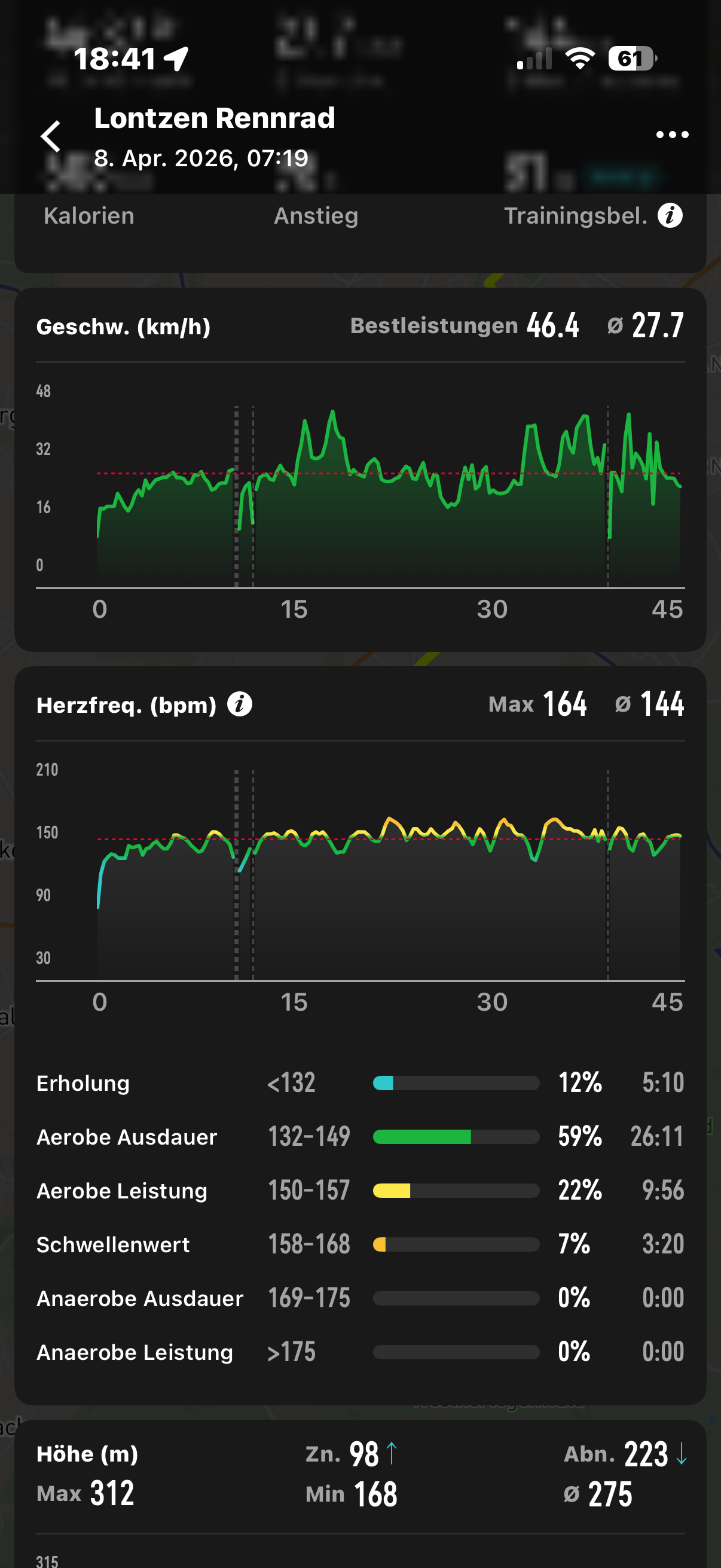
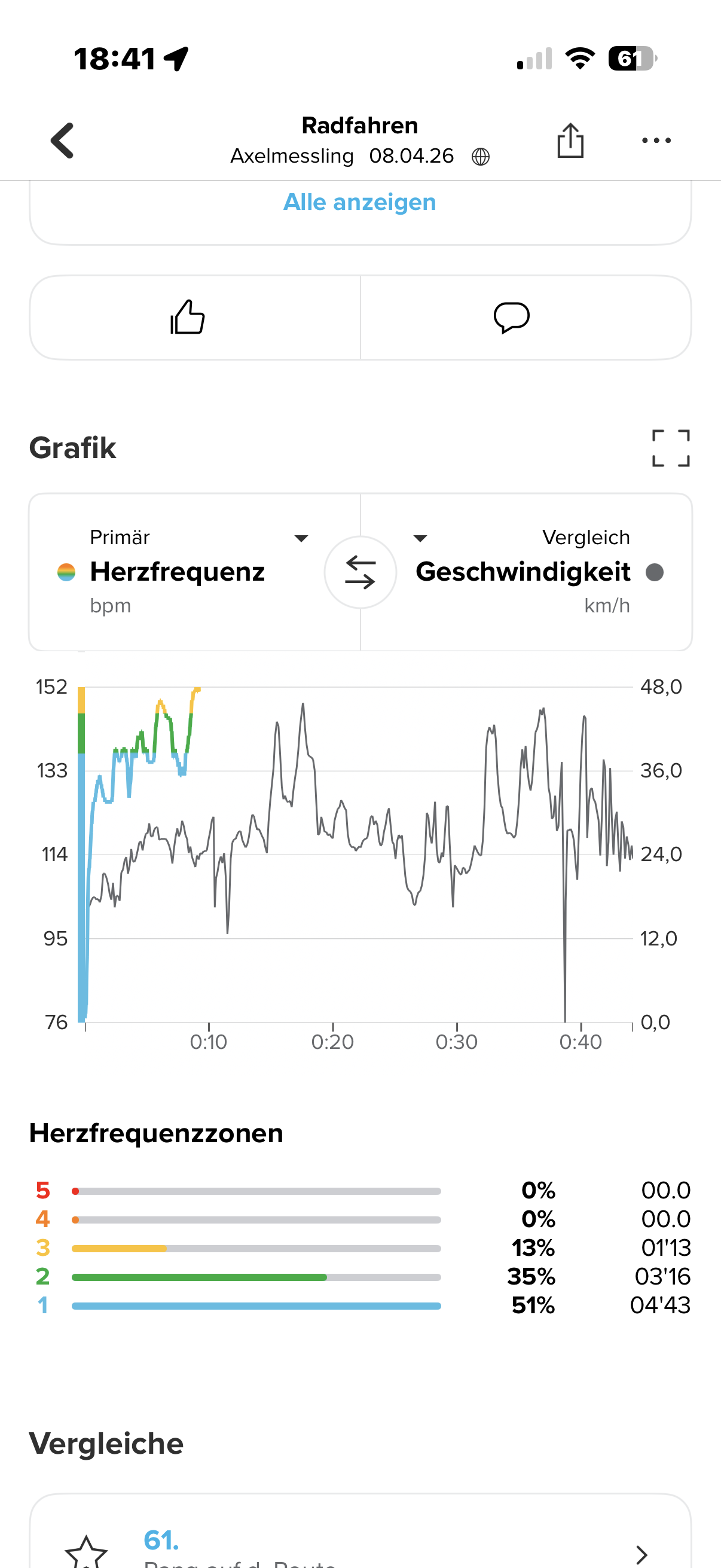
-
Same here! I need to disconnect and reconnect the sensor in order to restore its functionality. I have only a single Suunto HR belt.
Hardware
Pixel 8a
Android 16Suunto Smart HR belt
App version 6.7.12
Watch
Race
Software version v2.53.42, installed 7 April 2026Previous versions
2.50.28 same error as in the current version
2.50.26 same error as in the current version
2.48.16 no dropoutsLogs sent at 19.28 CEST
Screenshot from yesterday:
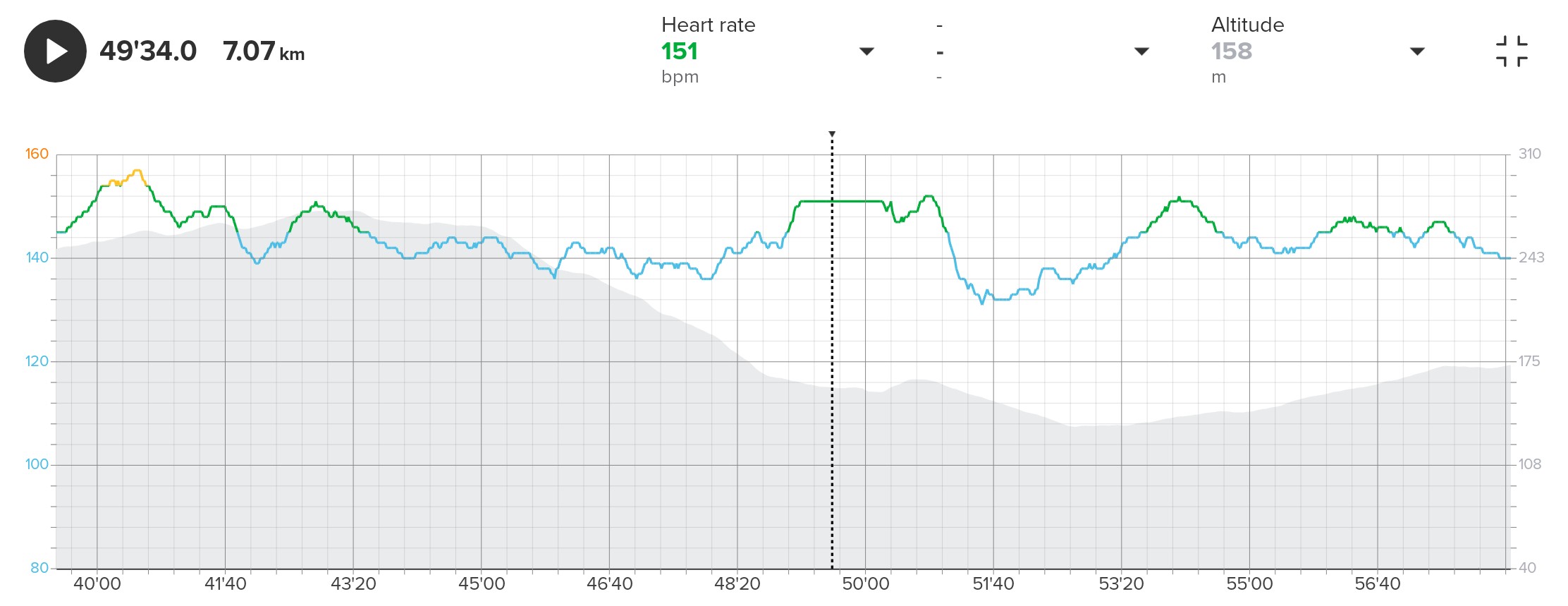
-
Still it isn’t possible to send the logs to suunto
-
Logfiles successfully sent at 10:26
-
@manno02 wait, the Suunto HR belt has only one Bluetooth channel, so it can only connect to one device at the time
-
I know these dropouts since November 2025, as I updated to 2.48.16… for me, the Suunto HR belt is useless since that time… it began on SV1 with 2.28.26, but it’s also present on my SV2 wich I bought 01/26… I posted this problem several times here in the Forum… But actually I doubt that someone is concerning about this problem


-
Yes that’s true and that’s why I shiftet to other HR from COROS and Polar.
But if I select the suunto belt on the watch before a workout, the watch should keep catching the signals of the selected sensor
It seems to me that the sv2 has a problem with handling the signal and priorizing
As I said it worked very fine without the suunto belt and with different other HRs before the update tragedy that startet in Novemwr when the watch got trouble on IOs machines. But that is another point -
Hello everyone, same problem here (again) because a while ago Suunto’s technical service replaced my Suunto belt due to the same connection problems, after approximately 6 months of use of the Suunto band.
Tomorrow I will completely disconnect the band, install a new battery (after resetting the Suunto band) and then test it again with activity.
I’ve also considered that it might be possible using “Sports Mode Customization” after the last update a few days ago…it’s a shame and quite strange because.
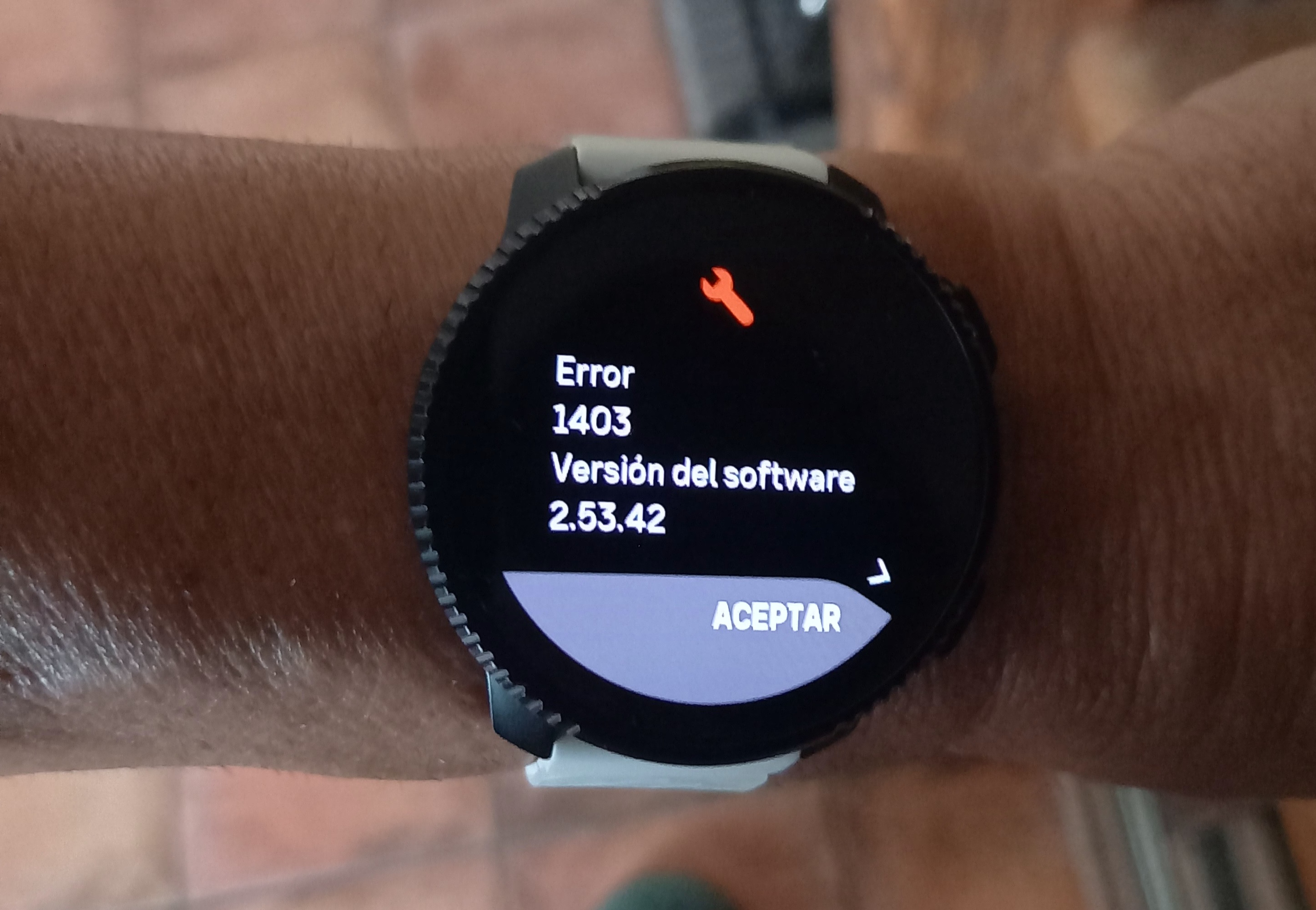
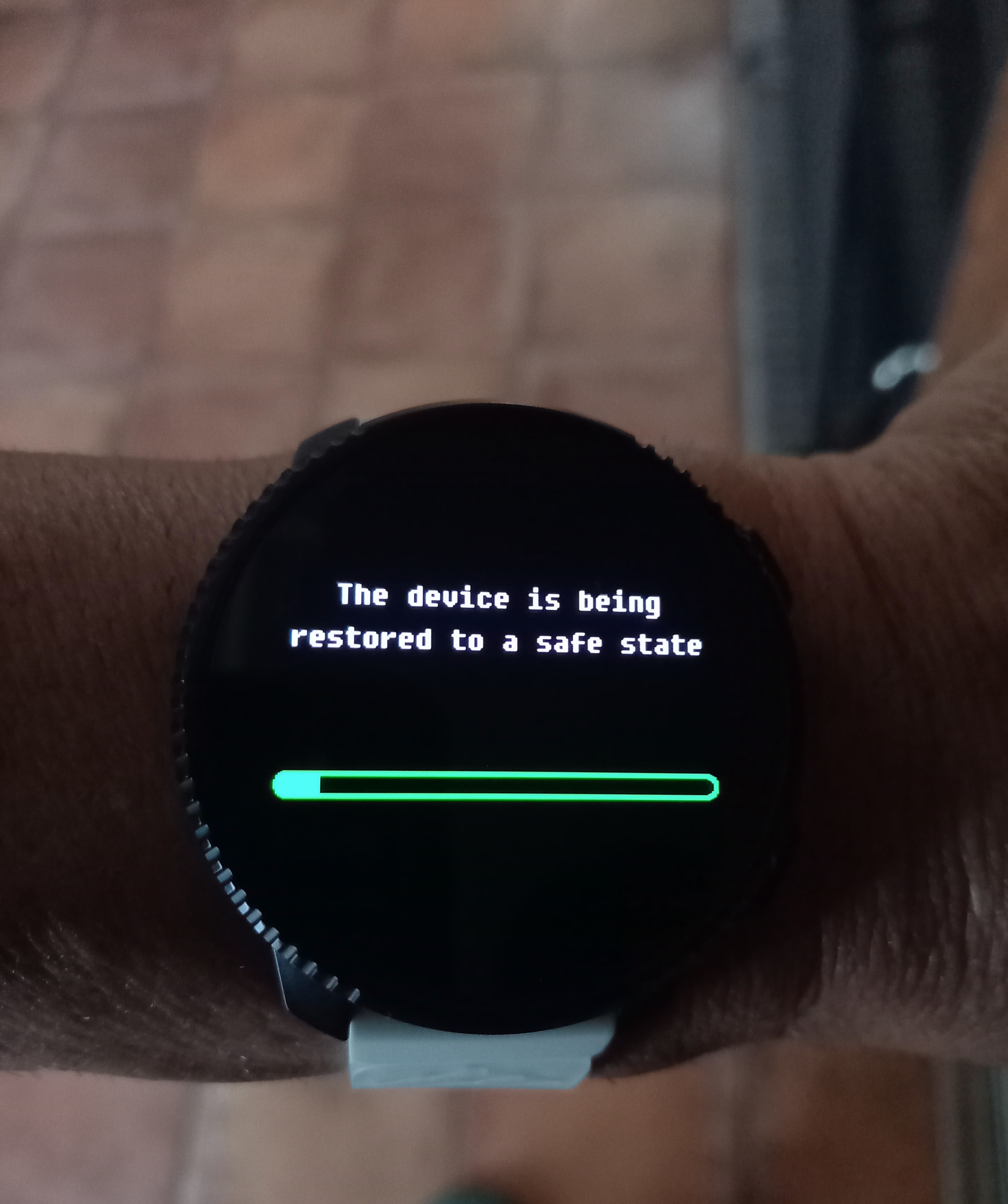
Today I even started experiencing watch restarts when I unpaired the power meter from the bike, as I was ruling out sensors. After a 55-minute activity, it started disconnecting again approximately every 2 minutes.
I’ve attached images showing the clock reset and error message, in case it provides any useful information.
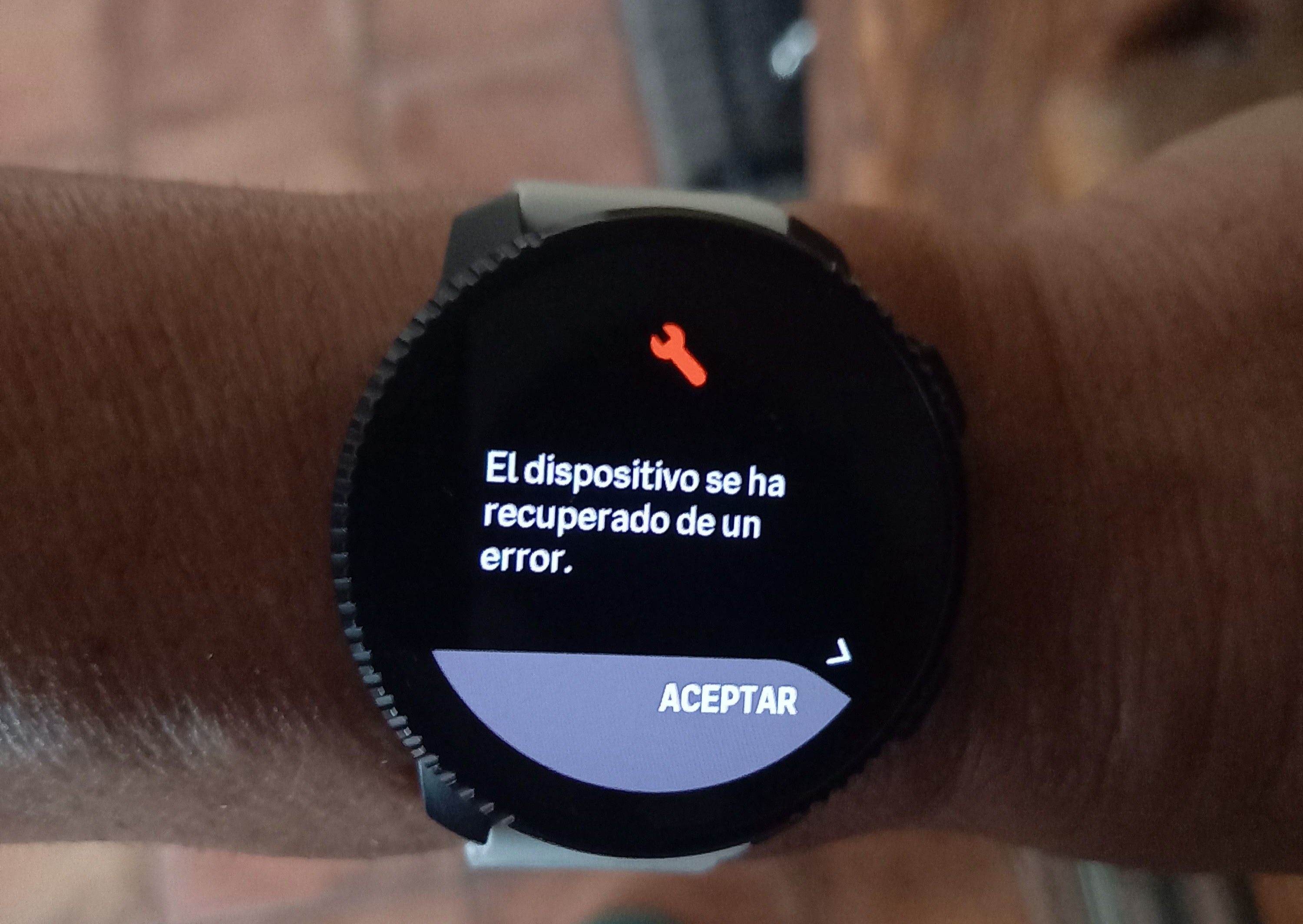
-
@Elmiuel how long has passed from the crash? Can you send logs?
Edit: I see it was yesterday, not sure anything can be done now
Watch: Suunto Vertical 2 Titanium Black
Blog: isazi's home
-
@isazi
Hi Isazi. I’m going to try changing the battery to 2025 and resetting the Smart Heart 30". I don’t think that will be the problem “I hope I’m wrong”. I’ll also try with an external band from COOSPO brand with my watch and the watch’s native sport mode.
Today, April 10th at 5:01 PM, I sent a registration to Suunto… Update of both the App and Vertical Clock 2 to the latest public versions.
If I don’t resolve this issue by Monday, I will send my Suunto Smart Belt Heart external chest strap, which is still under warranty, to the technical service… -
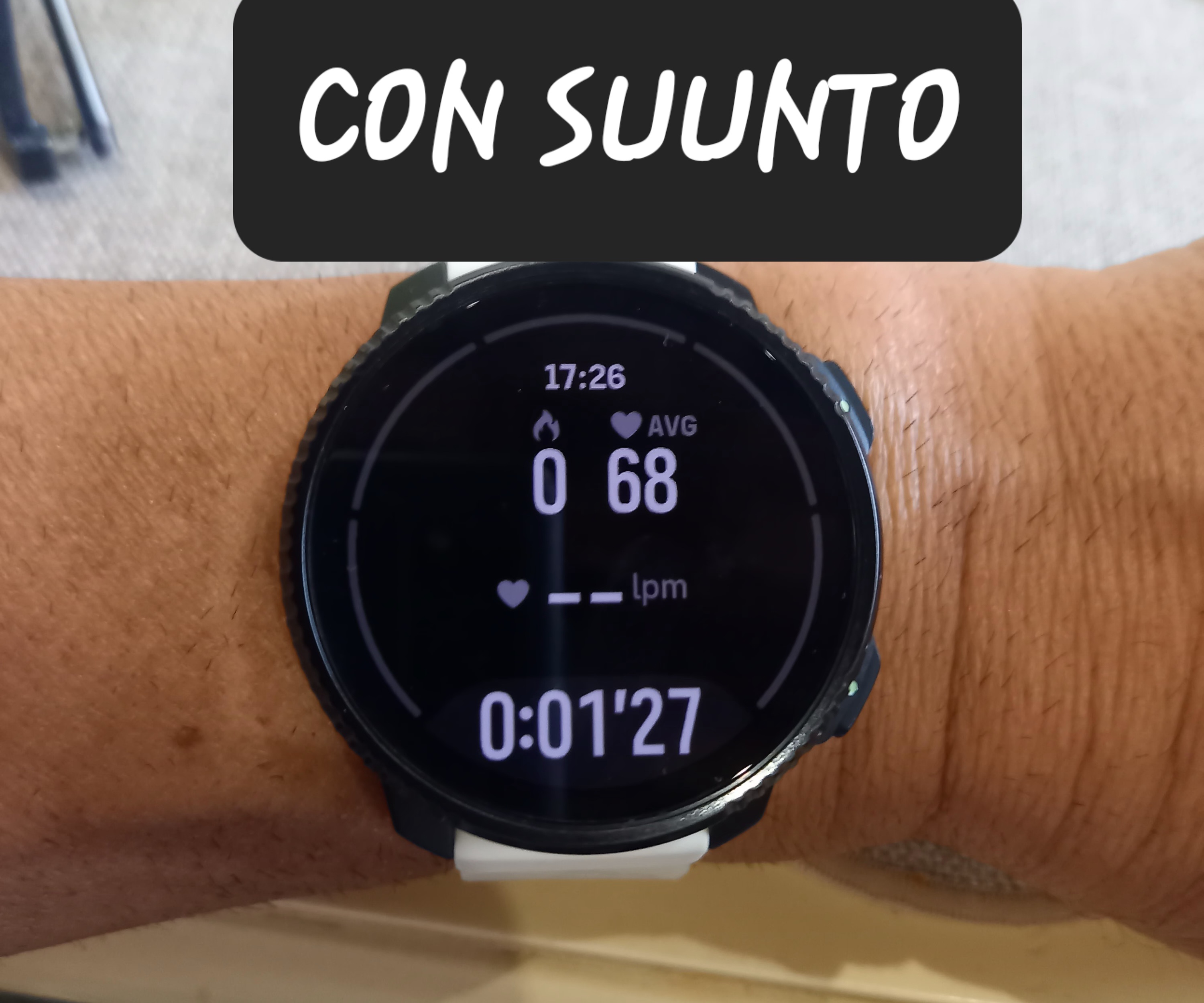
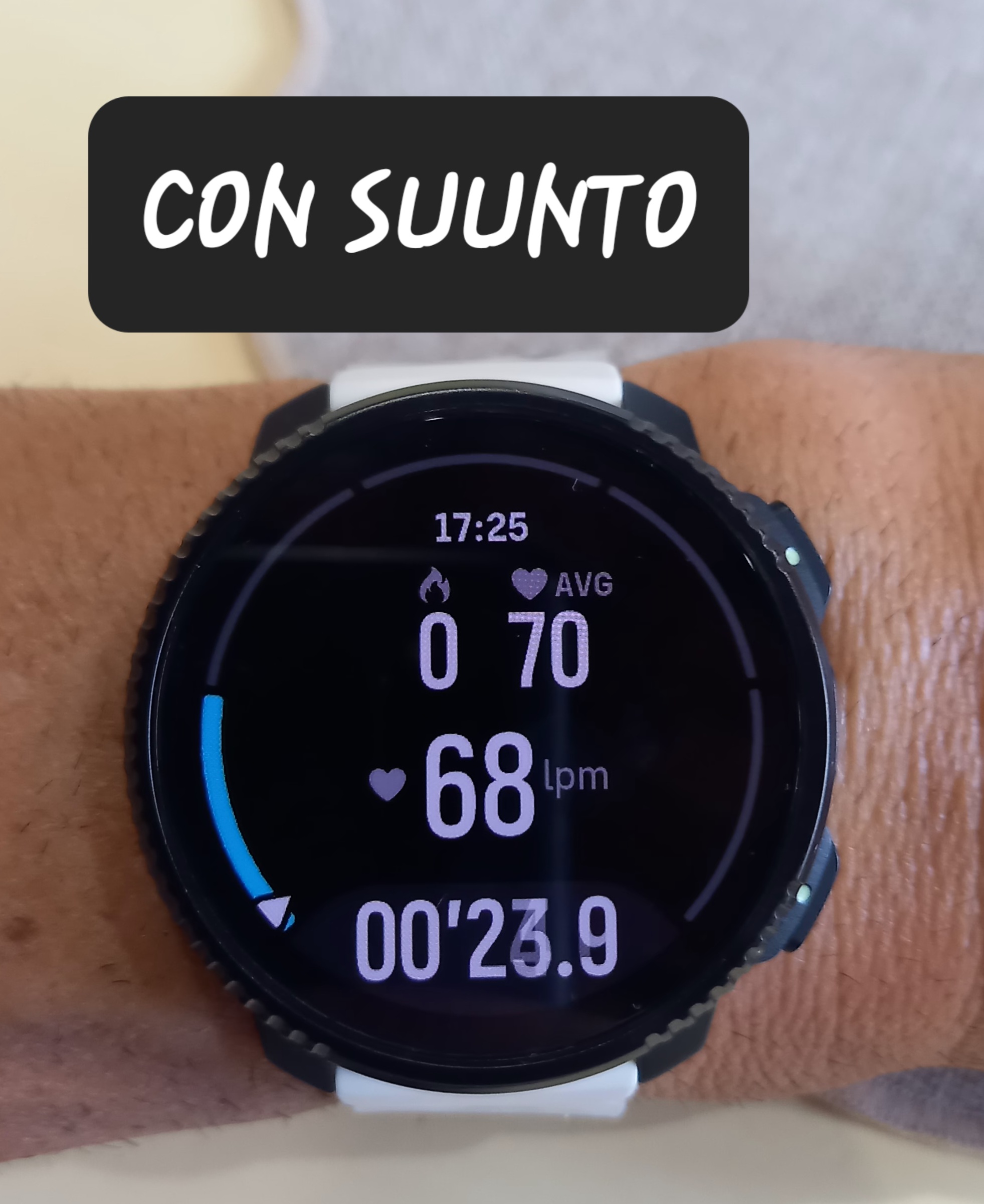
Hi everyone. So, I did a test with two different types of external heart rate monitors: the usual Smart Band Heart Belt and a supposedly inferior brand called “Coospo.” It was disappointing. I even recorded an activity that didn’t require GPS (dancing) for the test…
Using the Suunto strap, after a few moments…
Now with an external one, Coospo brand…
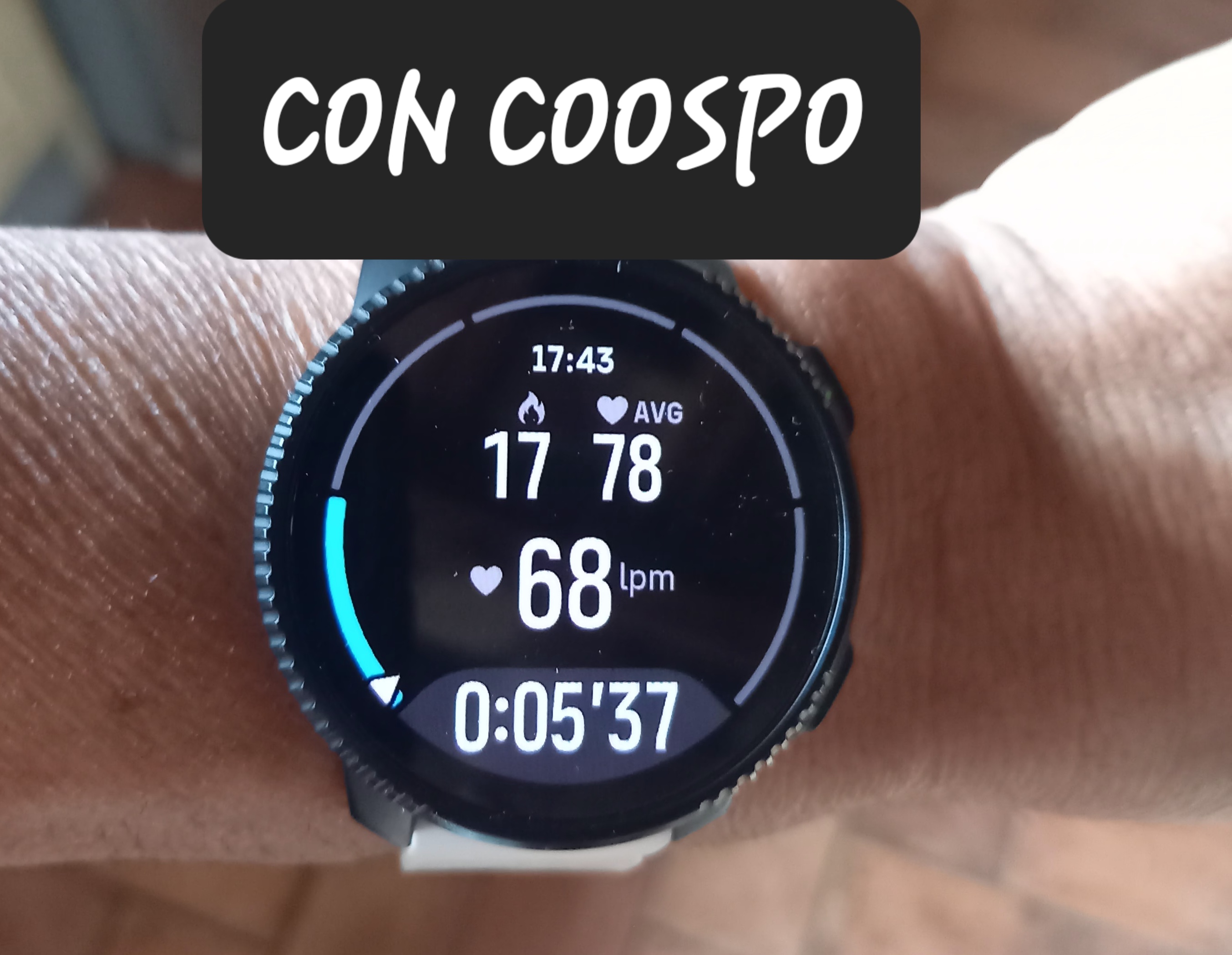
In my case, it’s clear: my original headband, after being serviced and replaced (theoretically) with a new one, has stopped working again after 7 months. I’ve tried hardly washing it… only by hand. I’ll send it to the repair shop tomorrow, as it still has a year of warranty left. After that, I’ll sell it in case anyone wants to continue the crusade . I’m going back to the Polar H10…
 -
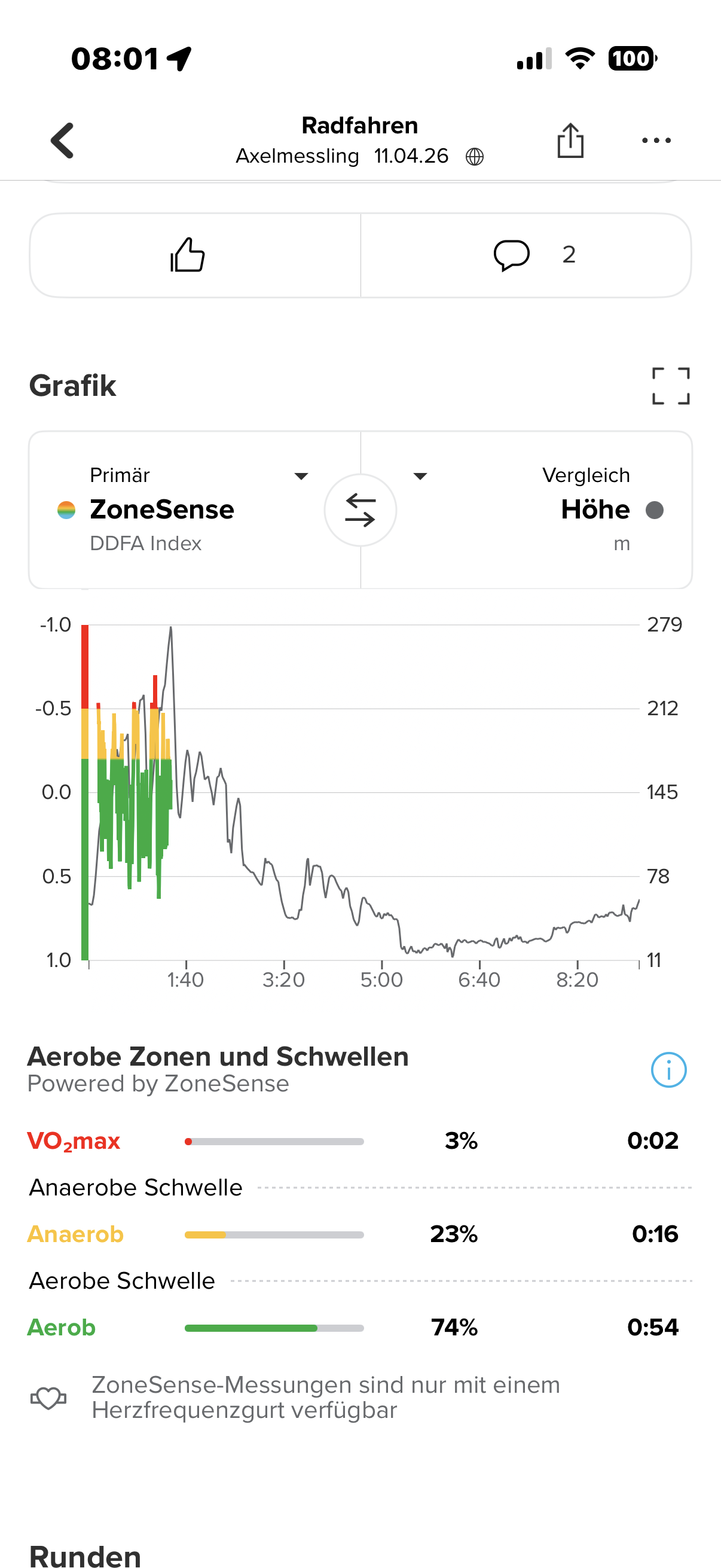
It keeps on yesterday I mad a longer trip after the first break the signal got lost and didn’t come back
This time just the vertical 2 and the suunto HR
It sucks
-
@manno02 I can get the signal back disconnecting and reconnecting the HR sensor, I know that is far from being ideal but at least is a workaround
-
In my screenshot above the area when the sensor is disconnected is flat lined, as other commented, I would prefer to have no data.
Possibly it’s a limit of how data is represented having to link two values?
I had another occurrence of this bug today and is always the same behaviour.
-
I asked Suunto for a hardware service on the watch but until now no response I will wait for it because I don’t want to change to the competitors
-
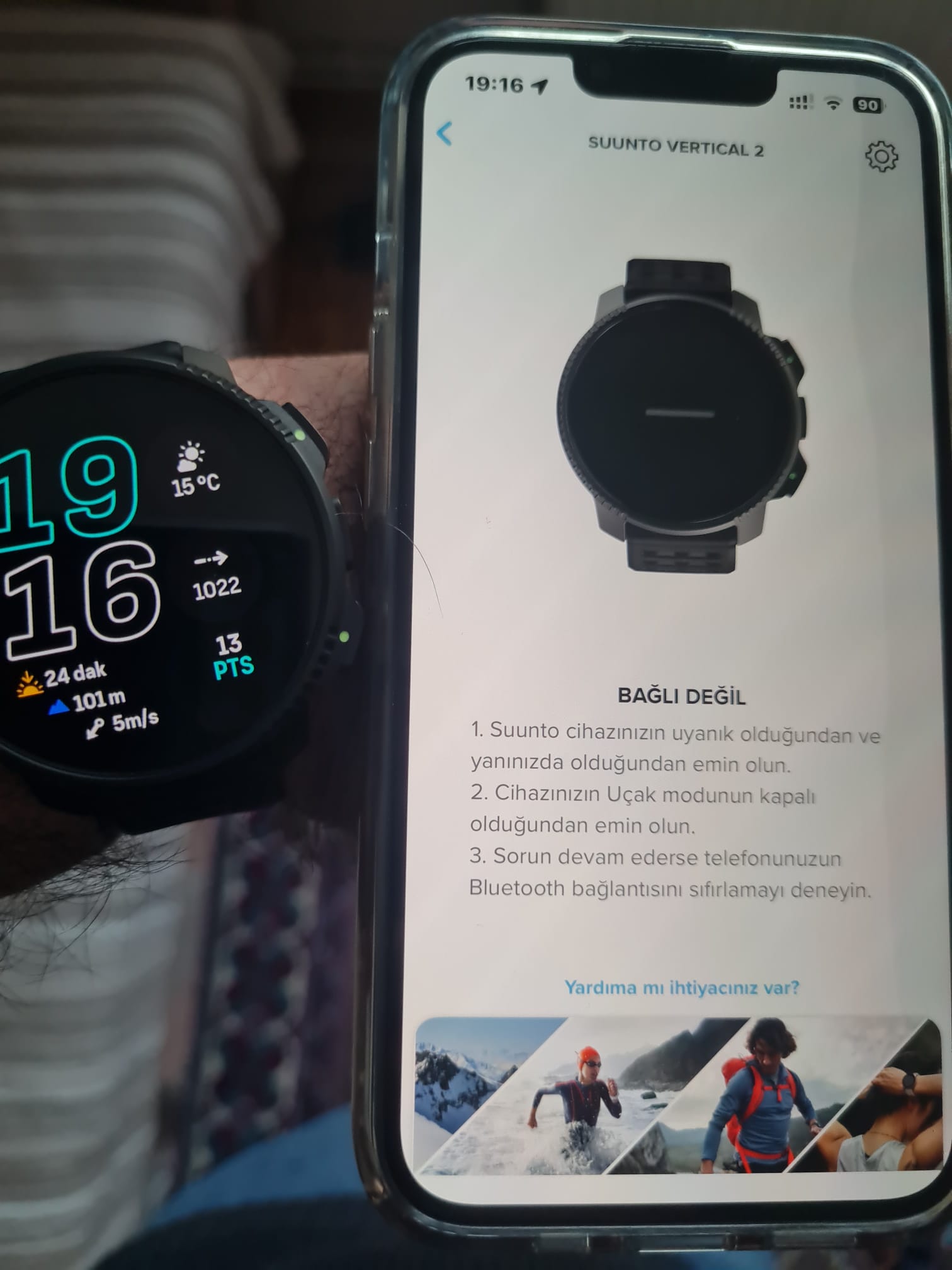
The watch and phone are connected via Bluetooth, and I’m receiving notifications, but the app shows no connection. I turned Bluetooth off and on on the phone, but it didn’t fix the problem. What else can I do?
-
Bluetooth connection to Garmin HRM crashed after few minutes. Logs sent 28.04.2026 21:44.
It’s so frustrating, that bug present few FW ago is boiling my blood again. -
Just reported to Suunto suport by email similar issue between Suunto Run and Suunto Chest Strap. Changing to Duracell 2025 3V batteries didn’t helped.
-
I also reported the issue (race s with polar oh1+ in my case). Got the usual blah blah reply (restart your watch, delete the connected device and repair again)
I suggested they first look into their software and pointed to various threads on their forum about the subject.
Strangely only the heart rate sensor lost connection. My stryd kept working during my athletics training.





Hello! It looks like you're interested in this conversation, but you don't have an account yet.
Getting fed up of having to scroll through the same posts each visit? When you register for an account, you'll always come back to exactly where you were before, and choose to be notified of new replies (either via email, or push notification). You'll also be able to save bookmarks and upvote posts to show your appreciation to other community members.
With your input, this post could be even better 💗
Register Login