Offline Maps and Routing in Suunto App
-
@Egika said in Offline Maps and Routing in Suunto App:
While this may sound practical in theory, I wonder who is using their watch screen while driving a car towards the trailhead.
I think noone.We are talking about offline maps in Suunto App in this thread. Consider the following use case. Let’s say you want to bail out from the hike or trail run and find the shortest path back you your parked car. This might not always be retracing your path back, especially if you are doing a loop route. If the car is parked at a trailhead or a parking lot, seeing these symbols on the map would give an important context to help figure out where the car is.
Alternatively, even a better solution would be to be able to see an activity that is in progress on the map in the app. That would clearly show where the beginning of the activity was.
I’ve actually had a similar experience a few weeks ago. I wanted to use Suunto App to find the shortest path back to the car and start navigation on the watch from the app, and figuring out where I needed to navigate to wasn’t obvious at all.
Suunto: Ambit, Ambit 3 Peak, 9 Baro, Race S, Race Ti, Vertical 2 Ti
Garmin: Forerunner 210, Forerunner 610, Fenix 6X, Fenix 7X Ti -
@sky-runner It’s hard to call a map readable without contour lines.
-
@maszop said in Offline Maps and Routing in Suunto App:
It’s hard to call a map readable without contour lines.
I disagree for two reasons.
-
There is an elevation profile at the bottom. You can interactively try to route along the path and see how the elevation changes, and if you don’t like that, it is easy to undo. Paper maps don’t have this interactivity - that’s why contour lines are more important.
-
Contour line are sometimes helpful, but they should not dominate the view to the point where they obscure other important details, and that’s what we see in my screenshot. Also that long text that tells me I am at West Tiger Mountain Natural Conservation Area. I already know that. With contour lines, the same usefulness could be achieved by using less contrast thiner lines - the brain would still pick it up just fine. What I want to see primarily is the trail system to make a routing decision. An ideal solution would be to toggle contour lines on/off - that’s what I can do in OsmAnd app, but most of the time I don’t really need contour lines even though I likely do more ascent and descent every week than most people in this forum.
-
-
@sky-runner Such pictures look nice on the forum, but in the real world, where most of the area is without trails and roads, such maps are of little use, and often even useless.
-
@sky-runner ups. Sorry.
-
@maszop Ok, here is another screenshot from the same app with countor lines - the same area as the original screenshot of the Suunto app offline map. Arguably, it is still much clearer and easier to read. The app actually has a whole bunch of map rendering configuration settings - it allows me to choose the density of contour lines, their thickness and when their color.
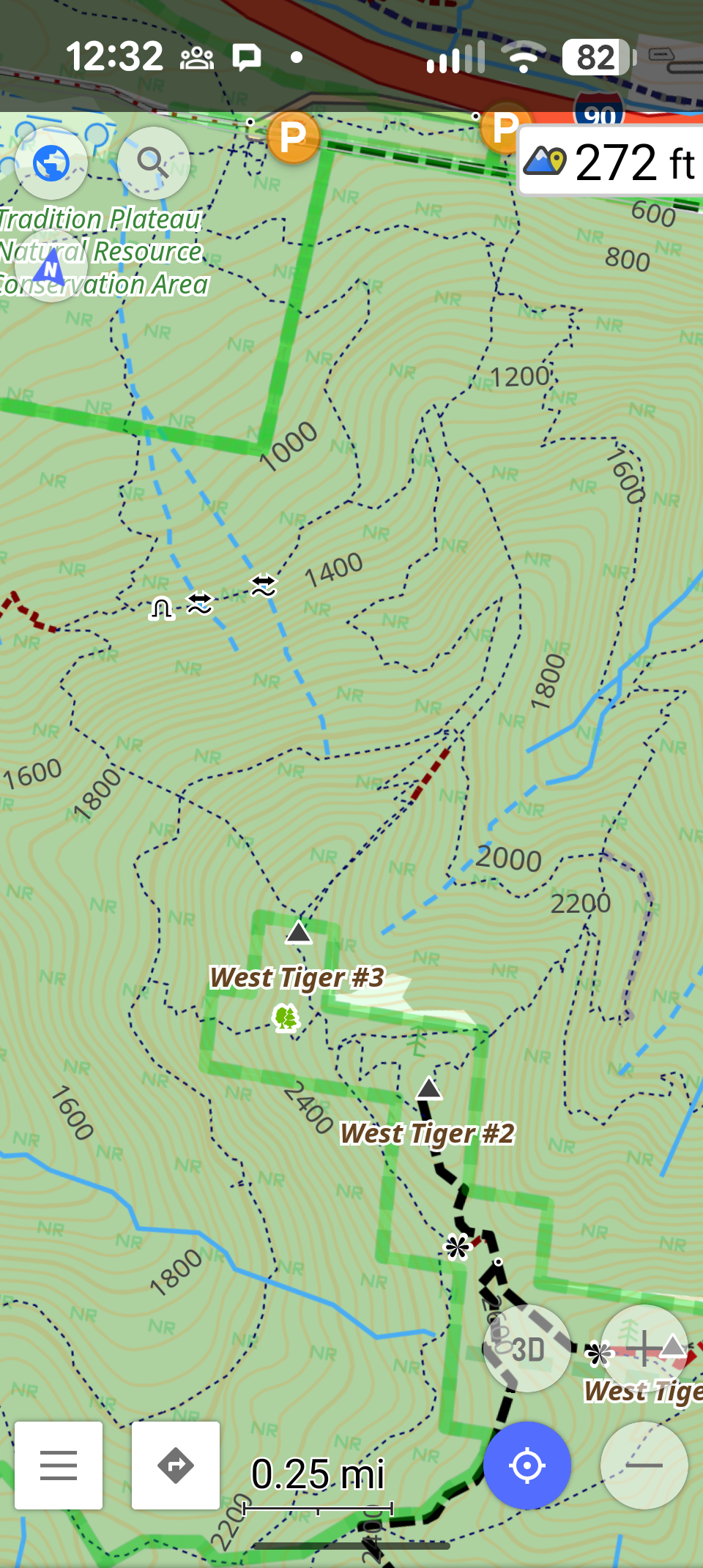
I don’t day Suunto app has to have the same level of customization, although that would be nice, but at less the rendering of contour lines and labels should be more balanced with the rendering of trails.
-
@sky-runner You’re overcomplicating simple things.
Contour lines on online maps are very clear and non-intrusive (they don’t ruin the map’s readability) without any switches or other unnecessary mechanisms. -
@Egika this is my point too. I usually start at home or at some accomodation where i spent night. So i always get into car and set car navigation app in phone (google maps, mapy.com, sygic, etc.) for parking lot in destination. When i get there a get out of car and start using watch/suunto app. But at that point i am not interested about parking lots because my car is already parked. But either way if i go for hike or bike trip, i am always interested if there is some place on my path where i can buy some hot tea, or some cold baverage for refreshment. Or something to eat. When doing 15-20km by foot or 50-60km by bike. I don’t want everytime bring all food and drinks by me from home.
-
@sky-runner for your usecase why you need parking lots in map. If you started tracking from your car, isn’t this not sufficient enough to pin point exact location where your car is in suunto app? I am just curious.
But to clarify, i am definitely not against having parking in maps. It can be obviously usefull for someone. But i would prefer if it can be optionally disabled from map. Especially cities are problem. In mountains it is OK as it is.
Suunto Ambit 2 > Suunto 5 > Suunto Race 2
-
@maszop said in Offline Maps and Routing in Suunto App:
You’re overcomplicating simple things.
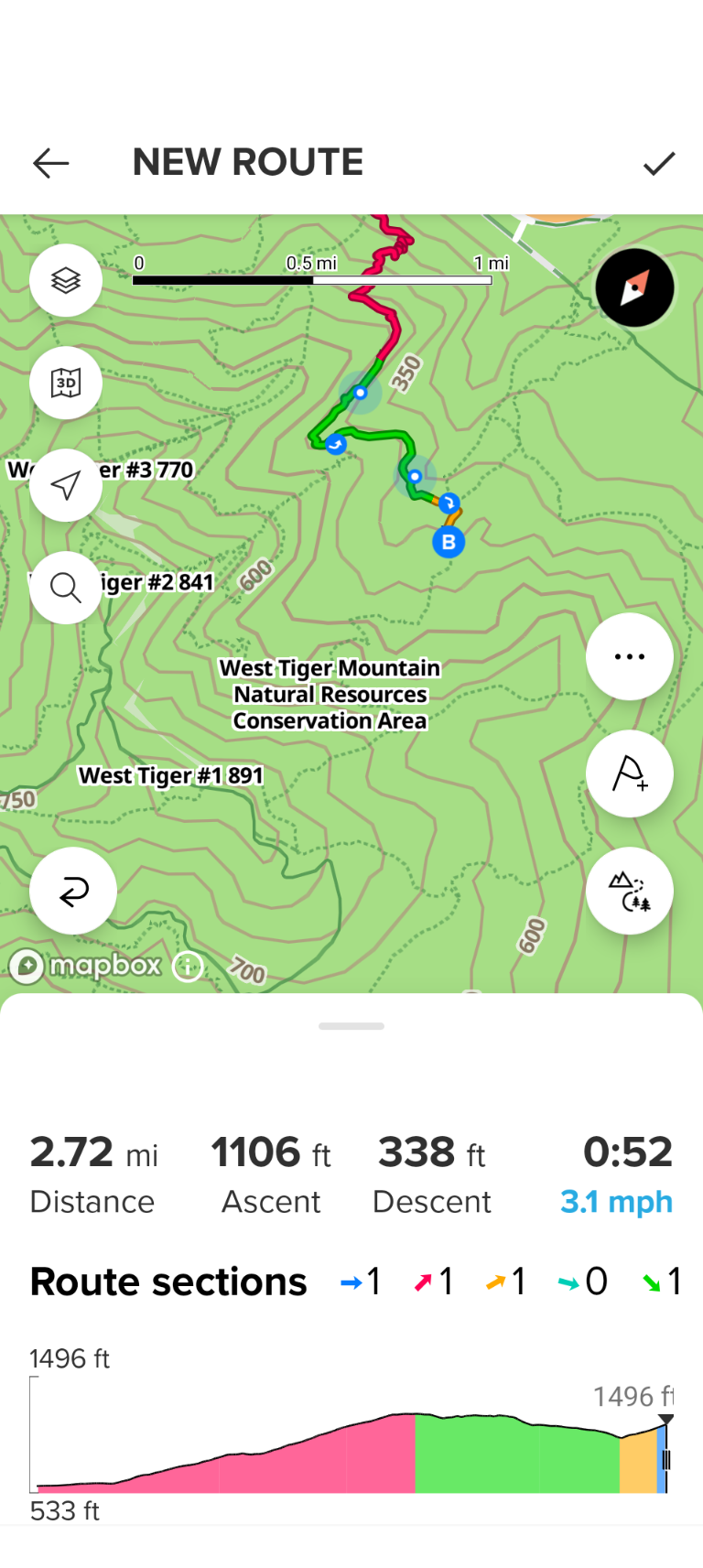
Contour lines on online maps are very clear and non-intrusive (they don’t ruin the map’s readability) without any switches or other unnecessary mechanisms.Did you see my post above? How about for this being non-intrusive? How well you can see trails on this map to do routing while on the go?
Also compare to another map I posted above that is also based on OSM. On Suunto offline map I don’t see summits, creeks (sources of water), viewpoints. All I see are contour lines.
Suunto: Ambit, Ambit 3 Peak, 9 Baro, Race S, Race Ti, Vertical 2 Ti
Garmin: Forerunner 210, Forerunner 610, Fenix 6X, Fenix 7X Ti -
@Tomas5 said in Offline Maps and Routing in Suunto App:
@sky-runner for your usecase why you need parking lots in map. If you started tracking from your car, isn’t this not sufficient enough to pin point exact location where your car is in suunto app? I am just curious
Ok, let me try to explain. I do activities in mountains every week. How many times in 15 years did I need for bailout and find my way back to the car? Perhaps 10-15 times at most, so perhaps once per year. Do you expect users to plan ahead and always pin location of their car in Suunto App even though they have navigation in the watch and may never use navigation in the app? No, normally that is almost never needed and most people most certainly won’t think ahead.
I am not saying I need a location of parking lots in map. What I am saying is that figuring out where your car is parked - where you started - to find the way back in case of emergency may be difficult because of the lack of context. Perhaps the best solution would be to be able to see the track of activity in progress on the phone. That would let a person to decide whether they should retrace back or find a shorter path on the map.
-
@sky-runner said in Offline Maps and Routing in Suunto App:
@maszop said in Offline Maps and Routing in Suunto App:
You’re overcomplicating simple things.
Contour lines on online maps are very clear and non-intrusive (they don’t ruin the map’s readability) without any switches or other unnecessary mechanisms.Did you see my post above? How about for this being non-intrusive? How well you can see trails on this map to do routing while on the go?
Also compare to another map I posted above that is also based on OSM. On Suunto offline map I don’t see summits, creeks (sources of water), viewpoints. All I see are contour lines.
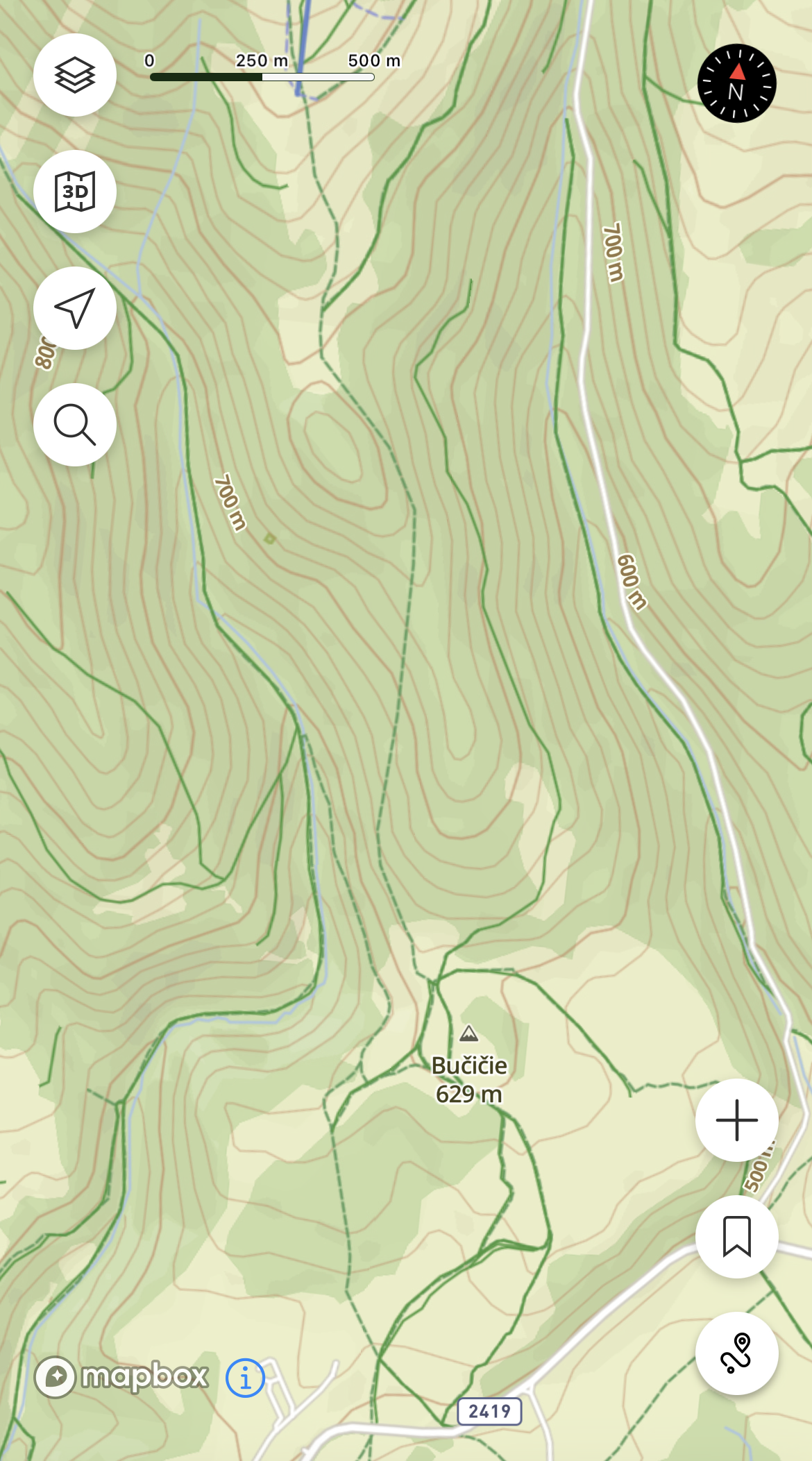
I can confirm too on map in slovakia that trails are hard to see between contour lines. But only at certain zoom levels. When i pinch little more than it is better to see trails. But still worse than online map.
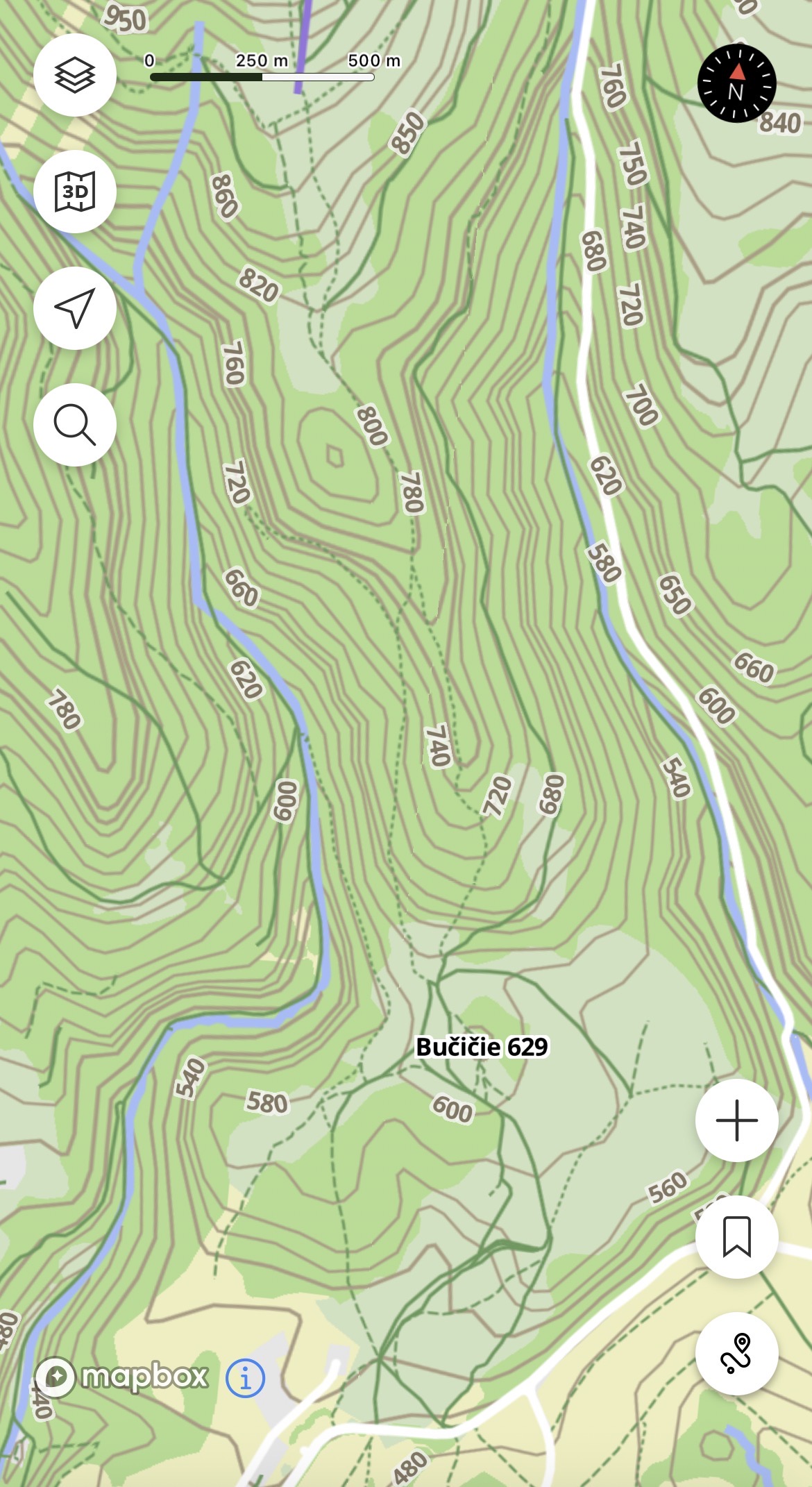
-
versus online where it is easy to see trails
Suunto Ambit 2 > Suunto 5 > Suunto Race 2
-
I do not envy the designers tasked with converting the OSM data bloat into simple, effective, easy-to-use outdoor maps. I think we could all argue that our particular situations demand a specific style, but no particular solution will work across the globe.
@pavel.samokha said in Offline Maps and Routing in Suunto App:
Online and offline data are different, it’s not good to mix neither the style nor navigation with different type of data.
I’m not sure I follow @pavel.samokha’s argument above. I understand that the downloaded maps may have slightly different info than the online ones, but why can’t they share styles? If the issue is the ability to quickly distinguish whether one is using offline or online maps, couldn’t we just have a simple badge in the corner indicating we’re using one or the other?
It’s hard enough to design one good outdoor map. And there are plenty of mapping services in which the downloaded maps are identical to online ones. So why has Suunto decided to have separate styles for online and offline?
-
@duffman19 said in Offline Maps and Routing in Suunto App:
why can’t they share styles
Any style is defined for the specific data it shows. Since in our case the data for online and offline are different style can’t be just reused.
But as I said above we will tune the offline styles and they will likely be closer to online in the looks
-
@Tomas5 yes, yes, I know and will improve the offline styles
-
@sky-runner said in Offline Maps and Routing in Suunto App:
Poor rendering of offline maps at zoomed out levels - it is almost impossible to see the trail system as a whole to make an intelligent routing decision because trails are obscured by contour lines. I really don’t understand why trails get the lowest priority in terms of readability - both on the watch and now on the app offline maps.
Yes, will improve that
Opinions expressed are solely my own and do not express the views or opinions of my employer
-
@sky-runner I pointed out the example of ONLINE maps, where it’s clear that the presence of contour lines doesn’t make the map unreadable. I thought this was easy to understand.
So, instead of removing contour lines, inventing unnecessary switches, etc., simply change the display style of map elements slightly in OFFLINE maps. -
@pavel.samokha today in the morning 25!!! Maps updates for my watch. Complete Germany, Austria
 Download in Progress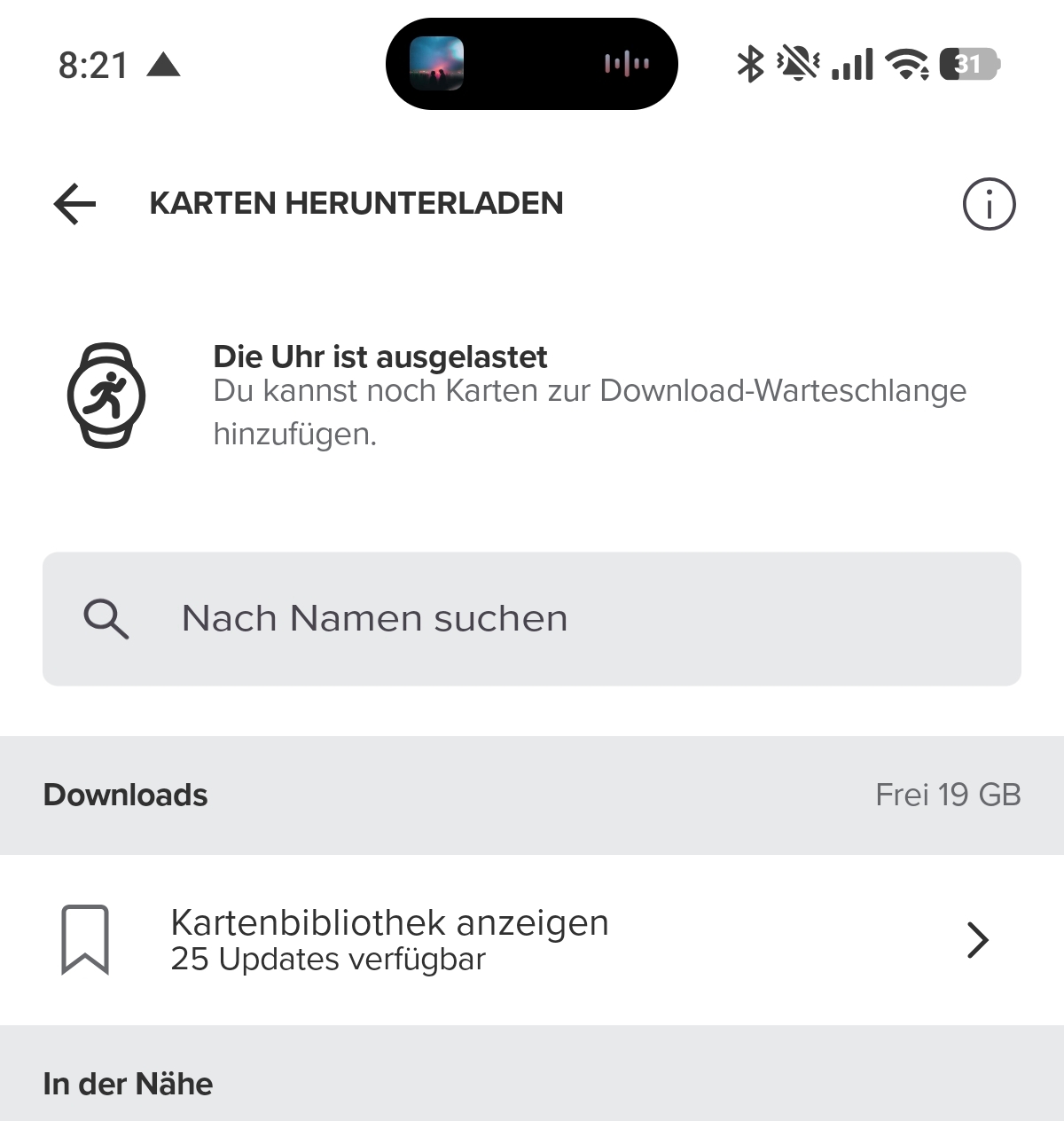
-
@pavel.samokha the decision is sound. However (iOS at least) it makes it impossible to use offline maps in a tablet, for instance, if the watch is paired to the phone (my case), as it is not possible to have it paired to both at the same time (if I am not mistaken). Although the typical case is planning with the app where you have the watch paired, sometimes is easier in the bigger iPad screen. Is there any possible workaround for that?
J






Hello! It looks like you're interested in this conversation, but you don't have an account yet.
Getting fed up of having to scroll through the same posts each visit? When you register for an account, you'll always come back to exactly where you were before, and choose to be notified of new replies (either via email, or push notification). You'll also be able to save bookmarks and upvote posts to show your appreciation to other community members.
With your input, this post could be even better 💗
Register Login