Offline Maps and Routing in Suunto App
-
Amazing improvement. If names are not shown, try to zoom out and in back again. In my case, no name appeared in the first try, now they show (and some additional useful information, as water sources…and bars!). At least in my test map (Cantabria, a small map in the north of Spain, 62 Mb).
Good job, Suunto!
PS: Now, let’s see if we iOS users can access to previous activities shown in the map simply acting on the starting point

-
@Efejota it works for me with the iOS beta version

-
@pavel.samokha big thanks to Suunto. In last year there was lot of improvements and espectially now. Offline maps with navigation, improvements to maps on watch, Suunto Plus editor opened to public. There is still many things to improve but Suunto is going right direction. This is very positive news. Really thanks to all suunto team.
-
@duffman19 said in Offline Maps and Routing in Suunto App:
This option is not available if you do not have any watches paired with the app.
Correct, we limit offline maps availability to Suunto app users who own Suunto watch. You don’t need to have watch connected, but you need to have one paired
Opinions expressed are solely my own and do not express the views or opinions of my employer
-
@pavel.samokha said in Offline Maps and Routing in Suunto App:
@Prenj show it
Yeah sorry, I wanted to make a screenshot and upload it but got distracted…
Anyway, when I opened the suunto app offline map now, I can see the names. Strange. And I was not alone with this map without names. My friend had the same thing happening on his phone (both androids) few minutes after downloading offline map. Is there something happening in the background in suunto app that needs time?
So yeah, anyways, I’m glad it works now

-
@pavel.samokha will watch get street names in same way as in suunto app offline map?
-
I notice one thing, maps are full of parking in Slovakia Map, i checked city Banska Bystrica. For example suunto app vs mapy.com
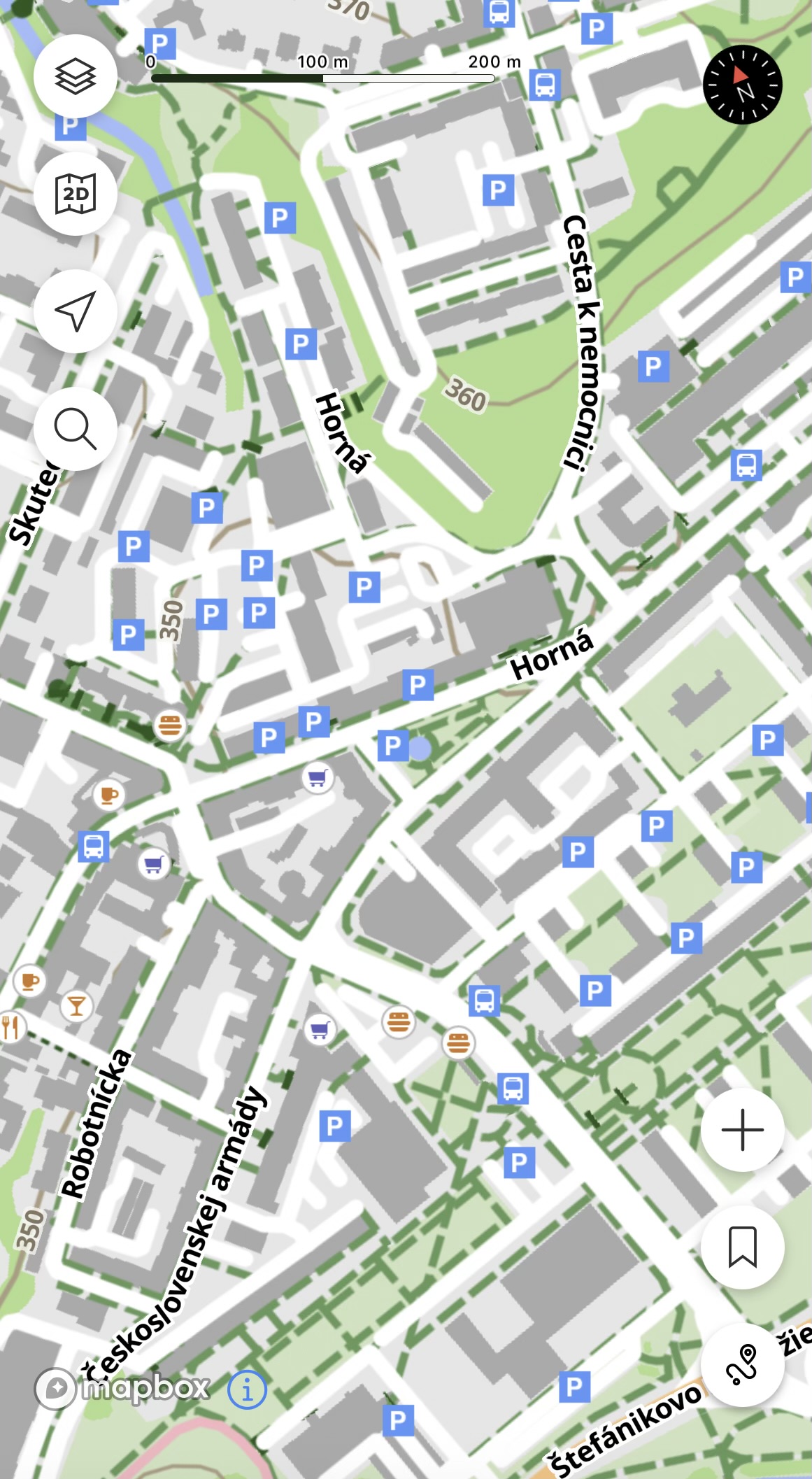
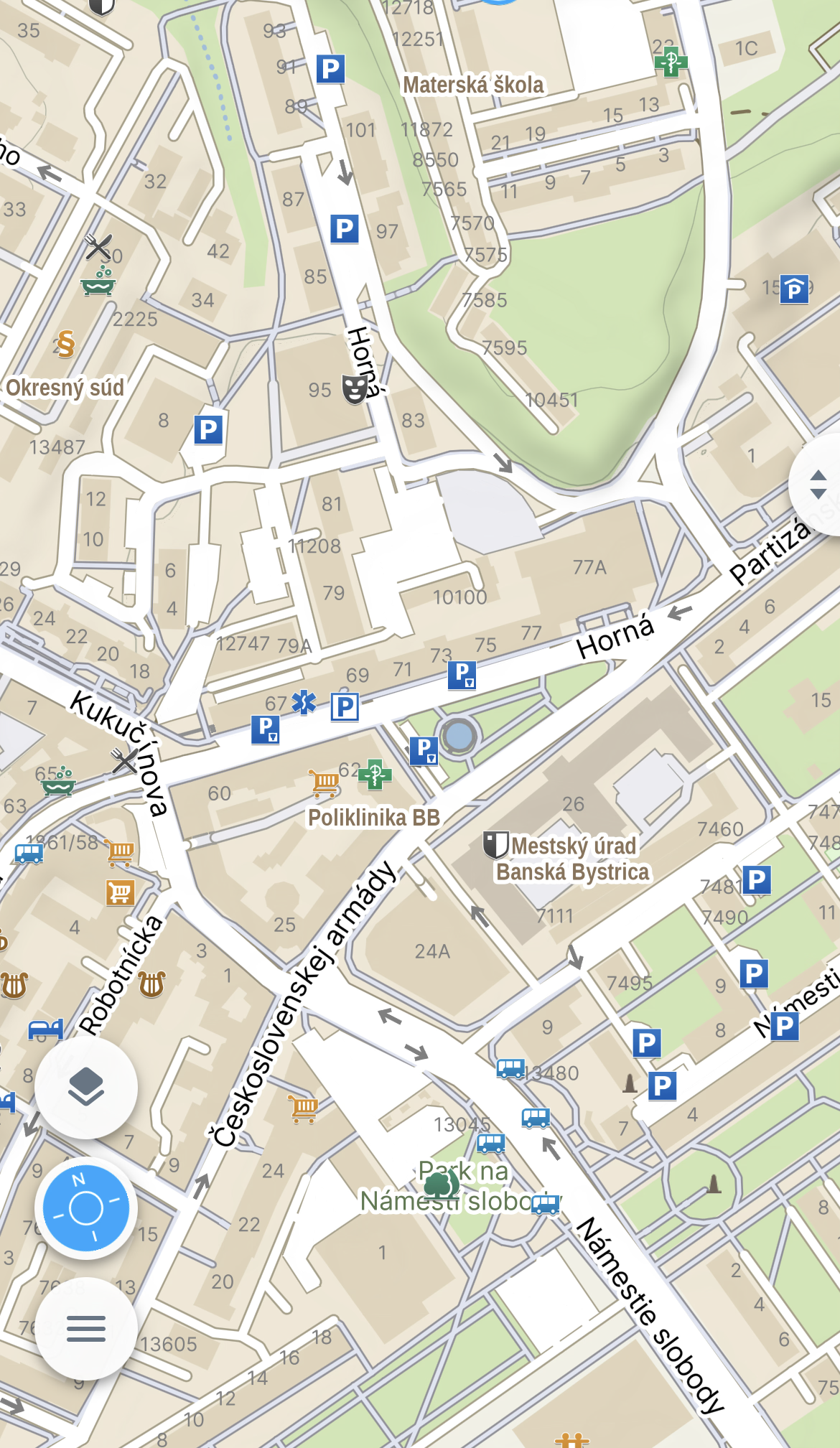
For map primary focused for sport. It show too much parking.
Suunto Ambit 2 > Suunto 5 > Suunto Race 2
-
-
@Tomas5 said in Offline Maps and Routing in Suunto App:
For map primary focused for sport. It show too much parking.
True, yet it’s about trade-offs.
I agree that it could be too many parkings in the city, but the focus is to have best features for outdoor environment rather than the city.In this specific case we have different approach to how treat OSM parking. We filter out all parkings that explicitly marked as private (as it should be in my opinion for majority of parkings you showed on your screenshots), while Mapy.cz filters out all parkings that do not have some explicit tags that it’s public/fee n etc.
This is a trade off between too many parkings in the city andmissing parking somewhere in the outdoor.The same goes with the bars for example. I think it’s useful to have a bar marked somewhere when doing a hike - because it’s a source of water and food. But in the city there are likely too many of those.
I’ll think about it more, but also suggest for all users if its their neighborhood with many such parkings to go openstreetmap.org and map them as
access: privateOpinions expressed are solely my own and do not express the views or opinions of my employer
-
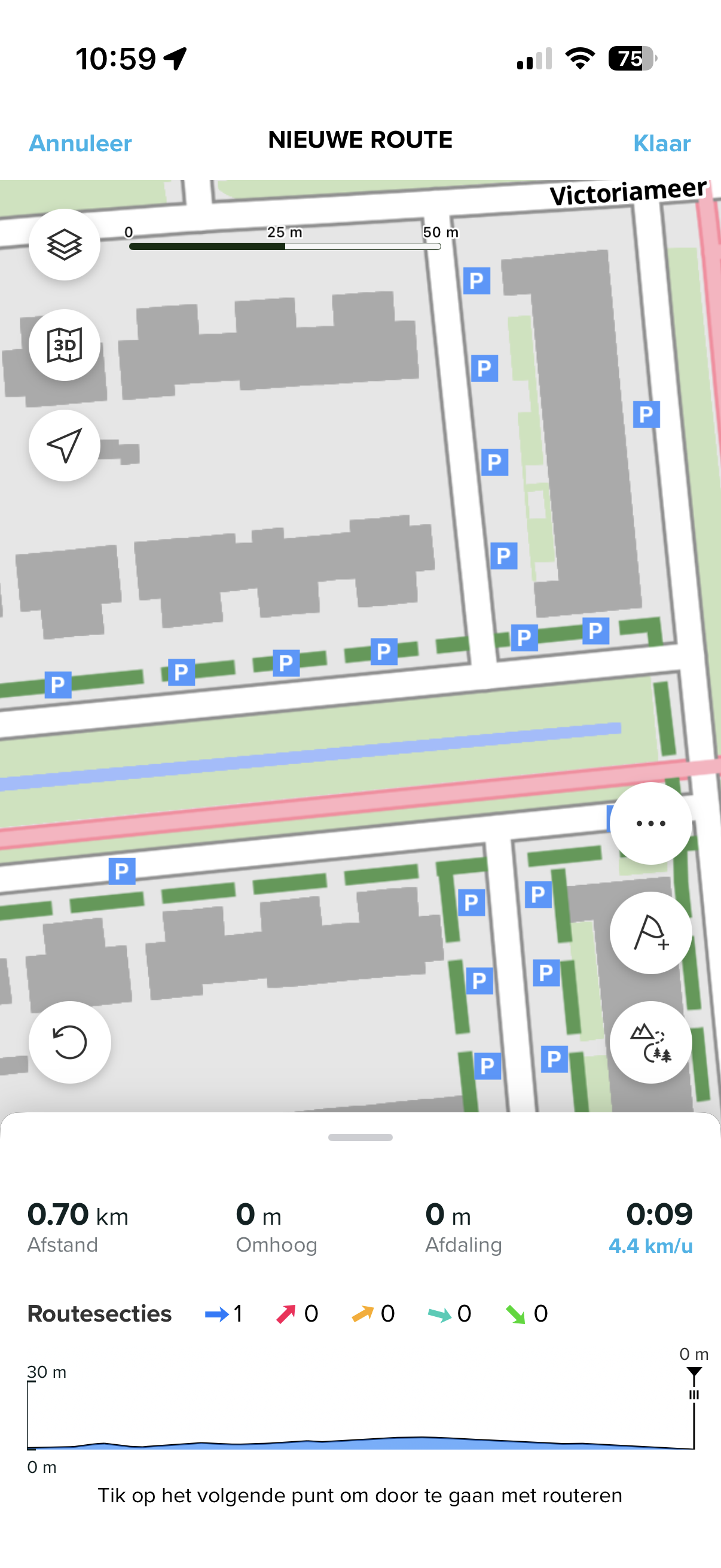
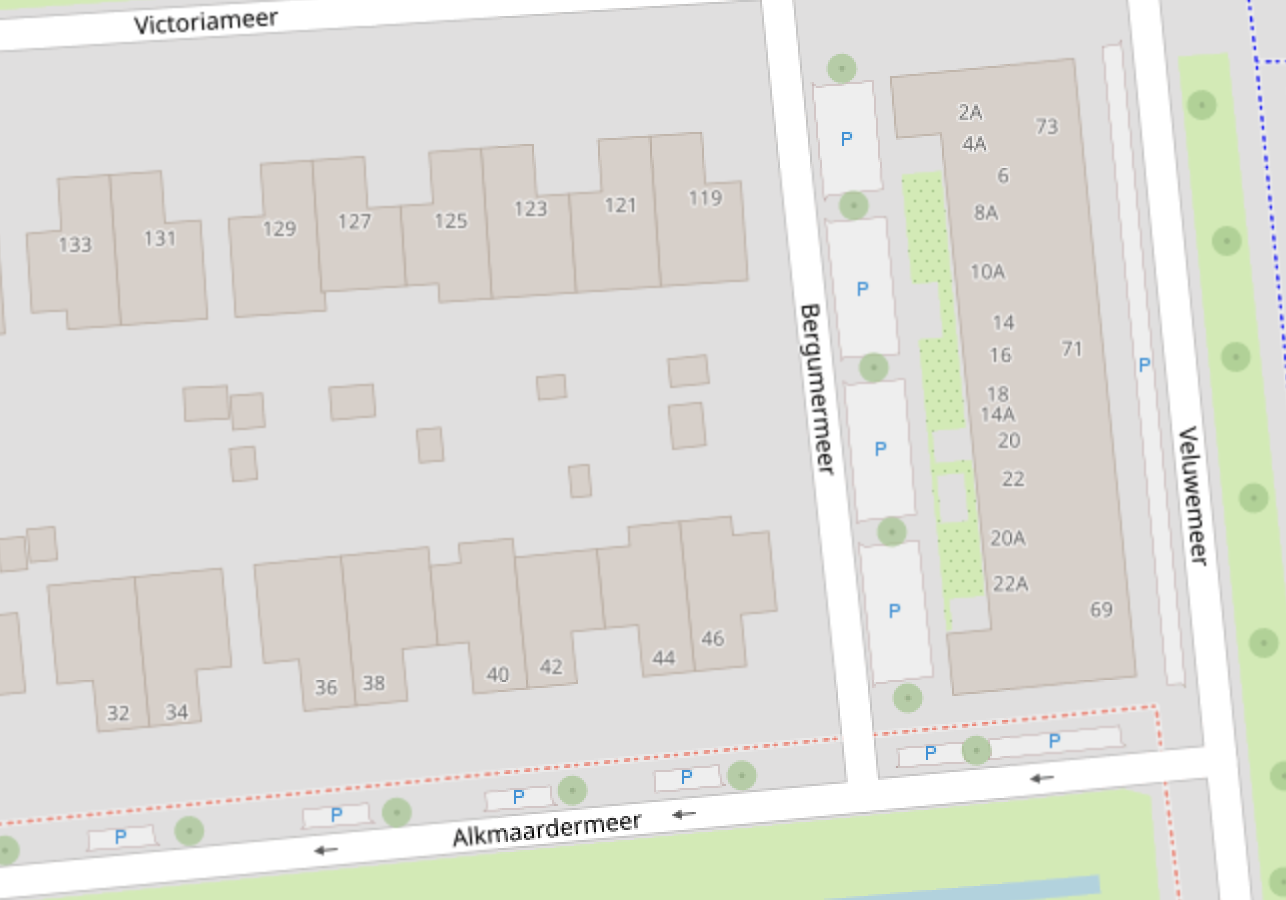
@pavel.samokha I think mapping parking spaces with access:private won’t work for all cases.
For example in the neighborhood where I live there are a lot of public parking bays along residential roads that can be used by anyone, but are primarily used by people living in that street.
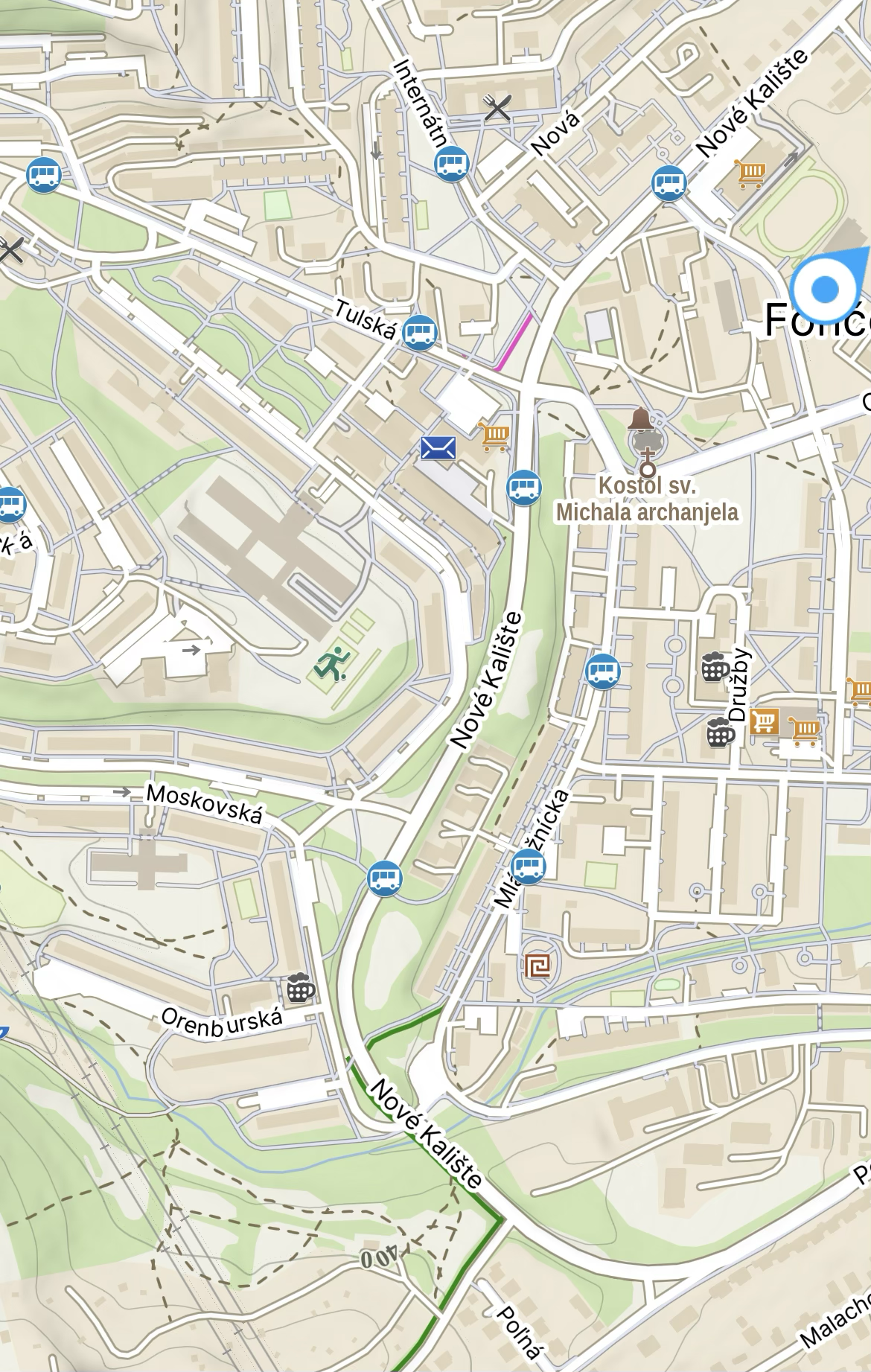
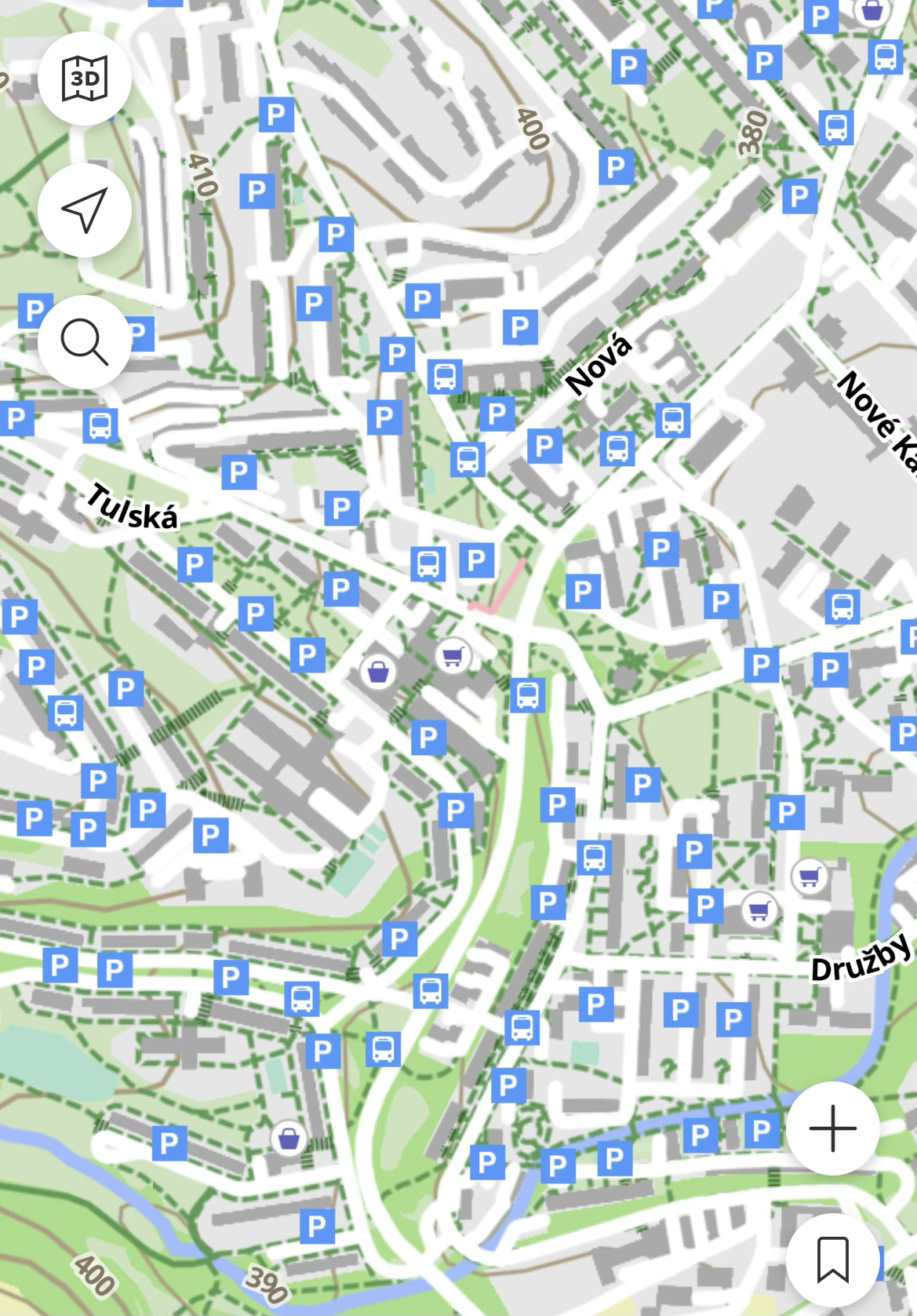
In some areas mappers micromap these parking bays in OSM as amenity:parking and parking:street_side (or similar tags) which, although correct according to OSM guidelines, can result in a lot of P icons depending on the map renderer. In other areas these parking areas are not mapped at all.
See for example these two screenshots:
Suunto App (iOS) offline map:
OpenStreetMap:
-
@pavel.samokha thats problematic becuse it is public parking. Anyone can park there. Because it is parking next to street that goes around block of apartment buildings. Something like this https://maps.app.goo.gl/J3GBjXj7RHkzkM8s8
At least mapy.com show this parking too but only on much greater zoom level.
Suunto Ambit 2 > Suunto 5 > Suunto Race 2
-
Great update!
One thing I noticed is that routing behaves differently on offline maps vs online maps. When I use “All routes and trails mode” (not sure if it’s the right name, I use the app in Dutch), online maps will use cycleways for routing, but offline maps will not. When switching to “All types of roads” (again not sure what the English text is), the app will route over cycleways.
So a workaround is to switch between route modes when building a route, so that the planned route follows the paths and roads I want to.
Is this by design or is this possibly a bug?
-
@JungleJim said in Offline Maps and Routing in Suunto App:
Great update!
One thing I noticed is that routing behaves differently on offline maps vs online maps. When I use “All routes and trails mode” (not sure if it’s the right name, I use the app in Dutch), online maps will use cycleways for routing, but offline maps will not. When switching to “All types of roads” (again not sure what the English text is), the app will route over cycleways.
So a workaround is to switch between route modes when building a route, so that the planned route follows the paths and roads I want to.
Is this by design or is this possibly a bug?
Read here in this same thread #4: https://forum.suunto.com/post/188081
It is by design.
-
I just received version 6.8.9 for Android; I downloaded some maps to my phone and a few others to the app, but I don’t see anything in the app right after switching to offline maps (empty). I’m using light style if that matters. Sorry, I’m still trying to figure it out, so I’m probably missing something.
Edit: solved w/ a restart of the app.
Edit: tried in the wild right now. Lovely! -
@JungleJim @pavel.samokha i think solution can be to show parking only at greater zoom level like at 50m zoom level on watch or equivalent. Otherwise, the map is now overcrowded with informations.
Suunto Ambit 2 > Suunto 5 > Suunto Race 2
-
@Egika yeah I saw that (should have mentioned that).
“Offline and online routing engines are different. We tried to align them feature-wise, but they can produce different results. You may prefer one or another.”
My question is then more whether this is something that is supposed to be aligned between offline and online maps, or that it is one of the areas where different results are produced.
-
@JungleJim please show screenshots
-
@Tomas5 the reverse case is:
I’m somewhere in mountainous not very populated area and I’m searching where to park before going on a hike.
Quite likely there will be also a parking without any explicit tags. Putting it on highest zoom levels will be inconvenient - hard to find, as I will need to scroll a lot.
I’m not arguing it looking overcrowded in the city, but explaining the tradeoffs here. I will think what else we can do
Opinions expressed are solely my own and do not express the views or opinions of my employer
-
I was talking more about the cases like this:
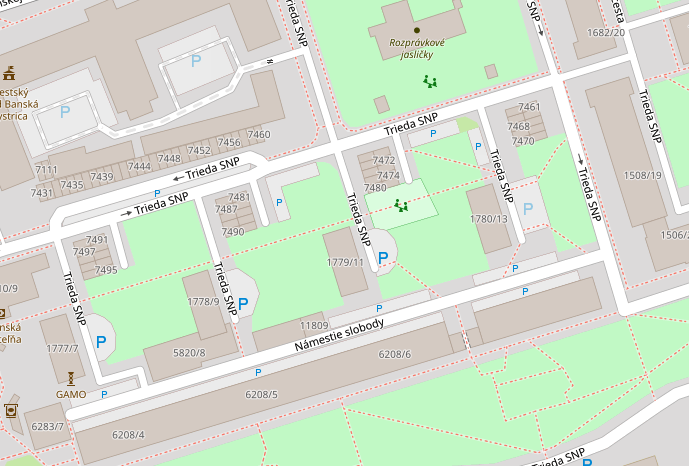
Out of central large P rightmost is marked as private, but three others are not. Hard to believe it’s public - I rather think it’s not tagged properly.
Opinions expressed are solely my own and do not express the views or opinions of my employer
-
@Tomas5 Offline maps are more useful in areas without coverage, so it’s better to have more information on the map outdoors.
In more populated areas, it’s still more convenient to use online maps. Except in places requiring roaming, but that’s definitely rarer.




Hello! It looks like you're interested in this conversation, but you don't have an account yet.
Getting fed up of having to scroll through the same posts each visit? When you register for an account, you'll always come back to exactly where you were before, and choose to be notified of new replies (either via email, or push notification). You'll also be able to save bookmarks and upvote posts to show your appreciation to other community members.
With your input, this post could be even better 💗
Register Login