SuuntoPlus Guides are not syncing
-
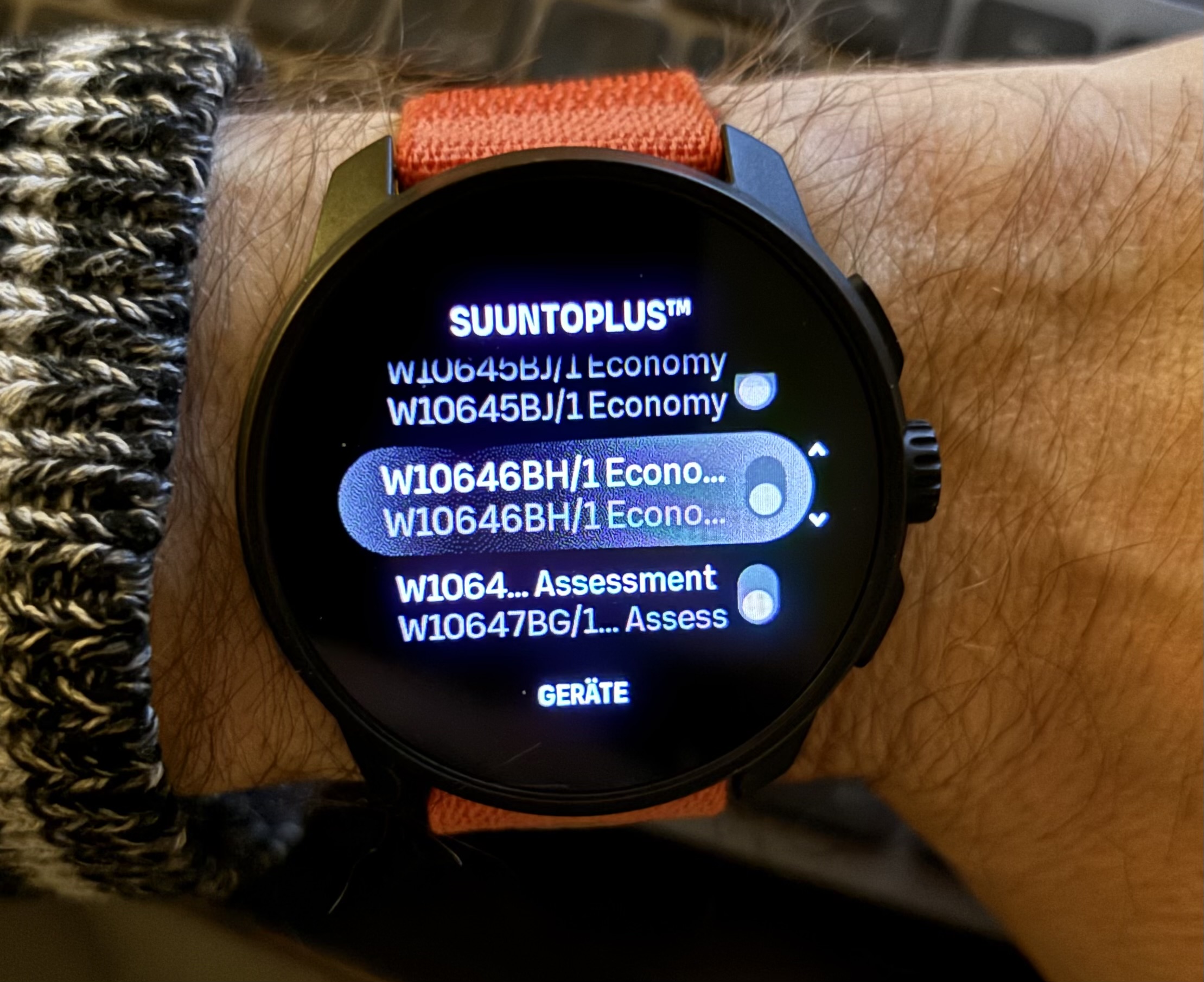
I had this issue before, but in connection with “My Plan”. Now I only use TrainAsOne and it happened again. All Guides are in the “not on watch” section in the Suunto App. On the watch I have older Guides and even a Guide scheduled for today, that has been replaced by another Guide by TrainAsOne. The Replacement cannot be synced from the Suunto App.
12s restart didn’t change anything. App restart didn’t change anything. A manually created interval session can neither be synced.
Last time I did a factory reset. Do I have to do this again?

I wonder if the new year has anything to do with this. Days counting from 01-01 again…
Suunto Race S
Garmin Epix Pro -
@2b2bff Can you delete the the ones coming from Suunto Plan?
In my experience, other providers like TrainAsOne, Intervals.icu… automatically delete the old Guides in the watch. Unfortunately, Suunto App, does not delete old ones, so they accumulate there until no “more space” (or no more guides allowed) in the watchBR
Ion -
@suzzlo sorry for the misunderstanding, but there are not Suunto “My Plan” Guides this time.
And AFAIK you cannot delete anything from the watch, only via the Suunto App. In the Suunto App all SuuntoPlus Guides are listed as “not on watch”. So, I cannot delete anything… -
@2b2bff I have a problem too today syncing activities and workouts with trainasone … suggest to report it in the app as its an SSL certificate that’s expired. I doubt that a reset will help. I sent them this error message that I got on the connection settings…
Activities
554 (certificate_expired) PKIX path validation failed: java.security.cert.CertPathValidatorException: validity check failed (SuuntoCommsService:439)
Workouts (sent)
1/0 (certificate_expired) PKIX path validation failed: java.security. -
@mando the workouts are already in the Suunto App, just not on the watch…
-
@2b2bff oh I see - different problem!
My issue was fixed yesterday and everyhtign sunching both ways again. -
Ok, after the Q4 2025 update, the Guides did sync again. I hoped for this…

-
Spoke too soon. Now I have the same problem again for a couple of days…
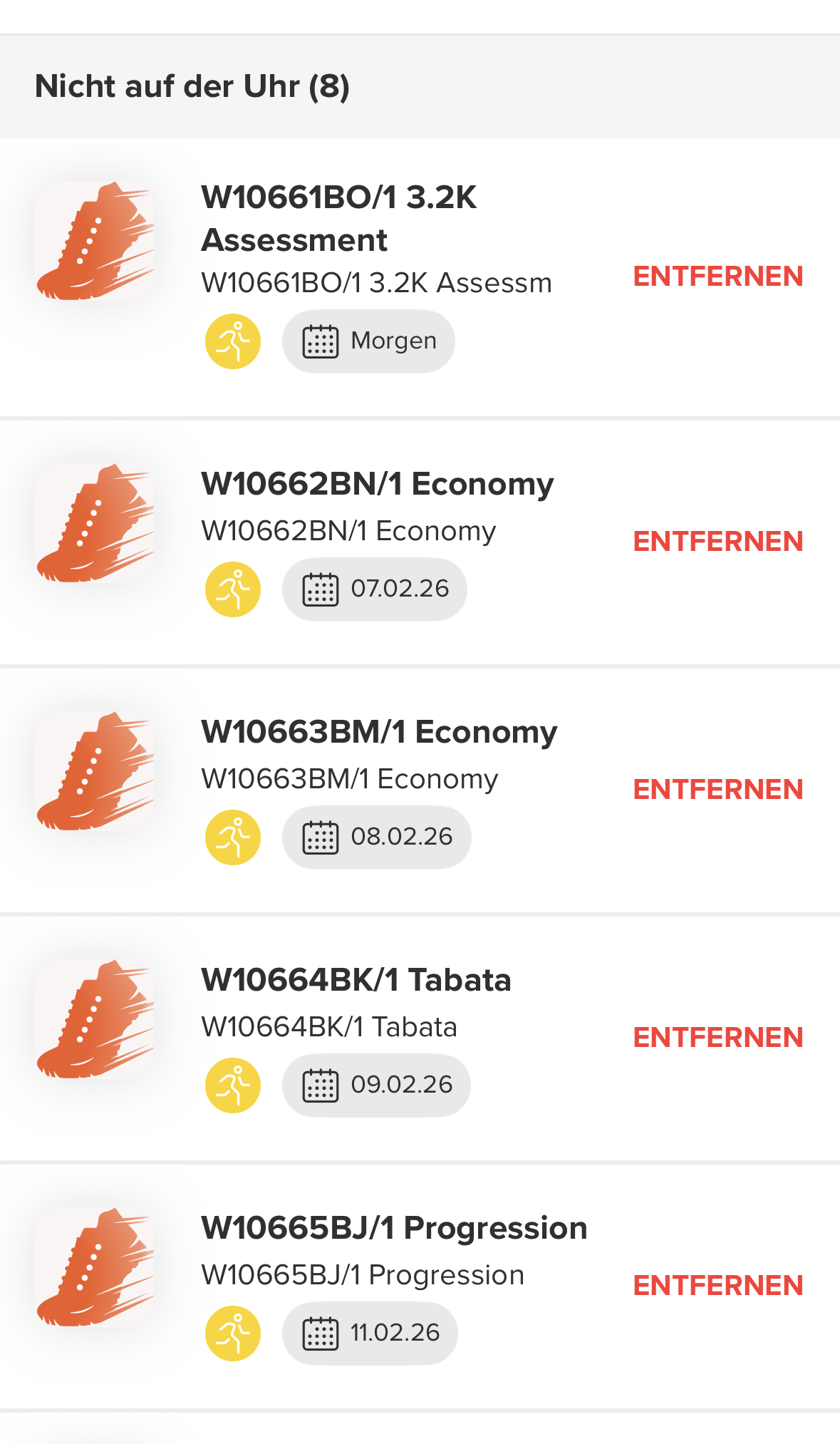
The Guides on the watch are all older (numbers are smaller):
I tried to reinstall the App, 12s reset the watch. Once it actually did work, with a couple of 12s resets and pulling within the app to resync.
I think it started to fail as I had turned off the watch for half a day or so. Maybe it is just angry…
-
Did you find a solution? I am having the same issue: my TrainingPeaks workouts show in the app as “not on watch” and they don’t sync even triggering the watch sync multiple times. It worked fine last year. Now it only does so on seemingly random occasions…

-
@eliventures I just checked and my TP workouts are syncing to my RaceS. Can you try to sync a Suunto Interval workout? If that works and TP still does not sync, try removing and then re-adding TP as a partner in the Suunto app.
-
@eliventures said in SuuntoPlus Guides are not syncing:
Did you find a solution?
Nope, but I mailed with Suunto support and got this answer:
Regarding the situation you described, we have received a response from our technical team: this is a known issue, and we have conducted an in-depth analysis recently. We are currently actively developing a fix and expect to resolve this issue in the first quarter update, ensuring that you can properly synchronize and update your training plan.
So, I hope for the best…
@brad_olwin it doesn’t sync anything. Even other SuuntoPlus apps that I want to install like “Hill Repeats” do not show up on the watch…
Suunto App says no Sports App and even no watch faces are on the Watch, but I have a few Sports apps and use Vertical Week as my watch face… -
@2b2bff thanks - good to know. It also affects syncing apps and watch faces (but I care less about these).
-
@Brad_Olwin thanks, but I have the same situation as 2b2ff, tried a few other things as well (unpairing for example) def not a TP issue.
-
@2b2bff @eliventures I guess the only thing to try is a factory reset then. I am surprised at the support answer but this may be the phone used as well. I have an iPhone and no sync issues with this watch.
-
@Brad_Olwin i use an iPhone. The first time I had that issue has been as I tried My Plan. And as others found out, it will stop to sync after a while. That is where I caneled all “My Plans” and factory reseted the watch. Worked for a couple of months until December. Then the synching did stop. It worked again after the Q4 2025 update, but I guess only because the update resets some things and just resyncs everything from the phone. At least that is my gut feel. So all Guides have been in place and it stopped again shortly after it.
Possibly I will it working again after factory reseting my Watch. But for how long? Maybe it is because I use TrainAsOne that constantly updates the Guides in the background. Maybe the frequency of those updates it too much for the synching algorithm?
The problem with factory reset is that the watch has to relearn all the HRV ranges other metrics again, as this is not synced back from the Suunto App. It currently has not been worth the hazzle, if there is a fix coming…
-
Changed my mind and did a full reset. And sure enough it did sync all over again. But one thing has been odd: Suunto App claimed it sync SuuntoPlus for ages. It only stopped doing so after I interacted with the watch about half an hour later. Maybe I have a weird mixture of SuuntoPlus apps, Guides and Watchfaces what makes the Suunto App struggle to sync?
Currently it is charging and downloading all the maps again…
-
@2b2bff Sorry about this, what is “My Plan”? Perhaps an issue. I have not used either Train As One or My Plan.
-
@Brad_Olwin “My Plan” is Suunto’s own approach of a training plan, or is it called differently now? I use the iOS app in German translation, what is still a bit lacking…
-
Also bit he bullet and did a factory reset. All works fine now, but it was a pain. Realized how much I customized the settings… let’s hope it’ll keep working stable now.
-
Hi everyone! I haven’t used Guides before, but now I’m having the same issue on V1—Guides aren’t syncing with the watch. Is the only way to fix this to reset the watch to factory settings?




Hello! It looks like you're interested in this conversation, but you don't have an account yet.
Getting fed up of having to scroll through the same posts each visit? When you register for an account, you'll always come back to exactly where you were before, and choose to be notified of new replies (either via email, or push notification). You'll also be able to save bookmarks and upvote posts to show your appreciation to other community members.
With your input, this post could be even better 💗
Register Login