The sleep widget is acting up. How do I fix it? (Edit: FIXED)
-
@enriqueescoms said in The sleep widget is acting up. How do I fix it?:
Has anyone else experienced this?
Yes, but only NO morning report on Race S as well. Didn’t get morning report today and yesterday, and there were also 2 or 3 missed before few days ago.
But Sleep widget on the watch shows correct data for previous night that matches the app and actual sleep times. Sleep recording works accurately. I was too lazy to do even a soft reset, because it would reset my custom pace zones due to a current bug in 2.48.16 firmware, so I’m just waiting for Q4 release in Q1…
-
@Squirrel OMG! Laughing to keep from crying.


 ️
️ -
 E enriqueescoms referenced this topic on
-
I am also experiencing this. I have the Race S, and the sleep widget is not accurate, showing sleep data from two nights ago (the night before the most recent night’s sleep). The app is still entirely accurate though, and all the tracking data there seems to be well-collected. I hope they fix this bug soon!
-
@prairiedog Well, at least I’m not the only one

-
What a S**T! Yesterday I did a HARDWARE RESET as a last resort… and nothing was fixed: the watch must be recording sleep correctly because the app records it correctly, but the watch says “no sleep tracking”

-
E enriqueescoms referenced this topic on
-
E enriqueescoms referenced this topic on
-
@enriqueescoms
With a soft reset I restored data on the watch (for now)…but morning report isn’t back yet… -
@enriqueescoms, a few days ago, without a known trigger (no setting were changed), I started experiencing the same problem on my Vertical 2 (no morning report, watch widgets showing two days old sleep and HRV data BUT the current data syncing to the Suunto App). Soft reset does not resolve the issue.
Cc: @isazi
-
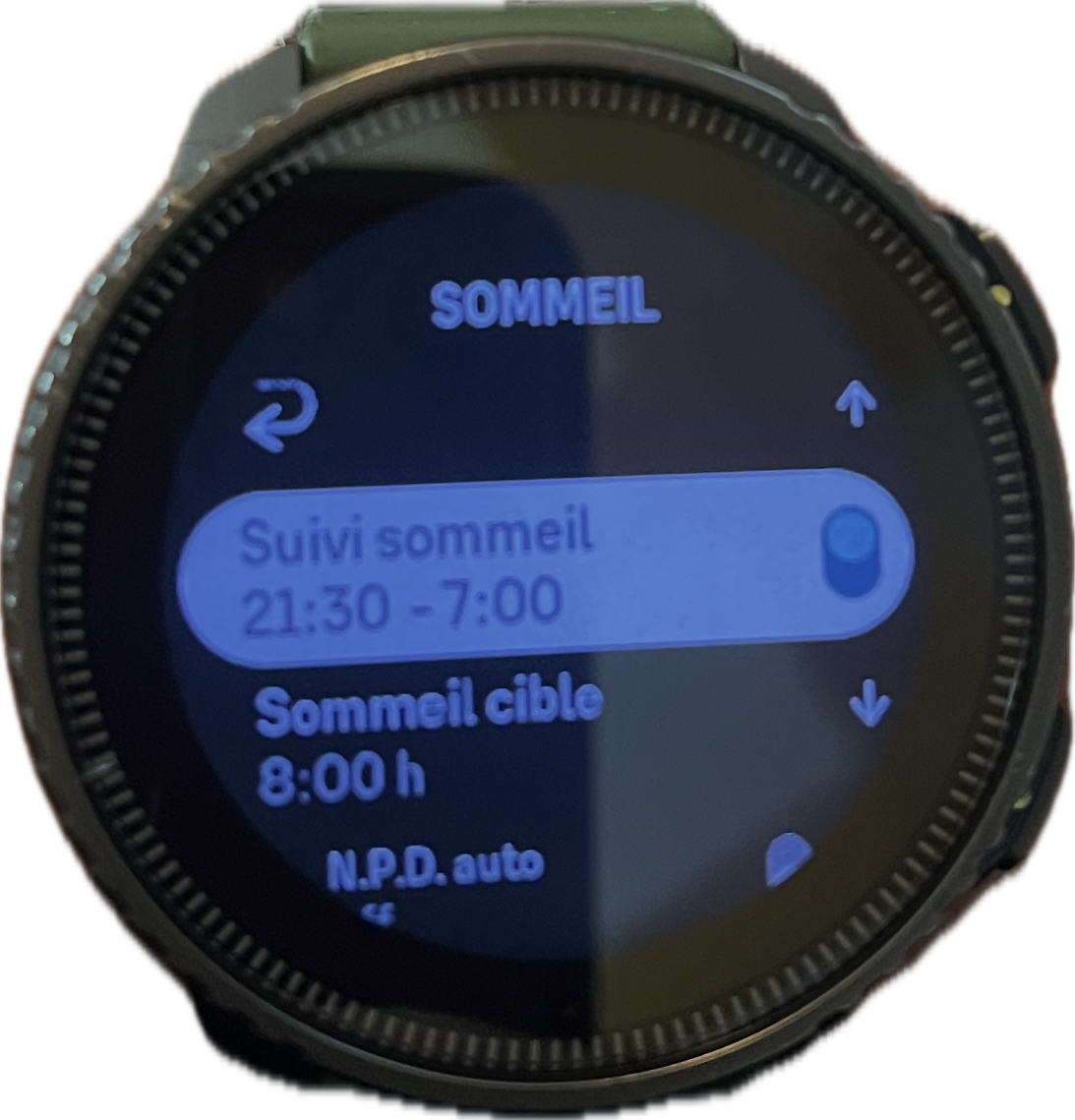
@Freezer Hello same for me for about 3 days sleep tracking shows sleep tracking from 0:00 to 00:00 I’m on vertical and I’ve never had a problem before?
-

-
You adjust the hours of sleep and when the application synchronizes with the watch
-
-
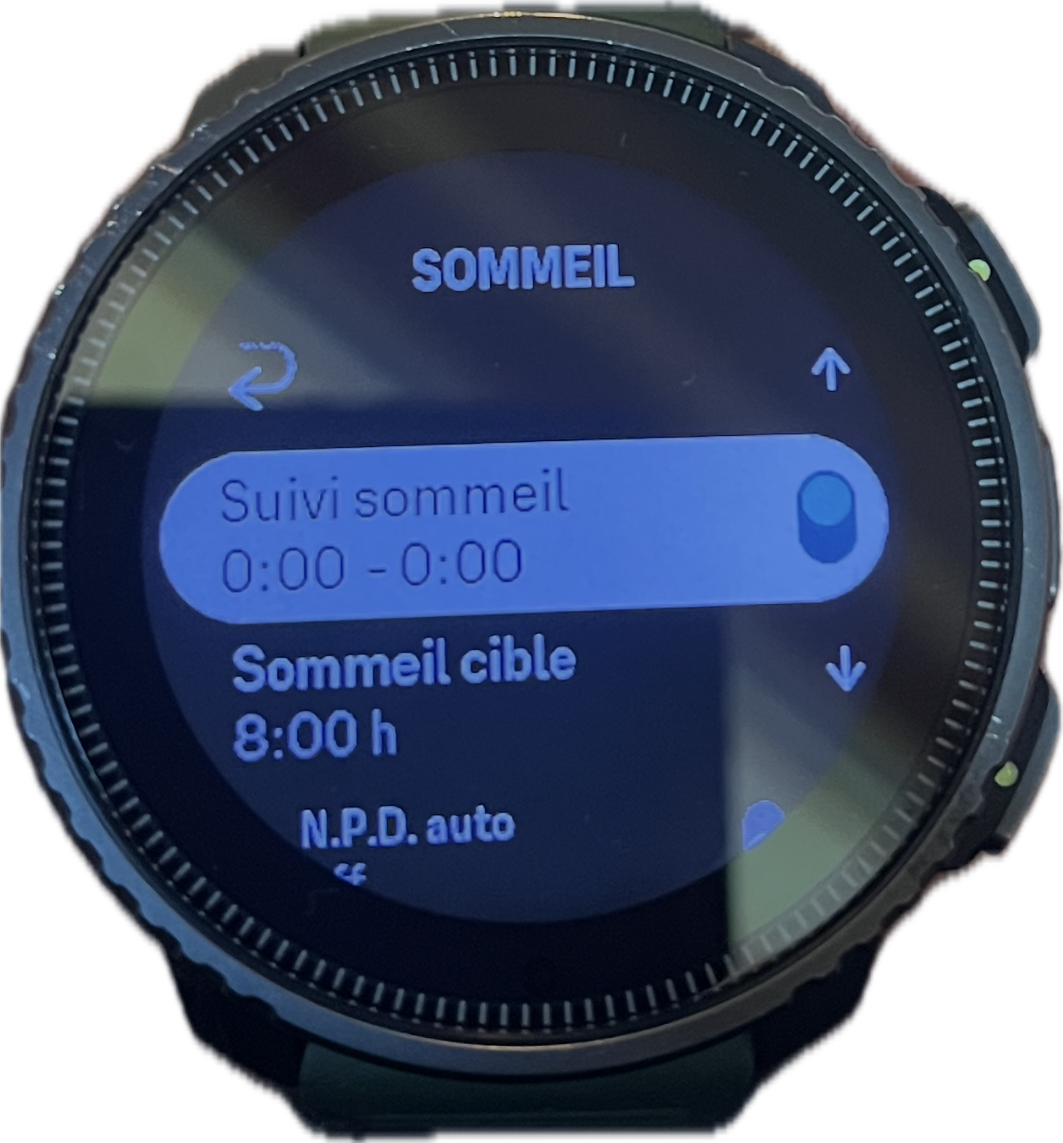
Here’s the magic suunto the watch modifies the tracking hours by itself the bug comes from the application
at some point I think we have to stop fumbling with things that work -

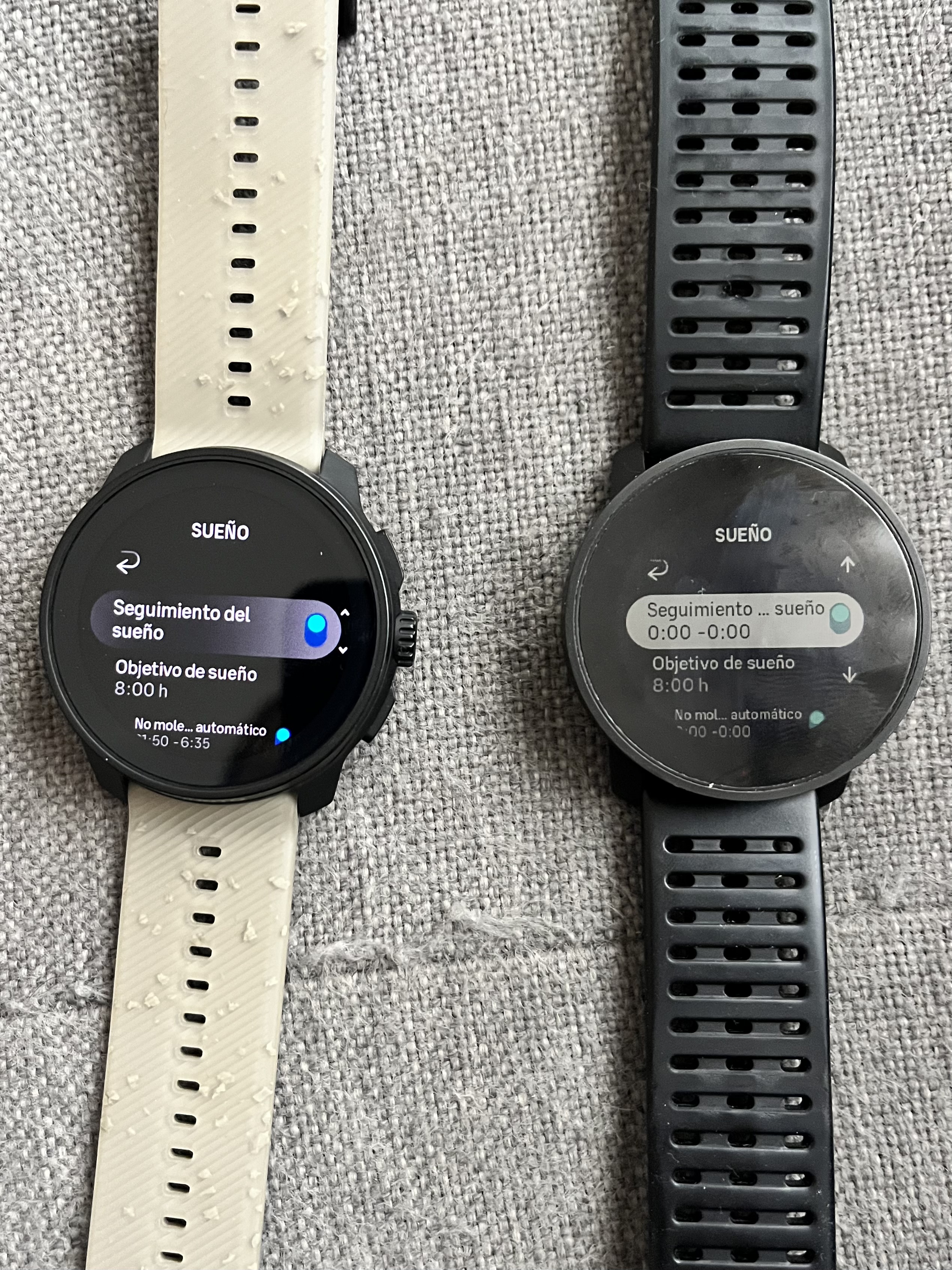
In fact, I’ve discovered something curious: when the watch connected to the app is the 9PP, I can indicate the range in the recovery/sleep/daily sleep goal section, whereas when the watch connected is the Race S, I can’t.
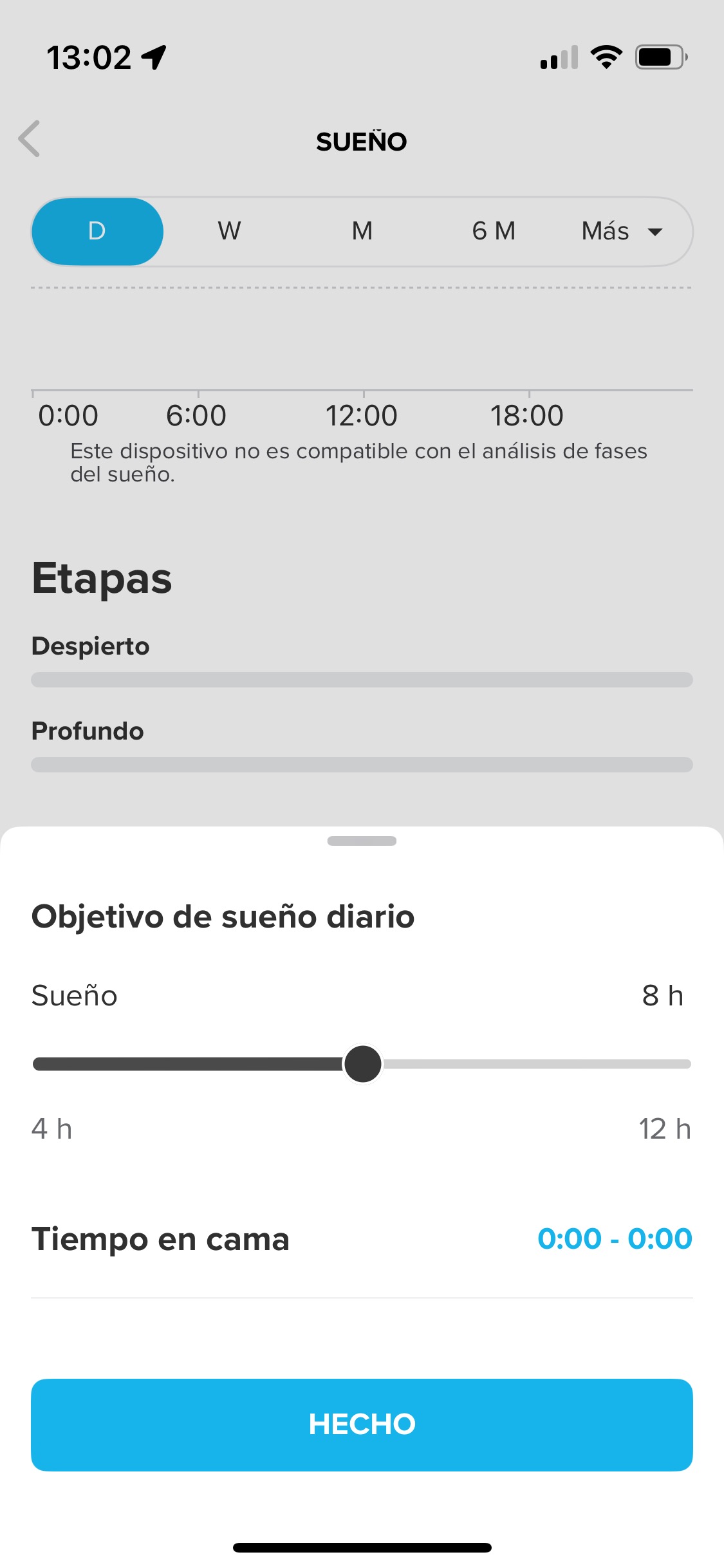
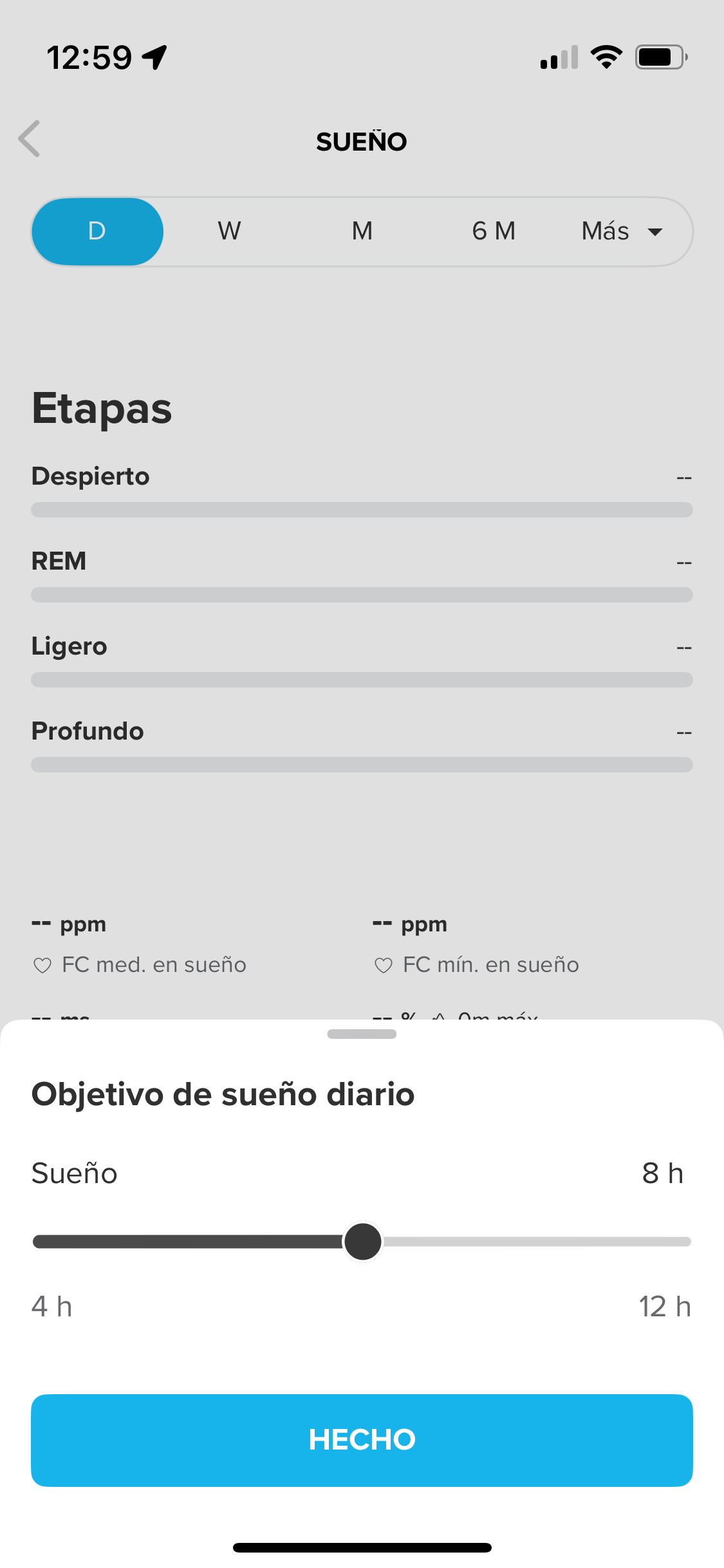
What can I do?
-
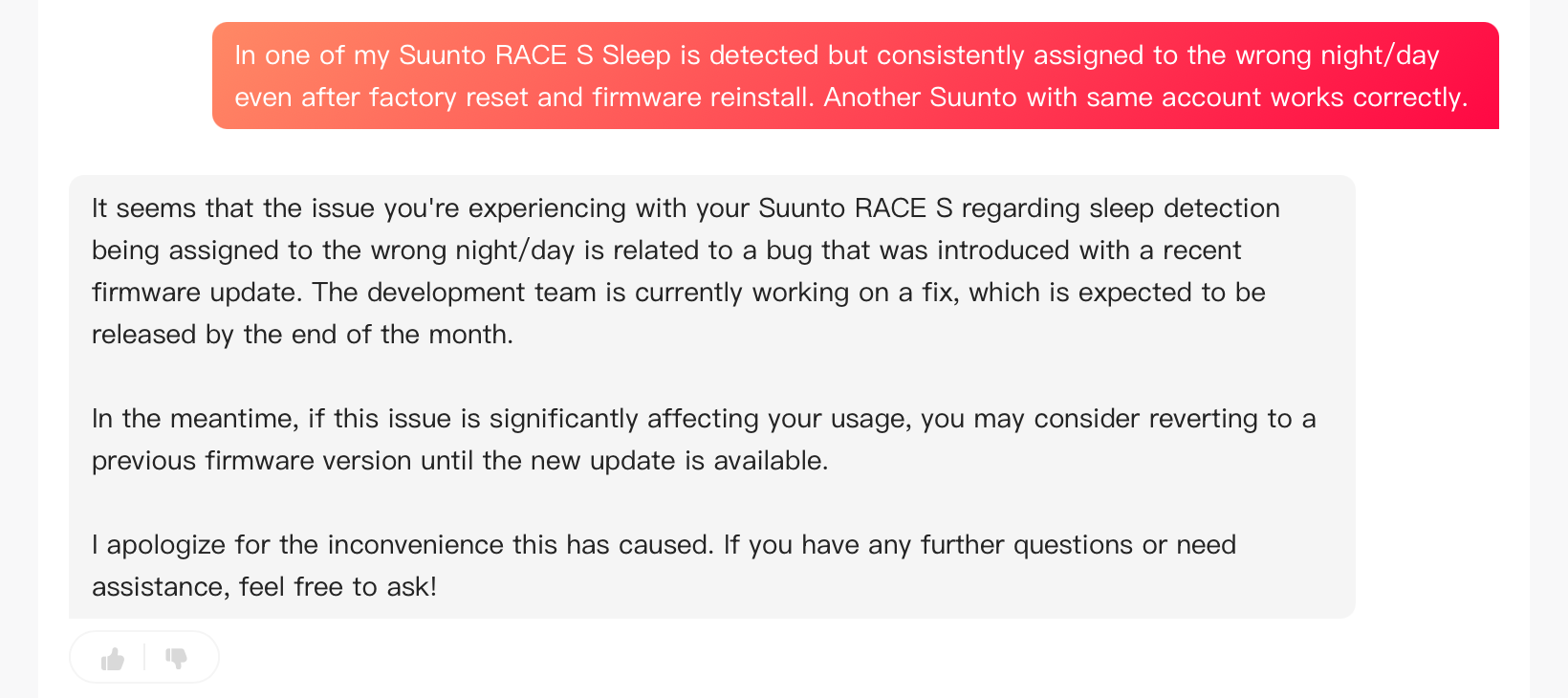
Well, IA custmer service support has told me this:
-
@enriqueescoms I went back to the suunto beta application and so the recording of my bedtime and wake-up times remains recorded I did a small light reinstallation and my 2 nights of sleep reappeared in the watch widget
-
It’s finally FIXED!!!:
On iOS, I uninstalled and reinstalled the app, re-synced the watch, and just in case, restarted it.
This morning, sleep tracking was recorded correctly, and the morning report appeared as expected.

-
@enriqueescoms Man, it’s still not working for me. I followed these instructions but it didn’t do anything. I also saw that there was another update available for my watch, so I installed that as well. Could you maybe give some more detailed instructions or other tips you might have discovered?
-
@prairiedog Wow! Well, I tried a million things. First, I tried downgrading, but it only put the watch in safe mode for several hours. Then I reinstalled the same firmware version. Multiple soft resets. Nothing. I did a hard reset, and it was useless. Then I went back to using my 9PP (disconnecting the Race S), on which sleep tracking worked. I went back to the Race S, still nothing. Then I adjusted the sleep time on the 9PP from 0.00 to 0.00 and went back to the Race S again. Nothing.
Finally, I reinstalled the app with the Race S connected, and magically, it worked. So I don’t know if it was a combination of factors or just the app reinstallation.
-
E enriqueescoms referenced this topic on
-
 O OutdoorMan referenced this topic on

Hello! It looks like you're interested in this conversation, but you don't have an account yet.
Getting fed up of having to scroll through the same posts each visit? When you register for an account, you'll always come back to exactly where you were before, and choose to be notified of new replies (either via email, or push notification). You'll also be able to save bookmarks and upvote posts to show your appreciation to other community members.
With your input, this post could be even better 💗
Register Login