Initial Pairing Issue - Cannot Unlock
-
New Suunto Run won’t pair with Suunto App on iPhone. Watch display says ‘ Please unlock device before pairing’. I cannot get past startup on watch to check any settings. I have tried to do a soft reset by long pressing top right button, but no luck. Any suggestions?
Thanks!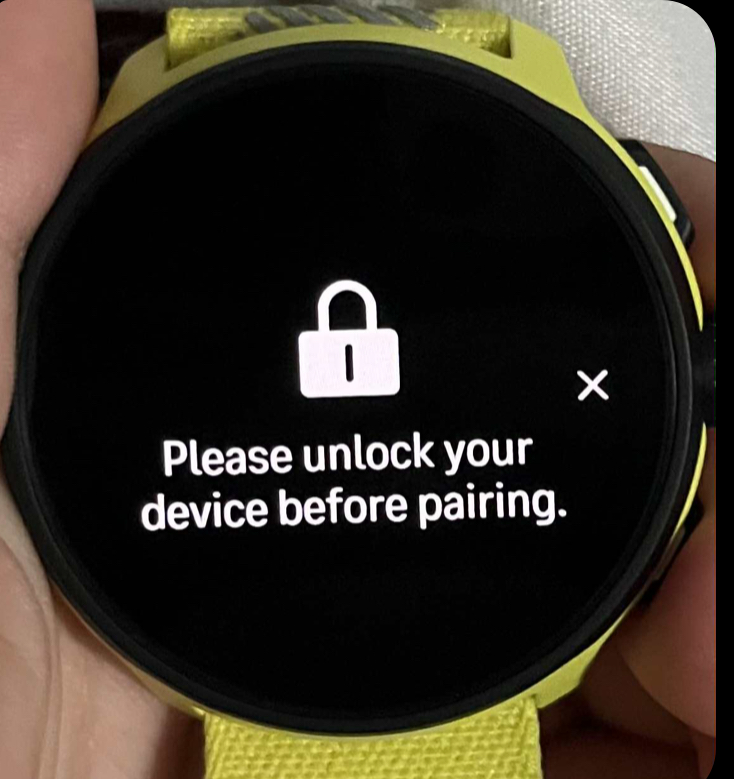
-
@Derrick-Spafford Did you set up a passcode?
-
@Hari-Seldon This was one of 12 Suunto Run watches purchased for a team I coach, and the only one that does this. I do not believe a passcode was setup by the runner using the watch, and assumed that restarting both app and watch would reset that anyhow?
-
@Derrick-Spafford I was curious to see how to unlock the watch, so I tried it myself.
Start by entering e.g. 0000 five times (just swipe right to left five times to confirm 0000).
Then you have to wait 180 seconds.
Repeat the above 3 times. The last time, you will be asked if you want to reset the watch.
I didn’t go any further because I didn’t want to reset the watch to factory settings, so let us know how it goes. -
@Hari-Seldon Thanks, but I have no way to enter numbers as the watch screen is locked and only goes as far as showing the QR code as part of initial startup.

Hello! It looks like you're interested in this conversation, but you don't have an account yet.
Getting fed up of having to scroll through the same posts each visit? When you register for an account, you'll always come back to exactly where you were before, and choose to be notified of new replies (either via email, or push notification). You'll also be able to save bookmarks and upvote posts to show your appreciation to other community members.
With your input, this post could be even better 💗
Register Login