Customise Watch face
-
The new update has reset the watch face which is a bit annoying. How do I change it back? On the app I’ve selected the one I’d like (Outdoor) and the app says it’s installed on my watch but despite synching multiple times this morning, I can’t find this watch face on my phone.
The Outdoor watch face with sunlight around the edge was really helpful. If only the update had removed the watch faces we weren’t using instead of defaulting!
-
Hmm, maybe the synch isn’t actually working for watch faces:
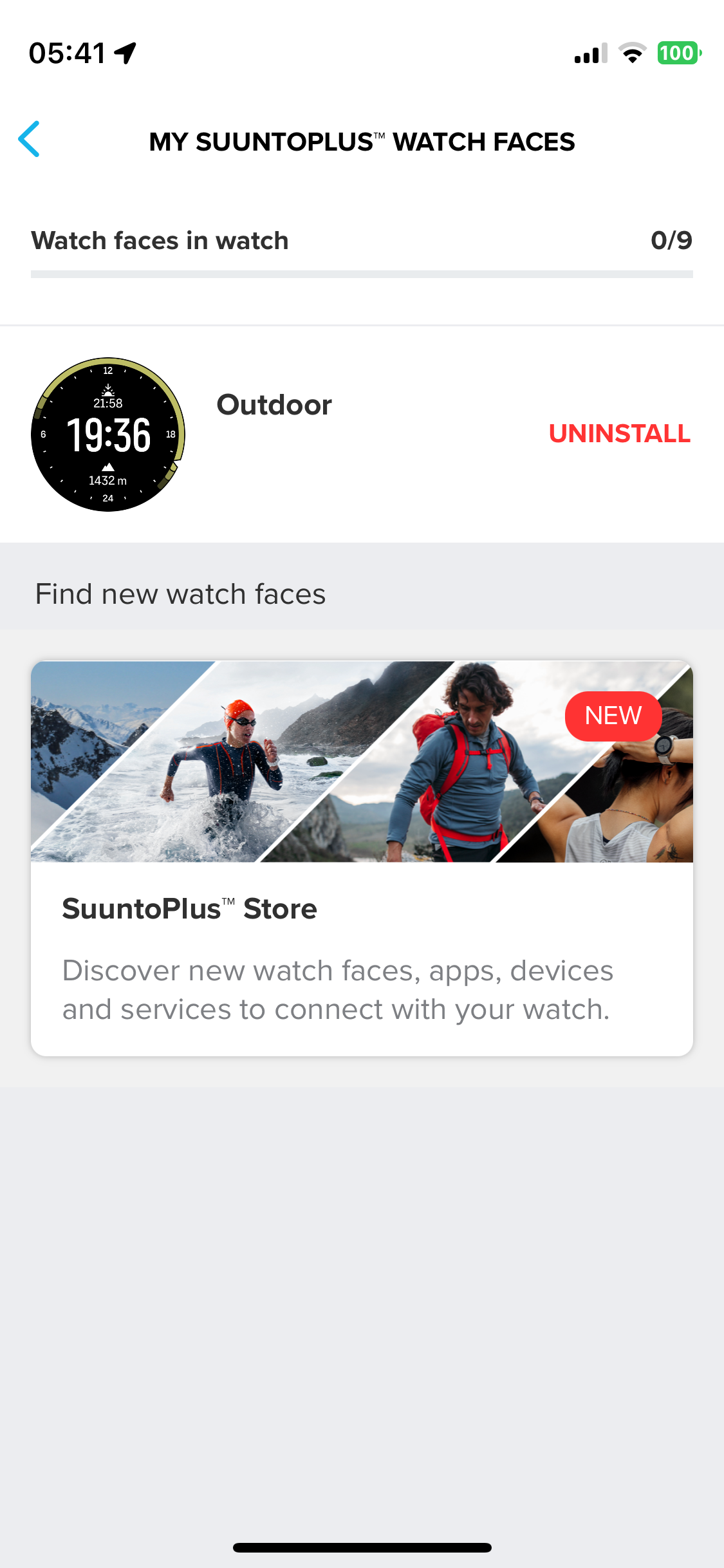
-
@amythebirder try force closing the app and open it again. It needs a full sync of all Suunto Plus.
-
@Egika said in Customise Watch face:
@amythebirder try force closing the app and open it again. It needs a full sync of all Suunto Plus.
This worked for me !
Nevertheless it remains a weird decision to have an update directly tamper with active user settings…

Hello! It looks like you're interested in this conversation, but you don't have an account yet.
Getting fed up of having to scroll through the same posts each visit? When you register for an account, you'll always come back to exactly where you were before, and choose to be notified of new replies (either via email, or push notification). You'll also be able to save bookmarks and upvote posts to show your appreciation to other community members.
With your input, this post could be even better 💗
Register Login