No-Map-Problem
-
@zhang965 Have you contacted Suunto Support?

Suunto 9
-
@StefanoMorgan said in No-Map-Problem:
@zhang965 Have you contacted Suunto Support?
You pick my line
Can’t believe this.
-
@ChrisA another great man Freddie Mercury used to say “I want it all and I want it now!”

Compasses: M-311, A-10, SK-7
Diving: Finnlight Navy 90, Vyper
Sports: Metron, S7, S9B and Vertical -
While still waiting for my Vertical to arrive, I thought I would read through the Suunto Vertical user manual online. Just FYI for the Admins here, there is a broken link on the Offline maps section: https://www.suunto.com/en-ca/Support/Product-support/suunto_vertical/suunto_vertical/navigation/offline-maps/
A more detailed instruction on how to setup a wireless network and download offline maps in Suunto app is available here.
The hyperlink for ‘…available here.’ is broken and gets the following:
404 ERROR
PAGE NOT FOUND
Sorry! The page you are looking for does not exist anymore. -
@StefanoMorgan Thanks for your hint, but I don‘t see what that would be good for, other than they would also tell me, that there‘s a problem. As long as I know theres nothing I can do, I‘ll wait until Suunto comes up with an solution
Currently Race I
-
@BrunoH yeah… it didn’t go so well for him. What a pitty he died so early. He was such a great musician
-
@ChrisA If you read most of his comments, i think you understand how it is meant

-
@StefanoMorgan now i got it

-
@mikekoski490 it looks like FAQs about the Vertical are not up yet, and that link was supposed to send you to an FAQ.
-
@ChrisA we found the issue with the region and should be fixed (awaiting confirmation from other internal and extrernal testers ) . If you want to go on and test
- delete the regions you down loaded with SA
- sync your watch.
- out the watch on the charger for 10 mins (maybe optional)
- reboot (maybe optional )
- redownload the maps
Test
Community Manager / Admin @Suunto
Creator of quantified-self.io - sync Garmin and COROS activities to Suunto, import Suunto routes, deliver Suunto routes to Garmin courses, and analyze training data in one private dashboard. -
I will test it soon. With „reboot“ You mean a soft reset?
-
@Racoon6 yes
-
It works! Followed your instructions exactly and everything works! Thanks man!

-
@Dimitrios-Kanellopoulos said in No-Map-Problem:
ChrisA we found the issue with the region and should be fixed (awaiting confirmation from other internal and extrernal testers ) . If you want to go on and test
- delete the regions you down loaded with SA
- sync your watch.
- out the watch on the charger for 10 mins (maybe optional)
- reboot (maybe optional )
- redownload the maps
Test
So in summary it’s to re-download the map right?
Winners Wear Winners
-
@Dimitrios-Kanellopoulos works for me
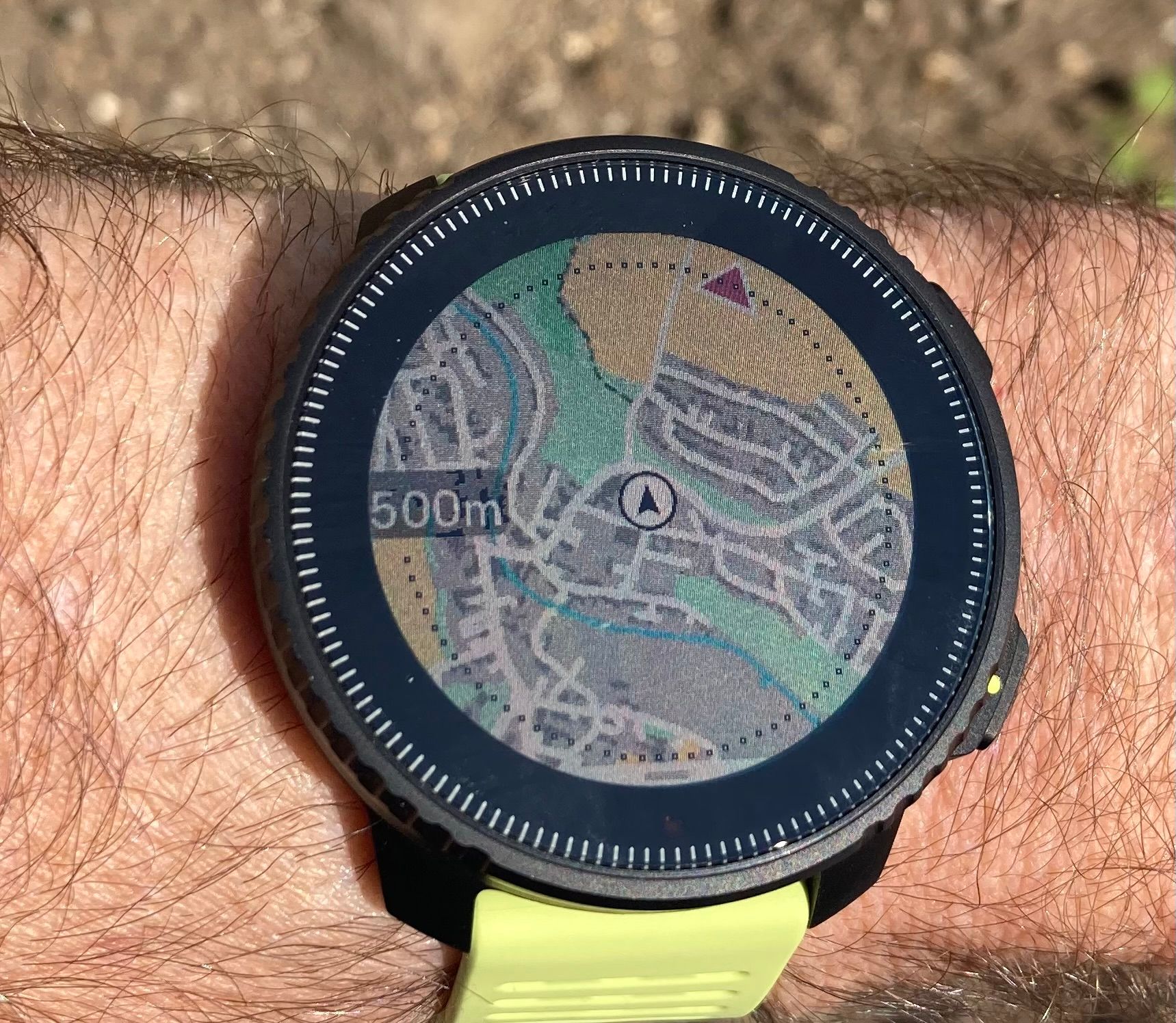
I didn’t do a soft reset, so that really seems to be optional. Thanks for your help

-
@ChrisA
it’s awesome how fast the team fixed the issue!!
-
@zhang965 Yes. At the moment if we update / fix the maps people need to delete and download again.
In the future release (not hotfix that is coming up very soon ) , once you put the watch to the charger it will automatically update to latest maps etc.
Community Manager / Admin @Suunto
Creator of quantified-self.io - sync Garmin and COROS activities to Suunto, import Suunto routes, deliver Suunto routes to Garmin courses, and analyze training data in one private dashboard. -
The fix worked and you, gentlemen of the Forum, did an excelent job. Well done and have a nice day!
-
@Dimitrios-Kanellopoulos do you know if we have to delete and re add all regions we added. Cause I am traveling and tried the maps on 2 different regions (south Germany) and is all black. I also have Greece for example (Attika and Peloponnese) so should i refresh only the German ones or all? Thanks a lot.
-
@Hristijan-Petreski issues were on some German maps, so refresh them for now, and then check Greece when you are there.
Watch: Suunto Vertical 2 Titanium Black
Blog: isazi's home








Hello! It looks like you're interested in this conversation, but you don't have an account yet.
Getting fed up of having to scroll through the same posts each visit? When you register for an account, you'll always come back to exactly where you were before, and choose to be notified of new replies (either via email, or push notification). You'll also be able to save bookmarks and upvote posts to show your appreciation to other community members.
With your input, this post could be even better 💗
Register Login