Suunto app Forum Suunto Community Forum
    • Recent
    • Tags
    • Popular
    • Users
    • Groups
    • Register
    • Login

    Parallel use with MC App

    Scheduled Pinned Locked Moved Suunto app and other software services
    45 Posts 15 Posters 6.5k Views 15 Watching
    Loading More Posts
    • Oldest to Newest
    • Newest to Oldest
    • Most Votes
    Reply
    • Reply as topic
    Log in to reply
    This topic has been deleted. Only users with topic management privileges can see it.
    • jarlinJ Offline
      jarlin @Brad_Olwin
      last edited by

      @brad_olwin Yes, that would be too much stress. I will use the SA on iPad w/o pairing to SSU for time being.

      1 Reply Last reply Reply Quote 0
      • SlaShS Offline
        SlaSh Platinum Member
        last edited by

        I use both in parallel at the same time without pairing watch to apps, just made sure that I do not run both at the same time and MC is having background app refresh off. When I want to sync workout to MC I just kill suunto app and starting MC after sync completes killing the MC.

        Dimitrios KanellopoulosD Brad_OlwinB 2 Replies Last reply Reply Quote 2
        • Dimitrios KanellopoulosD Offline
          Dimitrios Kanellopoulos Community Manager @SlaSh
          last edited by

          @slashas said in Parallel use with MC App:

          I use both in parallel at the same time without pairing watch to apps, just made sure that I do not run both at the same time and MC is having background app refresh off. When I want to sync workout to MC I just kill suunto app and starting MC after sync completes killing the MC.

          nice

          Community Manager / Admin @Suunto
          Creator of quantified-self.io a portal that allows you to analyze your data from various providers, upload fit activity files to Suunto app, gpx routes and more…

          1 Reply Last reply Reply Quote 0
          • Nigel TaylorN Offline
            Nigel Taylor Bronze Member @jarlin
            last edited by

            @jarlin yup, I’ve always used SportsTracker app on phone as I much prefer it to Movescount…it now (in UK at least) has Salomon competitions and news embedded along with a few other tweaks last few weeks.

            I was so happy that SA seemed to be basically “SportsTracker + Sync” initially (which is the holy grail as far as I was concerned!)…but seems that’s just a temporary situation. 😔

            1 Reply Last reply Reply Quote 1
            • Brad_OlwinB Online
              Brad_Olwin Moderator @SlaSh
              last edited by Brad_Olwin

              @slashas I am confused, if the watch is not paired, it does not show up in the app and will not sync, correct? This is iOS I am referring to.

              Vector/T6c/Vertical 2 Ti

              SlaShS 1 Reply Last reply Reply Quote 0
              • SlaShS Offline
                SlaSh Platinum Member @Brad_Olwin
                last edited by

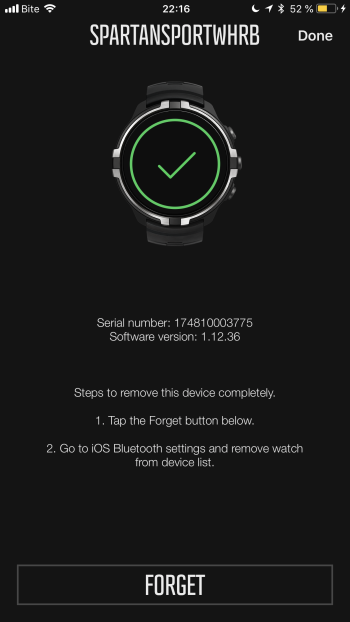
                @brad_olwin what I did is only forgot watch on the MC and it reappeared again after relaunch of Mc app and works till now with suunto app in parallel. I haven’t read suunto app installation guide 🙂
                0_1522869438602_E5806103-3FC3-4B8D-B2CC-D4653D0CC68C.png

                Brad_OlwinB F 2 Replies Last reply Reply Quote 2
                • Brad_OlwinB Online
                  Brad_Olwin Moderator @SlaSh
                  last edited by

                  @slashas ahhhh, to forget the watch completely it asks you to go into BT settings and forget…this will unpair from the iPhone. I had not thought of your trick. Kudos!!! I will try this out. and Thanks. This should help @jarlin

                  Vector/T6c/Vertical 2 Ti

                  1 Reply Last reply Reply Quote 1
                  • jthomiJ Offline
                    jthomi Moderator Gold Members Silver Members
                    last edited by

                    Tried this several times on iOS, and unpairing and pairing every time worked for me, but yes, it was a pain to do every time.

                    Brad_OlwinB 1 Reply Last reply Reply Quote 1
                    • Y Offline
                      yovoSI
                      last edited by

                      My Android phone is rooted, so I only freeze one app while using the other and vice versa.

                      1 Reply Last reply Reply Quote 1
                      • Brad_OlwinB Online
                        Brad_Olwin Moderator @jthomi
                        last edited by

                        @jthomi I have been trying too and am required to pair and unpair as well. I will delete MC and just use the cable for MC sync. Happy with that.

                        Vector/T6c/Vertical 2 Ti

                        jthomiJ 1 Reply Last reply Reply Quote 1
                        • jthomiJ Offline
                          jthomi Moderator Gold Members Silver Members @Brad_Olwin
                          last edited by

                          @brad_olwin Same here! 🙂

                          1 Reply Last reply Reply Quote 0
                          • SlaShS Offline
                            SlaSh Platinum Member
                            last edited by

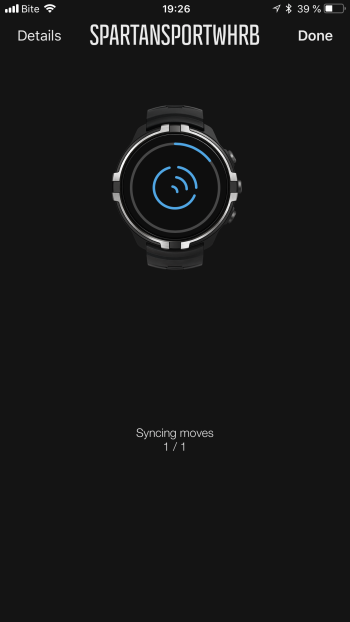
                            For me works both without pairing anything, uploading walk which happened half hour ago:
                            0_1522945632779_D8D36153-4125-4E2D-82BB-75B68223D4CE.png

                            Carlos AvilaC 1 Reply Last reply Reply Quote 0
                            • Carlos AvilaC Offline
                              Carlos Avila Bronze Member @SlaSh
                              last edited by

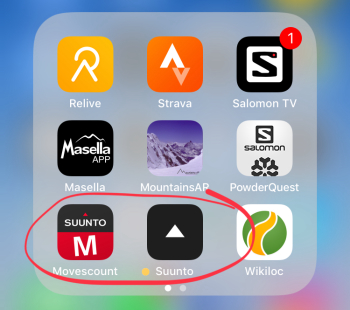
                              @slashas same for me. Both apps installed on my iPhone and syncing every activity with both apps through the phone with no need to forget watch nor pair every time. I just close the first app after syncing and then start the other app and sync, no matter what order I use for syncing.
                              0_1522954233706_858EED0F-7181-4C4C-8C63-C7CC45569EFF.jpeg

                              Dimitrios KanellopoulosD 1 Reply Last reply Reply Quote 4
                              • jthomiJ Offline
                                jthomi Moderator Gold Members Silver Members
                                last edited by

                                hm, might have to test that again, I was doing that in the very beginning of the beta phase…

                                Brad_OlwinB valdis830V 2 Replies Last reply Reply Quote 0
                                • Dimitrios KanellopoulosD Offline
                                  Dimitrios Kanellopoulos Community Manager @Carlos Avila
                                  last edited by

                                  @carlos-avila said in Parallel use with MC App:

                                  @slashas same for me. Both apps installed on my iPhone and syncing every activity with both apps through the phone with no need to forget watch nor pair every time. I just close the first app after syncing and then start the other app and sync, no matter what order I use for syncing.
                                  0_1522954233706_858EED0F-7181-4C4C-8C63-C7CC45569EFF.jpeg

                                  Perfect.

                                  Community Manager / Admin @Suunto
                                  Creator of quantified-self.io a portal that allows you to analyze your data from various providers, upload fit activity files to Suunto app, gpx routes and more…

                                  1 Reply Last reply Reply Quote 0
                                  • Brad_OlwinB Online
                                    Brad_Olwin Moderator @jthomi
                                    last edited by

                                    @jthomi Ok, it did not work the first time but now both apps there. It seems only to work for me if I force quit after syncing with MC then open Suunto and it is working…Cool, I can now do everything from my iPhone…if only I could get the phone to do the running intervals for me and still get the benefit…

                                    Vector/T6c/Vertical 2 Ti

                                    jthomiJ 1 Reply Last reply Reply Quote 3
                                    • jthomiJ Offline
                                      jthomi Moderator Gold Members Silver Members @Brad_Olwin
                                      last edited by

                                      @brad_olwin Same here, oh well, thanks to @slashas for telling! ☺

                                      ? 1 Reply Last reply Reply Quote 1
                                      • ? Offline
                                        A Former User @jthomi
                                        last edited by

                                        i use android and i unpaired the watch and closed movescount app, because suunto app didn’t recognize the existing connection to my watch.

                                        then i logged in to suunto app & paired the watch and let it sync.
                                        in the end i always get an error that syncing failed!
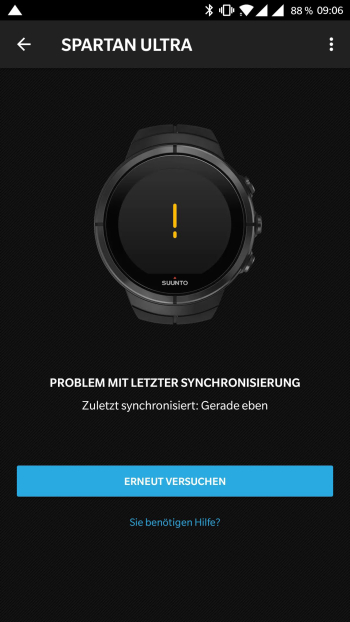
                                        0_1523000046352_Screenshot_20180406-090617.jpg

                                        ok, then i closed suunto app again and started movescount app and it also synced without having to pair my watch again to movescount.

                                        but since i played around i get no notification from movescount anymore 😞
                                        i freezed suunto app with titanium backup, used different profiles for the 2 apps, and so on.
                                        finally i uninstalled suunto app again and re-paired my watch to movescount again.
                                        but still no notification 😞
                                        i guess i have to install the whole sh*** from scratch to get it working again.

                                        SlaShS Dimitrios KanellopoulosD 2 Replies Last reply Reply Quote 0
                                        • SlaShS Offline
                                          SlaSh Platinum Member @Guest
                                          last edited by

                                          @asdf123 we have provided guide for the iOS, android is different story, try to create additional profile and install MC there 😉

                                          ? 1 Reply Last reply Reply Quote 1
                                          • ? Offline
                                            A Former User @SlaSh
                                            last edited by A Former User

                                            @slashas as i wrote, i used different profiles too
                                            syncing would work, except the “sync error message” in suunto app, but i lost notifications.

                                            uninstalled suunto app, re-paired movescount and finally did a reboot of the phone.
                                            now notifcations are working again.
                                            as i want/need (selected) notifications i decided to stay with movescount as long as suunto app doesn’t provide at least same features as movescount has (selecting notifications, changing settings on watch,…)


                                            SlaShS 1 Reply Last reply Reply Quote 0

                                            Hello! It looks like you're interested in this conversation, but you don't have an account yet.

                                            Getting fed up of having to scroll through the same posts each visit? When you register for an account, you'll always come back to exactly where you were before, and choose to be notified of new replies (either via email, or push notification). You'll also be able to save bookmarks and upvote posts to show your appreciation to other community members.

                                            With your input, this post could be even better 💗

                                            Register Login
                                            • First post
                                              Last post

                                            Suunto Terms | Privacy Policy