Adding Waypoints to Routes that Overlap
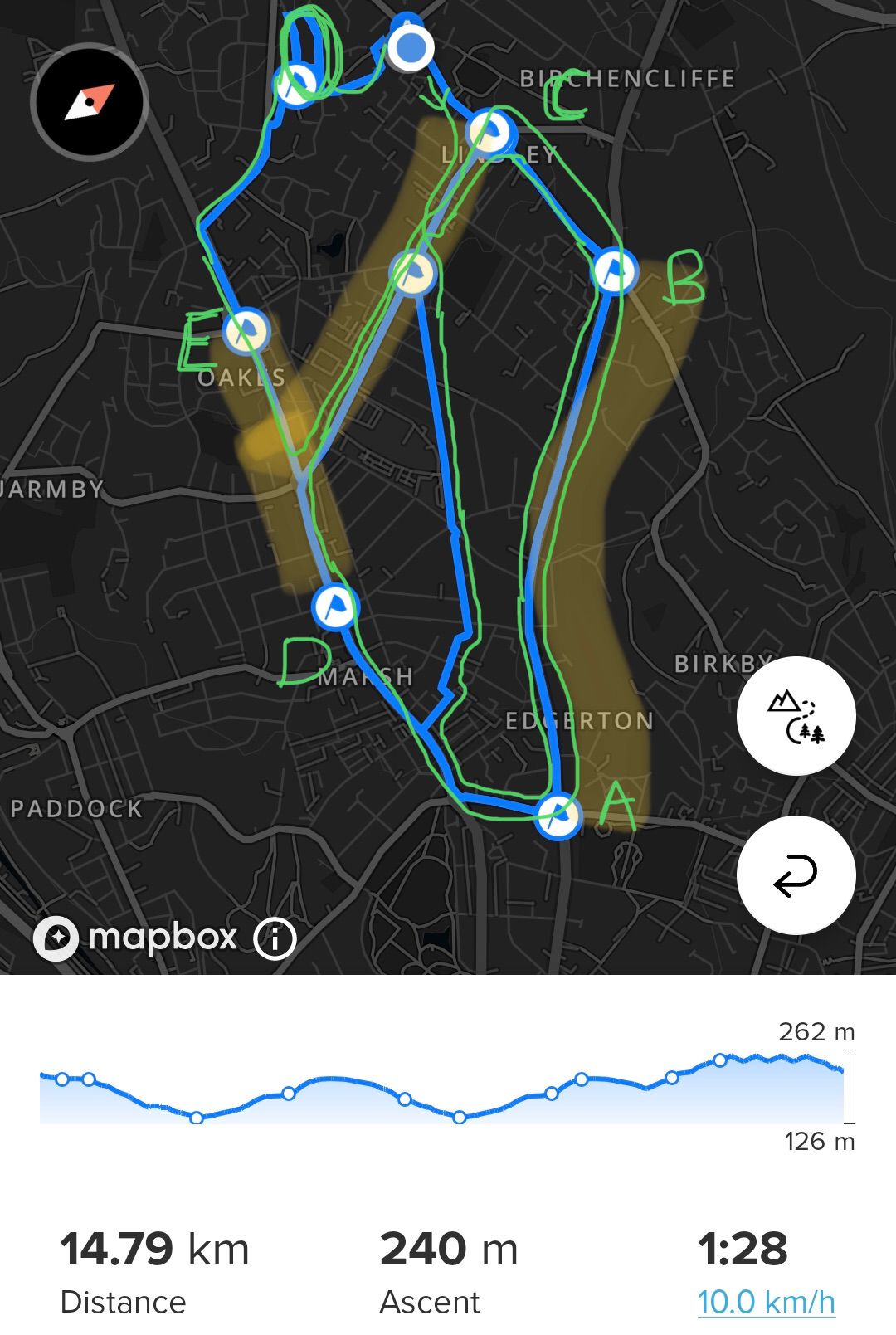
-
@nigel-taylor-0 Thank you Nigel for those detailed instructions
 !!!
!!! -
@nigel-taylor-0 SO update - with the new update today, if you have komoot linked on your Suunto app (partner connections) - any “Tour”/route you create on komoot is AUTOMATICALLY synced to your Suunto app route list. All you have to do is enable “Use on Watch” and you are good to go.
Pretty slick. -
@jonathan-schwarz said in Adding Waypoints to Routes that Overlap:
@nigel-taylor-0 SO update - with the new update today, if you have komoot linked on your Suunto app (partner connections) - any “Tour”/route you create on komoot is AUTOMATICALLY synced to your Suunto app route list. All you have to do is enable “Use on Watch” and you are good to go.
Pretty slick.I think its been enabled since yesterday, I tried this but its nowhere near as useful as simply syncing routes created with Plotaroute (or other services) with personally made Waypoints for direction notifications.
Good if you want to use Komoot, and are happy with the excessive directions that they create!
I tried a 5k route yesterday via this process, it inserted TWENTY EIGHT instructions when it synced to SA, where I wouldn’t really need more than maybe 4 or so, if I just tagged the junctions…and of the instructions it created, I looked at a few of them and one was actually completely incorrect, suggesting a “U-Turn” when it should have been “Straight” (or actually just nothing!).


Hello! It looks like you're interested in this conversation, but you don't have an account yet.
Getting fed up of having to scroll through the same posts each visit? When you register for an account, you'll always come back to exactly where you were before, and choose to be notified of new replies (either via email, or push notification). You'll also be able to save bookmarks and upvote posts to show your appreciation to other community members.
With your input, this post could be even better 💗
Register Login