[Feature Request] Data fields on the raise-to-wake display
-
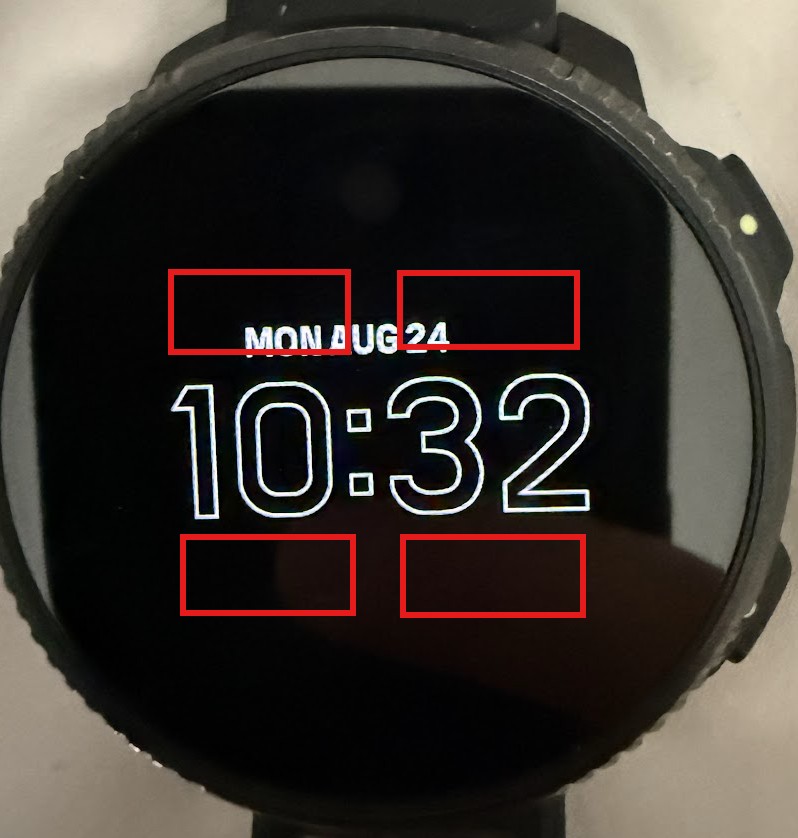
@2b2bff Yes that’s right, currently the AOD mode is not customizable. I’m asking for a new feature that would add a few more data fields to the AOD display in the same minimal white text. Apologies, it maybe wasn’t clear this is a feature request. I understand this isn’t currently possible. I updated the title.
-
Just set your raise to wake to full modus and you’re done.
-
@Egika I’m not sure I understand what you mean by fixed? The time and date data fields that currently exist on this screen are dynamic themselves. There is no reason why more data fields could not be added and selected by the user to display more information. The additional battery needed for this would be negligible.
Sorry - no native speaker here. I mean the information is not customizable. It is fix.
Because you don’t know the reason why more data fields cannot be added, does not mean there is no reason. -
Just set your raise to wake to full modus and you’re done.
I do not want raise to wake set to full wake mode because then you don’t get the battery savings. Plus there isn’t a single watch face where I can have the 4 data fields I’d like to see at the same time.
-
@pbanon you want the savings from limited data and color but want all the data. This does not work together well.
BTW: which 4 data is it that cannot be configured in one watch face?
-
@Egika in his first post he mentioned “battery percent, notification count, and sunset/sunrise”
-
@johann.fuehrer The fourth one being the date.
-
I use athletics and can specify 6 data fields. I now have next alarm (which doesn’t work due to a bug), next sunset/sunrise, battery %, number of notificaties, weather and date.
You don’t have to set them all.And no, it’s not the prettiest watchface.
And more important: the watchface that is 100% tailored for you does not exist. Not for suunto, not for garmin (buildin garmin watchfaces are designed by 10 years old, 3rd party watchfaces eat battery for breakfast). Not for Polar, not for Coros.
And like somebody else also mentioned: you want the battery savings of the limited watchface and the functionality if the full blown watchface. Sorry, you cannot have both.
-
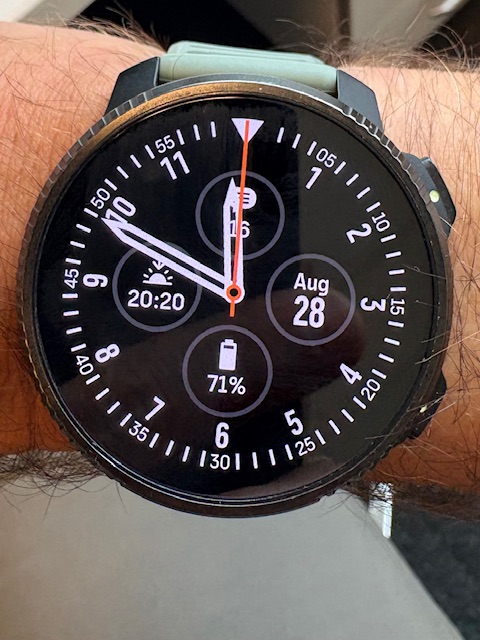
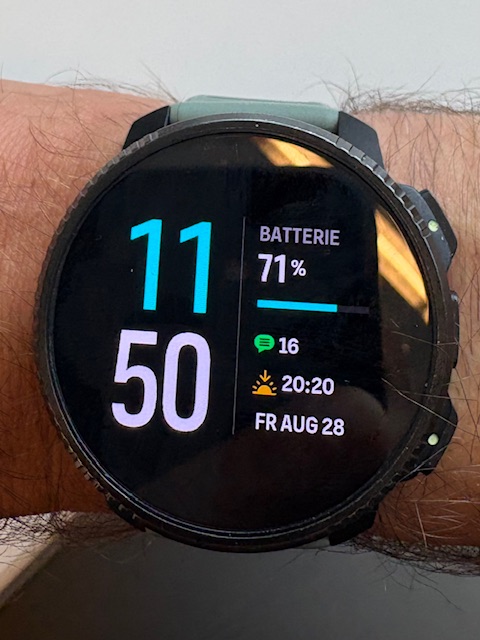
@johann.fuehrer then it should be very easy. Many watch faces can show this.
Here an analog and a digital example:
-
@Egika thxx, but it. was not my request, I‘m fine with what I have. And he wants this not in the regular watchface as far as I understood…
-
@johann.fuehrer right. New we start over at the beginning:
The energy saving display only cannot display more data than what is available. It cannot be configured.
To show the needed data, it is totally possibly to use the full wake mode.
One has to decide between energy saving or a lot of information.I was now referring to the statement that not a single watch face could display the required data.

Hello! It looks like you're interested in this conversation, but you don't have an account yet.
Getting fed up of having to scroll through the same posts each visit? When you register for an account, you'll always come back to exactly where you were before, and choose to be notified of new replies (either via email, or push notification). You'll also be able to save bookmarks and upvote posts to show your appreciation to other community members.
With your input, this post could be even better 💗
Register Login