Hiking Sport Mode Screen
-
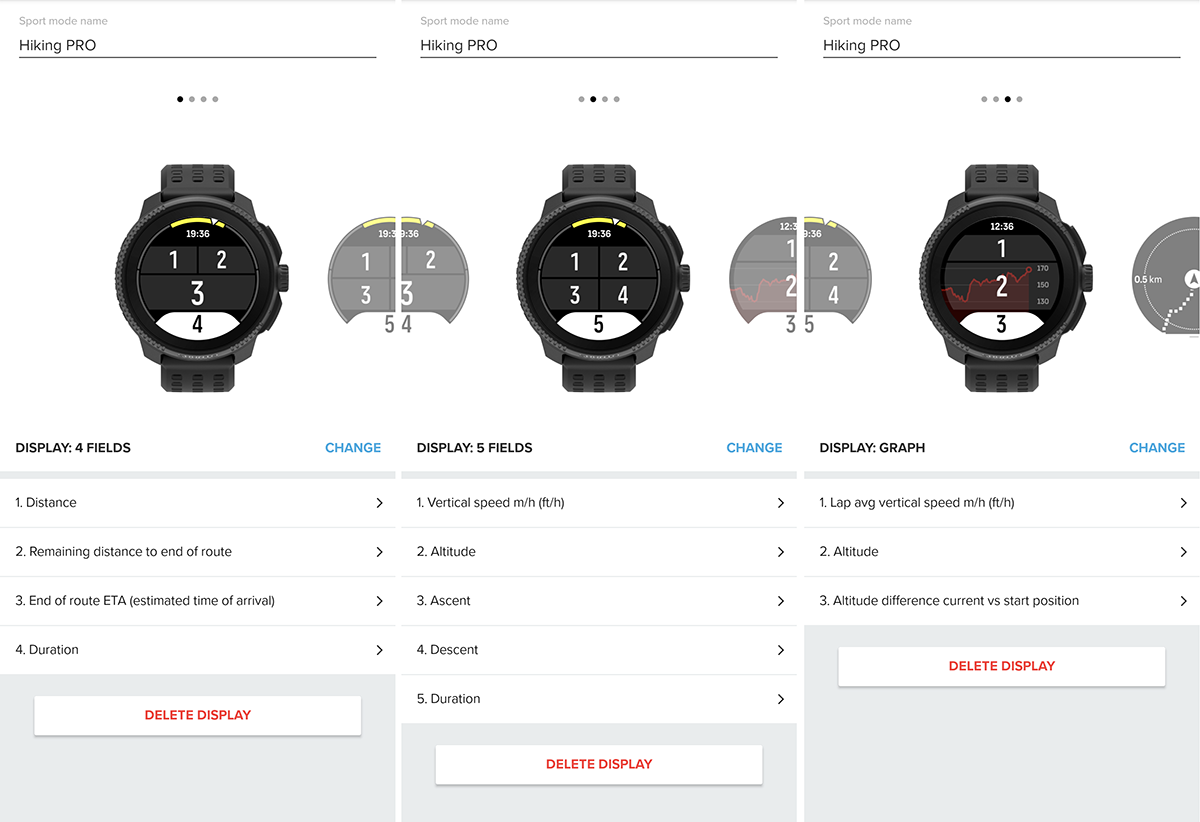
I find very useful to have the vertical speed, I started using that parameter with my old Suunto Vector, it helps me to keep the right pace on long climbs. Once you learn what’s your good reference value (for example 8 / 9 m/min, that is 480 / 540 m/h) you can manage your effort along the route depending on its length and elevation gain. With the last update you can also select that parameter as one of the 5 data field that can be shown directly on the map tooth.
Here is my hiking customization (completed with S+ Climb):
Suunto Vector . Vector HR . Core . Race & Race S
-
@Egika For me, HR is very helpful. I hike fast, and on climbs, I know if the effort is too much or not.
Distance, Altitude, Average Speed/Vertical Speed, HR, Ascent, Duration, ETA, Sunset, + Map and all the ascent stats.
-
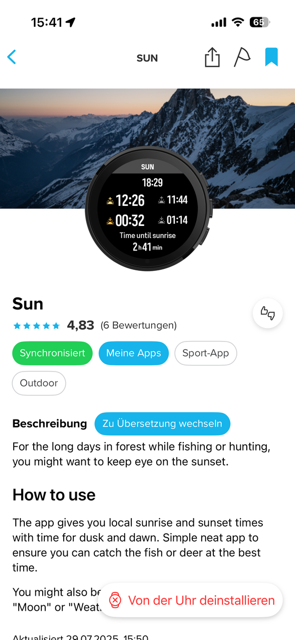
Thanks! What is the Sun S+ feature? Do you using sunset time to determine how much time left you have to hike or whats the purpose? I feel like I generally know the sunset time enough / don’t think about it. Not arguing, just trying to understand if I’m missing something lol
-
@Stefano-M64 This is great! Thanks for sharing the images too!
-
@cpinky S+ you can check out in the app.
-
@cpinky You don’t need SuuntoPlus to check sunset. Just set it up normally in custom hiking profile – it won’t take up one of your 2 or 3 app slots during an activity.
Combined with ETA, average speed, and the terrain profile, it’s fairly easy to estimate whether you’ll make it before sunset.
-
@maszop I do like the idea of the app since that can be enabled/disabled mid hike as opposed to always taking up a data field
-
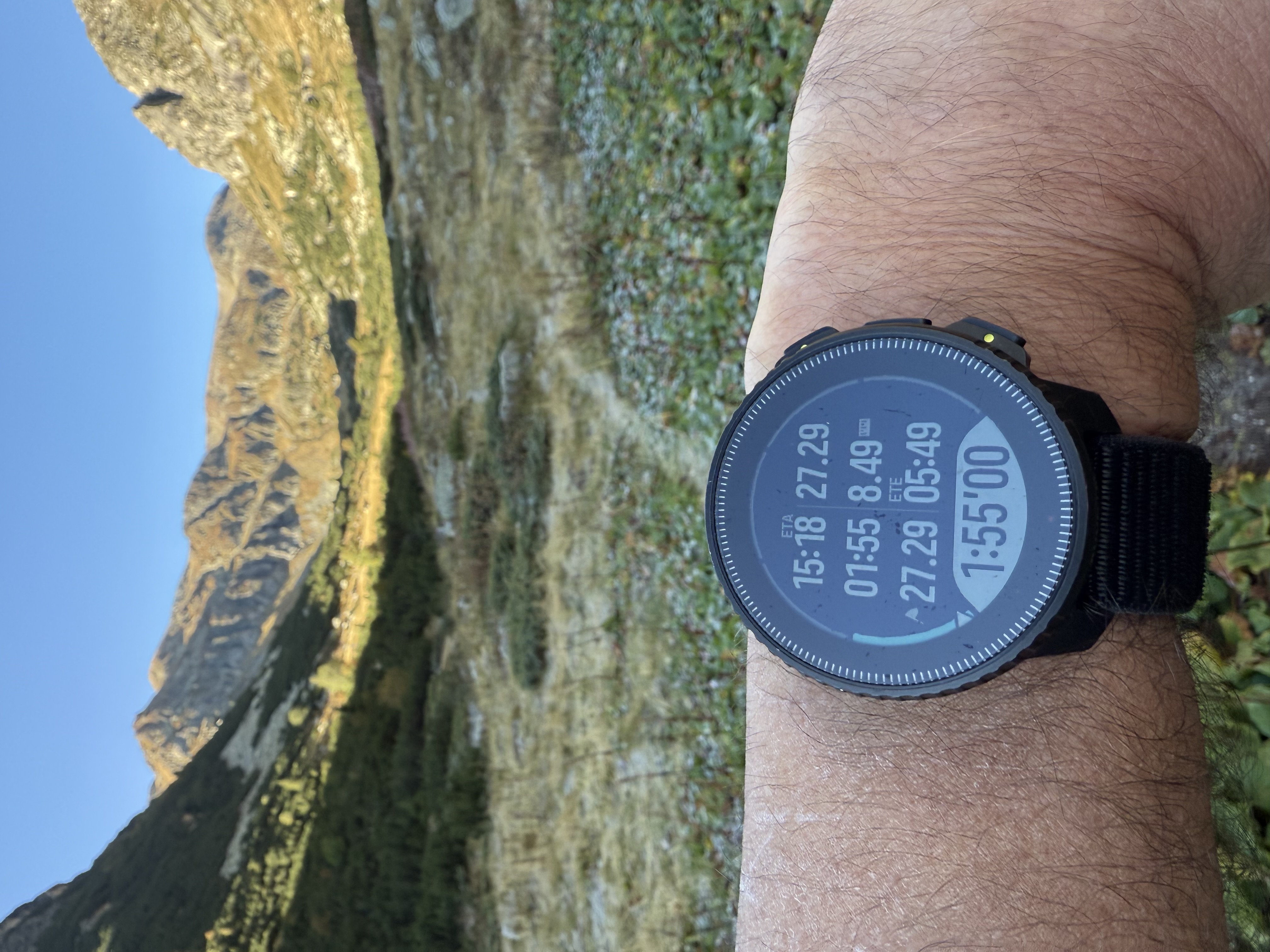
That’s my first custom screen, I have two more.
In the first field I have vertical speed m/h, not the average one. And in the 7-th field I always have the HR. Previous day during fw update my V1 factory reset and I had to set it up quickly for the next day custom hiking mode (I never use stock sport modes), so field 1 on first screen and field 7 on second custom screen are set wrongly. -
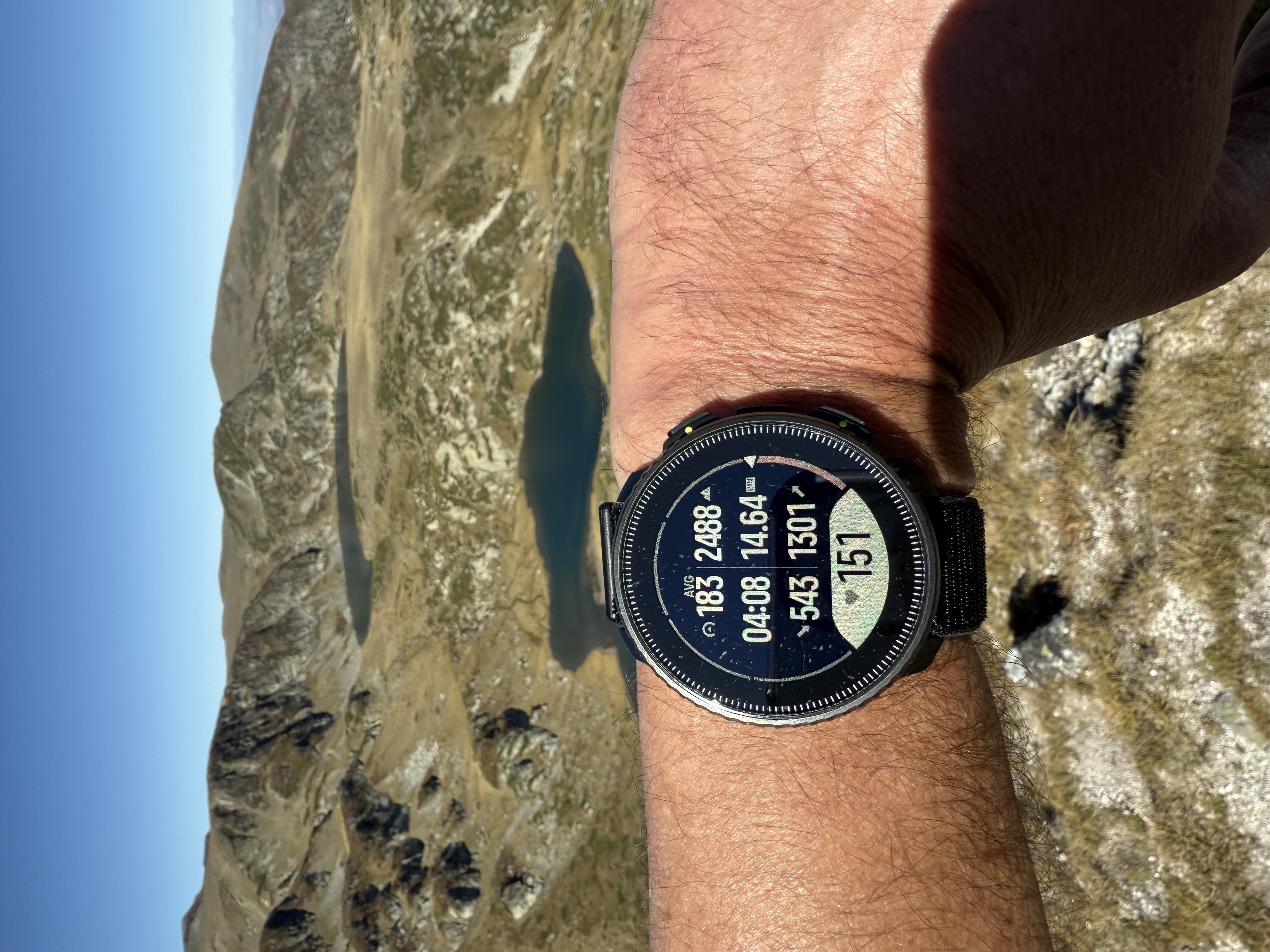
Second one -
@cpinky said in Hiking Sport Mode Screen:
@maszop I do like the idea of the app since that can be enabled/disabled mid hike as opposed to always taking up a data field
this is what I do, when I forgot to have that data field

-
@cpinky said in Hiking Sport Mode Screen:
@maszop I do like the idea of the app since that can be enabled/disabled mid hike as opposed to always taking up a data field
That’s a good solution too. I don’t like messing around with settings during an activity. Time is money

-
@Highlands These are great! Thanks




Hello! It looks like you're interested in this conversation, but you don't have an account yet.
Getting fed up of having to scroll through the same posts each visit? When you register for an account, you'll always come back to exactly where you were before, and choose to be notified of new replies (either via email, or push notification). You'll also be able to save bookmarks and upvote posts to show your appreciation to other community members.
With your input, this post could be even better 💗
Register Login