[Vertical 2, 2.53.42] Map and Navigation features are greatly improved but there are still a lot of old issues and also new bugs introduced in the latest update
-
@Dimitrios-Kanellopoulos yeah, @sky-runner always provides valuable input. The problem is no time to read all feedback
-
S slash1111 referenced this topic on
-
D dreamer_ referenced this topic on
-
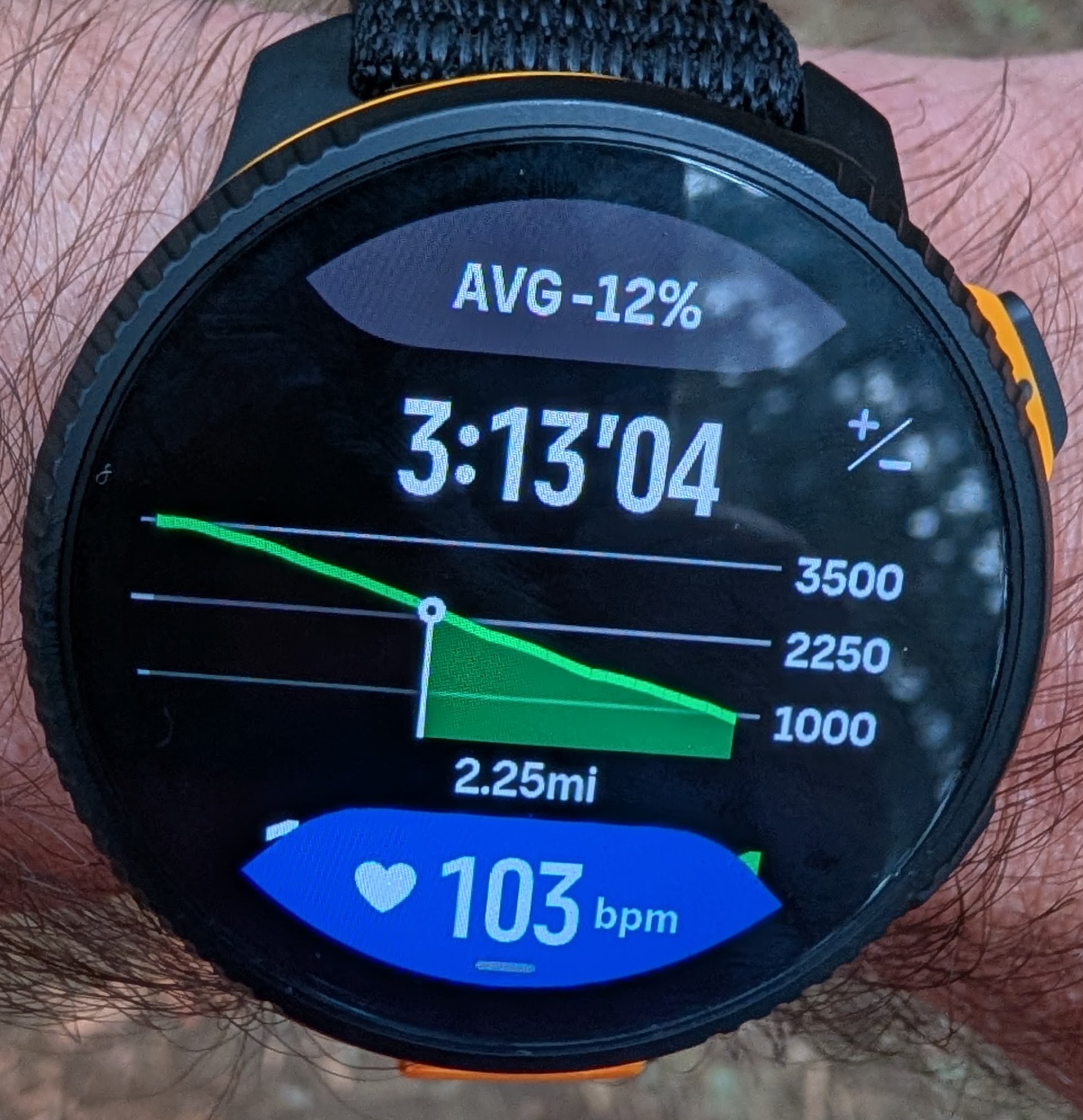
@sky-runner I agree, the average gradient is nice for the current climb, but it would be even better to also have sectioned gradients to know whats coming because the small graphed line is hard to tell when gradients change
-
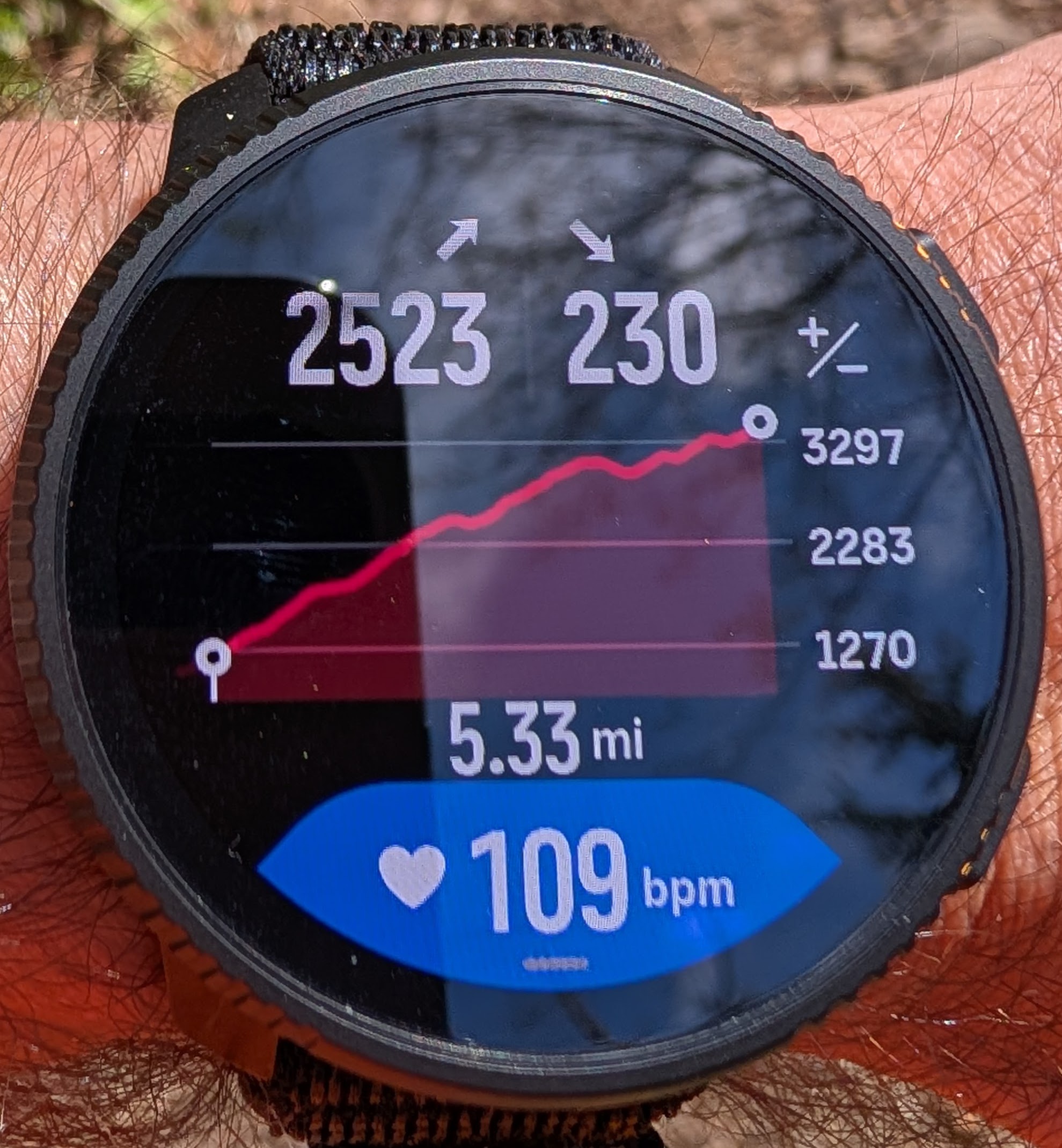
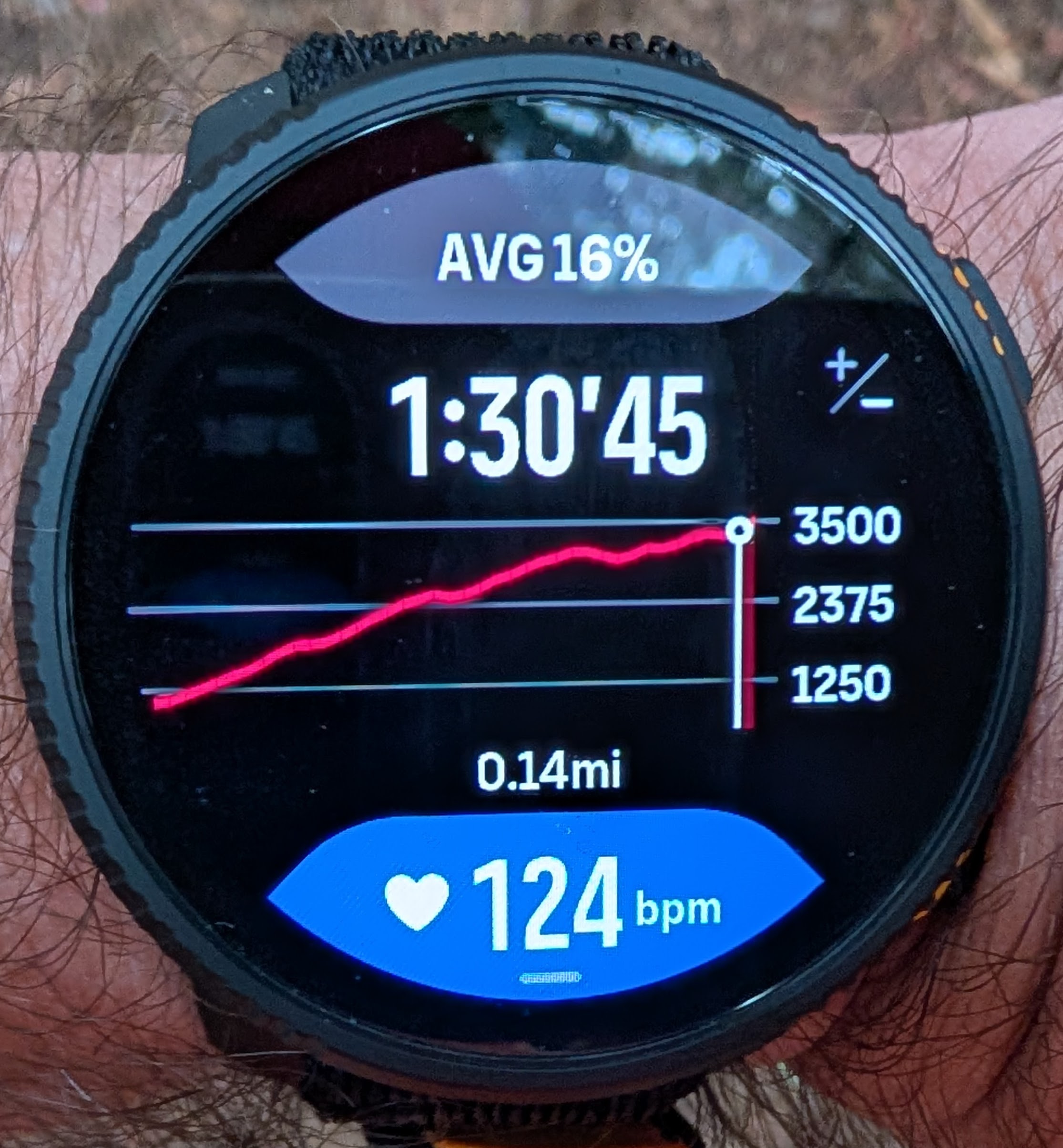
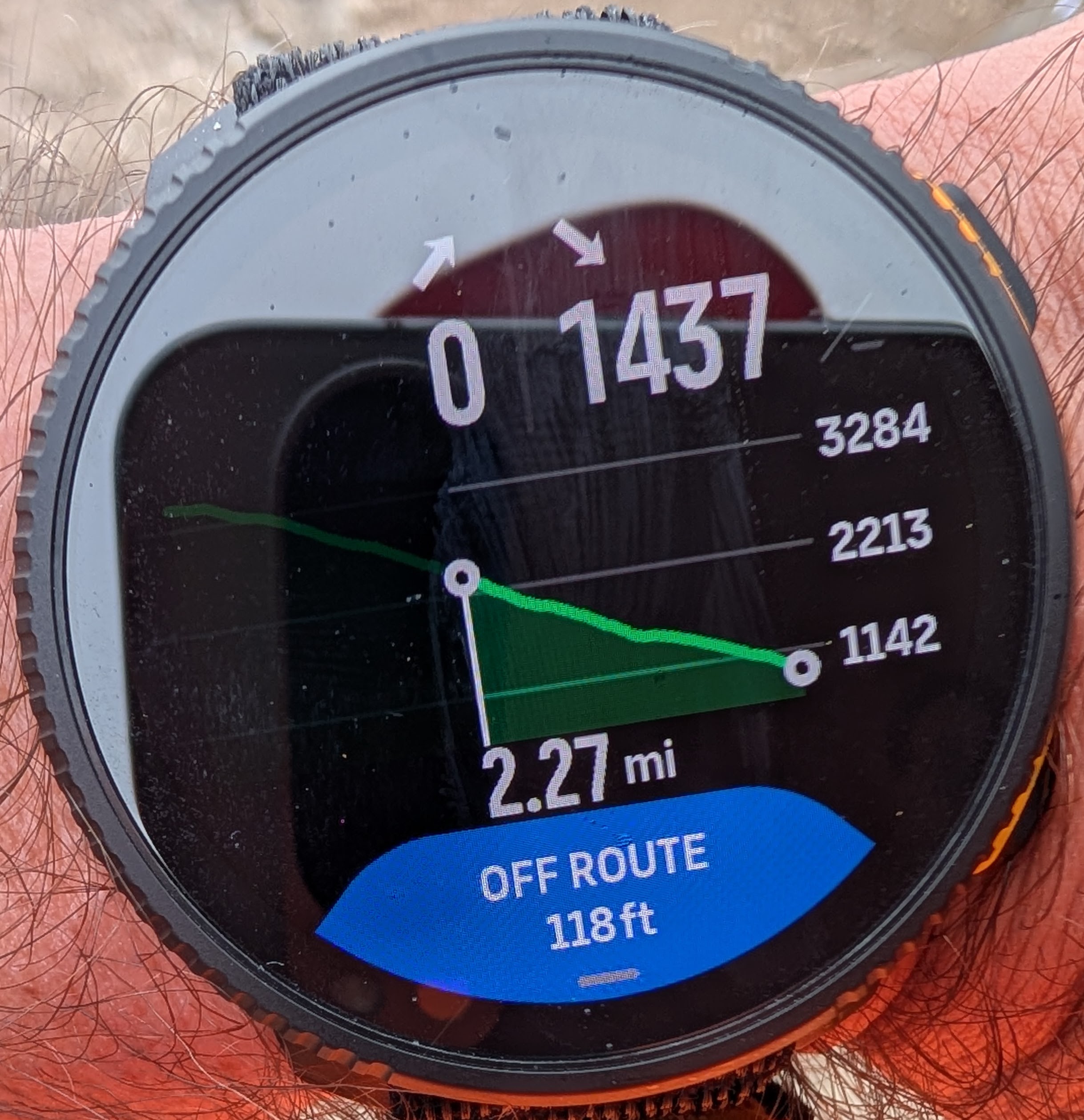
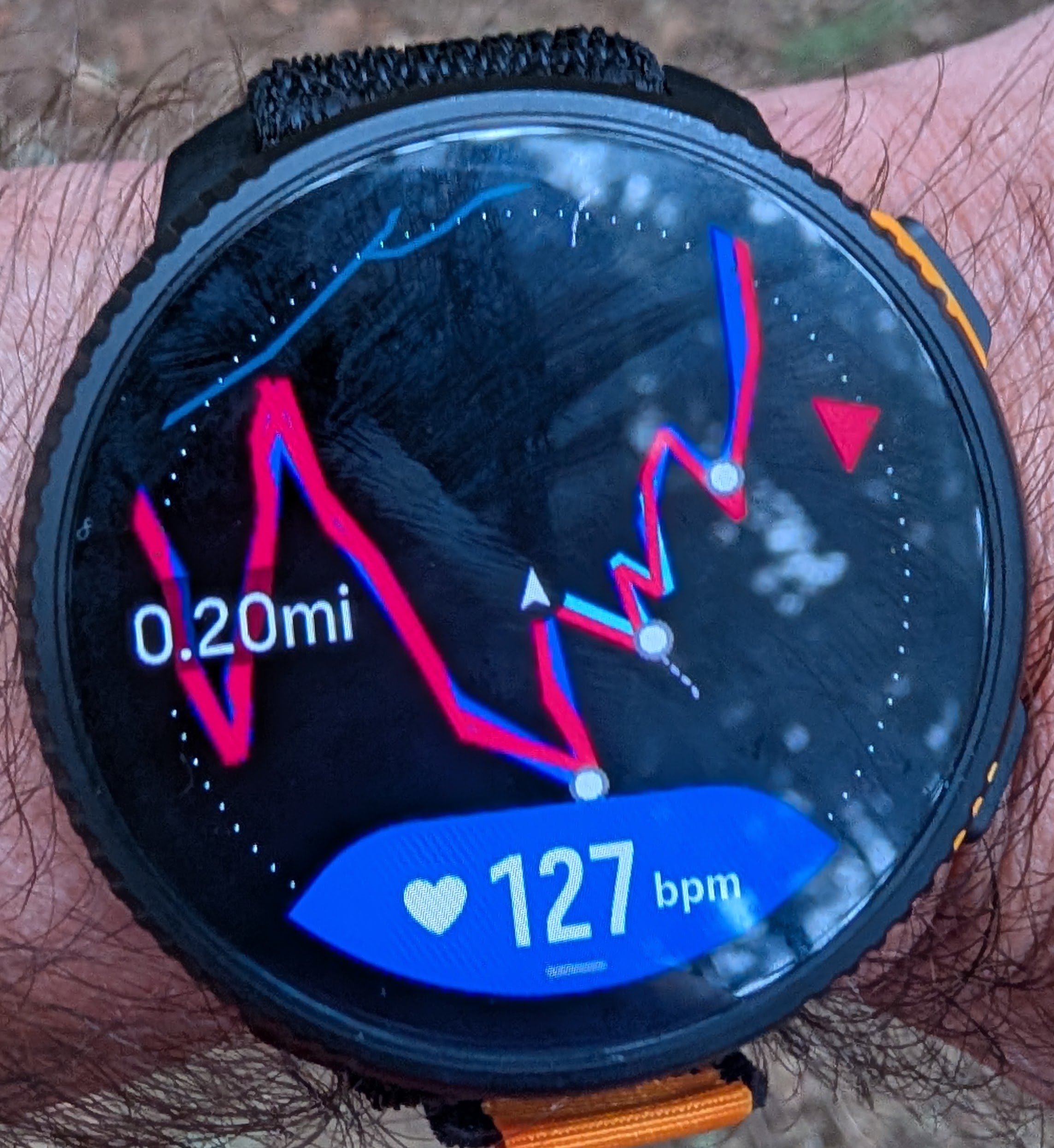
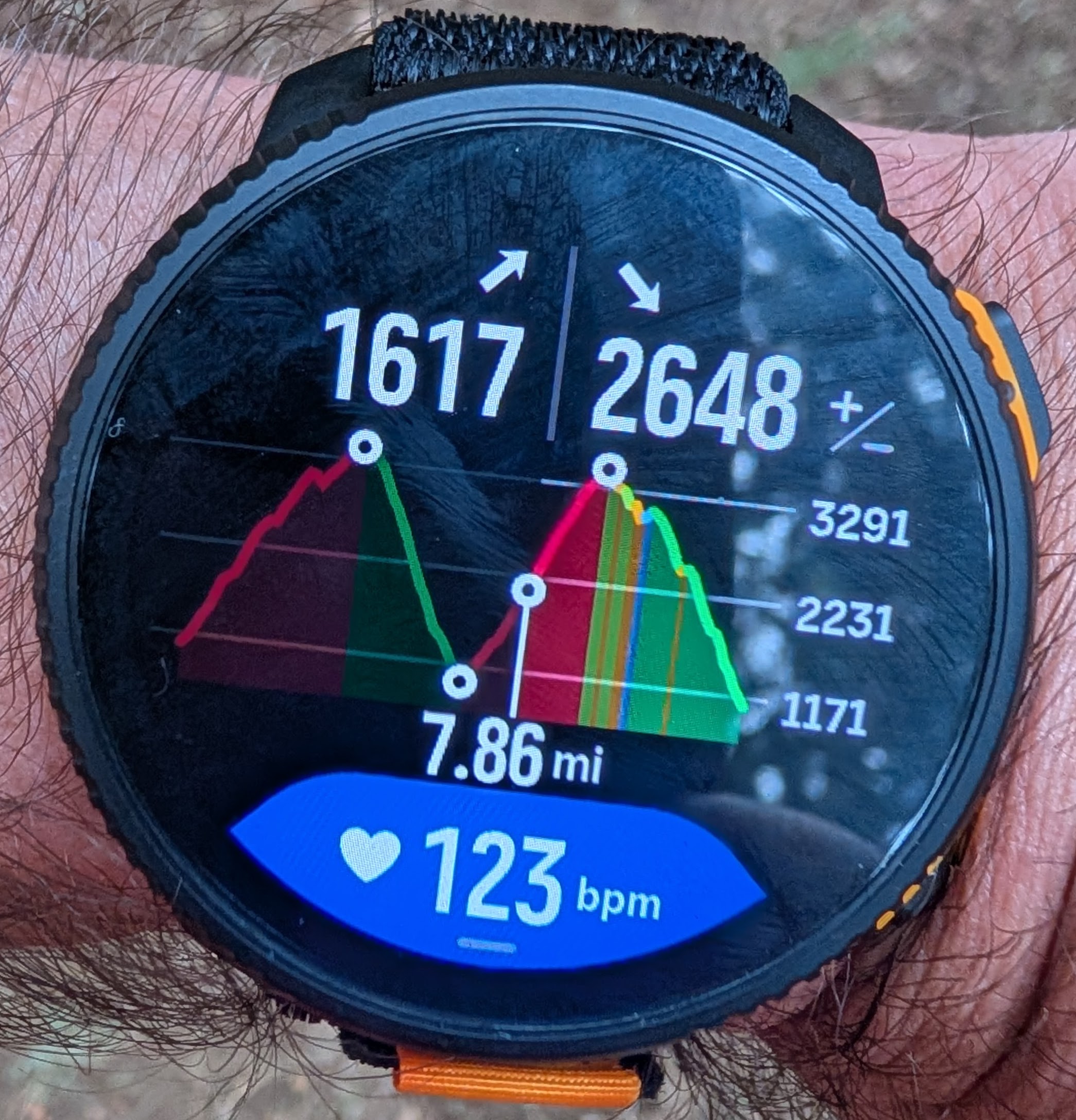
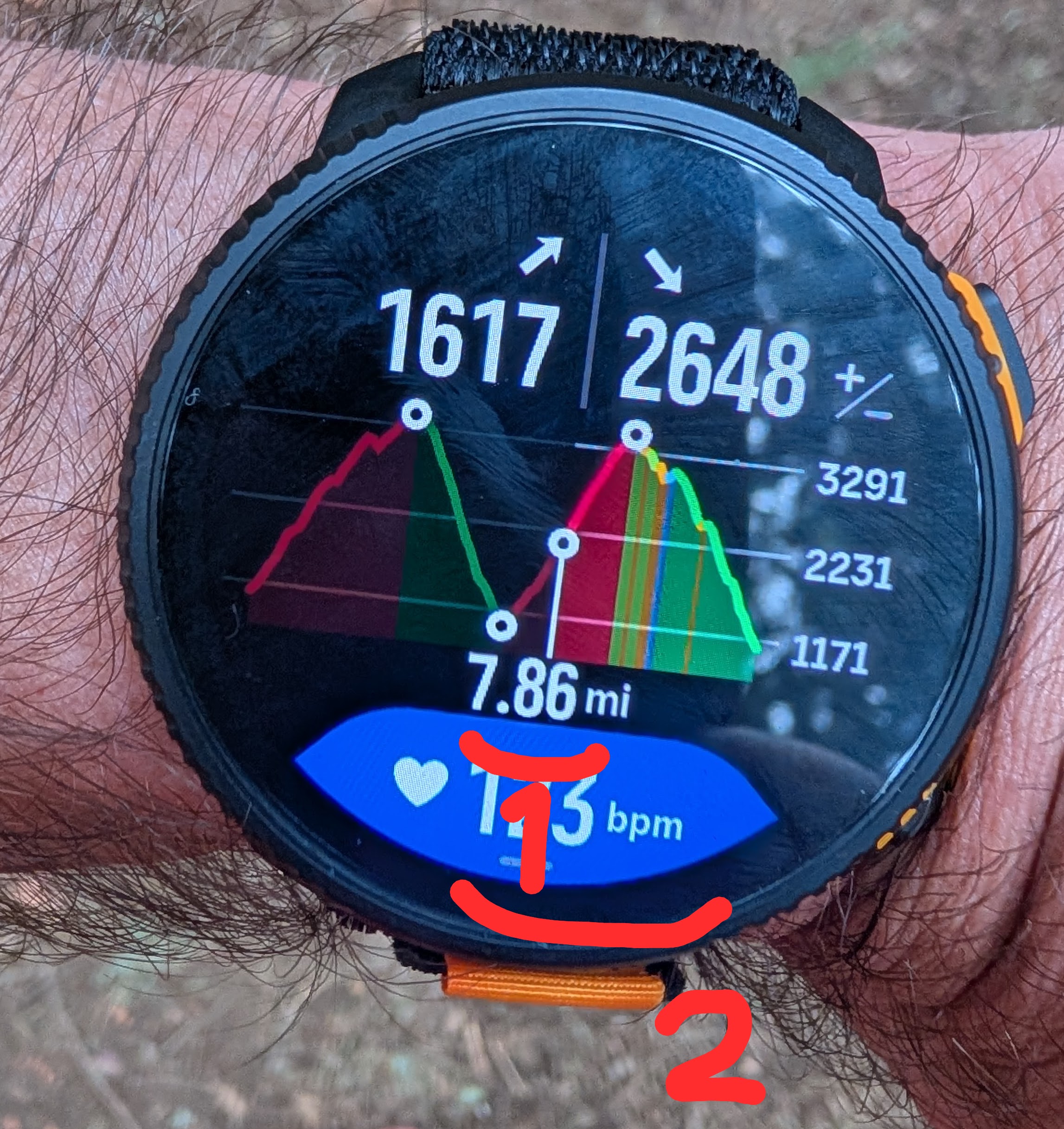
The issue with the incorrect zoomed in individual climb guidance. In a short period of time I have already experienced it twice.
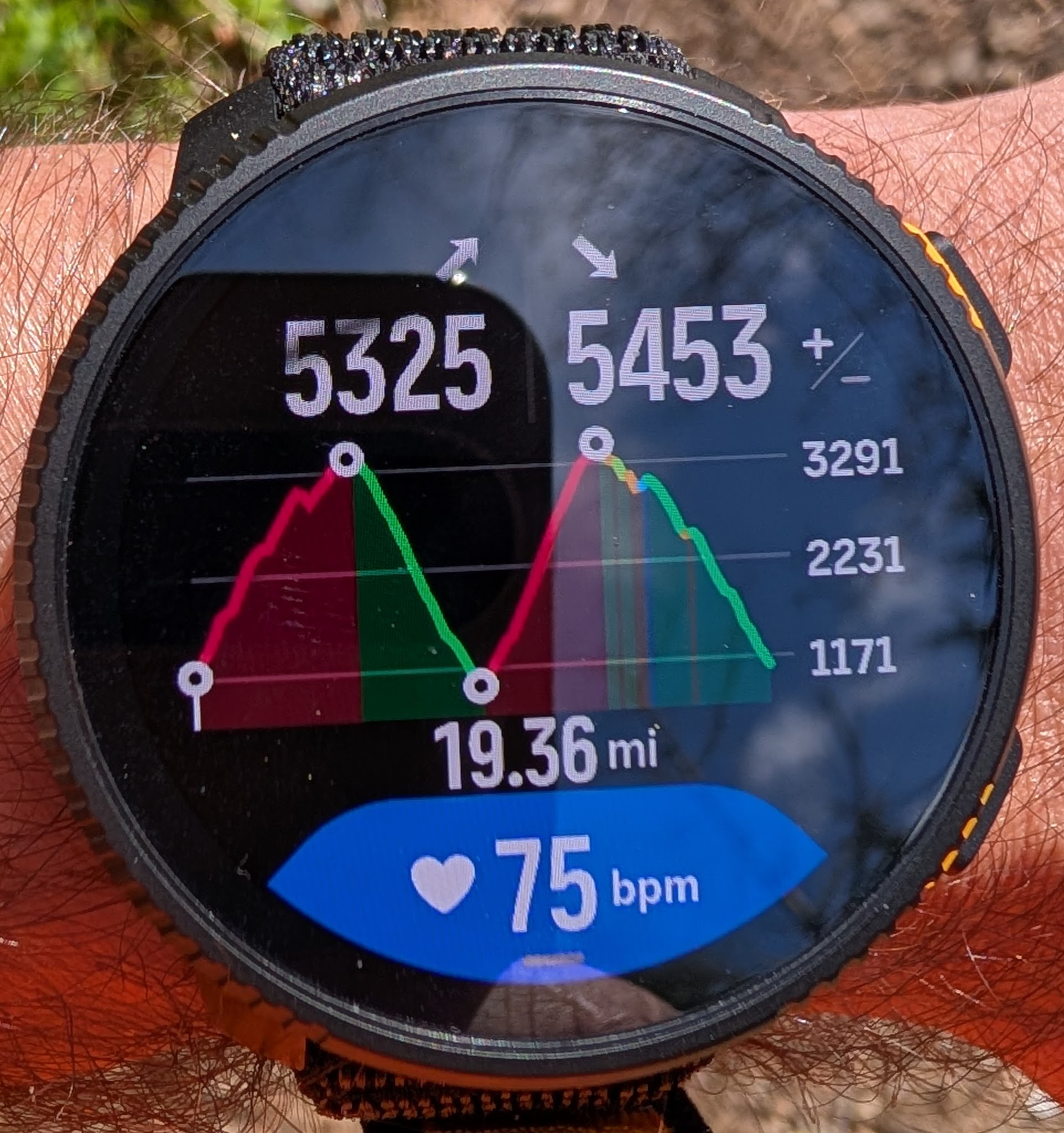
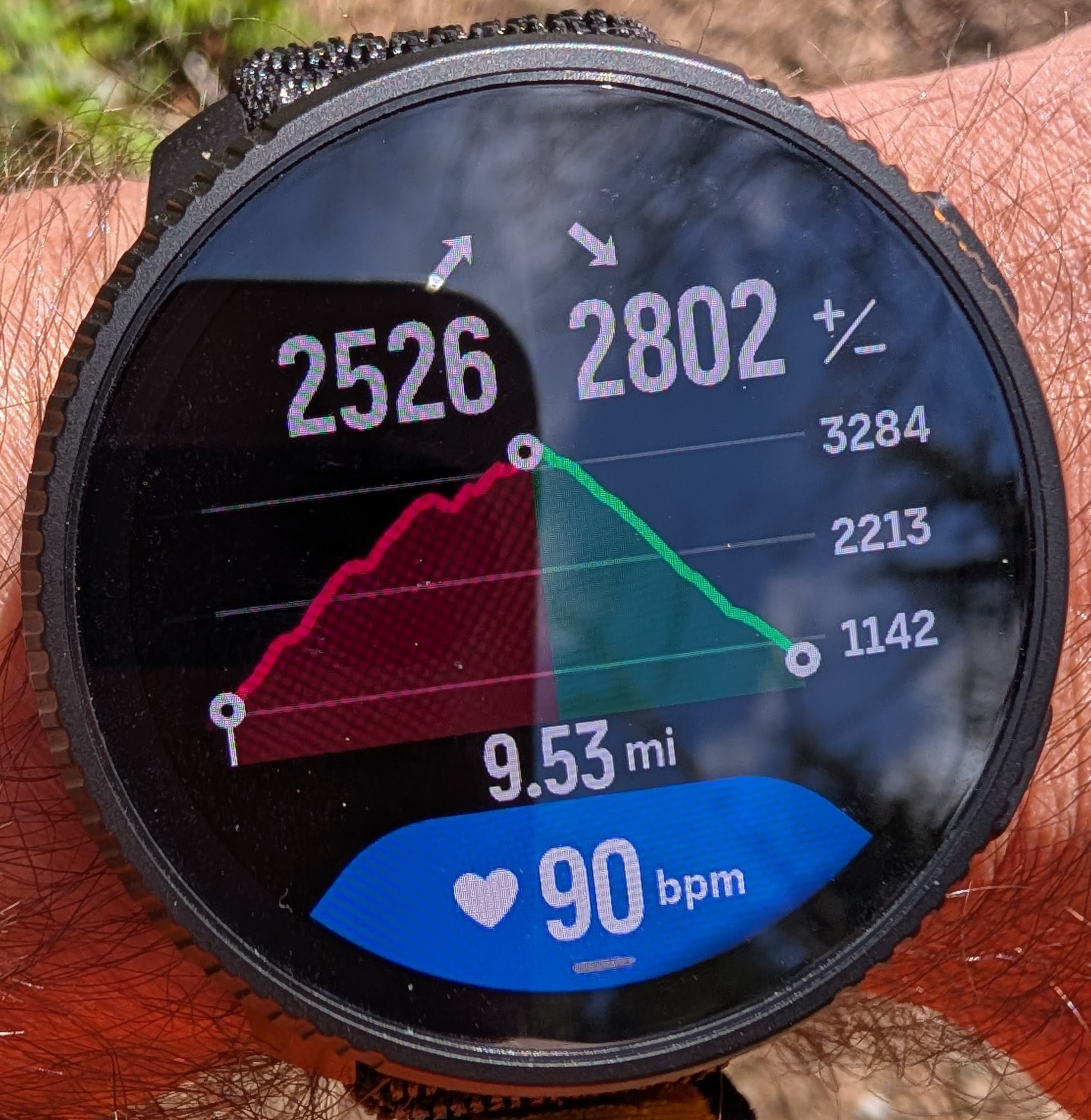
Here you can see that I have transitioned from a descent to a climb as visible at two different zoom levels:
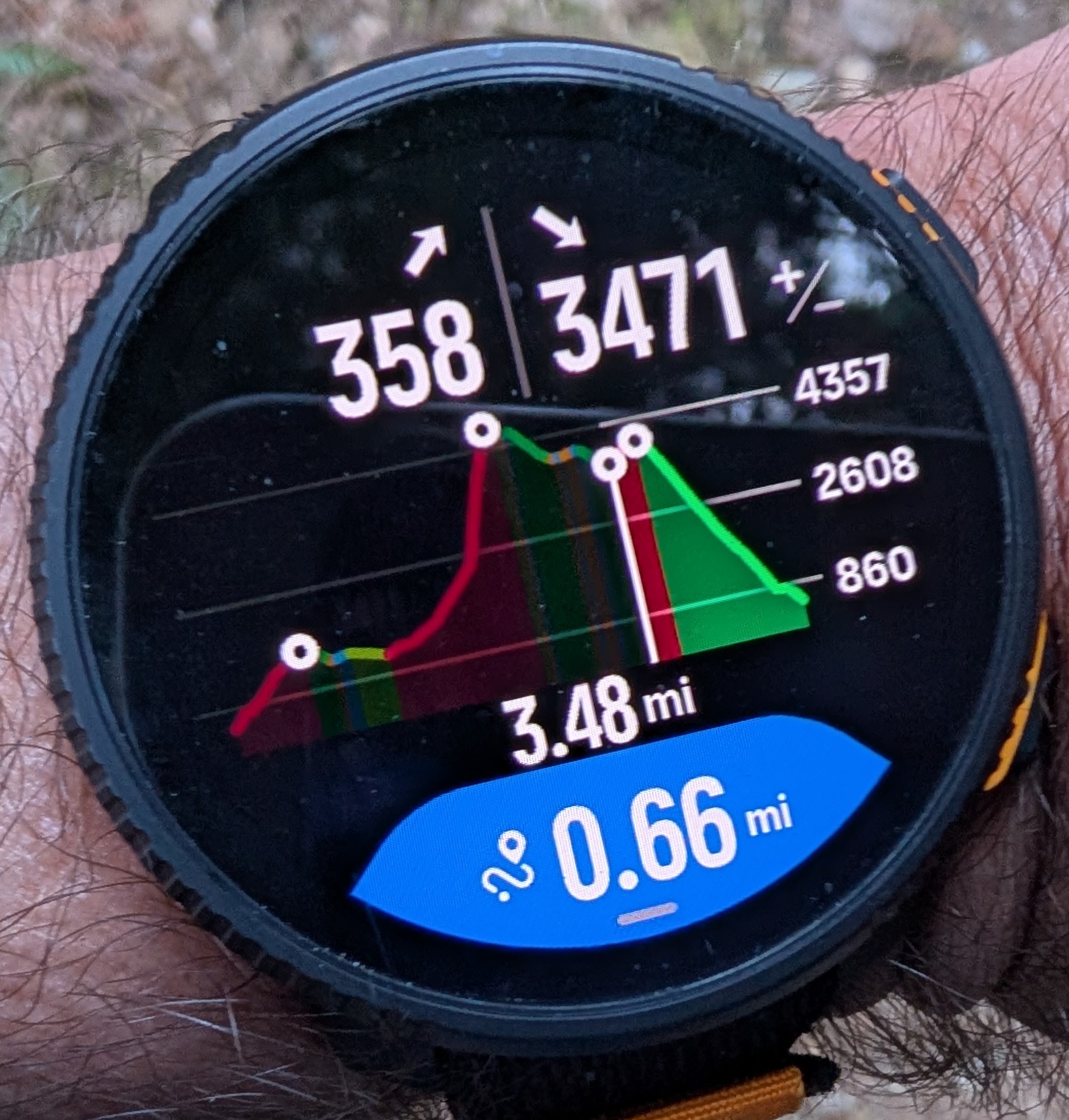
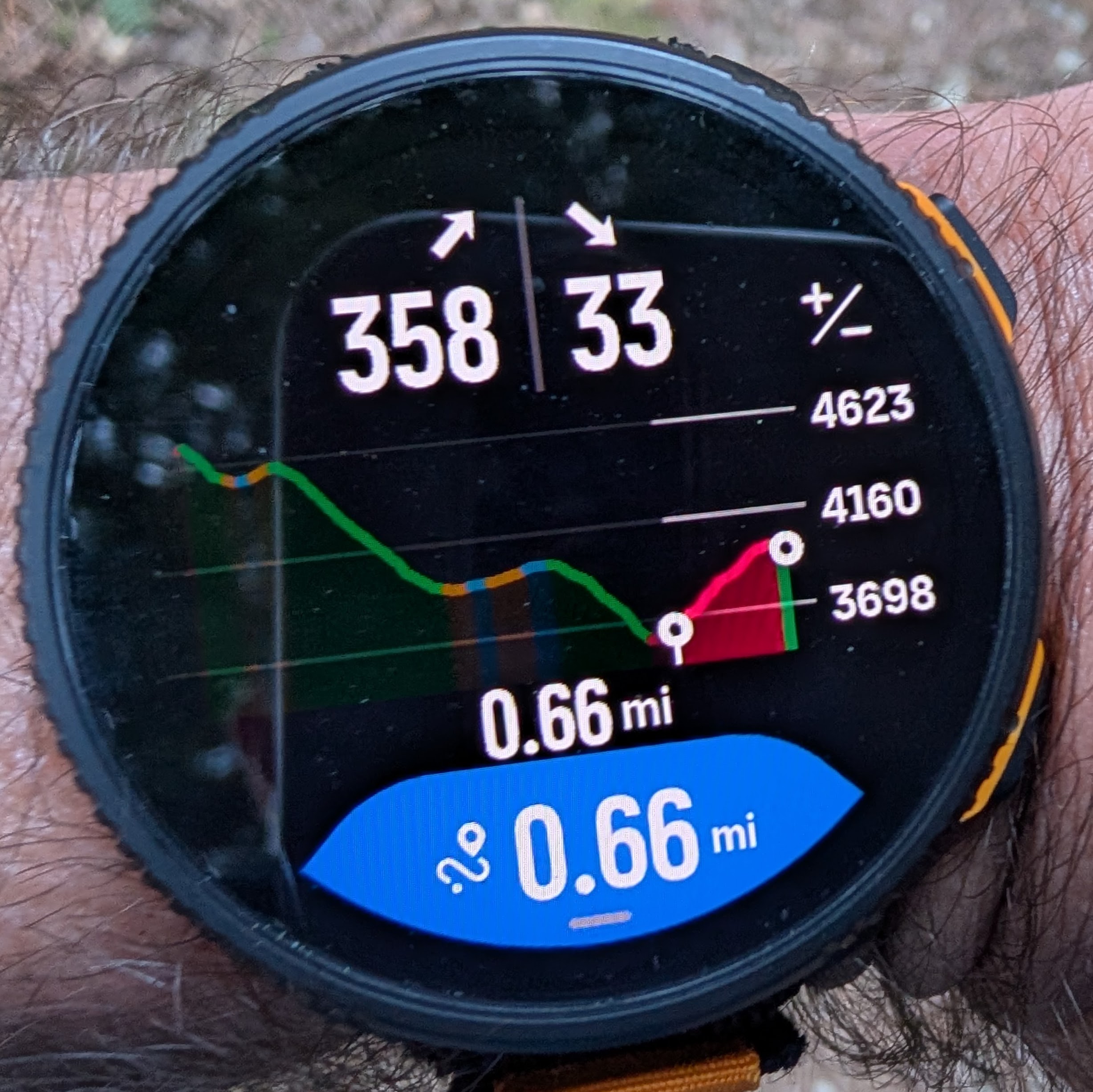
But if I zoom all the way in, it shows me at a descent, and that seems to be the previous descent that I’ve just finished:
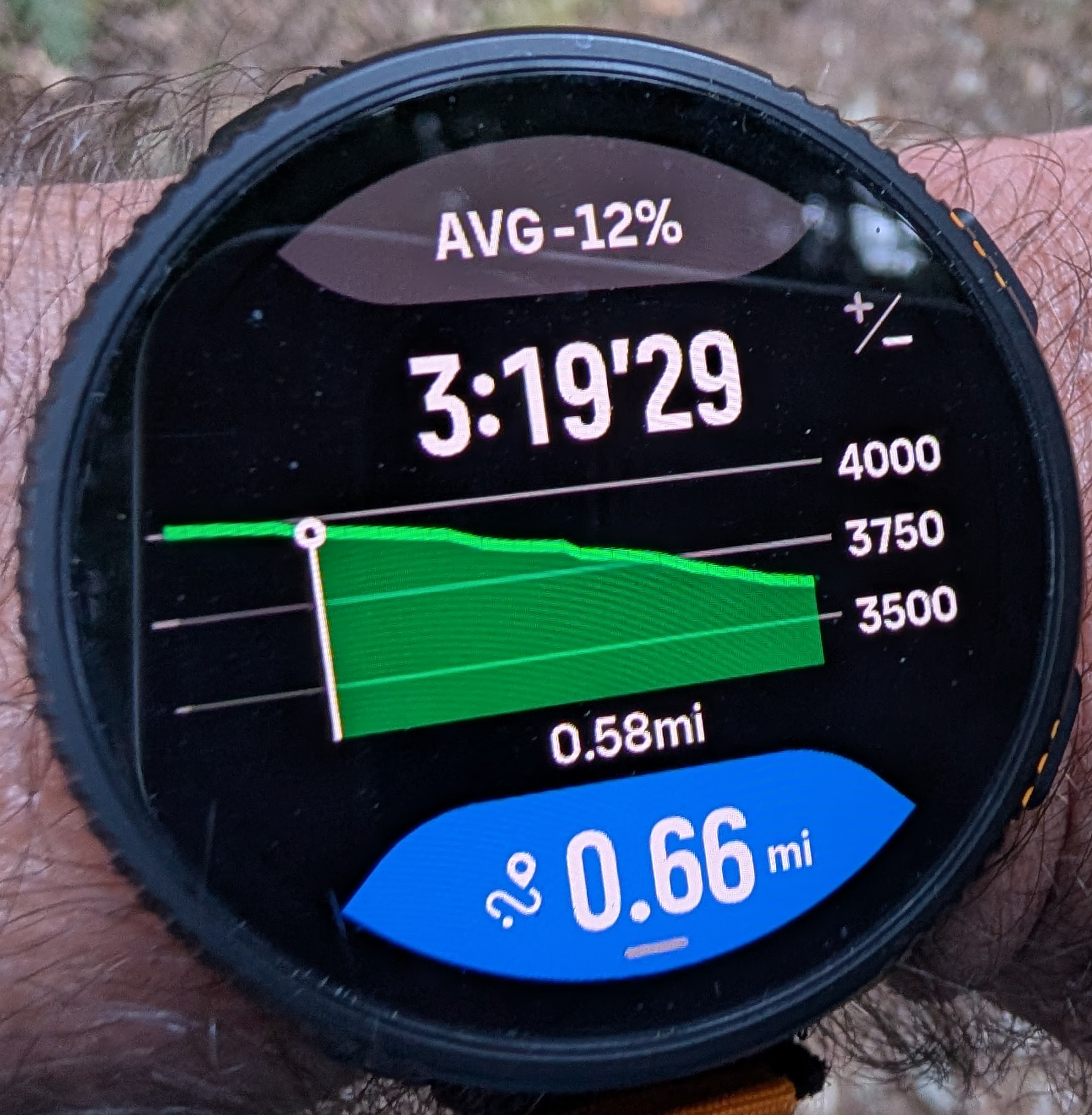
I hope it doesn’t require another year for this to get fixed! Also, as mentioned above, fix the layout so that it actually shows how much climb or descent is remaining and increase the font size for the remaining distance because it is quite difficult to see.
-
-
-
A bit of follow-up:
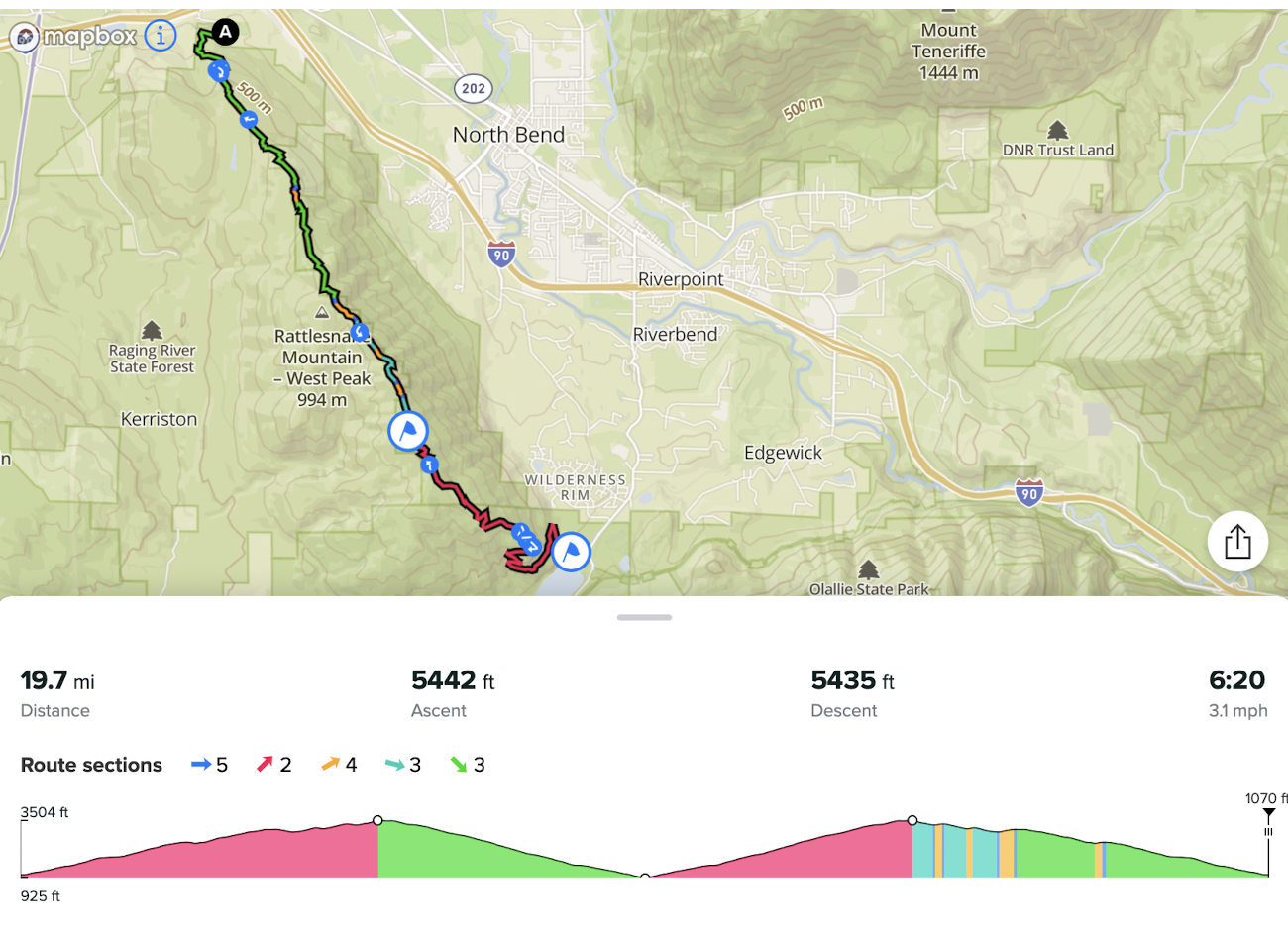
Today I did a local 50k race which includes 3 different loops to the top of the mountain with a shared descent, a shared aid station at the top, and a shared aid station at the bottom.
Here is how it looks like.
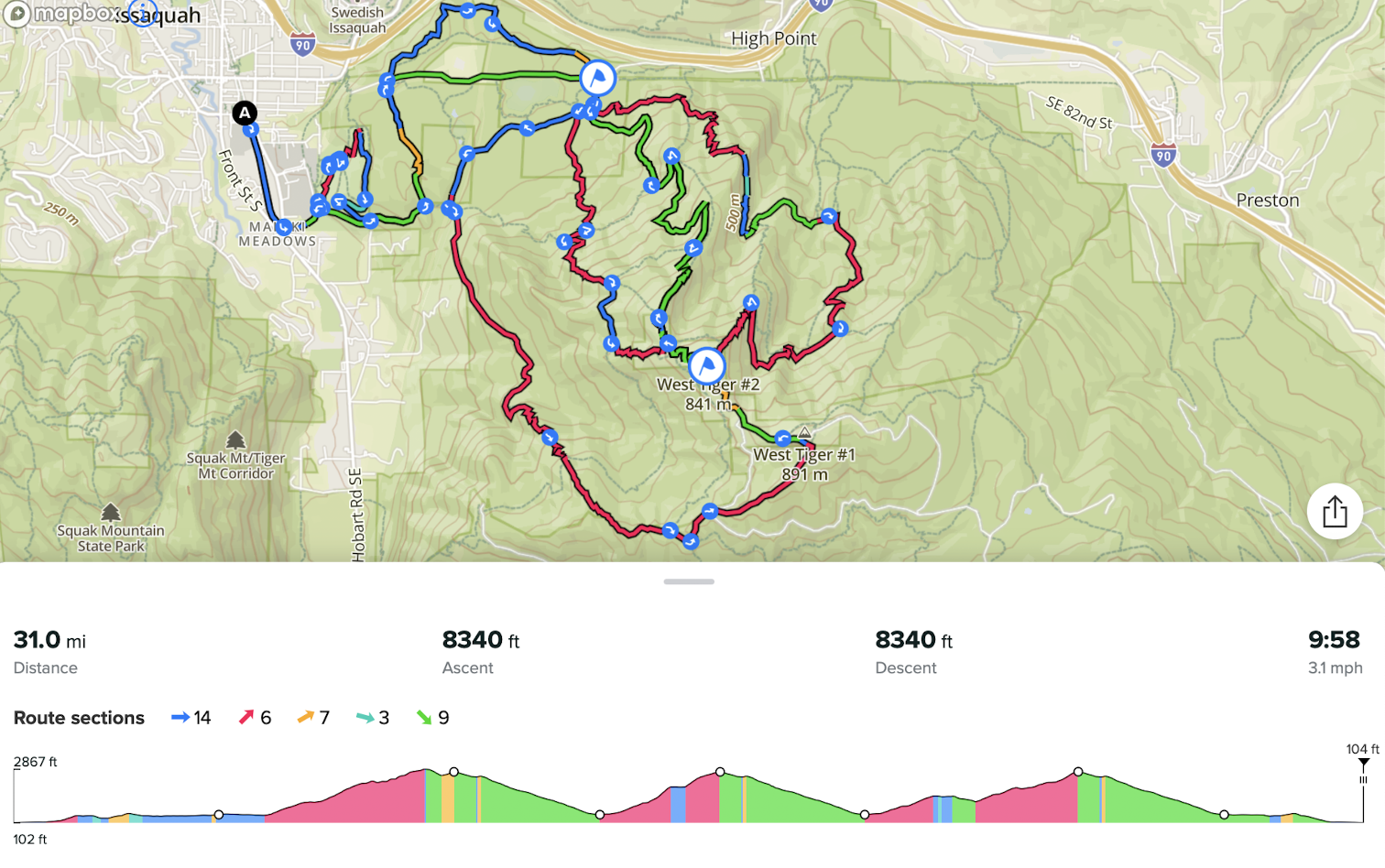
Obviously, I wanted a single GPX route for the entire race to track the climbing and not have to mess with the watch during the race. Also I wanted to track the distances to the aid stations.
Overall, Climbing guidance v3 worked satisfactory and was helpful but it wasn’t without issues:
Issue #1. When I imported the the GPX file from the race website, I was unable to place waypoints on the route so that a single waypoint covered multiple distances The waypoint (aid station) at the bottom is visited 4 times at various distances and the waypoint at the top is visited 3 times at various distances. I just couldn’t make that work. Whenever I tried to place a waypoint it was inserted for just one randomly picked distance on the route.
Finally I decided to just re-draw the entire route from scratch in Suunto App, and only after that placing a single waypoint would make it match multiple distances as shown on the elevation profile above. That’s what I wanted from the beginning.
I don’t know what is the difference, but I suspect when a route gets imported it probably gets simplified and loses resolution (the number of points along the route). It seems that there is no interpolation of segments between route points, which would explain this issue. I saw some evidence of the low resolution because some parts of the imported route looked like straight squiggly lines, but when I create the same route in Suunto App it looks far more precise. By the way, that isn’t a problem in Strava. When I import the same GPX route in Strava, it doesn’t lose resolution.
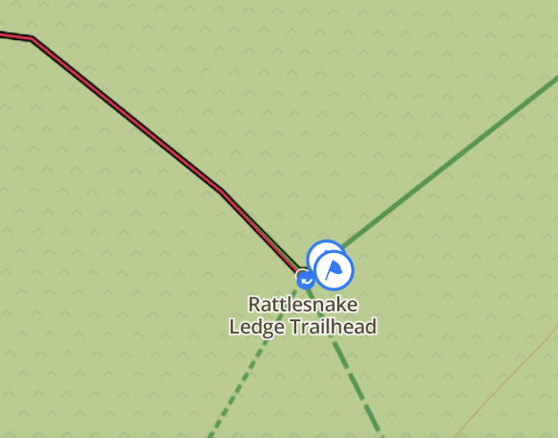
Issue #2 - The same as already covered above. When Suunto App finally managed to insert waypoints, when that applied to turnarounds, it ended up creating multiple waypoints at a short distance (a few meters) from each other. As I explained above, that was a problem for zooming the elevation profile, which now didn’t work as expected. It is nearly impossible to insert a single waypoint at a turnaround because the app simple doesn’t have enough precision.
Issue #3 - For the most part the watch was able to stick to the planned route even thought the route is very complex with multiple shared parts. However in the beginning of the 3rd loop it decided to switch me to another loop - the one that I had already finished. I am pretty sure I followed the route perfectly, so there was absolutely no reason for it to switch. I could see that because it notified me about a wrong climb (the wrong climb elevation gain). Then, after I continued on the correct loop - the one that was planned in the route - after a few minutes the watch corrected itself.
Issue #4 - The most zoomed-in climbing guidance view - the one that shows individual climbs - was messed up again. I didn’t normally look at it during the race, but at least on one occasion it showed me on a descent when I was in fact climbing. This issue has already been discussed above.
-
I’ve noticed black panels of missing map areas sometimes when using the watch (vertical 2) which seems inconsistent in terms of at what zoom level it occurs, how long it takes to fill in the missing areas and when it happens. This can occur during an activity or when accessing maps from the menu. Hopefully this can be resolved in future updates. I’m sure I read of someone else having the same issue but can’t find that post anymore.
Update - I read online about clearing the map cache with a soft reset which seems to have worked. I’m not sure how much map usage it will take to fill up the cache again and cause this issue to reappear. If practical, perhaps in a future firmware update the cache could automatically be cleared of older map data or all map data after a certain time period to prevent this issue from happening and not require the user to have to manually soft reset the watch every so often.
-
[FEATURE REQUEST]
I forgot to suggest a navigation thing that I find very useful.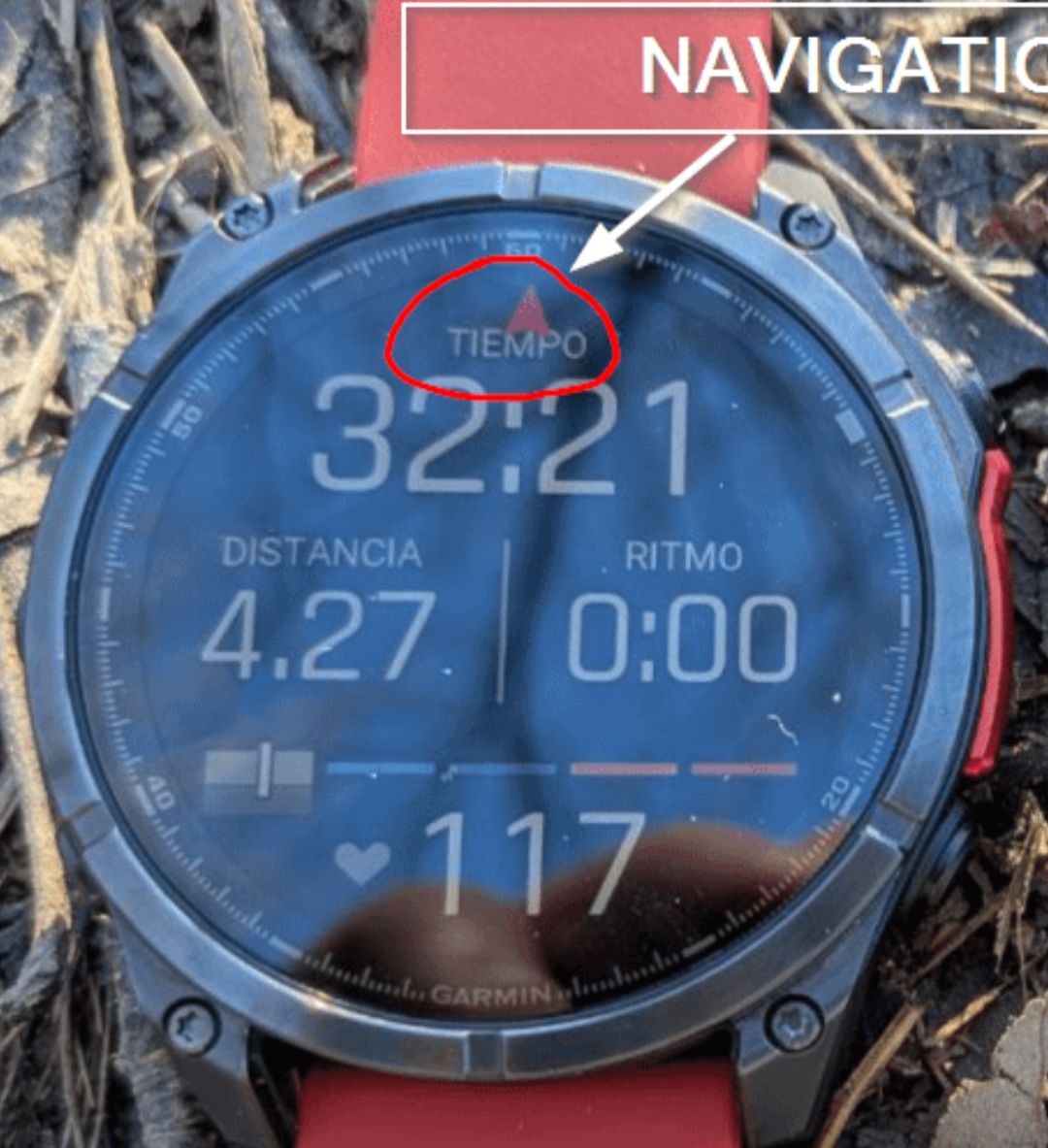
This is from when I had the Fenix 8. But I have a Forerunner 935 bought in 2017 that does have the navigation arrow there.
I find useful having it in data screens and without jumping to the map.
-
@dreamer_ I used the navigation arrow on Garmin Fenix 6 and 7 watches - the one that goes around the data screen.
I thought about suggesting the same for Suunto watches but I think it won’t fit the design because there is already intensity zone dial around most data screens on Suunto watches, and it has its own arrow. Having two different arrows would be confusing.
And besides, in my experience that navigation arrow didn’t work that well at running speeds. Often, it would delay pointing me in the right direction until after I was already past the turn if I wanted to go quickly without stopping, so in many situations it was adding to the confusion rather than helping me to navigate.
-
@sky-runner said in [Vertical 2, 2.53.42] Map and Navigation features are greatly improved but there are still a lot of old issues and also new bugs introduced in the latest update:
@dreamer_ I used the navigation arrow on Garmin Fenix 6 and 7 watches - the one that goes around the data screen.
I thought about suggesting the same for Suunto watches but I think it won’t fit the design because there is already intensity zone dial around most data screens on Suunto watches, and it has its own arrow. Having two different arrows would be confusing.
And besides, in my experience that navigation arrow didn’t work that well at running speeds. Often, it would delay pointing me in the right direction until after I was already past the turn if I wanted to go quickly without stopping, so in many situations it was adding to the confusion rather than helping me to navigate.
I’m not that sure. The thing is the arrow we already have for the intensity zone is always is in the other direction, pointing to the datafields. Perhaps that arrow, instead of being white, should have the color that matches the intensity zone. But doing that, red is still invalidated.
So, much better, change the arrow for something else that is not an arrow and problem solved (I.E, a double T).
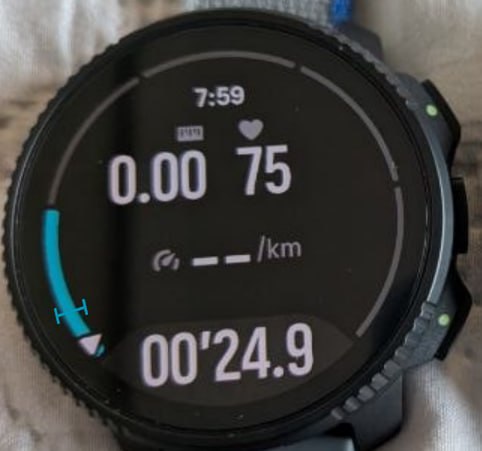
This is only the idea . The design could be made a lot better, so the problem is not really there.
In the other side, I see an scenario where having the arrow in the datafields is more than nothing. I still remember an ultra running at night with fog and deep forest following that arrow in the datafields. That was several years ago, and also with a Fenix 6 Pro and navigation is much better now. But watches are also a lot more reactive for the arrow.
It’s just an idea, of course. The how, if possible, should be thinked much better than this.
Suunto Vertical 2 Titanium Sage, Suunto Run
-
@dreamer_ Personally, when I am running an ultra or doing a long training run, 90% of the time I am either on the map screen where I can already see what’s coming in terms of navigation or I am on the elevation profile climb guidance screen. Now with data fields at the bottom, that’s all I need. And I can also see upcoming waypoints on the these two screens.
The extra benefit of staying on these screens is that I can’t accidentally pause the recording.
-
@sky-runner I agree. Things have changed by a lot .
Perhaps trail running is not the scenario nowadays.
About that argument and if you go further with that and about the map, do you really use the map in a race with beacons?Personally, it’s very rare for me to waste time using it for running in a race with beacons, but I do not conceive a watch without maps (I’m not saying I don’t conceive the watch without the navigation arrow, of course). But is very likely you are running most races with beacons (there are those that do not have them, of course).
Now looking at the shot I posted about the Fenix 8, they are using just a vertical line and not an arrow (I find much better Suunto’s design, not only for this but for datafields with big numbers without text legends). This is not a comparison, It’s thinking about the arrow.
But if navigation arrow is (or can be) implemented the other arrow should clearly be removed and changed for something else. I see even mark using an opaque tiny rectangle, and matching the colour of the zone. There was another brand doing that (I think).
This is just thinking about it. I’m not saying that should be done (at all). But in the other side, it’s very likely that is not something complicated to implement. It’s just about keeping things clean (and I totally agree with you in that).
Suunto Vertical 2 Titanium Sage, Suunto Run
-
@Joaquin just to be certain, is the zoom established by pressing top button (vertical 2), us it also possible to zoom out?
Been with a Suunto on my wrist since Ambit2
Currently with:
🔺Vertical 2 90th anniversary edition🔺
🔺Race 2 Titanium🔺 -
@dreamer_ when you mention beacons, do you mean course markings - that is how it is called in United States - usually a combination of turn signs and ribbons to make sure that you are on the course.
When racing I still use navigation for two reasons:
-
To have elevation profile, climb guidance, and distances to aid stations.
-
To boost confidence in case I haven’t seen course markings for some time. Also, occasionally, course markings get tampered with or blown away by wind.
Perhaps, during a race I spend less time on the map screen and more time on the elevation profile, especially now that it can also show distances to upcoming waypoints. So in a way, the elevation profile is almost equivalent to Garmin’s Up Ahead feature (but sadly without waypoint names, which I think Suunto should add).
But during a long training run I spend more time on the map screen because I tend to have a unique route for each long run that is specially tailored to my distance and elevation goals for that run.
-
-
@sky-runner yes, course markings.
I completely share your points. The only thing is it’s rare for me to use the map, unless a course marking is lost (that happens, of course) and I’m really “out of the route”.
But what it usually happens (at least here) is that when you are out of the route, you usually know that at very few meters of the real track and it’s very likely easy to return and take the another path instead of stopping and looking at the maps. -
@peegee If I understood correctly than yes same button on Vertical 2 can zoom in / zoom out. Short press zoom in long press zoom out. Same like middle button: short press advance screen long press go back (previous). Cheers!
-
Suunto navigation issue can have real negative consequences on training or even put someone in danger. That’s because of how easily the navigation direction can be reversed, potentially without the user noticing, and that still remains an ongoing issue.
TL;DR:
-
When accidentally reversing a loop direction, the watch doesn’t do a good job at notifying user and almost instantly reverses the route so there is a good chance mistake can remain unnoticed.
-
When skipping a part of the planned route, there is no notification at all the the originally planned route has been altered - not even an “off-route” notification.
Here is a concrete example from my today’s run.
The plan:
A training run on an upcoming race course that had to be counter-clockwise. The training session was supposed to go steeper slopes uphill while practicing pole use and run much gentler, more runnable sections downhill.
The result - despite using navigation, I mistakenly ran the route in reverse which made it more difficult because of steep downhills on loose ground and in one place more dangerous.
I didn’t realize that until several miles into the run. How did that happen? See the details and analysis further below.
Here is the route and the elevation profile for illustration purposes:
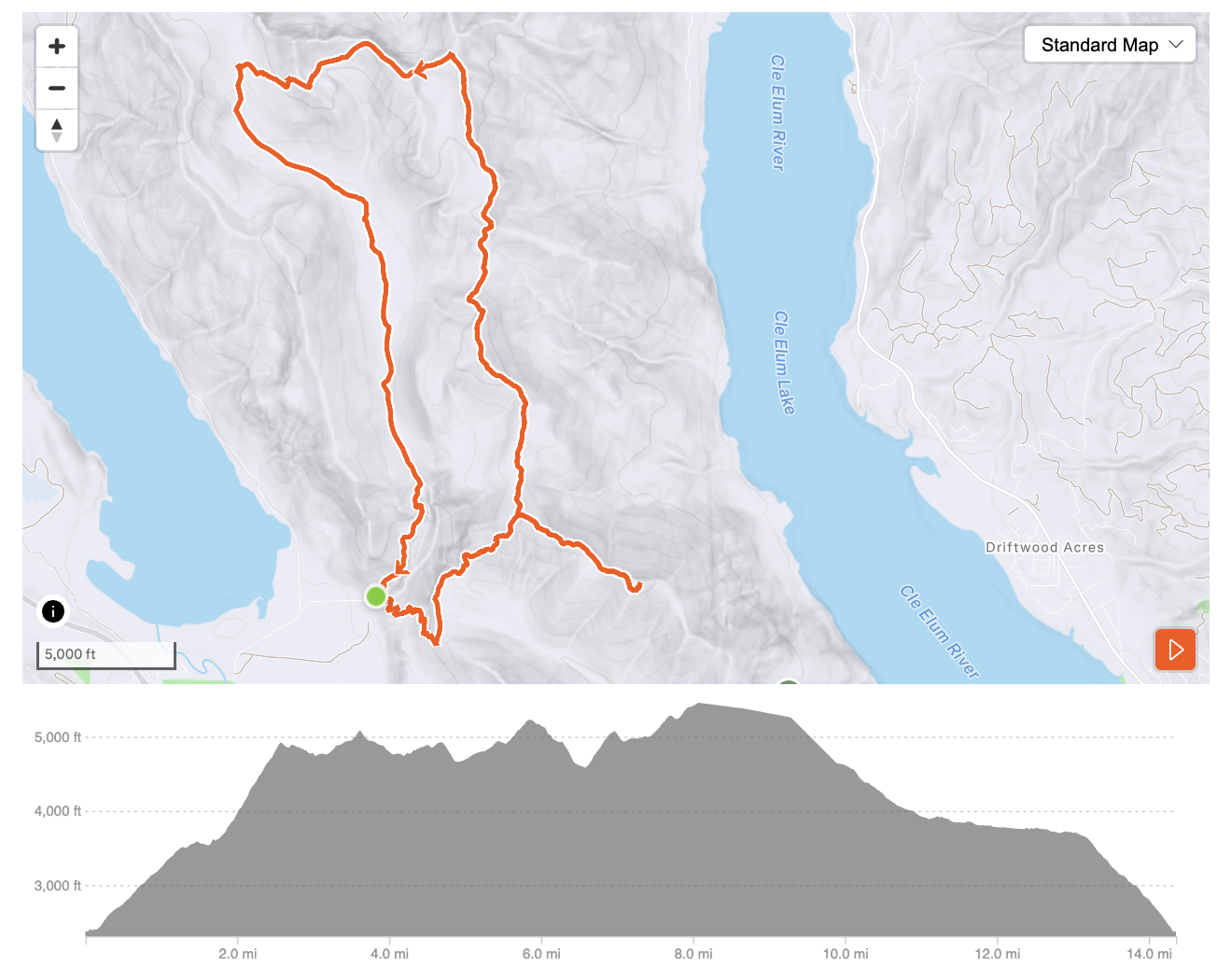
Shortly after the start of the run when the trails forked it was quite confusing and not obvious - the most obviously looking way was actually in the wrong direction, but it looked right despite looking at the map. I briefly looked at the map and wrongly concluded that it was the way to go, then switched to another data screen. My mistake? Perhaps, but…
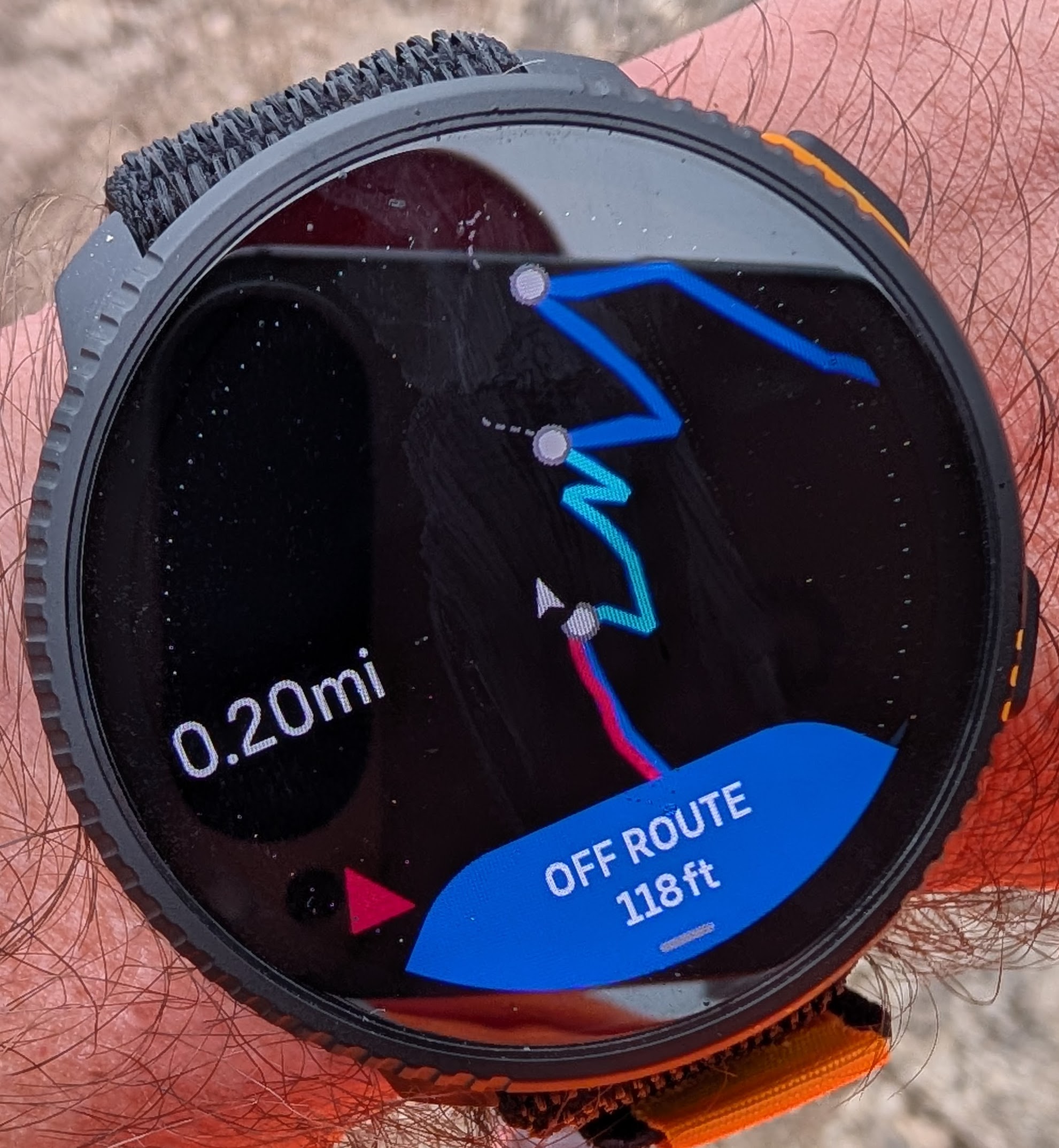
Shortly after I went into the wrong direction the watch popped up “off route” banner and then literally within a second or two - “back on route”. I thought - “not again”! In my recent runs this “off route” and “back on route” dance now happens quite regularly when I am certainly not off route. The off-route detection has become so sensitive that it often gives a false negative when the map itself can be a bit inaccurate. So my brain learned to ignore it because it is a false negative most of the time, and when I was actually off-route I also ignored it.
The second issue is that the “back on route” notification went up almost instantly. Even thought I was technically on the route - I was clearly going in the wrong direction. As it has been discussed in this forum, the watch is supposed to wait for quite long time, perhaps 150 meters or so before giving up and switching the direction. But that is clearly not the case! Not only it assured me that I was now back on route, but it also instantly switched the elevation profile. Unfortunately I couldn’t see the difference because both direction go up.
After I’ve finished the run, I decided to repeat the experiment, and do the beginning of the route again. And again, after a second of popping up the “off route” notification it misled me that I was “back on route”. That is clearly wrong!
Second issue:
You can see that spur off the loop to a local summit at the right bottom part of the route. I was originally planning to do that in the beginning of the counter-clockwise loop, but since I went clock-wise I arrived there at the end of the run. It was getting late and I decided to skip that part.
Well, the most interesting observation was that there was no indication from the watch that I skipped a part of it. Within literally seconds after I skipped that part and continued on the loop, the blue navigation arrow just switched. There was no “off route” notification, no indication that the route has been altered. Nothing! The watch just silently accepted this without letting me know that I’ve perhaps made a mistake! I think that is unacceptable! The route is not open for an interpretation by a watch and should be followed as is.
For example, in several races, there may be a similar spur off the main race route leading to an aid station, and accidentally skipping the aid station would lead to a disqualification. Silently accepting an altered route is not the right behavior! At a minimum there should be a notification telling the user that the route has been altered.
-
-
Second issue:
You can see that spur off the loop to a local summit at the right bottom part of the route. I was originally planning to do that in the beginning of the counter-clockwise loop, but since I went clock-wise I arrived there at the end of the run. It was getting late and I decided to skip that part.
Well, the most interesting observation was that there was no indication from the watch that I skipped a part of it. Within literally seconds after I skipped that part and continued on the loop, the blue navigation arrow just switched. There was no “off route” notification, no indication that the route has been altered. Nothing! The watch just silently accepted this without letting me know that I’ve perhaps made a mistake! I think that is unacceptable! The route is not open for an interpretation by a watch and should be followed as is.
For example, in several races, there may be a similar spur off the main race route leading to an aid station, and accidentally skipping the aid station would lead to a disqualification. Silently accepting an altered route is not the right behavior! At a minimum there should be a notification telling the user that the route has been altered.
Here I understand the potential issue when you do a race and so on but I do not agree that it is an issue “per se”, it is more an inconvenience and a potential improvement, and inmy opinion this notification that you ask for should be an option. First of all, if you are in a race, probably you will have signs and marks to the compulsory aid stations but anywayl a reminder form the watch can be useful but as I have said, as an option because some of us, we do not want reminders for everything. Some times I use a route as a guide in an area and I move from it intentionally and I do not want the watch beeping all the time. So I see it more as a nice improvement/option.
Regarding the first issue (“off route” and “back on route”) I had this a lot with imported routes from third parties, pretty noticeable using the S9Baro without maps. In routes created with the SA I haven’t had it a lot. I think the issue comes from the imported route.
-
@sky-runner , about the HR zones I was posting in this shot:
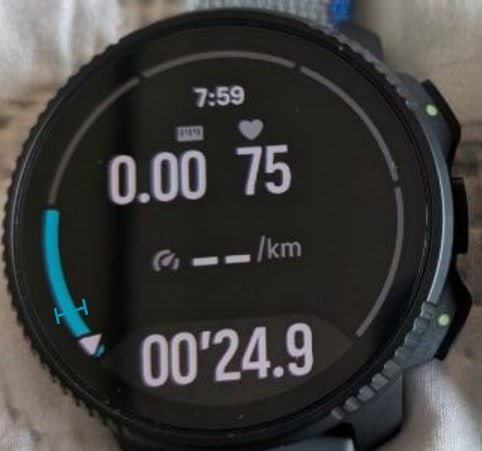
This is the fix Suunto I think should consider:
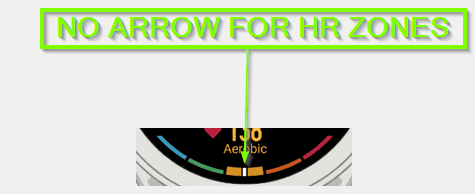
That mark is super clean (better than Garmin’s line) and removes the erroneous arrow, cleaner and just perfect. Super easy fix too. That’d make possible a navigation arrow suitable in the current design.
-
@cosme.costa I firmly believe that a navigation route is not open for interpretation by the watch and must be followed as originally planned unless the user gives up and moves on the new direction for some distance. This must be unambiguous.
-
The watch must not silently reverse the route direction or skip a part of the route without giving the user a chance to notice and correct the mistake. This should work within the tolerance of detecting off-route condition, of course.
-
The algorithm should be straightforward and consistent. If there is any significant divergence from the route, which includes changing the direction or skipping a significant part of the route, there must be OFF ROUTE notification first. If user continues to move along the altered route for more than e. g. 100 meters, they the watch should snap to the altered route, which may be either reversed direction or skipping a part of it. If there is more than one choice, skipping a part of the route should be preferred over reversing.
-
Ideally, once the original route has been altered there should be a clear notification about that.
-
The above should not apply when the user is not currently navigating. For example, someone had a one way route and they have reached the destination point, so they have ended the navigation. In that case moving back on the route should not generate the OFF ROUTE warning and it should just silently lock to the reversed route. By the way, I sometimes see OFF route warnings even before I have reached the start point of the route, which is clearly a bug.
-
Also, the light blue navigation arrows should not disappear when OFF route is detected. The arrows should continue showing where the route is supposed to go as planned. Only when the new route option is accepted, if user continues to move in a new direction, only then the light blue navigation arrows should confirm the new altered route.
-
The same as above should work for detours. Even when getting completely off route, the route should retain the navigation arrows at a point on the route closest to the user position, showing where the original route is supposed to go. That is very helpful for merging back into the original route.
-
-
@sky-runner I agree with you with the reverse route function, in my opinion when the watch detects that you are reversing it should alert you or even ask for confirmation. It is very frustating when a loop route shares some track at the begining and end, when the shared track is finished you never know if the track has been reversed or not, or if the shared track is in the middle of the route the same.
For the rest, well you have the map, you can check it, is for that, that I welcome your proposes but as options. I do not like my watch beeing invasive with alerts, when I follow a route I check the map screen very often and some of the issues that you face I don’t see them as issues but potential improvements.
BTW I have never noticed that the arrows disappear when the OFF ROUTE alert pops-up
 , and this hasn’t been an issue at all for me, but again nice to have what you propose.
Rearding the OFF ROUTE alerts when you are on track, check what I said. Is the route created with SA or imported?
-
Rearding the OFF ROUTE alerts when you are on track, check what I said. Is the route created with SA or imported?
I think I’ve seen it both ways - both when it is created in SA and when it is imported. This has never happened before but started happening regularly after the last update. What the new implementation doesn’t take into the account that the map may not be accurate enough, so it may think you are off route because the trail on the map is slightly off from the real trail.





Hello! It looks like you're interested in this conversation, but you don't have an account yet.
Getting fed up of having to scroll through the same posts each visit? When you register for an account, you'll always come back to exactly where you were before, and choose to be notified of new replies (either via email, or push notification). You'll also be able to save bookmarks and upvote posts to show your appreciation to other community members.
With your input, this post could be even better 💗
Register Login