[Vertical 2, 2.53.42] Map and Navigation features are greatly improved but there are still a lot of old issues and also new bugs introduced in the latest update
-
Warning: long post with a lot of screenshots!
Let me start by saying that I am really thankful for a few great improvements, which bring the watch closer to what I’d consider an ideal watch for trail ultrarunning.
But after only a single long mountain run with my shiny new Vertical 2 I’ve already observed so many issues and I think I may have forgotten about some of them. Many of these issues are old and I’ve already reported them in this forum, but there are some surprising new bugs.
Let’s start with the route:
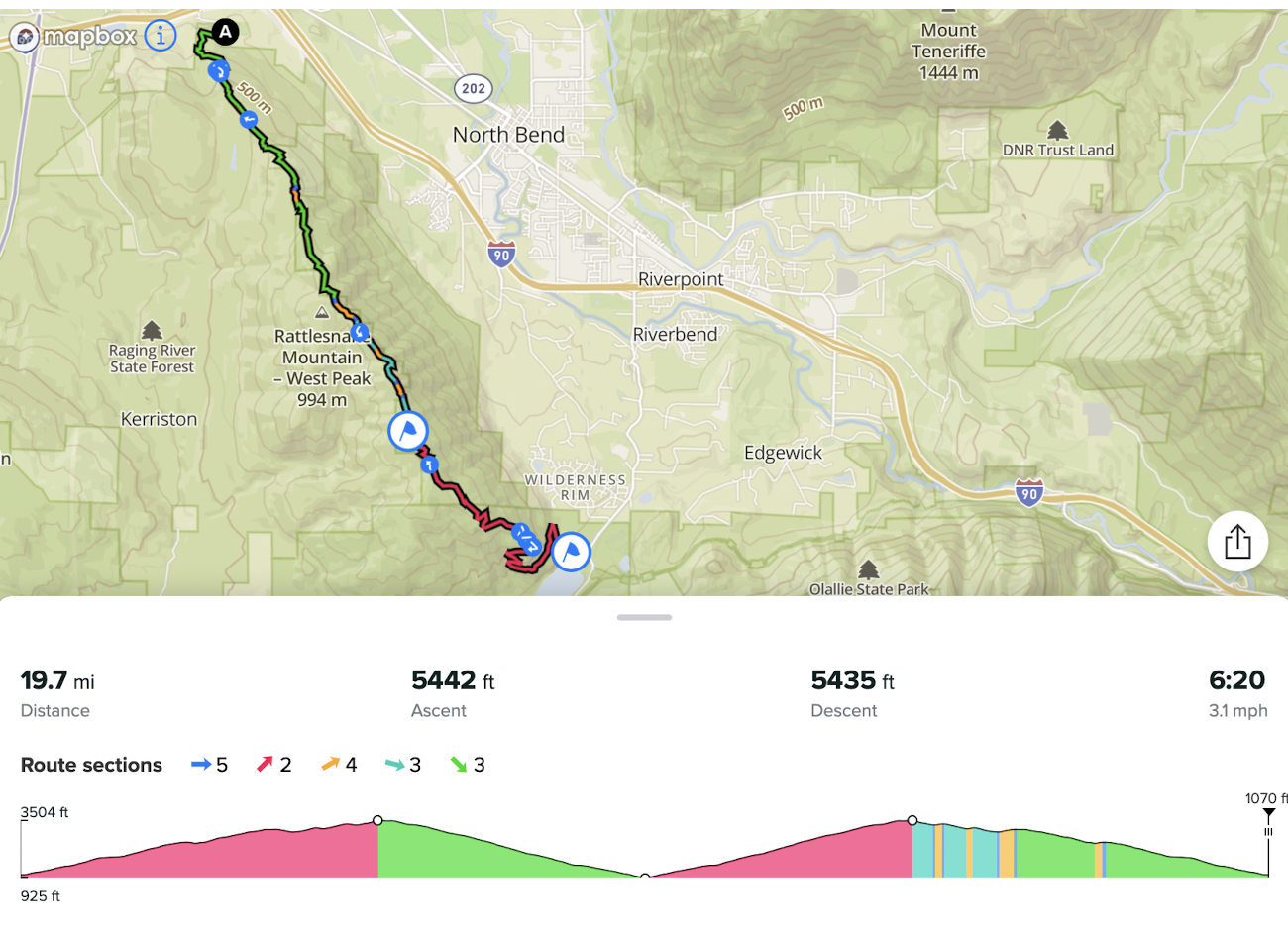
This was double crossing of a local mountain and I placed two waypoints - one at the highest point and one at the turnaround. The first waypoint shows up at two distances - one the way out and on the way back! Thank you very much for fixing this issue. That is great.
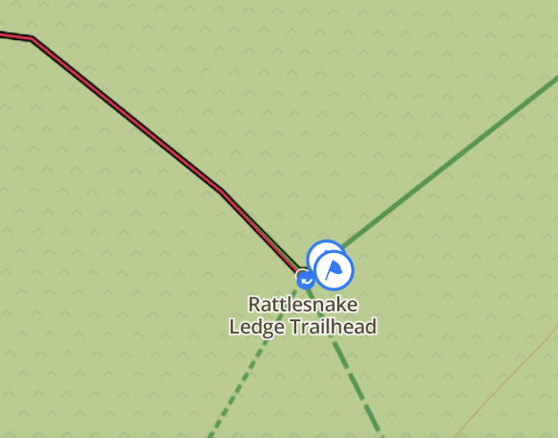
[BUG] The second waypoint at the turnaround point has also doubled. No matter how I tried, I couldn’t make it a single waypoint. Under magnification it shows as two waypoints that are 3 feet (1 meter) apart, and as we’ll see later that will cause the problem with the climb guidance elevation profile zooming:
Now, let’s look at Climb Guidance zoom levels:
[Zoom level 4] - most zoomed out - the entire elevation profile:
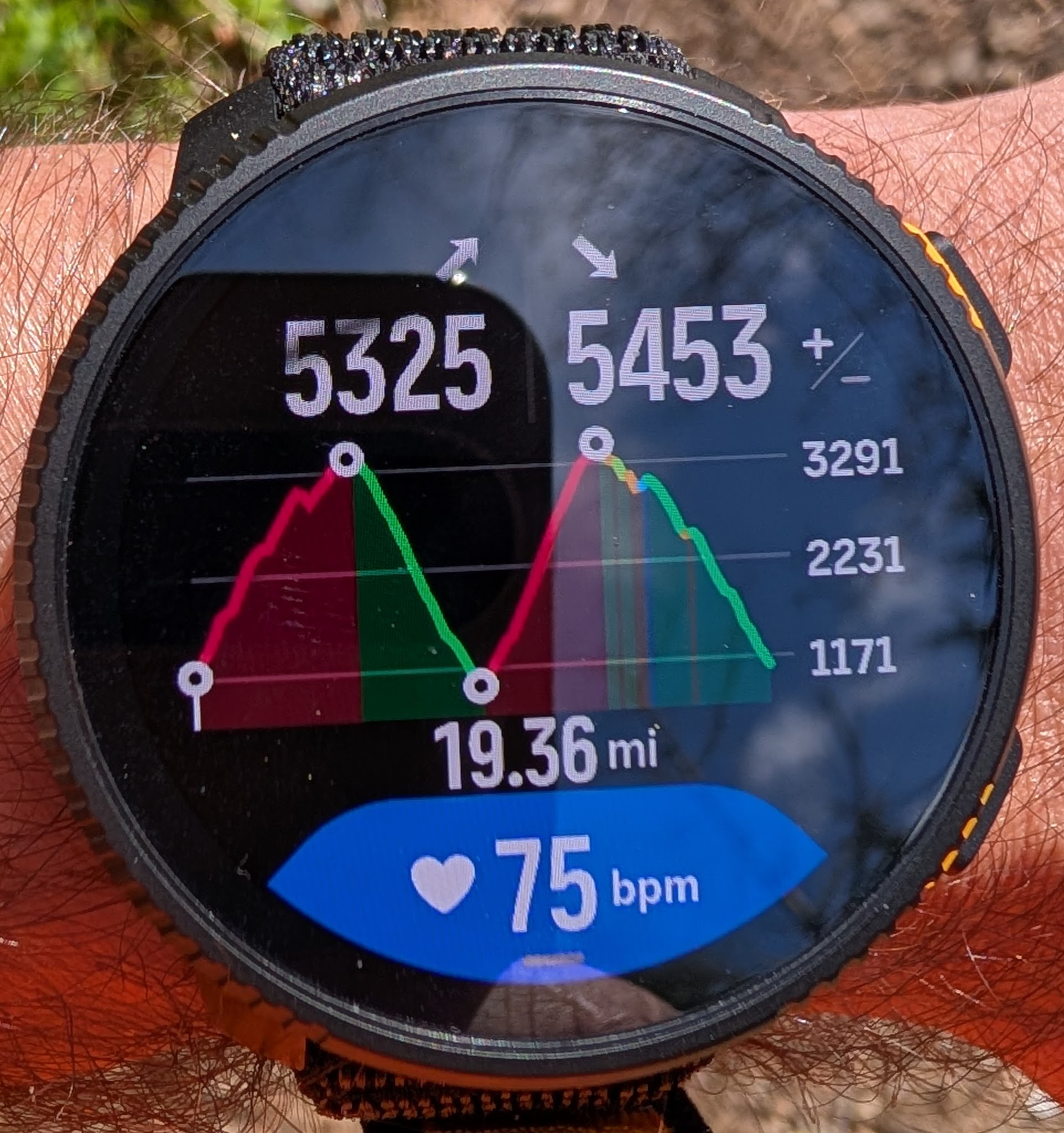
[BUG: Zoom levels 3 and 2] - supposed to show 3 and 2 segments, but because the second waypoint has doubled, both of these zoom levels show the same part of the profile. Normally at the zoom level 3 I’d expect to see 3 segments, for example from the beginning to the 3rd waypoint and the top of the second climb, but that isn’t available
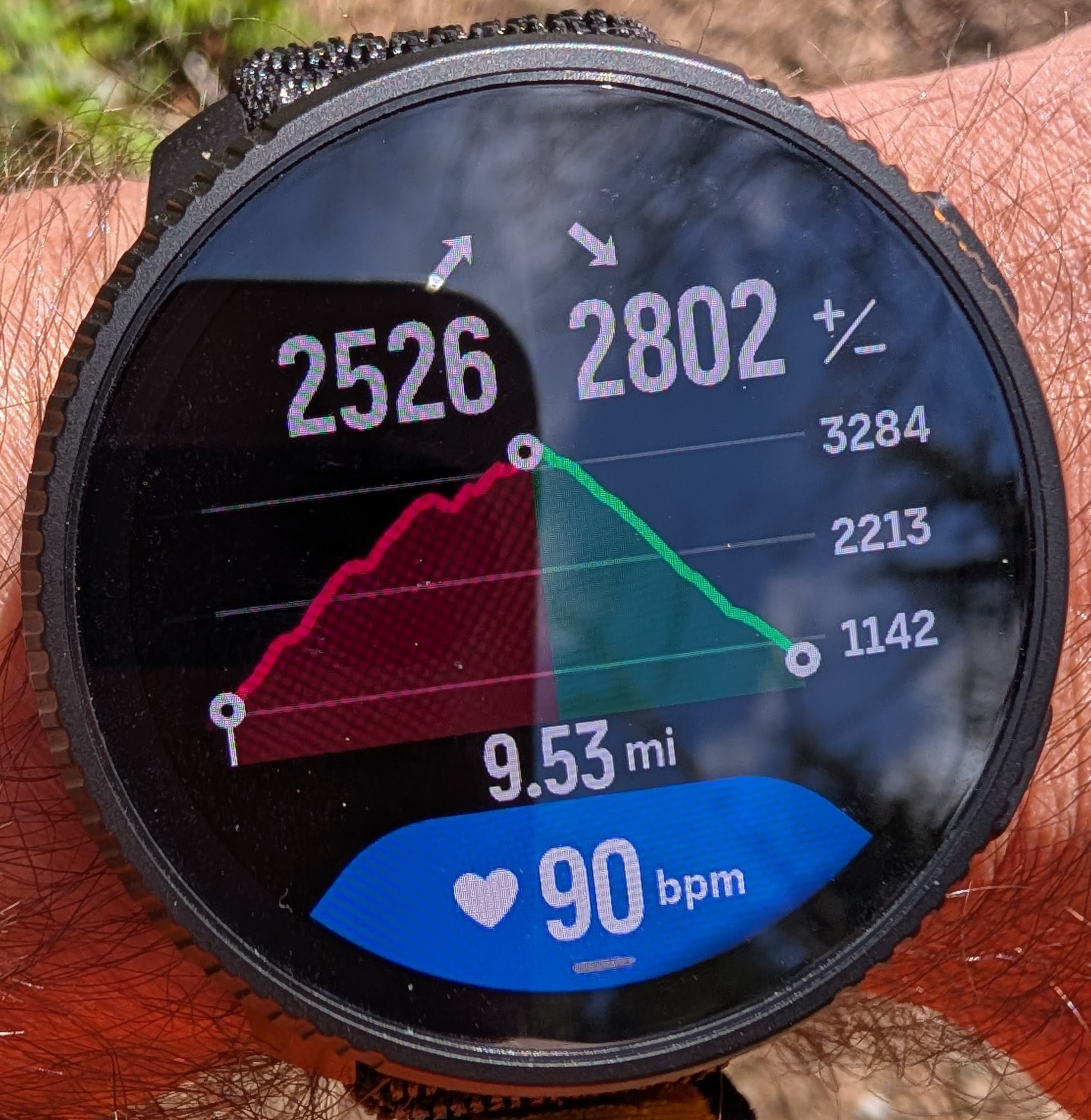
[Zoom level 1] - shows one segment to the nearest waypoint. Also notice that the distance shown at the bottom is to the corresponding waypoint - 1st, 2nd, or 3rd from the current position, which is a really useful feature during racing. This almost like having Garmin Up Ahead feature (minus waypoint names):
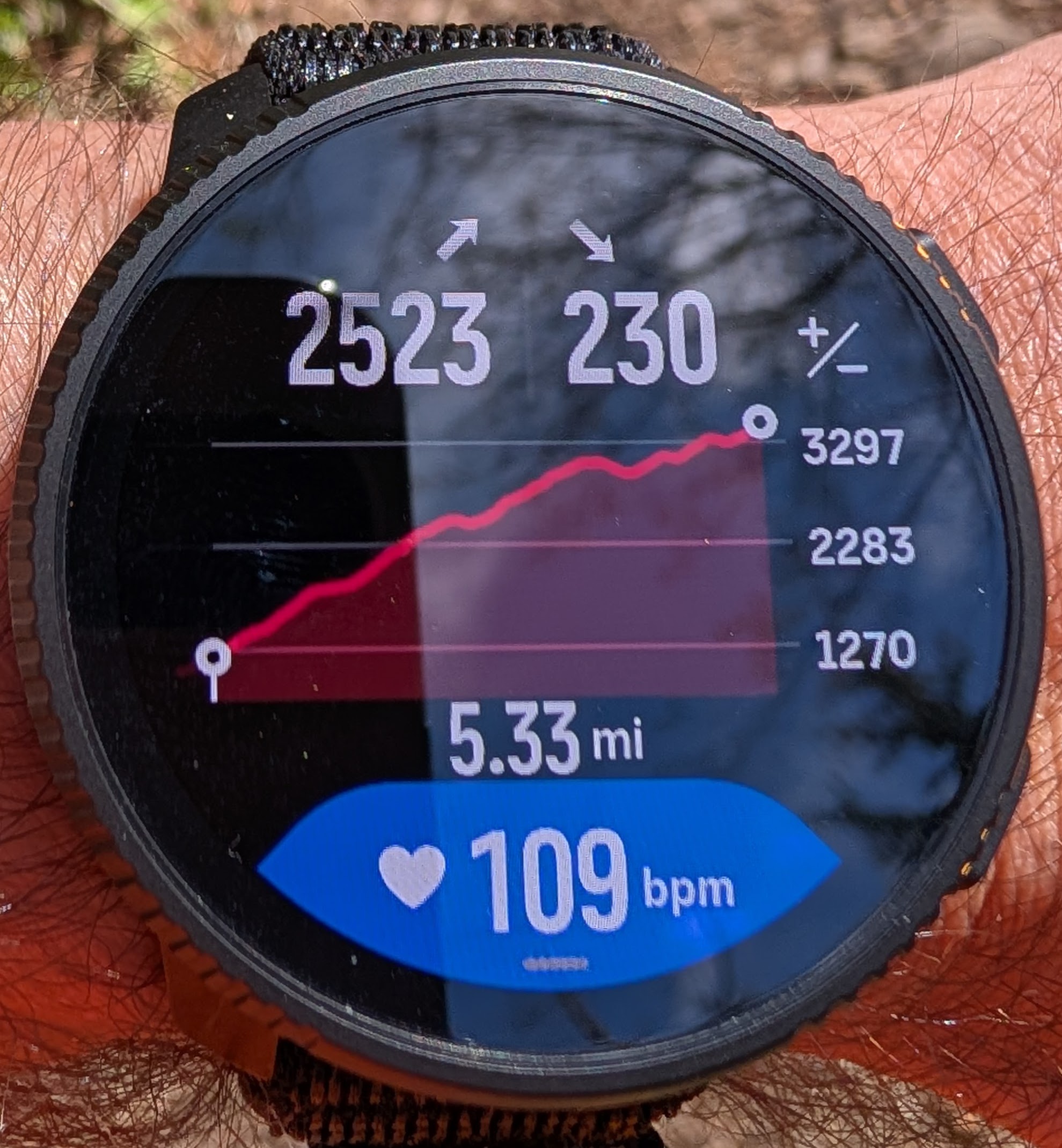
[NEW BUG: Zoom level 0] This show the Climb Guidance v1 for a single climb. It is great that we can now zoom into to a single climb, but the remaining climb (in meters or feet) is no longer shown. That used to be shown at the bottom, but that is now obscured by the new customizable fields. Do we really need to see the elapsed time on this screen? How about showing the finished / remaining climb instead. Also, how about making that distance at the bottom a bit larger to make it consistent with other zoom levels?
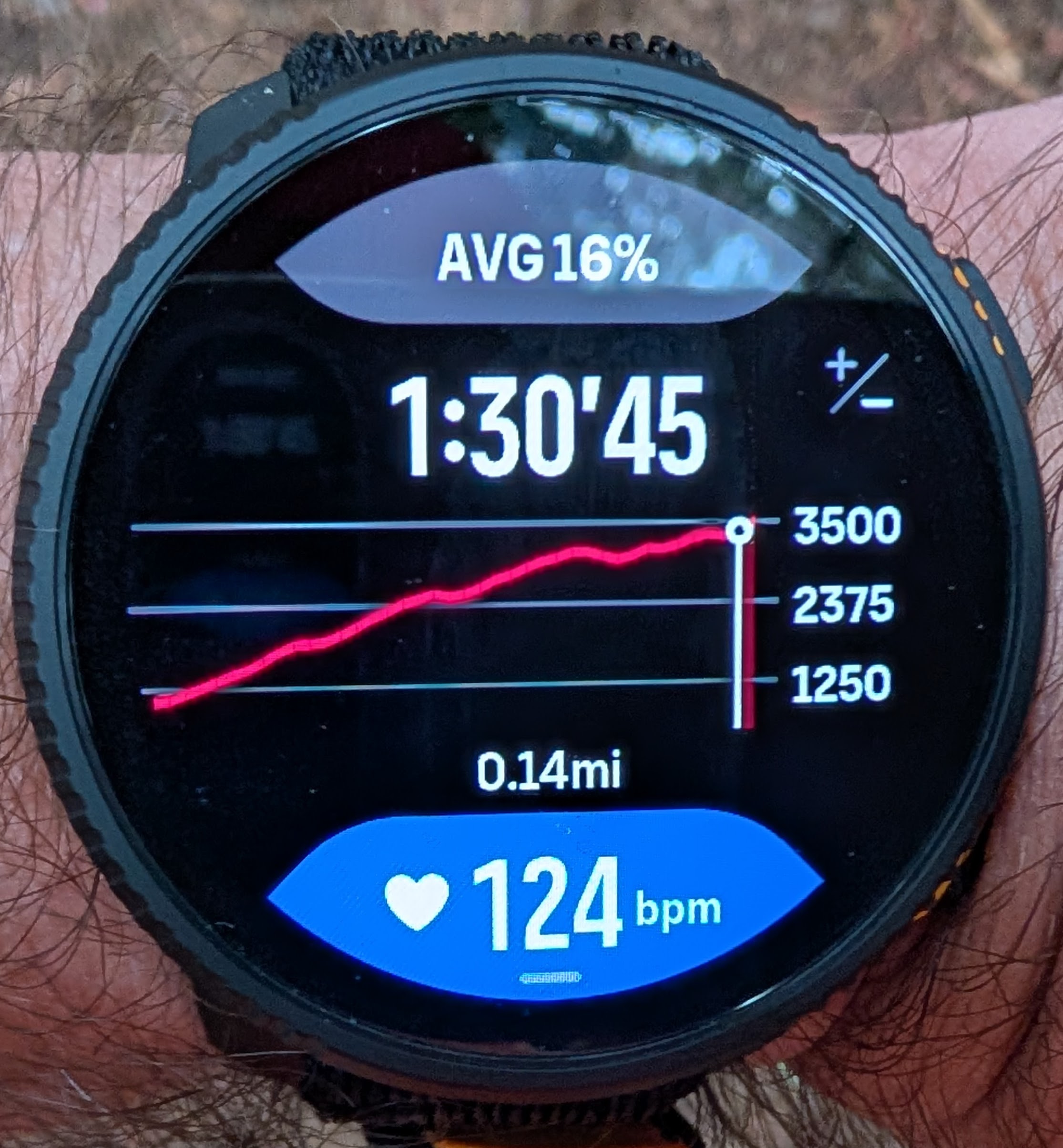
[FEATURE REQUEST] Please consider showing waypoint names at the zoom levels 1-4.
[ANNOYANCE] OFF ROUTE detection is overly sensitive. Here is an example, I stepped off the route just 100 feet, which is 30 meters, and already it went off. The maps are often imperfect, so this off-route is going to be triggered more than it should.
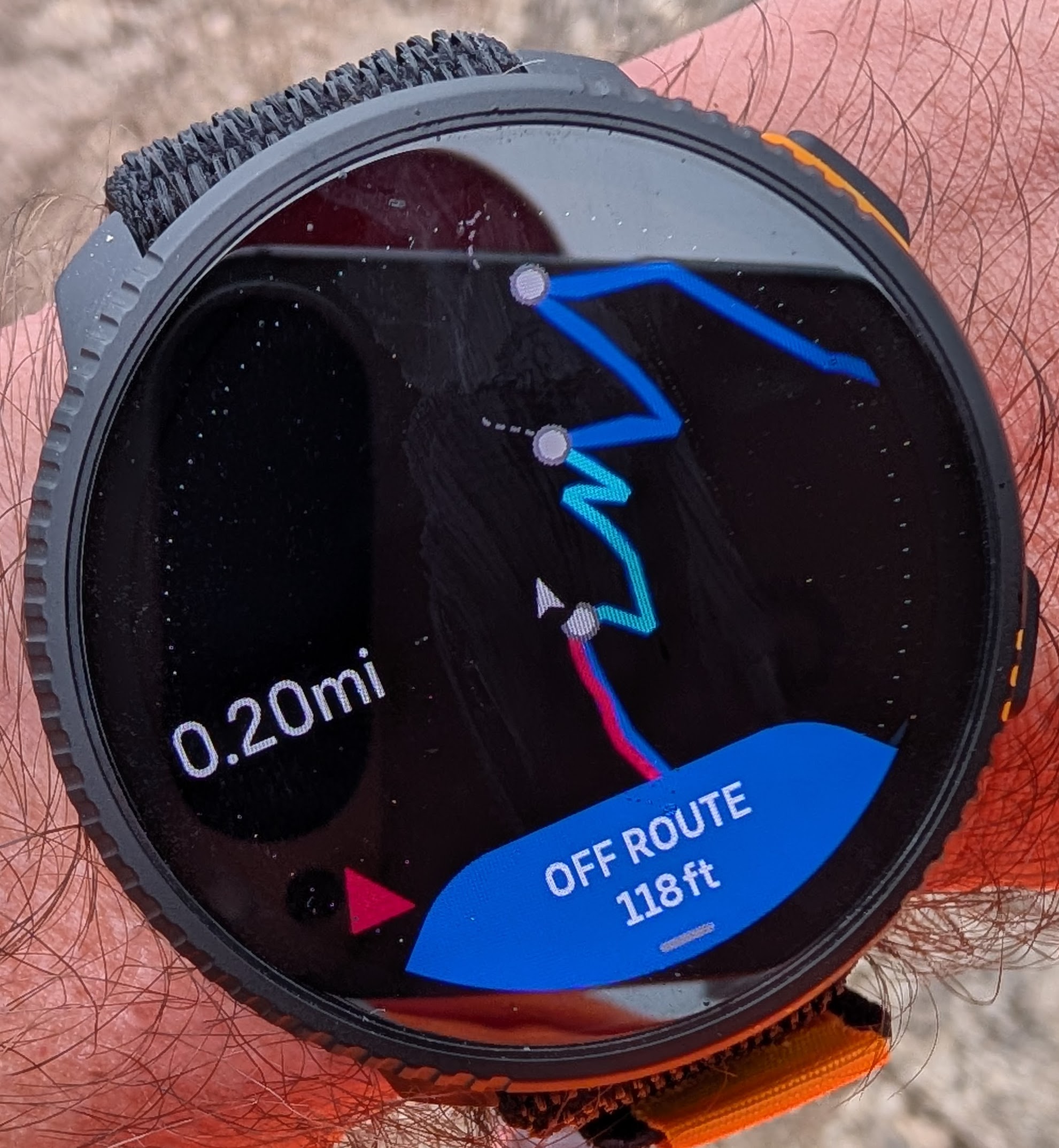
Also, the elevation profile zoom gets disabled when in OFF ROUTE mode. We can still see the profile but not zoom it:
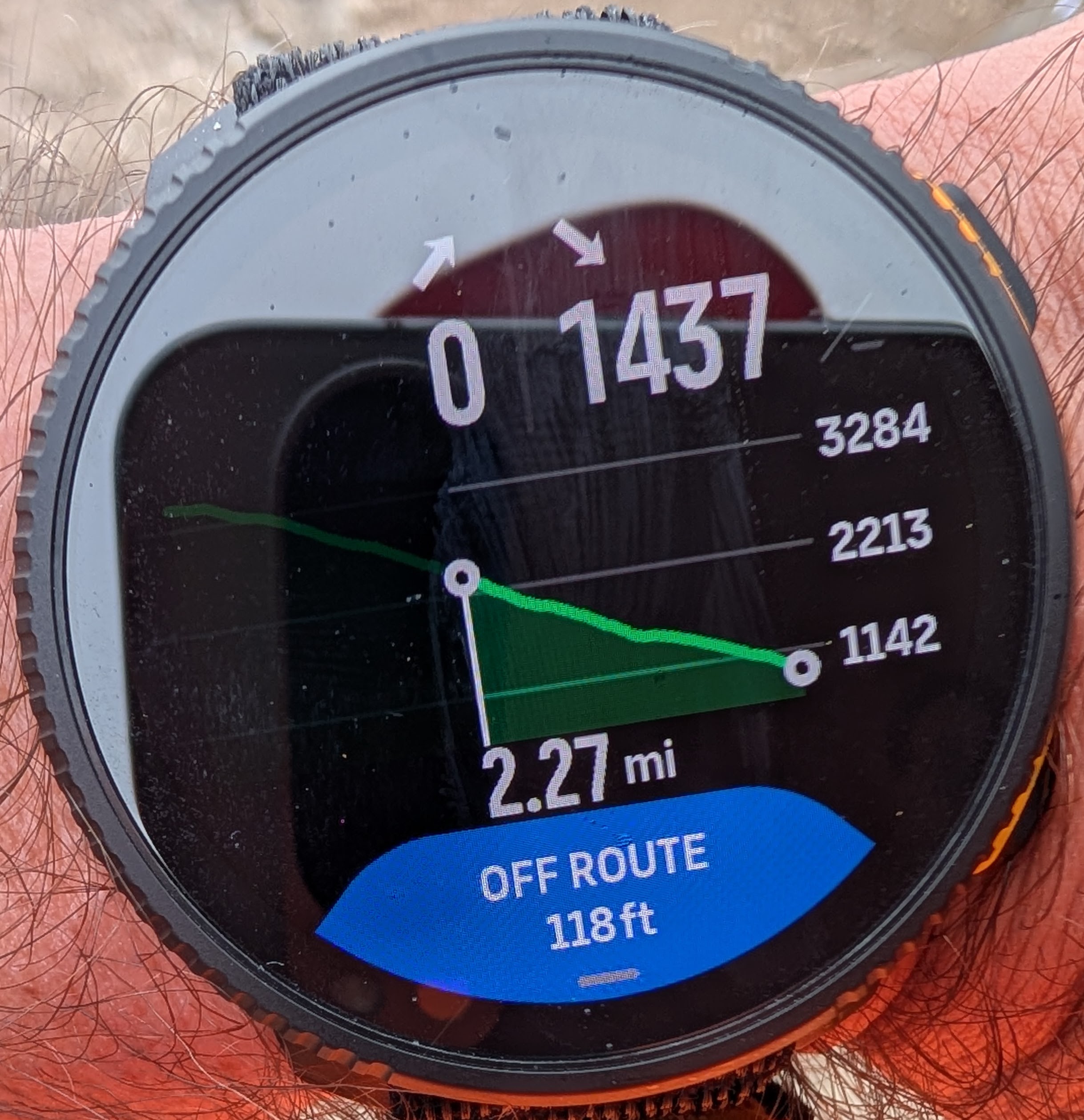
Since it shows the distance to the nearest point on the the route, how about continuing showing that closest on-route point on the elevation profile and allowing the profile to be zoomed. That would at least handle the situations when someone is just slightly off route because the map wasn’t very accurate or because took a slightly alternative trail that is supposed to merge back, which is not that uncommon.
[OLD BUG] Navigation arrows get rendered behind the breadcrumbs track when retracing the path and may often be invisible. There are situations where this may be a critical issue. This was reported a year and half ago.
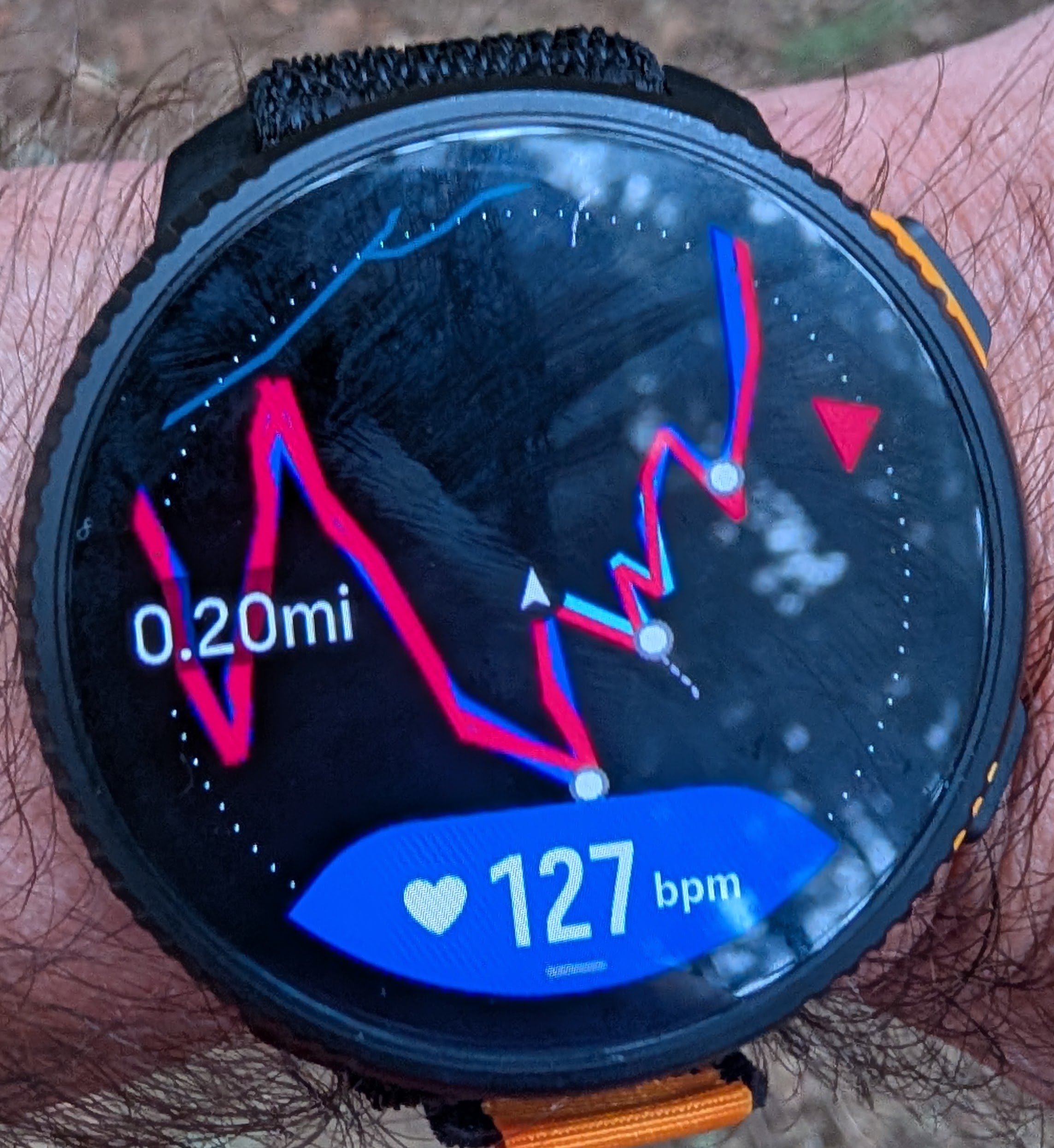
[NEW BUG] Here on the second climb the climb guidance got completely confused and it shows me as descending while in fact I am in the middle of the second climb and keep climbing:
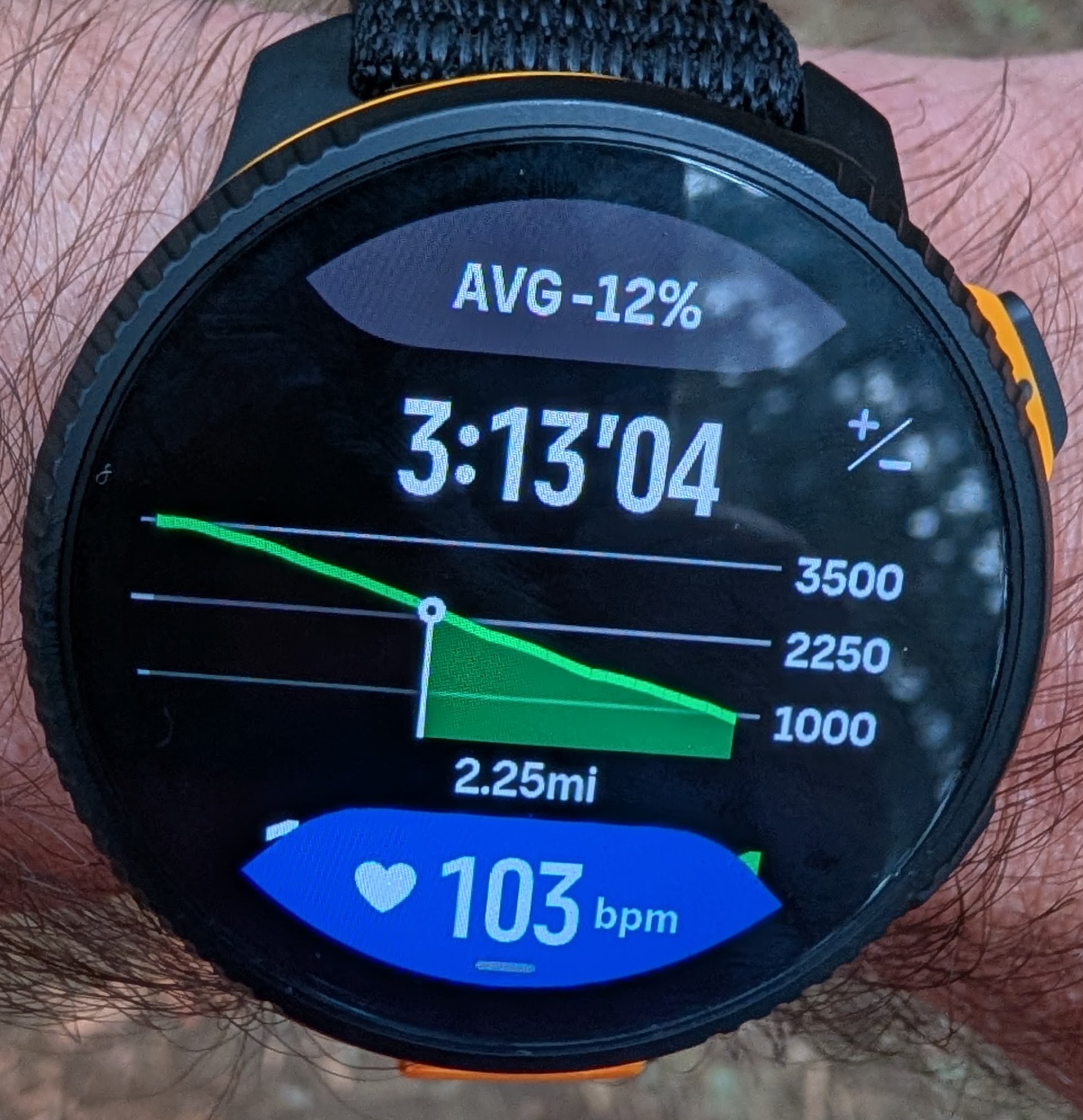
Here is a screenshot of the overall profile taken at the same time:
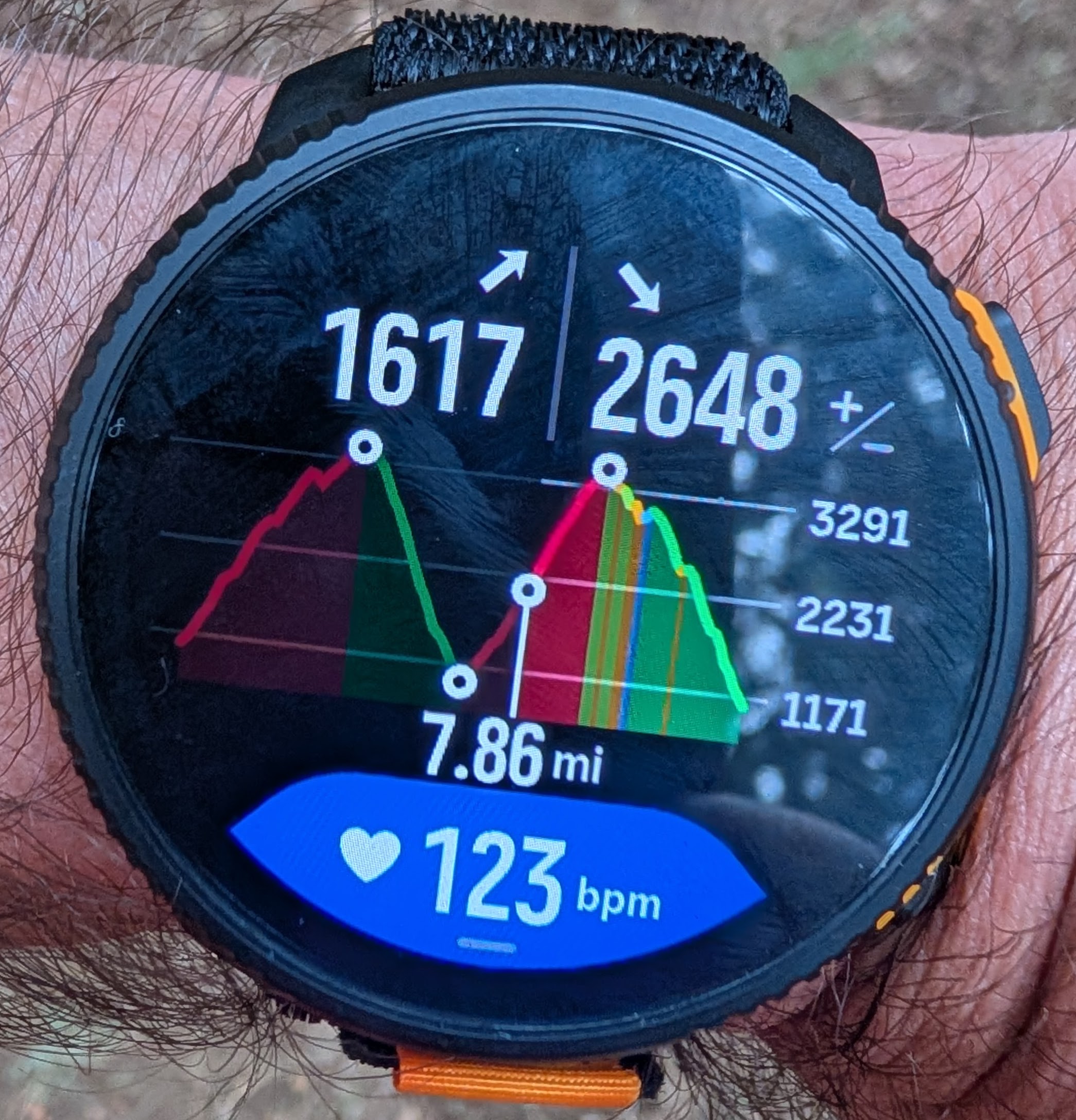
It is interesting that as I kept climbing and moving towards top of the second climb, the distance remaining on the previous screenshot (the one showing me descending) kept getting smaller as if I was making the progress toward the bottom of the descent. That is definitely messed up. This didn’t get corrected until I reached the top of the climb.[OLD BUG] At the end of the route, not all climb guidance zoom levels were available.
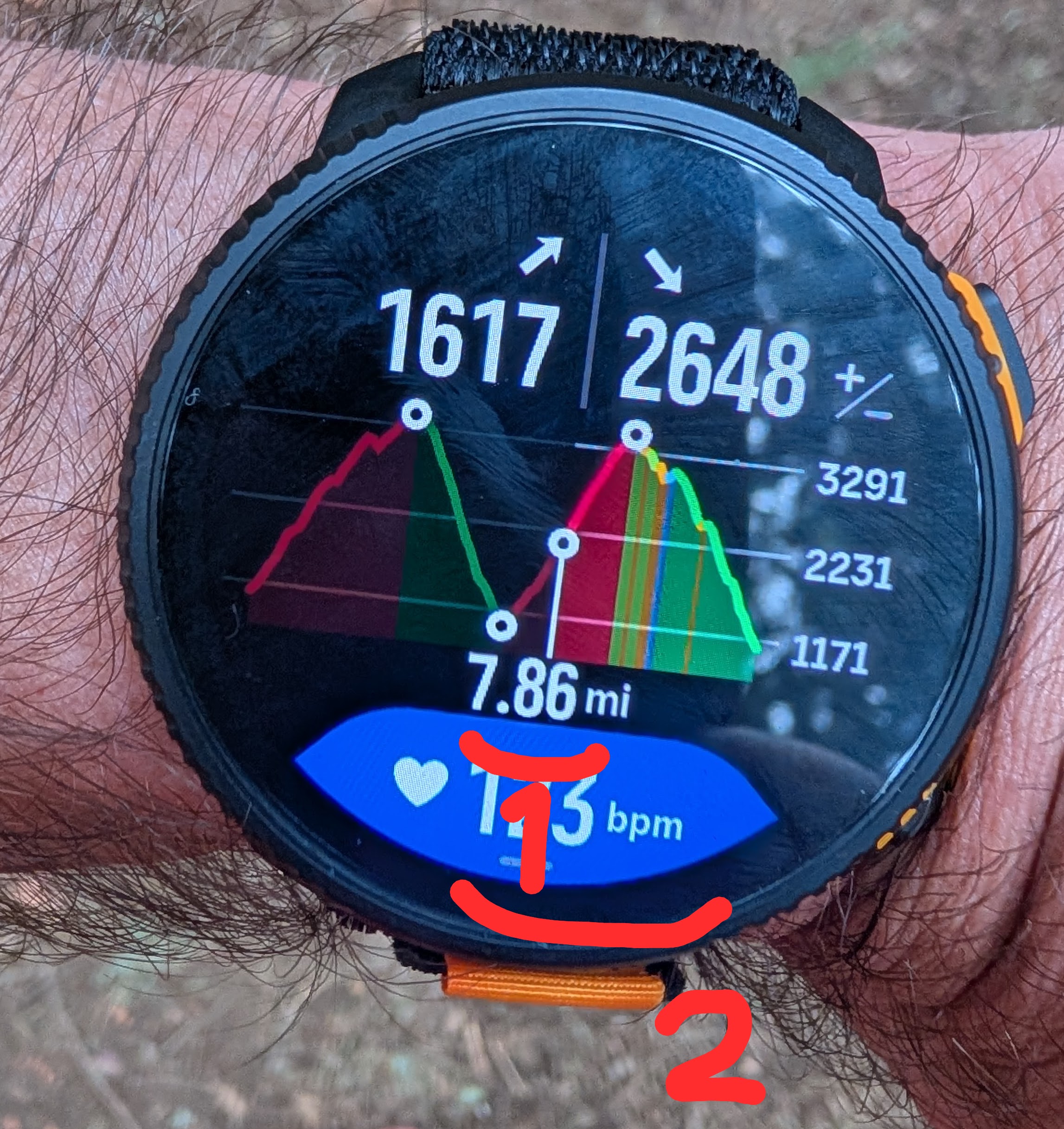
Here I have one more waypoint ahead of me before the end of the route, so I’d expect to be able to use zoom levels 1 and 2 (see the picture). But in reality, when I zoom out from the zoom level 1 it goes straight to the overall profile at zoom level 4. In other words, the zoom level 2 and 3 may be available only in the beginning of a route but not at the very end. This would be a significant issue during a longer ultramarathon race. In this case the entire distance was 20 miles (32 km) so the overall profile is still usable, but imagine the horizontal space covering 100 km or 160 km?
This issue is covered in more details in the following thread:
https://forum.suunto.com/topic/13601/climb-guidance-2.0-issue-not-all-zoom-levels-are-available-at-the-end-of-the-route-see-picture/20
